





YO, DAWG.
I HEARD YOU LIKE FANTASY CONSOLES. SO NOW WE PUT A FANTASY CONSOLE IN YOUR FANTASY CONSOLE, SO NOW YOU CAN PLAY YOUR FANTASY CONSOLE IN YOUR FANTASY CONSOLE!!
...and THEN you can put THAT in VOXATRON, TOO!!!
IT'S CONSOLECEPTION!!! XD
For reals, though: I'm astonished at how simplifying constraints EVEN FURTHER has resulted in considerably more games being produced, what looks like considerably more rapidly!!! Just... WOW.
I love you crazy bastards!
PS: So... how long until we integrate this with Splore, to make a game about playing all these games?


 1 comment

Alright. I'm finally getting somewhere with my level code, physics, and... well, I'm still WORKING on my composition stuff, too. But now I'm also starting to work on enemy AI. And here's another spot I'm kind of fresh to.
See, past projects I've worked on include fighting games - which are essentially just really big FSMs, and the AI uses some conditions like player distance or input to determine appropriate responses (some MegaMan bosses do this, too)... and music games, which is really just about lining up targets with precise timing and that's really all there is to it. Making shots doesn't seem any different than making fireballs in SF, either. But making enemy AI for platformer and top-down-adventure games is kind of a different thing; and I could use some guidance - heck, maybe even outright collaboration with.
There's four titles of enemies I'm trying to reasonably replicate here:
200X - a MegaMan knockoff.
Concert of the Damned - something between Zelda II and SotN, maybe a little Shovel Knighty too.
Gentroid - Yet Another Metroid Fangame (there's a good grip of these, it seems - and Cow has the physics/feel to that DOWN! Perhaps I should just step aside...)
...and an as-of-yet-to-be-determined title that's in line with Zelda 1 and/or Gauntlet; maybe a bit Isaacy, but certainly not Isaac. Save for maybe boss influence, we'll see where that goes.
How do some of you do your enemy AI? I know really simple stuff could be handled by my "MakeTarget()" code, but not stuff that depends on terrain contact. "MakeTarget()" is mainly about making basic movement patterns - lateral, vertical, sine-waved values, diagonals, circles or semicircles, that kind of thing.
function maketarget(obj,scr,x,y,xrange or 0,yrange or 0,speed or 0,loop or 0) --x/y position relative to map obj.p.x=((scr\5)*16+x) obj.p.y=((scr/5)*16+y) --set sine motions to control local movex=2*sqrt(xrange)*speed local movey=2*sqrt(yrange)*speed --reverse direction! if (movex=xrange or movex=-xrange or xrange<0) movex*=-1 if (movey=yrange or movey=-yrange or yrange<0) movey*=-1 --diagonals or curves if loop=1 then movex=xrange elseif loop=-1 then movex-=xrange end |
2 comments


Just noticed this:
https://github.com/RamiLego4Game/LIKO-12
Looks pretty cool. The built in functions and sprite sheet definition in the code is different so some work would be required for any existing PICO-8 games.
I started working on a port of a game to LIKO-12 but changed my mind and decided to port it directly to love2d.
13 comments









Anyone else disappointed by the lack of double (and triple) buffering? It all comes to just having a larger framebuffer for faster graphics operations. A lot of special effects and filters can only be implemented fast and correct using more video ram.
The only other thread I could find on the subject is:
https://www.lexaloffle.com/bbs/?tid=2853
I've used the Lua array method, but it's notably slower than video operations.
I guess this is just a hard limitation so one doesn't sink too much time in chasing these sort of thiings, like having too many colors / channels of sound?
5 comments








I somehow only just noticed that the BBS clips leading space on lines inside code regions:
function foo()
  print("i swear I indent my code")
  if (honest == true) then
    print("... honest")
  end
end
|
Can we get this fixed? I think maybe I've seen this on the board and just assumed that nobody indents their code. ;)
0 comments


PICO-8 apparently supports 8 players but keyconfig() only covers players 1 and 2. How do I set the controls for the other 6 players? The manual does not cover this, so if someone could give me some insight that would be helpful.
8 comments



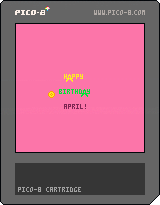
I'm pretty new to Pico-8 (got it as part of recent humble bundle), but have been coding in C++ for a while.
This started out as a little toy - I just wanted to make the "A"s move around. I brought up a web version on my wife's phone on her birthday and she thought it was cool.
Then I started thinking they A's should be able to wrap, and they need to have some sort of goal, so I added the race to the "coin". Of course, it's no fun if there's just 1 person, so I made either player computer-controlled if it hasn't been touched for 5 seconds. I tuned the speed of the computer-driven player(s) to make it really easy to beat them - it's nearly impossible at full speed.
I found myself watching the 2 computer players, and realized they quickly end up exactly on top of each other, so in my last change I set the winner of the coin to a new random position. And the last thing I did was add a sound effect when one of the players reaches the coin.
The scores just go up forever. If I were to add anything else, it might be to put some clouds or rainbows scrolling by in the background, with some cool parallax animations, and maybe some nice music.
0 comments



A fast paced endless runner with the use of only one button.
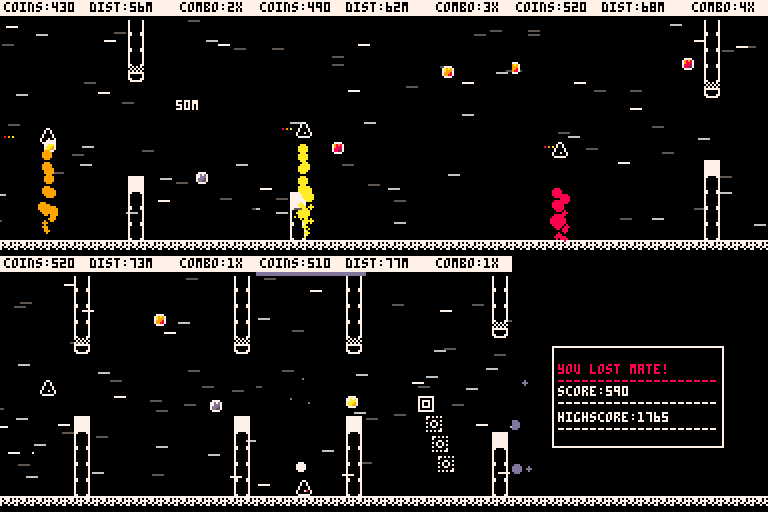
This time you have to master jumping and jetpacking trough endless obstacles coming your way. How long can you survive?
If you managed to get 4 coins(5X combo) without touching the ground you get a shield, this will be vital for your survival!
Be careful with the grey coins, they will break your combo and send you down to ground!
Controls
Any button: Arrow keys/Z/X
- Hold to charge your jump and release to jump.
- In air: Hold the button to use your jetpack
Good luck and stay Awesome!
/Elastiskalinjen
-Update 1.2-
- Limit that camera shake
- New character sprite
- Better startscreen
- Better slowmo effect
- Fixing bugs
-Update 1.1-
-Saving should now work(hopefully, new to this)
[i]-Camera shake implemented(why not)
4 comments



Controls:
Arrows move the cursor (which automatically select the closest lepicon)
Z changes the action (bar on the bottom)
X applies the action to the selected lepicon
The game is very simple, take your Lepicons to the other portal using them as tools (the different actions on the bottom).
I've been working on this game for this month (during my free time) for my One Game a Month entry. I hope I can keep it up this year and it's my first project on PICO-8 (by which I'm falling in love).
I tried to make a game of how I remember the classic Lemmings to be like, I don't want to go check how the original game actually worked, I want to do it using only my sweet (and maybe distorted) memories as guides.
13 comments








I'm trying to place 32 yellow sprites in any open (green) areas. This code is very close, except that it will occasionally place yellow sprites just 1 map tile outside of the green areas. Any ideas how to troubleshoot this one?
Thanks!
5 comments



Hey everyone, I've been playing with Pico-8 for a few weeks now and loving it. Now I come with suggestions that I hope get some attention for future updates.
I'd like a tool to move sprites in the map and on the sprite sheet, rather than having to use the stamp/copypaste.
More importantly, I'd also like to preview animation in the view window. In my opinion, animating is kind of a hassle when you have to write a bunch of code just to view it.
Last but not least, a few more colors! Even the Nintendo had 25. Perhaps Pico-8 could retain a 16-color palette, but provide a larger selection that we could swap colors from.
Thanks for you time, everyone!
1 comment

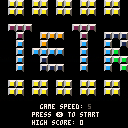
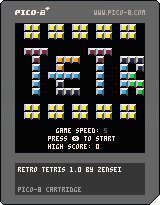
This is my first game using Pico-8. I focused on making the game with as many features and functionality. I hope to continue to improve on it in the future.
Commands:
Up Button: Hard Drop Tetris
Down Button: Soft Drop Tetris
X Button: Rotate Tetris
O Button: Save Tetris
Features:
- Choose starting speed in title menu (1-8)
- Score tracking
- Score multiplier for multiple lines (Bonus for a Tetris)
- High Score saved on title screen
- T-Spin is posible
- Rotate Tetris to stall fall
- Tetris pieces are color coded
- Upcoming 3 tetris piece color shown on right side of the screen
- Saved Tetris piece color shown on the right of the screen
2 comments
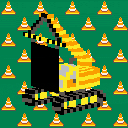
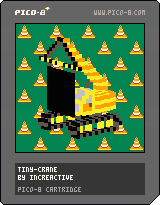
It's a Tiny Crane!
It's not exactly a game, it's more of a demo. It's a small Tower of Hanoi puzzle solver.
- To turn on/off the screen press the TAB key.
- To change the amount of discs on the initial tower press the UP / DOWN keys.
- To follow each step to solve the puzzle press the LEFT / RIGHT keys.
I know I'm a bit late to the Tiny-TV Jam but I still wanted to share it with you guys. Better late than never I guess. I'm really pleased with how it turned out, this is my first game jam, I hope you guys like it :D
Cheers!
Norberto
2 comments



I'm trying to animate a bullet going from one place to another. First I get the angle from the source to the destination by doing
local angle = atan2(startx - endx, starty - endy) |
then I move the bullet from the source to the destination by using that angle and incrementing the distance from the source
bulletx = startx + dist * cos(angle) bullety = starty + dist * sin(angle) |
but the angle is all messed up - the bullet goes in completely the wrong direction.
As far as I can tell the units of atan2, sin and cos are the same so I don't think converting between radians and degrees is the problem. I googled getting the angle between two points and getting a position from an angle but every example I found in other languages seemed consistent with what I'm doing...
Can anyone point out what I'm doing wrong?
2 comments

I posted my first cart onto the BBS yesterday, it played fine on my PC but on my phone I get the following error: " CART FORMAT ERROR 1 " followed by, "STAND BY" and finally "TIMEOUT :(". Any other cart works fine on both so it's just my own at fault, am I missing something in my code or did I just upload it wrong? Thanks in advance for any help
0 comments

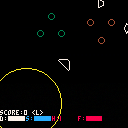
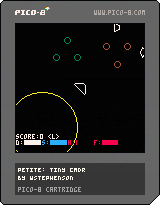
This is a little space trading game.
Vector graphics code lifted from Picoracer - thank you!
What works:
Trading
Combat
Fuel scooping
Cargo scooping
Docking (line up with station entrance)
Hyperspacing to another system (dock at a station)
What doesn't work:
Enemy AI
Ship upgrades
0 comments