
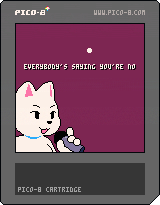
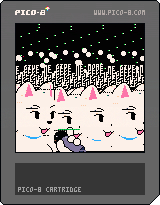
I don't know. I had the idea for this for forever.
You can press down to go half-speed, left and right to scan through the parts of the chorus.
The audio and graphics go out of sync and I've coded to accomodate for this, but it seems like it's unpredictable. You'll probably hear a glitch as it loops. On my machine the graphics are like .5% slower than the audio. IF YOU REALLY WANTED TO there is this M variable in the code you can tweak.
EDIT: Alternate self-corrupting version.



 22 comments









"Using the Pico-8 restrictions, create a mock-up of a title screen for a new and original game.
The title of your made up game must have exactly three words in its title. Hyphenated words and contractions count as one word."
0 comments

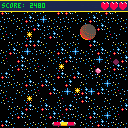
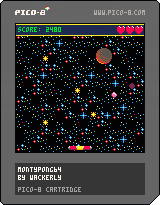
Hello, peoples! This is my first Pico-8 cartridge (as well as my first game project I completed to a point that it could be called 1.0). Yes, it's the PONG-esque tutorial game from Picozine #1, but I added a few things that the tutorial did not cover including:
-3 music tracks
-An intro screen
-A game over message
-random starting angle
-variable angle changes based on where the ball hits the paddle
-speed-up button
-bonus lives awarded every 500 points
This took about 8 hours on and off to code and was completed within 14 hours. What a long day it was! 8(
Enjoy!
-Wackerly
 3 comments



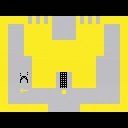
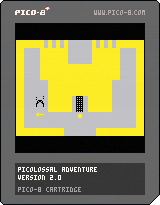
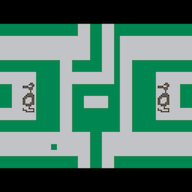
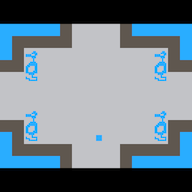
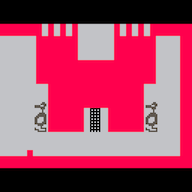
[UPDATE v2.0] Have you ever wondered why Yorgle is afraid of the yellow key, or who exactly is the Evil Magician? I mean whats his deal, has anyone ever even seen him before? Now you can finally go face to face with him and find out! There is one catch,.. you'll first have to locate him and his lair hidden deep within the Kingdom. Are you up to the challenge?
piColossal Adventure
version 2.0
A remake of and tribute to Adventure for the Atari Video Computer System
Code structure, construct definitions, sprite movement, collision, and animation routines copied from and/or very heavily influenced by Dom8verse (by Haunted Tie).
An evil magician has stolen the enchanted chalice and has hidden it somewhere in the Kingdom. The object of the game is to rescue the enchanted chalice and place it inside the golden castle where it belongs. This is no easy task, as the evil magician has created three dragons to hinder you in your quest for the golden chalice. There is Yorgle, the yellow dragon, who is just plain mean; there is Grundle, the green dragon, who is mean and ferocious; and there is Rhindle, the red dragon, who is the most ferocious of all. Rhindle is also the fastest dragon and is the most difficult to out maneuver.
[b][u]Skill Levels:
37 comments



 (Unl)0000.png)

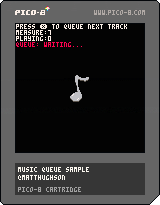
Simple example showing how to queue tracks to play one after another. For example, you might have some main menu music that you want to seamlessly transition to gameplay music without an awkward pop in rhythm.
Controls
Press either action key to queue up another music track to play after the currently playing one finishes.
0 comments




Is there a simple way to play music after the currently playing pattern finishes? I figure I could probably track how long a music pattern has been playing and calculate it out, but wondering if there is any built in functionality.
Thanks!
1 comment

On Linux this code does not trigger the out of memory handler, or triggers it too late (when PICO-8 has already allocated 3 gigabytes of memory), causing a crash.
s,n="x",0
::lol::
print("2^"..n.." "..stat(0))
s,n=s..s,n+1
goto lol
|
0 comments

So, I've been fiddling with my Picade and Emulation Station setup to get it playing PICO-8... mostly because I thought I'd configured it wrong. But just earlier, I exited ES and tried to launch PICO-8 on the command line... also to no avail. I'm not really sure what's up with that - it's in a subdir that has RWX privileges recursed to it and everything.
Using the Pi 3 B.
Also... is there a "pico8.sh" I should be looking for, somewhere? Because it isn't there. Or at least, I can't find it. I'm just in the typical ".lexaloffle/pico-8/" directory. I've tried coupling it with p8 files and the -splore modifiers too, same deal. The screen blinks like it TRIES to launch it, and then reverts immediately.
5 comments


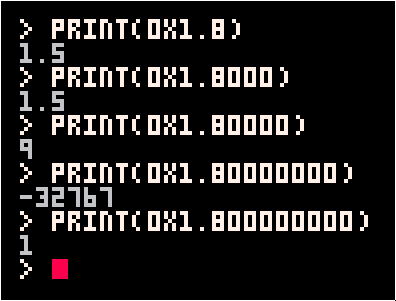
When a hex float is written with more than 4 digits after the comma, these digits cause the mantissa to spill over the characteristic in the final number:
 0 comments
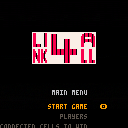
Customizable Connect 4 for 2-8 players!
Rules:
Players take turns at dropping chips into the grid. The first player to have the required amount of chips of his color in a horizontal, vertical or diagonal sequence wins the match.
Try fiddling with the options to alter the game!
2 comments


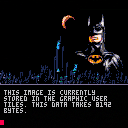
Instrux are included in the main program.
Now that I have a way to compress my game logo, I'll go to work on that Halloween game I promised. :)
19 comments



In trying to optimize my code, I was working on this:
cls() a=254 c=0 b=band(a,2^c) print(b) |
Results are: 0, which is correct. There are no #1 (zero) bits in the number 254.
Now try this:
cls() a=254 c=0 b=sgn(band(a,2^c)) print(b) |
The result is: 1, which is INCORRECT. There are no #1 (zero) bits in the number 254.
With problems like these, it's no wonder we're constantly fighting code - as in this case - it's not my fault for this particular calculation coming up wrong.
2 comments

I can see how to have a string linked to another thus:
cls() a=[[apple juice]] print(a) |
apple
juice
However, how do you link a string to another on 2-lines that does not put a CR (#10) inside the text between code lines ?
cls() print[[apple;; juice]]) |
applejuice
How do you do it ?
2 comments

Every programmer worth their salt knows the difference between LOCAL and GLOBAL variables.

But I was wondering, what if you could reverse that ?
That is, when you define a function, you have the option of saying GLOBAL in there, either to define a global variable, or just to make a flag change.
Because by doing so ANY variables at that point which are not issued as GLOBAL automatically default to LOCAL.
For programs that do not use too many global variables, this might be an easier way to code as you would not have to assign each and every local variable for each and every function.
Thoughts ?
2 comments

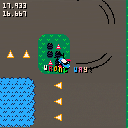
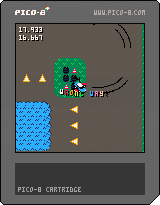
Hey everybody, this is my first game in PICO-8. A 2D racer in the vein of Super Off Road or Skidmarks developed in under a week. Your goal is to be fastest you can be. To help you achieve that you have a timer and ghost car racing alongside you.
Accelerate with up. Decelerate/reverse with down. Turn with left and right. That's all there is to it. The moment you drive over the checkerboard, the race starts.
It's got plenty of problems and bugs:
-audio sucks. I can't do audio. it's like programmer's graphics, only worse. fortunately you can turn it off.
-art. my drawing sucks. I also didn't have enough place to create 8 more 16x16 car sprites, so the rotation looks choppy
-if you stay on one lap for too long the game will run out of memory, as it is always recording :D
13 comments








|
[8x8] |
Well guys, if I can pull you from your projects for just a short moment. I =WOULD= like to wish each and every one of you a very safe and Happy Halloween.
http://www.writerscafe.org/writing/dw817/1838331/
I =WILL= be writing a Halloween themed game in PICO-8 based on an old Apple ][ classic. How about you, are you going to write any Halloween or Haunted House themed games this holiday season for others to try out and enjoy ?
2 comments
code:
- hitting del on very first character does nothing.
- selecting some text at the very end then hitting del deletes the text, as it should. but hitting del one or two more times brings some of the deleted text back
- ctrl-z is annoying most of the time as it often brings you too far back (nicknamed ctrl-y 'ctrl-whyyy?')
- maybe 'tokens ####/8192' or 'chars #####/65536' would be clearer (at a glance as for newbies)
- a few syntax highlighting issues I've reported in dedicated threads
sprites:
- the reticle does not change according to the selected tool (I keep having unwanted fills for instance).
- shouldn't the selected area define a clipped working zone ? only the fill bucket works like that, other tools and ctrl-v do not.
- you can draw your selection past the editor window, which is nice, but there's no feedback. pan the window?
map:
- no ctrl-v, you have to use the stamp tool.
- same as above about limiting actions to the selected zone. only fill bucket works.
- the selection frame disappears when you draw it beyond the edit window
- I find the ninth row a little confusing at times. you can edit it while only seeing half of it. limit to 8 ?
sfx:
- no copy/paste between instances of pico-8. copy/pasting on the bbs would be a nice addition too.
- i'm only doodling in there, maybe a few technical cues could help ? like showing the frequency/tune of the note you're editing in pitch mode. from the manual I was under the impression that you could freely change frequencies whereas holding ctrl would snap in tune. from the tool it seems the note is always in tune and ctrl snaps you on two pixels instead of one (D snaps to D#, C# to C..) ?
tracker:
- I'm not using it, for some reason :p
- I guess some external copy/pasting would be nice there too.
- have a piano keyboard, musical staves ? yeah, I'm -mostly- joking. I don't know solfege anyway ;)
4 comments


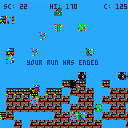
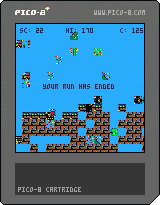
Basically Super Pico Runner Bros, but it corrupts and keeps corrupting faster.
For a real challenge, locate where I increment "C" and make it so it increments by "flr(rnd(6))". Game becomes literally unplayable
2 comments