

 10 comments



v0.1.9b
From a blank cart, enter into the editor:
A={
|
and RUN. This gives:
> RUN
SYNTAX ERROR LINE 1
A={
'}' EXPECTED (TO CLOSE '{' AT LI
NE 5.341E-05) NEAR 'IF'
>
|
(5.341E-05 is presumably the string representation of the integer line number 0x00000001 as interpreted in 16:16 fixed point)
2 comments


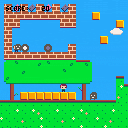
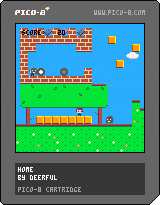
A mini platform game, which goes alongside my forthcoming 8-bit EP, Home (https://wiaiwya.bandcamp.com/album/home-ep), and is also available with some extra content on a special limited-edition USB drive. Help Emma collect the tapes and records, and get home safely - and look out for John Jervis of label WIAIWYA, who released the Home EP. Features some exceptionally lo-fi versions of the songs from the EP as its soundtrack.
Home was based on Jelpi, by Zep.
2 comments


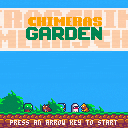
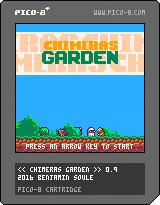
This is the game I'm working on right now.
It's a pokemon-like game. You start with one chimera and must convert new chimeras by fighting them.
- Move/Swap your chimeras, talk and grab stuff with arrow keys. Fights are automatics.
- When you defeat a group of chimeras they turn green and you can convert one of them.
- Your starting group size is only one but you can improve it by collecting rods of obedience.
- Your surviving chimeras wont replenish health or mana. You need to find apples to do this.
The map is not really balanced right now but the game is somehow playable. So I would be interested to know at this point how much chimeras you can defeat.
If you can defeat all 160 nothing will happen, because I didnt implement any ending right now.
Have fun !
8 comments






Would be really cool, then we could create our own cart tools to simplify development (a la scratch) for people who want to make a quick snappy game without much work, or create devtools that include stuff like shaders, etc. (a la game engines)
Example:
save(filename,data) |
Also EDIT: I remember seeing a post that could read all keyboard inputs, but I don't remember exactly where it was or how they did it, it involved peeking and poking though. Would be useful to have functions like KGET() to get a keyboard key for devtools.
7 comments


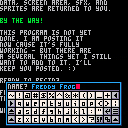
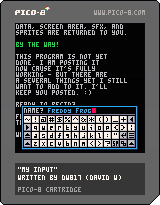
Welcome to another useful utility from the lab of dw817. (ME !)
This particular one is a full UPPERCASE and lowercase keyboard. that's right, your strings are indeed saved in lowercase if you select that from the keyboard.
You can use the mouse, touch-screen, or even the arrow keys and (z) (x) to add and remove letters.
What is especially useful about this particular keyboard is that it saves everything prior to being called. And that includes the graphic area it appears at. Any sound effects as it has its own. And even a custom sprite mouse cursor.
All your files are saved in memory first before the keyboard is available (and it's really fast so you won't notice it doing it). :)
In exiting, all your data, screen area, SFX, and sprites are returned back to you.
BY THE WAY !
17 comments




Does anybody know what's the easiest way to add a tail to a moving pixel?
A pixel is moving one px to the right but instead of just moving it there should stay a pixel in the pixels first location for a short time. Imagine a fade out.
Is there an easy way to accomplish this?
24 comments

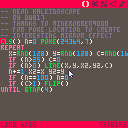
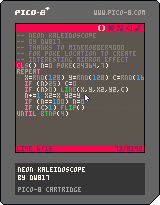
I had known that there was a curious memory location in PICO that would give you interesting effects.
I now know why it didn't work for me. You must be inside a LOOP to see it. Once your program exits, however, the effect disappears.
Thanks to MineRobber9000 for providing the demo that showed it actually works.
Here is some information I found through experimentation about it:
| POKE(24364,n) 0 .. normal 1 .. double-wide 2 .. double-tall 3 .. double-size 5 .. Normal Plot & Mirror Plot X 6 .. Normal Plot & Mirror Plot Y 7 .. Normal Plot & Mirror Plot X & Y (Good for Kaleidoscope) NO OTHER NUMBERS DO ANYTHING (cannot combine effects) |
3 comments



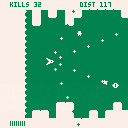
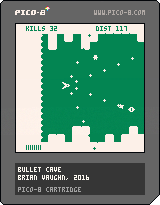
Figured I would put this up as WIP for now because I'm not sure if I'm going to put the finishing touches on it. This was intended to be a "quick little game" but it keeps growing and I think I'd rather spend time on a new idea. Anyway...
Fly as far as possible without hitting the walls above/below, and don't get crushed by the spikes behind you. Shooting baddies will build up the floor and ceiling. Enemies that get by you will grow the spikes.
Use Z to shoot. Use X to put on the brakes. Note the limited brake meter at the bottom.
When the brakes are on, bad guys will reduce the walls/spikes when you shoot them.
Collect the little dudes to build up brake time. Collect stars to change weapons.
Given this is a WIP cart, here are things you won't find:
- Sound
- Music
- Alternate color palettes
- A good death transition
- Title screen
- Game over screen
I'll probably come back to this one at some point but might be chill on it for a while...we'll see.
Either way, your feedback is welcomed and thanks for playing.
5 comments


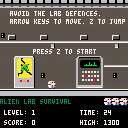
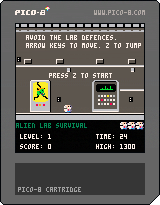
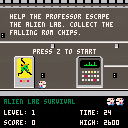
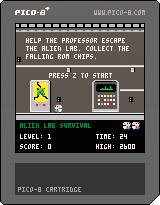
Tuned difficulty slightly- added a short stinger at level start. Start with an extra life, and quicker to get free lives.
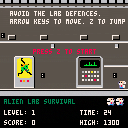
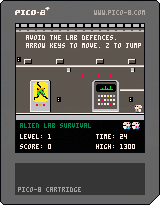
Add two new enemies. Tentacle enemy shows up in level 6 and above. And a new boss in level 10. Also now up arrow works for jump as well as Z.
 11 comments

Another update, I should probably do less but I'm bad at scheduling.
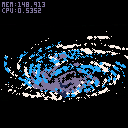
NEW CONTROLS:
UP, DOWN --> Rotate
X,C --> Zoom
LEFT,RIGHT --> Particle Size
X&Z --> Effect ON/OFF
The effect is a bit wanky because it makes Z sorting kinda useless --> particles/region increases the deeper they get so they "overdraw" the trails of the ones that are above and more towards you.
This is not my effect, I took it from
NuSan's Trails example
I hope thats ok.
I would like to make a better effect but I'm kinda bad at stuff like that. tyroney already showed me another way which you can see here:
Tyroney's pixel tail
7 comments


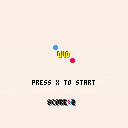
My first finished game on pico-8 :) it's a basic remake of Duet Game. Controls: arrow keys.
Edit: musics by @robbuduguay https://www.lexaloffle.com/bbs/?tid=2619
14 comments


Simple question. Difficult answer likely. Is there any way to FORCE the mouse to a position ?
That is, I can select MOVEMOUSE(0,0) and the mouse cursor will suddenly appear at the top. It's not an X/Y adjustment either, it TRULY moves the mouse pointer there so that if I pick up the mouse and move it slightly up, it will be out of the application.
If I just do a mathematical adjustment, I'll quickly be off the edge of the screen with a mouse that is off-center in reading.
I want to do this for my input routine as I want it to be intuitive when it already knows where the player is moving it to.
0 comments

Picoscope2016 is coming in April 2017
Hi,
We are organising a PICO-8 coding party in France.
You are welcome to join us in the workshops.
=> Website (near 30 places remaining)
=> Follow us on facebook and/or twitter
jihem (@wdwave)
7 comments


Hey guys,
I'm wondering if there is an exponential function? I've been trying to build my own but it doesn't quite work so I don't know what to do.
13 comments





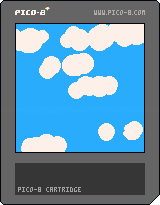
Here I show how to generate clouds using circles and some random numbers.
It's not as complex as others I have seen but does the work.
You can play with the parameters of the make_cloud function to get different kinds of clouds.
1 comment
I have a few questions before buying voxatron, since i got the 20$!! Woohoo!
The way of how did i got them isnt important. Well! Lets start:
If i have bought voxatron already, but i had problems like the game goes so laggy, i cant run the game, it freezes or else, can i get refund?
Can i make a two-players game? Like a cart with two players? Not online, i mean on the same device
can i create blocks/props that i can actually grab above my head? Like a stone that can be pick up with pushing a key?
Enemies that fight each other? Like a blue man fighting against a red man? (Weird question ik)
How do the custom weapons work? Can i name them? Like "Dorito Sword"?
how do the liquid works? Do i place water voxels? Can i also place lava voxels? Can i create my own liquids?
my own enemies? Can i make my own enemies? Can i lend them weapons?
[b]am new on forums, have i done a stupid question?
22 comments