


Does anybody know what's the easiest way to add a tail to a moving pixel?
A pixel is moving one px to the right but instead of just moving it there should stay a pixel in the pixels first location for a short time. Imagine a fade out.
Is there an easy way to accomplish this?


 24 comments




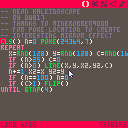
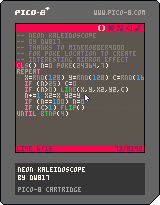
I had known that there was a curious memory location in PICO that would give you interesting effects.
I now know why it didn't work for me. You must be inside a LOOP to see it. Once your program exits, however, the effect disappears.
Thanks to MineRobber9000 for providing the demo that showed it actually works.
Here is some information I found through experimentation about it:
| POKE(24364,n) 0 .. normal 1 .. double-wide 2 .. double-tall 3 .. double-size 5 .. Normal Plot & Mirror Plot X 6 .. Normal Plot & Mirror Plot Y 7 .. Normal Plot & Mirror Plot X & Y (Good for Kaleidoscope) NO OTHER NUMBERS DO ANYTHING (cannot combine effects) |
3 comments




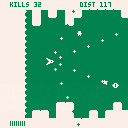
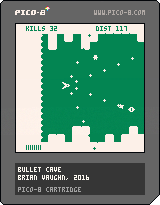
Figured I would put this up as WIP for now because I'm not sure if I'm going to put the finishing touches on it. This was intended to be a "quick little game" but it keeps growing and I think I'd rather spend time on a new idea. Anyway...
Fly as far as possible without hitting the walls above/below, and don't get crushed by the spikes behind you. Shooting baddies will build up the floor and ceiling. Enemies that get by you will grow the spikes.
Use Z to shoot. Use X to put on the brakes. Note the limited brake meter at the bottom.
When the brakes are on, bad guys will reduce the walls/spikes when you shoot them.
Collect the little dudes to build up brake time. Collect stars to change weapons.
Given this is a WIP cart, here are things you won't find:
- Sound
- Music
- Alternate color palettes
- A good death transition
- Title screen
- Game over screen
I'll probably come back to this one at some point but might be chill on it for a while...we'll see.
Either way, your feedback is welcomed and thanks for playing.
5 comments


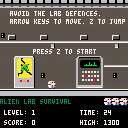
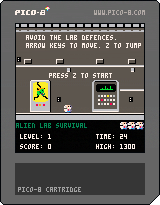
Tuned difficulty slightly- added a short stinger at level start. Start with an extra life, and quicker to get free lives.
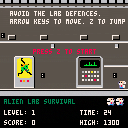
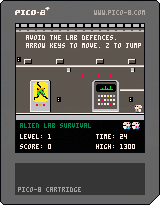
Add two new enemies. Tentacle enemy shows up in level 6 and above. And a new boss in level 10. Also now up arrow works for jump as well as Z.
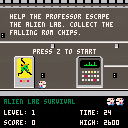
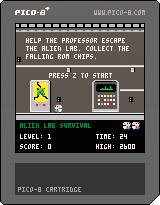 11 comments

Another update, I should probably do less but I'm bad at scheduling.
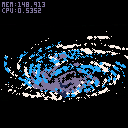
NEW CONTROLS:
UP, DOWN --> Rotate
X,C --> Zoom
LEFT,RIGHT --> Particle Size
X&Z --> Effect ON/OFF
The effect is a bit wanky because it makes Z sorting kinda useless --> particles/region increases the deeper they get so they "overdraw" the trails of the ones that are above and more towards you.
This is not my effect, I took it from
NuSan's Trails example
I hope thats ok.
I would like to make a better effect but I'm kinda bad at stuff like that. tyroney already showed me another way which you can see here:
Tyroney's pixel tail
7 comments



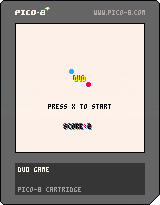
My first finished game on pico-8 :) it's a basic remake of Duet Game. Controls: arrow keys.
Edit: musics by @robbuduguay https://www.lexaloffle.com/bbs/?tid=2619
14 comments




Simple question. Difficult answer likely. Is there any way to FORCE the mouse to a position ?
That is, I can select MOVEMOUSE(0,0) and the mouse cursor will suddenly appear at the top. It's not an X/Y adjustment either, it TRULY moves the mouse pointer there so that if I pick up the mouse and move it slightly up, it will be out of the application.
If I just do a mathematical adjustment, I'll quickly be off the edge of the screen with a mouse that is off-center in reading.
I want to do this for my input routine as I want it to be intuitive when it already knows where the player is moving it to.
0 comments

Picoscope2016 is coming in April 2017
Hi,
We are organising a PICO-8 coding party in France.
You are welcome to join us in the workshops.
=> Website (near 30 places remaining)
=> Follow us on facebook and/or twitter
jihem (@wdwave)
7 comments


Hey guys,
I'm wondering if there is an exponential function? I've been trying to build my own but it doesn't quite work so I don't know what to do.
13 comments




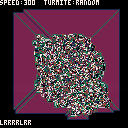
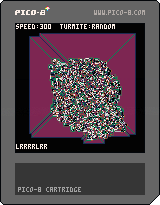


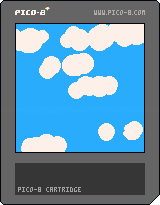
Here I show how to generate clouds using circles and some random numbers.
It's not as complex as others I have seen but does the work.
You can play with the parameters of the make_cloud function to get different kinds of clouds.
1 comment
I have a few questions before buying voxatron, since i got the 20$!! Woohoo!
The way of how did i got them isnt important. Well! Lets start:
If i have bought voxatron already, but i had problems like the game goes so laggy, i cant run the game, it freezes or else, can i get refund?
Can i make a two-players game? Like a cart with two players? Not online, i mean on the same device
can i create blocks/props that i can actually grab above my head? Like a stone that can be pick up with pushing a key?
Enemies that fight each other? Like a blue man fighting against a red man? (Weird question ik)
How do the custom weapons work? Can i name them? Like "Dorito Sword"?
how do the liquid works? Do i place water voxels? Can i also place lava voxels? Can i create my own liquids?
my own enemies? Can i make my own enemies? Can i lend them weapons?
[b]am new on forums, have i done a stupid question?
22 comments



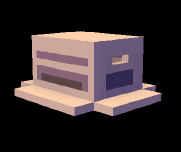
With v0.1.9b, Linux:
- Go to the favourites tab in SPLORE
- Boot the bottom cartridge
- Enter the menu, unfavorite, and exit to SPLORE
- Segmentation fault
2 comments


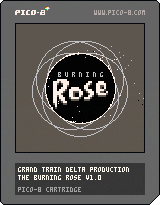

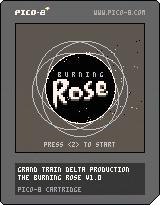
The Burning Rose Demake
GBJam Edition
Credits:
Artwork, sfx, code courtesy of Grandtraindelta, @grandtraindelta
Most excellent music courtesy of Gnarcade, @Gnarcade_VGM
@krajzeg for the pico8 controller script
Hi all, yes this is demake of an existing game I've made for gbjam, but i've used all the tokens i could find to add more content and a boss! Now with secondary phase bullet patterns
V 1.2 Changes
-Fixed gameover music bug
-Modified awakening link and dreamland palettes
-Added phase 2 pattern to boss
V 1.1 Changes
-Fixed crash with autobomb on hit with missiles
-Fixed bug, running out of missiles while entering boss phase would lock shooting
-Modified diagonal movement to respect proper distance vector over one frame. (movement was too fast)
WHY A BIPLANE SHMUP?
Born from a love of Ghibli, animation, 8bits, blue sky gaming, Sega score chasing and the Nintendo Gameboy. The burning rose has been remade for gbjam with added features.
The burning rose is a action shmup game of tense combo chaining and score driven gameplay. Coupled with end game resource management and survival. The session time is low, requiring little time investment for the player. I have implmented a quick open ended scoring system for longevity, with the emphasis on maximization. One hit kills and quick restart make it ideal for one more go arcade style play.
TELL ME MORE...
-Consistant UI
-Local Highscore table
-Autobomb mode, allows beginners to get to grips with the combo system and difficulty at a 10% cost reduction in score
-Now type blanks in highscore entry
WHATS CHANGED SINCE LAST TIME?
-Reworked sprites to work with 4 colours
-Spritesheet recoloured to allow for Palette swaps in code.
-Gameboy and Nintendo influenced colour palettes.
-Reduced token count to add extra features and optimised code
-Added music tweaks and sfx
-Xbox and xinput Gamepad functionality in browser (chrome and firefox)
-Secret boss battle, for the highscore chasers...
HOW DO I PLAY THIS?
Pilot the Burning Rose through a finite barrage of 500 missiles using only 500 of your own shots to cut a path. Each missile is worth one point. Destroying two missiles without a single missile leaving the screen starts a combo. Keep the chain going and your final score will be multiplied by your highest chain of your run. Push your chaining ability to the limit to make your way onto the local top pilot ranking!
In one run you're given 3 bombs. Use them defensively to get out of a tight situation and avoid death. Or use them aggressively to maintain a chain and link stray missiles.
WHAT ARE THE KEYBOARD CONTROLS?
Menus:
Z - Accept/select
X - Back
Up and down - Navigation
Left - Select colour palette
Right - Auto bomb toggle
In Gameplay:
Z - Hold to fire
X - Smart bomb
Arrows - Movement
6 comments


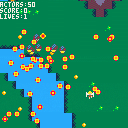
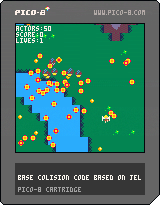
First shot at a game, modifying jelpi collision code into a bullet hell vertical shooter
Help and fixes from Mike Meyers
2 comments



Hi!
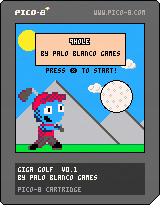
9HOLE is a platformer where you are also golfing! Hit the ball to the hole (under par!) and then get to the hole yourself!
CONTROLS:
C,Z: Jump
X: Swing your club (hold the button for a harder swing!)
WHEN THE BALL IS AIRBORN:
Arrows: Move the ball (a little bit!)
C,Z: releas ball control and control the character again.
SECRET: if you find the game a little easy, try pressing "Up" repeatedly on the title screen!
I will be doing more of a post-mortem in a bit, but I wanted to get this game online. Happy playing!
-PaloBlanco
changelog:
v1.1:
- added tutorial text to level 1
- fixed (hopefully!) spraying particles when your ball sits next to a wall
- increased particle counts and lifetimes across the board (makes the game a little flashier)
- fixed level 2 so that there is no point of no return
- adjusted a jump on level 5 so it is a little more forgiving
in the future:
- bug fixes as they get reported
- I would like to flesh out the music with one more layer
- ...that's it? I kind of feel like I've explored this idea to my content.
old version:
9 comments



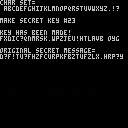
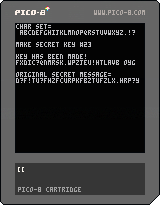
David's Super Nifty Secret Decoder Ring!

Wow ! Do they not at all make it easy to do what should be some simple string manipulation here !
what's going on ?
more work than I had hoped for lemme tell ya. however, it works, it's perfect and I doubt very seriously anyone worth their salt can crack the code to an encrypted message from this particular program as it uses random seed to build with.
That sorta thing is really difficult to reverse-engineer but - stranger things have happened.
Don't bank all your jewels on this, but I think it's a good encryptor for when we start to write those cool text adventures.
No sense in giving up the whole story by snooping eyes in your source code. :)
They used a simpler method similar to this when you would type out a text adventure from a book so as not to give the whole plot away as you enter it in.
Pretty sure these routines will be useful to you and others.
Questions, Compliments, or Kerosene, take your pick and stick it below. Send me some stars too maybe ? :)
5 comments


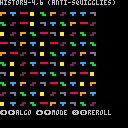
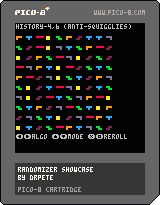
Sometimes, your game makes use of a randomly generated sequence, but it would be nice to smooth out some of the short-term variance in it (e.g. long stretches of not getting a long piece in Tetris). This cart showcases some algorithms you can use to generate smoother-feeling random sequences, and lets you visualize them for tetrominoes, digits, or dice rolls.
Thanks to TetrisConcept without whom I would never have learned about these techniques, and to the developers who invented them.
See the code comments for more on the implementation of each randomizer.
8 comments

So, in between lunch breaks, I've made tiny-but-significant progress in my level generation code. It's part of a "bigger picture" thing, and meant to be useful across multiple projects; since I'm kind of digging into proc-gen core gaming. Even this little project is a proof-of-concept of a major undertaking, depending on if I can squish this into tokens available.
The idea here is to take a number of levels "LV" and make each one a 15-plus-one table - the first 15 being a kind of "perlin noise" function used to script "rooms" into the level, and the last being a control variable "BIOME" which influences the level's colors, themed elements, etc. I'm planning on coupling this with horizontal and vertical "targets" - ones to collect, ones to avoid, ones to attack, etc. Well, a "target" can be oriented both vertically and horizontally, and in varying speeds (more on this after my next WIP major chunk of code, "MAKETARGET()").
So MAKELEVEL(3) would generate 3 "output" tables:
LVL1={n1,n2...n15,biome}
LVL2={n1,n2...n15,biome}
LVL3={n1,n2...n15,biome}
...and then these tables will define the 5x3 screen map of each level.
I'll have to add "biome control" in later scripting, depending on the kind of game it generates, after the level generation. The "doorway" table definition occurs BEFORE it runs... for instance, it makes sense for a platformer to limit "doorways" to being {0,4,5,9,10,14}, where in top-down adventure or RPG games, it could be anywhere.
That said... still checking this for proper P8 syntax, and to see if it can be simplified. Being intermediate-level at best, I have the suspicion this can be streamlined a little bit still. Maybe even a lot.
function makelevel(lv or 15)
 if (lv>15) lv=15
 winlevel=lv
 for lv>0, do
  "lvl"lv={}
  level={scr1=0,scr2=0,scr3=0,scr4=0,scr5=0,scr6=0,scr7=0,scr8=0,scr9=0,scr10=0,scr11=0,scr12=0,scr13=0,scr14=0,scr15=0,biome}
-- create sequence of 16 doors
-- we don't have to use them all
 doorshuf={rnd(1,6),rnd(1,5),rnd(1,5),rnd(1,5),rnd(1,5),rnd(1,5),rnd(1,5),rnd(1,5),rnd(1,5),rnd(1,5),rnd(1,5),rnd(1,5),rnd(1,5),rnd(1,5),rnd(1,5),rnd(1,5)}
 ezpath={}
 hdpath={}
 d=0
 n=1
 for n=1 to lv do
  d+=doorshuf(n)
  add doorlist (return doorways,d)
  n+=1
  end
--each exit makes a short,
--high-risk way, then a long
--low-risk alternative
 for n=1 to lv do
  stdoor=doorlist(n)
  endoor=doorlist(n+1)
--vertical paths?
  vstep=(stdoor/5)-(endoor/5)
  if (vstep<0) vstep*=-1
--horizontal paths?
  hstep=(stdoor\5)-(endoor\5)
  if (hstep<0) hstep*=-1
--add values to paths
  for n=vstep to 0 do
   if (stdoor/5)<(endoor/5)
   then
   add ezpath "5"
   add hdpath "5"
   else
   add ezpath "-5"
   add hdpath "-5"
   vstep-=1
   end
  for n=hstep to 0 do
   if (stdoor\5)<(endoor\5)
   then
   add ezpath "1"
   add hdpath "1"
   else
   add ezpath "-1"
   add hdpath "-1"
   hstep-=1
   end
 end
 add ezpath {"1","-1","5","-5"}
 if (#hdpath<3) add hdpath{"1","-1"}
--shuffle ezpath/hdpath order
 shuf(ezpath)
 shuf(hdpath)
--read paths, edit level table
	local pos=stdoor
	for i=#hdpath,2,-1 do
		local step={
		-1=(makelevel(pos)+=18,makelevel(pos-1)+=4,pos-=1),
		 1=(makelevel(pos)+=20,makelevel(pos+1)+=2,pos+=1),
		-5=(makelevel(pos)+=17,makelevel(pos-5)+=8,pos-=5),
		 5=(makelevel(pos)+=24,makelevel(pos+5)+=1,pos+=5)}
		end
	local pos=stdoor
	for i=#ezpath,2,-1 do
		local step={
		-1=(makelevel(pos)+=2,makelevel(pos-1)+=4,pos-=1),
		 1=(makelevel(pos)+=4,makelevel(pos+1)+=2,pos+=1),
		-5=(makelevel(pos)+=1,makelevel(pos-5)+=8,pos-=5),
		 5=(makelevel(pos)+=8,makelevel(pos+5)+=1,pos+=5)}
		end
	--return generated results as a
	--list of "lvl1,lvl2" tables...
	return "lvl"lv{}=level{}
 end

end
|
1 comment

