


So, I boot into Pico-8 fullscreen, do stuff, and type "shutdown". However, instead of shutting down Pico-8 and returning me to Raspbian Jessie (latest version), it just freezes up. Anyone else experiencing this?


 1 comment


Ive been hard at work making a port of the pretty good puzzle game from from the game "game center cx 2" called "Triotos". i would describe it but this guy did it well enough i dont think its needed for me to just retype what he did.
However the problem is that i do not have the skills nor the knowledge to actually program the damn thing. i can use my limited knowledge to imagine how it could work but after that its pretty much blank.
Ive made most of the sprites done and the gamefiled (although im still working on the background) and ive done some basic code.
I forgot how to post cartridges so uh...here's just a mediafire link (sorry)
50 comments









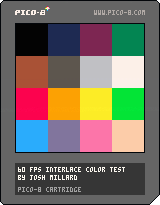
Note: web player doesn't currently support 60 FPS rendering, so this is just going to look like a static palette unless you download it.
Hat tip to ilkke for the inspiration.
This is a simple palette vs. palette demo to show off the idea of color interlacing in a very simple way: it uses the new 60 FPS function to render very quickly alternating images of 1. a single large tile version of the pico 8 palette and then 2. a 4*4 matrix of palettes, one lined up perfectly with each of the large color squares.
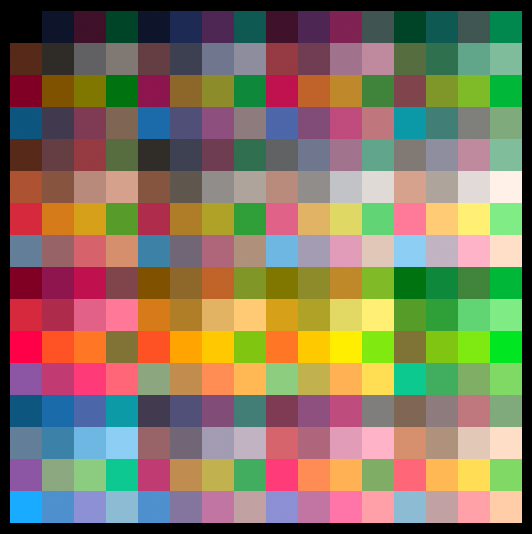
The result, when viewed, is a flickery implication of 256 separate colors*, one for each combination of two colors from the pico 8 palette. As laid out in this example, that shows up as a series of variously tinted versions of the palette itself.
It'd be interesting to lay out the color combos in a more gradient-centric way, but this was far simpler to throw together as a first experiment.
Here's a rendered approximation of the interlaced effect as a smooth static image, though of course the visual effect in practice has a kind of restless volatility that this doesn't capture:
 7 comments






CONCEPT:
Use some basic SFX scripting to make a DDR "demake." Slam Jam is further along than I am. Go enjoy that, too.
SPRITING SUNDAY:
Okay. So I did most of this last week. I'll probably revisit this after Concert of the Damned; I certainly would like to get way better with SFX/Music tracker stuff, and code to manipulate it from within. So far it has arrows (that can be recolored for 1/8 and 1/16 notes, holds, etc.), a "hold blur" that can be flipped each direction, some system icons and CD banners (which can also be palette swapped, but for now they're pretty straightforward).
Not a whole lot, but it's there.
The music part is gonna be a bit trickier; but I believe still doable. The thing is, I'm going to need a way to create a few functions that make and load SFX structures - or at least can reassign the IDs on the fly - so that the song select screen has 64 samples; and then once a stage is chosen, it can write the song data into the music tracker for gameplay purposes - and then play a sequence of the structures (1-8, 9-16, 17-23, 9-16, 24-32; for example); and at the end of the stage - during the EVAL loop - it reloads the samples.
Fact is, a lot of songs share many of the same core beats and structures, only the main melodies and tempos are really different. The tempo will have to be totally reimagined (to work with PICO's "speed" setting instead), but a common factor should control both that and the arrow speed. And since the game doesn't require external sound effects, it can actually use all 4 sound channels for composition purposes.
That said though? I'll fully admit I hardly know diddly about how the data structure for that stuff works right now. So "Music Monday" may be a good few months of constant tweaking to make right; and really, none of the other gameplay works without that. But I'm posting the current source material here because someone here may be able to run with it better than I can.
Visualizer code after that? I mean... it exists now elsewhere, so we'll see what happens with that.
BONUS ROUND: Name all of the songs that the CD cover sprites reference!!
AFTERTHOUGHT:
Another similar concept popped into mind after this, and it might be equally amusing, as well as different enough to be compelling.
You control a character, and a corresponding stepzone (just Z/X, it's two arrows wide) located above them (they both snap to the tile grid). Easy charts are 4 columns acrpss, mediums are 6, hards are 8. As targets approach the stepzone, you have to move the character to the position and then tap Z/X with the rhythmwork. Charts also contain "spikes" which you have to move the character/stepzone to AVOID. You can also "slide" targets by holding Z/X and then moving left/right with the correct timing (or holding both of them; which can also sustain holds).
It's similar enough in structure to reuse the music code; but also different enough to be its own beast. Oh well, there's always later.
3 comments


CONCEPT:
Castlevania SotN/Zelda II demake. The main focus of the game is the Zelda II-style combat; but also with palace-building scripts that... well... at this point, basically generates pathways to two keys (or enemies that drop them), an item room (that requires one of the keys), a boss room (that requires the other), and an in-palace shop. There's seven "palace chunks" in total, and later I'll be scripting closeoffs for passageways that aren't used.
DESIRED OUTCOME:
A seven-palace romp with progressive/changing enemies, decent assortment of weapons and passive items, enemy drop RNG that on occasion includes some of these weapons and items, to give it more of that SotN replay/uncertainty, a couple of secret areas of some sort?
[b]SPRITING SUNDAY
4 comments





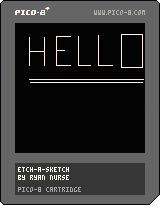
I stumbled across PICO-8 a few days ago and decided that I had to try it out. This is my first PICO-8 cartridge, just to get to grips with it. I started out following the TRON lightcycle tutorial on YouTube, but then inspiration struck me halfway through so I made this instead.
Pretty simple program, really. Use the arrow keys to draw, and Z/X to cycle through the colour palette. Black works like an eraser, and you can also use it to create gaps between drawings, like the letters in the thumbnail. I know it's kinda fiddly, but so is an actual Etch-a-Sketch :P
Probably could've put this in the "Completed Cartridges" section tbh, as there's not much room for expansion or improvement on a program this simple, but I didn't think it was big enough to warrant it. Maybe later.
0 comments


Updated it a bit, you still can't win (it won't detect it at this point...)
but looks a bit better now.
Hi there, i was playing around with pico8, and just wanted to post this code,
i'll update it in the next few days.
all data is stored in the map itself, with pre-calculated surrounding bomb counts.
the current version has everything shown on the field, i'll remove those in the next "version"
posting this just to give an idea how one (newbie ofc) could use the map to store additional data/game state.
i'll do some code cleanup and new sprites later.
0 comments
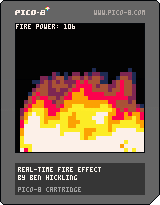
Grabbed Pico-8 the other day and started playing around with it. I really like it so far! It's challenging, but it's also fun to figure out how to work around the restrictions :D
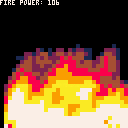
Here's one of those old-skool fire effects you used to see a lot in demos/cracks/intros back in the 80s/90s
Doing large loops over tables isn't too speedy, so I had to cut it down to 32x32 to keep the framerate smooth. It could probably be optimised, but I'm not great with that, so if you spot something that could speed it up a bit, let me know!
Controls: up/down changes the energy of the fire being spawned at the bottom of the screen
2 comments


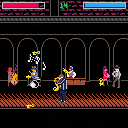
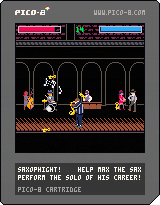
Play as Max the Sax and keep your solo alive for as long as you can against an unending barrage of trumpets in a cutthroat underground jazz club.
This is the first full game I've made in PICO-8, and really my first completed game period. It's an arcade game that procedurally generates music based on how you play. There's a blues mode and a bebop mode (bebop mode let's you play faster but it's also more difficult). High scores and unlocks are saved if you download the cartridge. Instructions are in game!
Also for anyone interested, the source code with version history is up on my github page here.
Edit: the music desyncs really badly on the web player, so I'd recommend downloading the cartridge to play it!
23 comments








Based on feedback I've created several variants of the unofficial PICO-8 font file. Please note, I do not claim any copyright - I used FontStruct to make these and it automatically inserts your username for copyright purposes.
PICO-8 mono
https://drive.google.com/uc?export=download&id=0B97Um39fHXlcN0xLMWxkSUdlNFE&resourcekey=0-66wLfWyB7-YBce08y9sgqg
A monospaced font which includes punctuation, uppercase and lowercase letters.
PICO-8 mono upper
https://drive.google.com/uc?export=download&id=0B97Um39fHXlcRWowOXB0Zko5dkk&resourcekey=0-7fJImsUrevG_99_pf4YOEA
A monospaced font which includes punctuation and uppercase letters. Lowercase letters are replaced with uppercase.
PICO-8 mono reversed
https://drive.google.com/uc?export=download&id=0B97Um39fHXlcQnlFNnRKVC1wc28&resourcekey=0-gheBygTpIzOwdeLUppUpNw
A monospaced font which includes punctuation, uppercase and lowercase letters. The uppercase and lowercase letters have been swapped around.
27 comments





Version 2 with more funny effect:
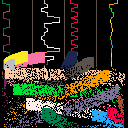
Original version:

Yet another music visualiser, using the Woo demo music by ZEP
3 comments

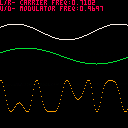
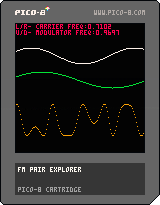
extremely simple and silly FM pair waveform visualizer
left/right to control the "frequency" of the carrier (green wave)
up/down to control the "frequency" of the modulator (white wave)
orange waveform is resultant output waveform
wish i could program the synth too :(
0 comments
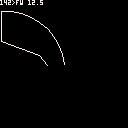
I was thinking about the current #tweetjam #tweetcart and wanted to do something fun an interactive, and though about a logo interpreter, i've made one then i've started to work on making it the shorter as possible, this is the current size it's about 200 chars, but I'm sure it can be done smaller.
How to use:
Left/Right select the logo command:
FW : Forward
TL : Turn Left
TR : Turn Right
Up/Down select the value for the current command, in degres for the rotation (TL/TR) and in pixel for moving (FW)
The top row is used to display the current command:
"A>CC VV"
where A is the current angle rotation (0 is going to the top, 90 to the right, etc..) CC is the currently selected command, and VV the command value.
To "run" the command BTN 4 (Z) is to be used!
This version is a really small subset of the Logo language, and is not interpreted as logo is of course, without a real keyboard it would be really difficult to do something better..
I will post a longer version that support most of the logo turtle commands but not as a language, only as a direct command mode.
Have fun!
It's not the code in the cart, but I've trimed it a bit, it was 346 chars it's now 314! \o/
But this one ditch the left button so you can only select in order FW → TL → TR → FW → ...
z={"fw","tl","tr"} s=1 v=0 a=0 x=64 y=64 cls() function _draw()
if(btnp(1))s+=1 s=s%3+1
if(btn(2)and v<360)v+=0.5
if(btn(3)and v>0)v-=0.5
if btnp(4)then f=sin(-a/360)*v g=-cos(a/360)*v
if(s==1)line(x,y,x+f,y+g)x+=f y+=g
if(s==2)a-=v
if(s==3)a+=v
end a%=360 rectfill(0,0,128,8,0)print(a..">"..z[s].." "..v,0,0,7)end
|
0 comments

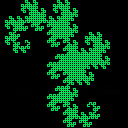
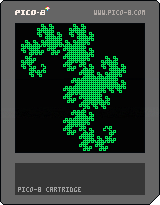
L-System for generating fractal structures like the Dragon Curve. Uses map, gfx_props, song
and sfx memory. No reason it couldn't be extended into user data. It generates the 11th iteration of a dragon curve, but has commented out code to generate a moore curve. Since it overflows into song data, you can hear music generated by the curve. Takes a few seconds to generate before it starts drawing.
0 comments

Speaking of strings, I just saw one of zep's tweets that had this in it:
?"MUSIC"
Did anyone else know that this is shorthand for PRINT("MUSIC")? I don't think it's standard Lua. It's more a BASIC thing. It's not in the manual.
I could shorten my Pi-Ko-Pon game a bit with this...
Edit: Well, maybe. It has to be by itself on a line, and it has to be at the start of the line. Still, useful for printing vars at the prompt:
> STR="THIS IS HANDY" > ?STR "THIS IS HANDY" > |
Worth noting: It calls PRINT(), so if you've overridden PRINT(), your routine will get called when you use the ? operator.
5 comments

With no library support for PICO-8 Lua, strings become somewhat cumbersome to manipulate. Technically, I can do everything I need if I'm willing to dedicate far too many tokens to tables and support routines, but it seems like it's an unnecessary impediment to making textual apps, which probably already have space issues.
I think if we had a few things that I'm actually going to draw from BASIC, it would make string handling much simpler:
CHR(n) would return a single-char string with (presumably ASCII or UCS-8, but possibly UCS-16) character n (0-255 for ASCII/UCS-8 or 0-65535 for UCS-16). It should probably return a blank string for illegal characters (or mod n by the range), and NIL if passed nothing.
ASC(c) (or maybe UCS(c)) would complement CHR(n), taking a string and returning the character value of the first character in the string. If passed a blank string, it should probably return something descriptive like -1 or NIL. Likewise it should return NIL if passed nothing.
26 comments


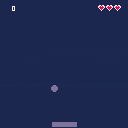
And so i have taken my first baby steps into the magical land of headaches, bugs, and frustrations known as game development. So here i offer up my alternate palate Squashy. I'm surprised at what i learned and now quite excited to learn more! <3
1 comment

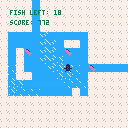
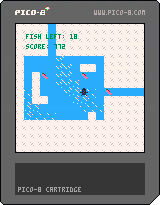
Game made in 1 hour for the One Hour Game Jam.
The theme for this week was "Do it quickly".
10 comments




Defend the Earth from a natural disaster: waves of asteroids are on a collision course and it is up to you to stop them! Space Guardian is reminiscent of classic arcade games like Space Invaders and Asteroids. What's your high score?
This is a port of my ludum dare 31 entry which you can play here. I might come back and add sound later.
3 comments



