





I'd like to be able to tag my cartridges with a simple set of license terms, e.g. all rights reserved/GPL 3/Apache 2/MIT license for the code, all rights reserved/CC4 ATTR-NC-SA/CC0 for the art. There are other potential uses for cartridge metadata fields.
Tagging the cartridges instead of using freeform comments would allow forums or databases to offer queries or different behavior. Tagging the catridges themselves instead of their corresponding lexaloffle forum posts would allow the license terms to follow the p8/png files as they are distributed.
Separate licenses are necessary for the code and for the art. You can't apply a CC license to code and have the intended effects, nor can you apply a code license to art without introducing ambiguity.
Tagging could take the form of simple specified fields in comments at the top of the source area. We already use the first two comment lines for the cartridge label. Possibly improved would be a set of optional "field: value" comments in the same block. Title, author, version, code license, art license, maybe even author contact fields (forum handle, Twitter handle, email address).
-- title: galagala -- version: 1.2b -- license_code: mit -- license_art: cc4-attr-nc-sa -- author: dddaaannn |


 12 comments











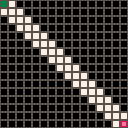
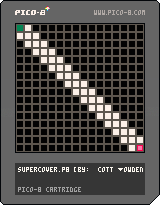
This is a really basic test of a supercover algorithm (for determining which grids in a square a line from square 1 to square 2 crosses). Potentially useful for collision detection or line of sight.
Algorithm is cribbed from online (with minor tweaks), and this is otherwise quite simple. Mostly a proof of concept, and to see how well it performed within PICO 8.
Up / Down / Left / Right: move the end point.
Z: change which end point you're moving
0 comments

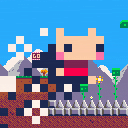
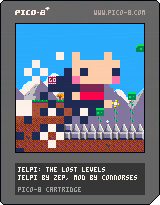
SOME WOULD SAY IT'S TOO SOON. TO WHICH I SAY... Yeah, yeah it probably is. The original JELPI isn't even technically finished. But hey, I got the deadly spikes to work and made a whole cutscene...
plz tell me if you get to see the ending plz
19 comments









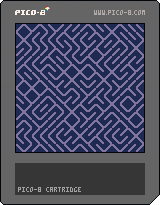
so based on a conversation from another thread, I decided to do an implementation of the one line program :
10 PRINT CHR$(205.5+RND(1)); : GOTO 10
now i'm a hobbyist programer at best, so I pose the challenge to the community, what's the smallest program you can write to recreate this effect?
this is my effort - using sprites and in 50 tokens
11 comments



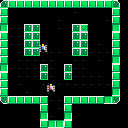
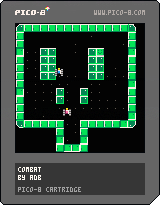
I have started working on a version of " Combat" during the Outofthebit game jam.
blogpost
The game is far from finished, but I really think a 4 or 6 player version could be amazing.
to do :
- rotation of the sprites of the tank
- bullet creation
- bullet collision
- score
- explosion
- spawn the tanks randomly
- victory screen
- rematch
I
1 comment
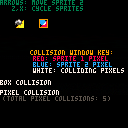
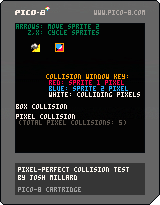
Per this thread, I wanted to figure out a method for pixel-perfect collision for a project I'm working on, and snaggled the in-project attempt so badly that I decided to start from scratch in a separate cart. This is the result, a little demo that shows pixel (and basic box) collision feedback in real-time on a couple of sprites.
As far as I can tell, the collision test is accurate under the assumptions this cart makes: each sprite is an 8x8 sprite referenced directly off the sprite sheet by sprite number, and any non-0 pixel is considered solid. But beyond that I am making no assumptions about it: I'm sure there are cleaner/faster/neater implementations of the same idea, and I'd encourage anyone who feels like taking a shot at cleaning it up to go for it.
This should also in principle be generalizable to arbitrary rectangles of sprite sheet info for e.g. larger multi-tile player sprites, and in fact I made some progress last night trying to generalize it, but that hasn't totally come together. Anyone who feels like tackling that, go for it.
2 comments


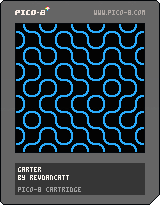
Hey there, I just wanted to have a very quick play with PICO-8 and this seemed like a fun quick test. Single "large" sprite blitted across the screen while being flipped at random, no interaction. Pretty simple and painless, based on an old screen-saver.
Now onto something a bit more involved (but I expect not much).
8 comments


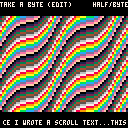
This is again just a test for the web player, both on the music playing and the gfx rendering. I couldn't get the renderer to render a 1x1 thing, but I haven't tried too hard and I have absolutely no idea of what I'm doing when it comes to high perf pixel pushing. My hope is that this will be my first proper music release for the Pico-8, hopefully in August.
1 comment


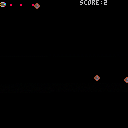
Hi! I'm enjoying getting started with Pico-8!
Does anyone here use IRC or is there already a pico8 channel somewhere?
Happy to start one if not.
6 comments



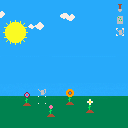
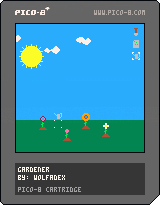
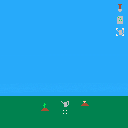
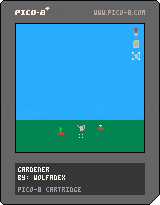
Added:
- flowers
- a couple sfx.
Todo:
- more sfx
- music
- splash screen
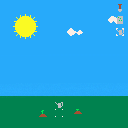
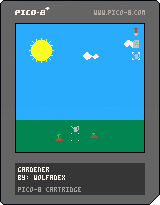
Controls:
- move with arrow keys
- change tool with x
- use tool with z
Added:
- sun/moon
- clouds
- rain
 1 comment
So I noticed this odd behavior in v0.1.1 when you press two arrow keys quickly but not at the same time. Pressing down, then left while still holding down causes the cursor to move first down one space (correct), then diagonally down-left one space (incorrect). So the end result is moving 2 spaces down and 1 space left, instead of 1 and 1.
If I had to guess, I think this is because the directions are treated like a gamepad, so when any of the four keys are pressed new events are handled for all currently down directions, instead of just-pressed keys. But this behavior is very frustrating when you're trying to navigate lines in the code or music editors, because the cursor often goes wrong when you move too quickly. Please fix!
Additional note: pressing down and left at the same time causes the cursor to move two spaces down AND two spaces left. Really odd behavior. XD
4 comments
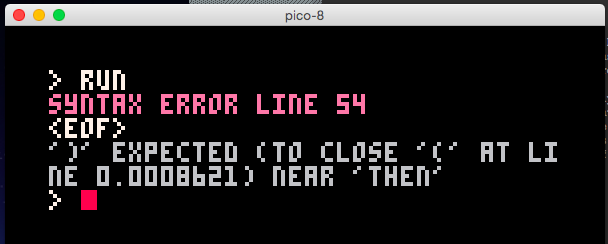
I had a syntax error due to an unclosed paren, and the error message tried to help by telling me the line number of the unclosed opening paren, but the line number was a fraction:
SYNTAX ERROR LINE 54
<EOF>
')' EXPECTED (TO CLOSE '(' AT LINE 0.0008621) NEAR 'THEN'
|
The actual line number of the opening paren was 53 (9 chars in). Lines 53 and 54 were:
      if ((neighbors == 3) or
          ((get(cur_base,x,y)==7) and (neighbors == 2)) then
|
I can repro this with an empty file and just these two lines with a closing "end" statement (getting a line number of 5.341e-05).
 0 comments

Seeing screenshots of 3d[-ish] games here and there, a question arises - how does one draw filled triangles, and does so efficiently? I have tried porting one-before-last-step algorithm from here:
http://forum.devmaster.net/t/advanced-rasterization/6145
which resulted in this little monstrous function:
https://gist.github.com/YellowAfterlife/34de710baa4422b22c3e
but, alas, the math is just too much - it can barely draw half of screen worth of triangles before CPU use reaches 1.0. And that's before there's even any game!
I'd appreciate some pointers towards algorithms more suitable for pico-8. Or any help, really.
2 comments
I've only ever done really minimal/logical collision stuff in games, so more general collision strategies are still sort of mystery meat to me. I'm working on a little test idea with a ship flying near uneven terrain that the player will need to avoid colliding with, and I'm trying to work out a good approach to doing that per-update collision test between the ship and nearby terrain.
If I've got a ship sprite, and a given nearby sprite of map where only a portion of the sprite is solid ground (say, a diagonal chunk of hill), how might I approach writing a collision detection routine for the two? Something using pget for the ship and terrain sprites and appropriate x/y offsets to check for any case where both pixels are non-transparent?
9 comments




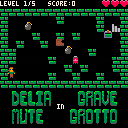
small grid roguelike.
Press z to use items that you pick up, each inventory slot can only be used in the direction it is picked up in. Complete quests for bonus points!
8 ITEMS! 3 ENEMIES! 3 QUESTS!
changelog
0.5
fixed long standing "out of memory" bug
tweaked quest bonus
added highscore saving
0.4
quest where you have to bring at least 3 potions to the exit
enemy that waits until it sees you, at which point it paths towards where it last saw you
0.3
fogs now effect the enemies that they are throw at
better memory management (maybe)
in game sound effects
8 comments

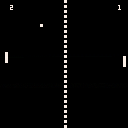
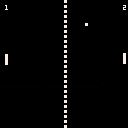
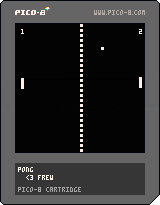
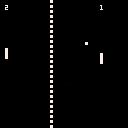
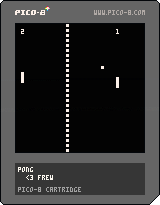
This is my first (nearly!) working game in PICO-8. It's a simple Pong clone. Currently lacks sound but I'll update it once I figure out how the SFX editor works.
7 comments
