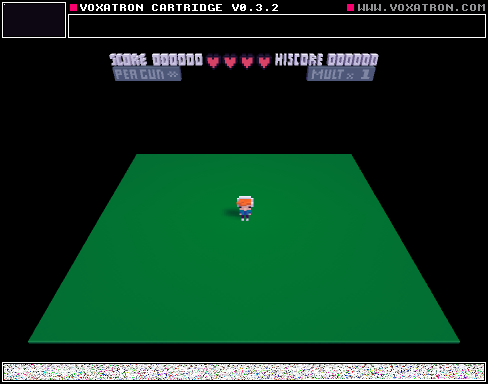
you are a duck!
z to sprint, x to quack (this will be tied to an eating mechanic later)
Spent a couple of hours working on this today once I realized I had access to Pico-8 :D.
Once time runs out, nothing happens. There is no score yet. You have three lives with no way of losing any of them.
There are no goals except for being a duck.
No real gameplay yet, but I'm posting it here to force myself to update it and to keep working on it.


 0 comments

I need help deleting various blogs! I am bored of them an is done or have enough ideas for a blog. I am wondering in future BBS update you can add a delete button for blogs in editing, but you must confirm. CONFIRM
It would be great because a blog like this needs that, also add a name changing system. You would have to add a filter so people can't copy names:
Cause Zep people could take your picture and name, and copy every post you add! That would suck for anything, because the would fake the editing license. Also I would like an option to make an account without email! Thanks!
-Datbuilder
0 comments
1: Journey Of Ceazar
In This "BBS Cart" There Is A Boy (You Can Add Hair Color, Etc) & One Day he Figures Out He Has Powers, And This Crazy Killer Aliens Are Hunting Him Down :)! He Has To Fight Him With Guns Knives (Gun: The Azz) (Knife: The Azz)
Thanks!
Also Add Cyclops, Dragons (Edited) and Elfs!
-DatOneBuilder
5 comments


Limitations always make me think about breaking them, and when last time I realized that you can “load()” cartridges while your program is running, that seemed something exploitable :)
So here is one way to circumvent the limitations somewhat: You can only fit one “fullscreen” picture in the gfx space in pico-8 - BUT the cartridge change and load is fast (at least compared to changing a physical cartridge :) ) so what if I put more pictures my program need in other cartridges, and load when I need?
Turns out it can be done. :)
Here is a demonstration: a “fullscreen” anim player. It reads the frames from the cartridges in the “frames” directory, and copies the contents to the screen.
It is not that fast as I hoped to be, but it is still useable. It plays an animation with no problem, and with some planning it should be useable for other purposes too (while something else is still happening on the screen, like a game for example :) )
As the screenshot shows: it consumes 96% of cpu time, but only in the frame when the load and refresh happens. (I refresh every third frame, that’s how the average is around 32% - two frames with zero cpu load, one with 96%).
In theory you could spread the cartridge load and the refresh to different frames, but unfortunately the load is not “silent” (it prints a message to the screen), and that scrolls/writes in the picture. I couldn’t come up with a way to hide that yet, but the separete load/update lowers the max cpu usage to 49.6% (the average is stays the same, because now we have one frame with zero, and two frames with roughly 49%).
But of course an animation player is really the stress test of this technique. Apart from… you now, actually playing animations (like intros or something) you don’t really need to refresh that fast probably, and loading data from other cartridges can be used a number of different ways: backgrounds for an adventure game or transition screens, or replacing the tileset for an another world in the game, etc.
I have the sample for you to download (I don't think it will work in the web player), but it seems that I can't post any links in this forum, so please go to my blog post on tumblr and download from there if you want to check it out: http://blog.ccatgames.com/post/118623662172/still-playing-with-pico-8-limitations-always-make
1 comment

Basically what the title says. I don't know if you are aware of this or not, just leaving this message here just in case.
12 comments
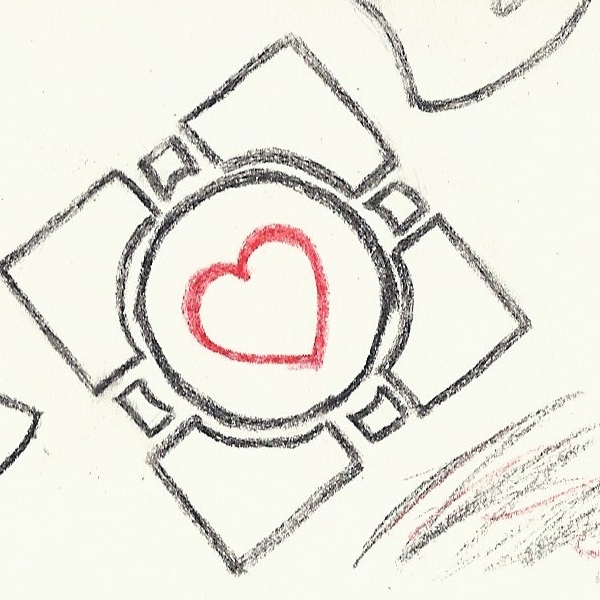






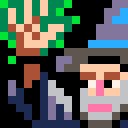


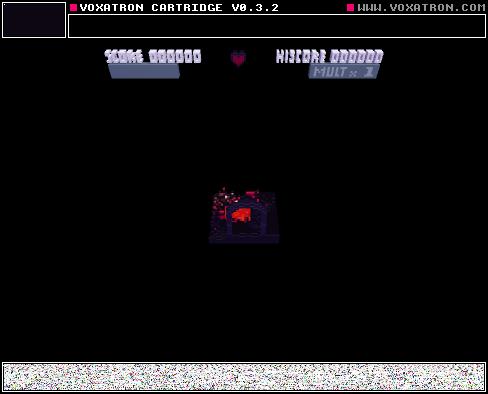
This is a cartridge I've been working on for a bit. The props are essentially "angelic" and "demonic" versions of the
pre-existing ones. I think they look pretty good- I'll probably make a more polished version of this some time. But it's definitely not any time soon.
Note: Set your SL button! One of the weapons [slide] are controlled with it.
I used a mouse while testing it, keep that in mind.
one more note. Hold left as soon as you begin.
2 comments





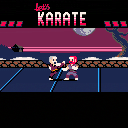
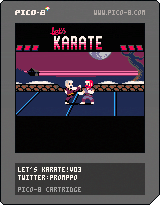
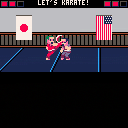
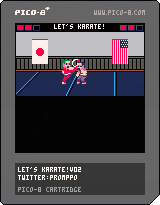
Might as well call this the finished version, since barring optimization and cleanup I'm out of space.
CHANGES:
-There wasn't really much point in moving away from your opponent, so backward movement has been replaced with a longer backstep that can be used to avoid attacks
-Tweaked a few pixels
ADDED:
-Logo graphics
-2 new backgrounds (chosen randomly for each round)
-Randomly generated character appearances (loser's character gets replaced after each round)
-Characters now have shadows
-1 new music track
-Options menu to change/disable the music and choose between 3 CPU difficulty levels
FIXED:
-Player 2 could still go slightly outside the screen's bounds
KNOWN BUGS:
-There's a certain set of inputs that will prevent a character from going into the win pose after knocking an opponent out, thus being able to move around freely and preventing the round from ending. I have no idea how to do it apart from buttonmashing. The CPU will occasionally manage to do this, since technically it's constantly buttonmashing. Don't think of it as a bug, think of it as the ultimate victory celebration!
 12 comments







Hello, and apologies that this was my first post, but I'm having a problem getting in to Pico-8. The keyboard keys don't work, so I can't even enter help, no other letters either. I also can't escape via my usual task manager way, so I have to sign out. If it helps, my machine is an Aorus X3.
Get back to me soon, I really want to give this thing a whirl!
1 comment


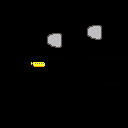


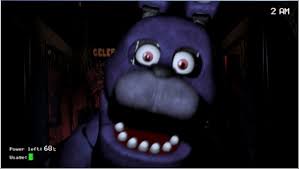



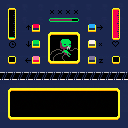
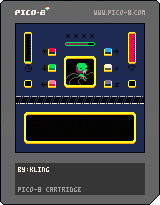
to put it simply, this is somehow a fnaf clone, its a stress management game, here is how it works:
your objective is to keep the being alive until the green bar (time) fills up.
there is a purple bar in the middle which will decrease with time
press x to fill it
press the button required on the bottom of the screen the number of times necessary
the being will lose life if:
you press a button that is not required or press it more than its required
you take too long to press the required buttons and they build up
you press x and any other button at the same time (you can press the other buttons at once, however)
you let the purple bar get empty
the being recovers if:
*you press the required buttons, the required number of times.
2 comments



Hello all!
For some reason CD command not working for me anymore. All other commands working normally.
All was working day before, nothing changed on my PC, and now i get only "CD: Failed". Tried with or without admin rights, reinstalled to non-system hdd, same.
win 8.1 x64
Is it me doing something wrong or problem with pico8?
Screenshot: https://www.dropbox.com/s/v2fha85r7cnnrnp/2015-05-07%2000.36.45.png?dl=0
5 comments



Neil (nknauth here in this forum) had this awesome idea to use my image importer to create custom covers for cartridges.
I myself wondered if one could use a cartridge cover other than a screenshot, but my best idea was “Probably at some point I should ask zep if he can enable using some other images. Maybe. Someday.” :)
But neil's idea is actually working. Needs a small amount of hacking though: simply loading an image, taking a screenshot, loading an another cartridge, and saving that cartridge by hand just produces a gray square on the cart instead of the image.
BUT using this code in the image loader works:
function _update()
if (btnp(4)) then
load(“road”)
end
if (btnp(5)) then
save(“road.png”)
end
end
function _draw()
cls()
sspr(0,0,127,127,0,0)
end
So the steps are:
- Create an “image cartridge” with the code above, but replacing “road” for the target cartridge name.
- Import the cover picture into this “image cartridge” by using the image importer from my previous post, or simply just drawing directly in Pico-8
0 comments


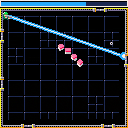
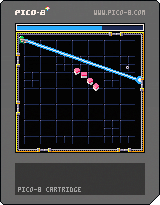
Hello this is the third and probably my last entry for More Is Better Jam. ( I have to leave until next week)
This one is still unfinished, I wanted to add a progression system with powerup unlocks.
As a result the late levels are quite difficult since you will have to play them without the powerups.
Instructions :
- Save the 32 Files left on your computer by fighting viruses waves with your sweet laser beam and shiny green armor
- The laser beam always target the grey ring
- You can't move the ring, it moves by itself and will probably do it in the direction you dont want it to.
- Your laser beam consume energy : no energy = no laser beam
- Refill your energy by approaching the ring. It works only if you dont fire.
19 comments




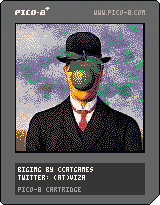
After writing a small image converter for pomppo's 1-bit sprites I hacked together a color image "importer".
It reads a 128x128, 16 color image, and spits out something you can paste in a p8 file, in the gfx section.
The cartridge here just displays it.
I don't know if there is any point in doing this... a "fullscreen" 128x128 image takes up Pico-8's all gfx memory, so after that there are no more room for any sprites...
One use case would be importing a sprite sheet, so an artist can work in his/her favorite editor program, or something.
Anyway here is it.
It is a (really-really-really hacky) Processing program.
Just change the image name, run the sketch, and the data is copied to the clipboard (or if not, you can copy it from the console window).
Paste it over the gfx data in the p8 cartrigde file, and the sprites will be replaced by your picture.
import java.awt.;
import java.awt.event.;
import java.awt.datatransfer.;
import javax.swing.;
import java.io.*;
PImage img, dimg;
HashMap<Integer, String> converter;
void setup() {
img = loadImage("sonofman.png");
size(img.width, img.height);
dimg = createImage(img.width, img.height, RGB);
dimg.copy(img, 0, 0, img.width, img.height, 0, 0, img.width, img.height);
converter = new HashMap<Integer, String>();
converter.put(0xFE000000, "0");
converter.put(0xFE1C2A52, "1");
converter.put(0xFE7D2452, "2");
converter.put(0xFE008650, "3");
converter.put(0xFEAA5135, "4");
converter.put(0xFE5E564E, "5");
converter.put(0xFEC1C2C6, "6");
converter.put(0xFEFEF0E7, "7");
converter.put(0xFEFE004C, "8");
converter.put(0xFEFEA200, "9");
converter.put(0xFEFEFE26, "a");
converter.put(0xFE00E655, "b");
converter.put(0xFE28ACFE, "c");
converter.put(0xFE82759B, "d");
converter.put(0xFEFE76A7, "e");
converter.put(0xFEFECBA9, "f");
mousePressed();
}
void draw() {
image(dimg, 0, 0);
}
void mousePressed() {
String simg = "";
int counter = 0;
dimg.loadPixels();
for (int i = 0; i<dimg.pixels.length; i++) {
Integer s = dimg.pixels
0 comments