there's poke() and poke4(), where's poke2()?
I'm tinkering with sfx mem right now, and the notes are 16 bits...
I know, I'm never happy ;)
--do not use this! the proper version is by Felice below function poke2(a,w) poke(a,w) poke(a+1,w/256) end function peek2(a) return peek(a)+peek(a+1)*256 end |


 12 comments







Converting shr() safely to simple math:
shr(v, 16) ==> v * 0x.0001 shr(v, 15) ==> v * 0x.0002 ... shr(v, 2) ==> v * 0x.4000 (or 0.25) shr(v, 1) ==> v * 0x.8000 (or 0.5) |
Multiplying by the fraction avoids a hazard where a negative number can go to 0 when dividing by numbers greater than 1, which destroys the sign-extending upper bits you expect to keep with shr().
It also allows shifts up to 16, whereas dividing only allows shifts up to 14. This is because PICO-8 can't represent any powers of 2 larger then 16384.
Similarly, because it is safe to divide by a fractional number less than 1, you can use the same idea to shift left up to 16 bits:
shl(v, 16) ==> v / 0x.0001 shl(v, 15) ==> v / 0x.0002 ... shl(v, 2) ==> v / 0x.4000 (or 0.25) shl(v, 1) ==> v / 0x.8000 (or 0.5) |
In this case, it's down to style or the need to shift by more than 14. Unlike dividing, multiplying by values greater than 1 is safe, so you can also obviously just convert shl(v,2) to v*4. PICO-8 performs divides as fast as multiplies, so performance is the same either way.
Basically, your safe bet is always to use the fractional power of two, whether dividing or multiplying. If you want to be sure, start your constant with "0x." and you'll always get it the right way around. :)
The reason some of us want to do this, rather than the more-intuitive shift calls, is that it saves one token per shift. That can add up quickly in a program heavy with binary math.
1 comment



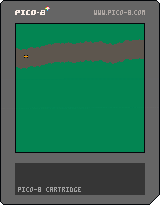
My first entry for the Pico-8 #tweetjam hashtag on Twitter. Unfortunately, I couldn't put in collision detection for the road boundaries without running out of the imposed 280 character limit, but I managed to cram in the sideway collision. That landscape... Amazing!!:)
0 comments

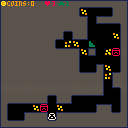
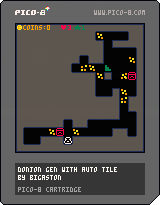
Yesterday, I try to create different think. First, I create a little auto tilting system in PICO-8 from this article.
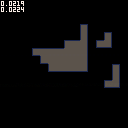
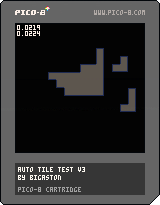
After that, I create a maze generator with the Drunkard Walk algorithm (more information here). It's not very hard but I spend time on that. Finaly, I add a player, and a little hitbox system (with PICO-8 flag systeme), some monster (with lot of bugs), some coins and an exit. I've create a Rogue Like! I think I'm going to add some mecanics so, stay tuned on my Twitter!
1 comment



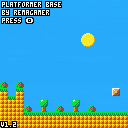
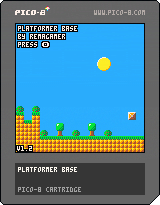
Description
This is my platformer in the style of classic Mario games. I called it Platformer Base because I can't think of a good name. Play as the guy with the green helmet, jump on robots and stop their evil machinations once and for all!
Instructions
The game is fairly simple. Jump on the robots with O, and make it to the end of the stages. You can play them in any order you like.
Version
The current version is 1.2 and features the following changes:
+Added a flag that prevents autojumping
+Added SFX that can be toggled on and off
All previously published versions can be found Here.
4 comments




On yonder thread, where you wisely noted we should stop polluting its subject, you responded to me and said:
[box=404040]Static preprocessors like cpp are a weird fit for dynamic languages like Lua. For example, cpp-style includes have no order-dependent side effects in the languages they're used for (other than in the preprocessor macro language itself, I think?), so they can more simply insert code at first mention. This is not the case in Lua. Lua modules make the handling of side effects in the code explicit, so there's no confusion as to what a require() is expected to do. I'm very interested to know why a Pico-8 developer would prefer an #include-like to a require() because I can't think of a reason, as long as require() is implemented correctly.
Re: defines and such, I think what we actually want, especially in the context of Pico-8, is build-time constant folding and dead code elimination.
But we should take build tool discussion somewhere else, so people can use this thread to discuss Compos. :)
16 comments


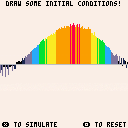
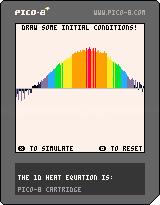
'x' to simulate. 'c' to reset.
A 1D heat diffusion demo where you can draw your own initial conditions.
The solve is via convolution with the heat kernel.
1 comment


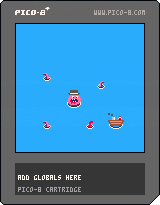
Four of us made this in 24 hours last weekend as part of the midwestgamejam.
Move your tentacle around and press X to move your head toward your tentacles. Subsequent levels are more difficult, because the actions of your tentacle on previous levels are replayed.
0 comments
EDIT: Fixed as of 0.2.0!
Original post:
Pretty sure when you originally added _update60(), you compensated for the doubled frame rate when returning time() values, but these days time() is running at double speed when you have _update60() instead of _update().
I noticed this when playing with a simple seven-segment-display demo. Here's one that uses update() and updates once per second as expected:
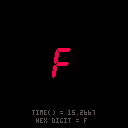
And this is the same cart, but switched to _update60() and runs twice as fast:
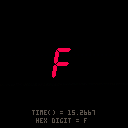
 1 comment

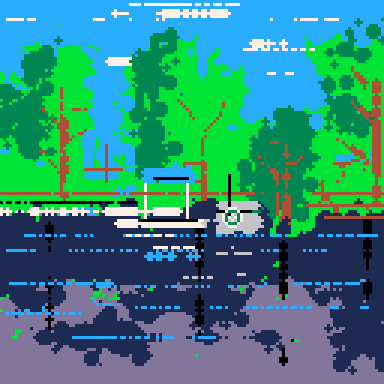



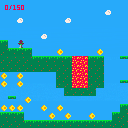
BROOKSATRON was a little "game jam" experiment I made with my little sister. We sat down one afternoon over Thanksgiving and I showed her what sort of wonders PICO-8 had to offer. Over the next couple days, she drew most of the sprites, composed the music, and drew out the levels. It was a lovely weekend.
1 comment


Protect your code from the failure!
Create in1 Hour for the 149th One Hour Game Jam with the theme Failure
Controls
Arrow key - Move
0 comments

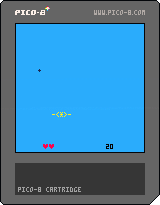
Inspired by the TweetJam-thread, I tried to make a small game myself - but I ended up at 594 chars (though not optimized at all).
Anyone know how to make this smaller?
(It's an "Air Combat" Mini Game... try to shoot down the attacking planes - before they get you! Controls: Arrows and X to shoot. C to restart.)
/ Pingo

 6 comments

I've been getting a lot of "** failed to save screenshot" (or video) for some time, and I just narrowed it down to load():
- open a new instance of pico8
- press f1 -> saved screenshot to desktop
- load somecart from console
- press f1 -> ** failed to save screenshot
this works though:
- pico8.exe -run somecart.p8
- press f1 -> saved screenshot to desktop
I mostly run my carts from notepad++ (with -run) so it took me a while to figure it out. in fact I only noticed because I'm using the multicart system (thus using load() in code).
Am I the only one experiencing this? (windows10, desktop_path is empty in config.txt)
(edit) works ok on linux...
(edit2) I had backslashes in my root_path ("C:\DEV\SRC\PICO8\carts\" instead of "C:/DEV/SRC/PICO8/carts/"). that seems to fix the problem, for some reason.
2 comments

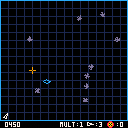
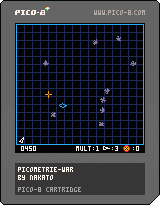
- add grid and wave effect
A GeometryWar inspired game made during a jam in february
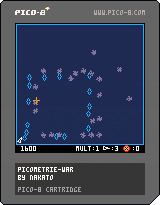
Controls :
E S D F to move
Mouse to aim
Left click to fire
Right click to bomb when available
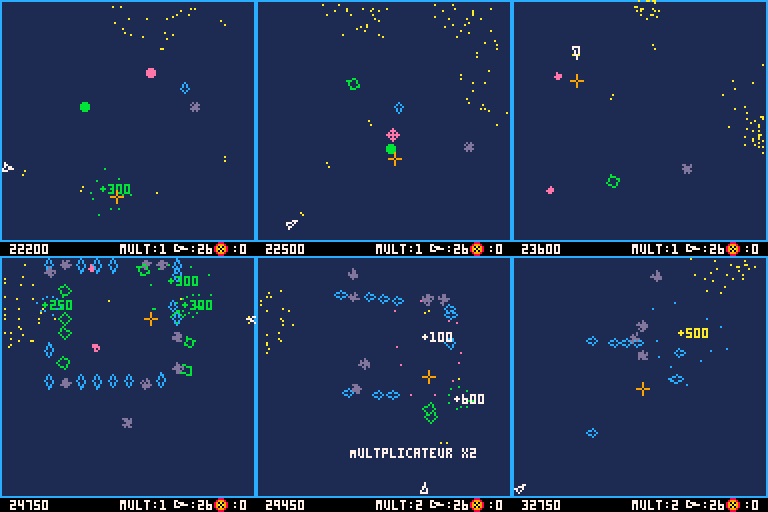 2 comments
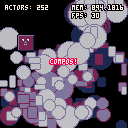
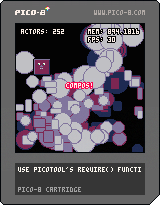
Hey y'all! I'm so excited to share an object-oriented component system I've been working on for PICO-8. I'm still super new to the platform, so I'm looking for any and all feedback you might have -- how to save tokens, smarter ways to loop over updates, cooler rendering techniques, anything!
I built it out as a toolset for the game I'm working on right now, so please forgive me if I've forgotten to take out anything too specialized. Let me know if you're able to use it on a project or if you have any feedback at all!
Thanks for reading! Below is the readme from the github page, linked below.
GITHUB: https://github.com/walt-er/compos
compos: reusable components for object-oriented PICO-8
compos: like "components", but with fewer characters!
compos are independent, reusable objects that can be added to your game's actors to give them certain behaviors. compos manage their own state, initialization, updating, and drawing. The only thing you might need to do is set some intitial values.
There's a fair amount of overhead for defining so many components right out of the gate. But hopefully the savings come down the line: it's easy to attach behaviors to actors independently, so defining large numbers of actors with similar behaviors is simple and doesn't require messy class inheritance. This system is build with procedural generation in mind -- it's easy to spawn complex actors on the fly, mixing and matching qualities without spending tokens.
The compos include:
- Position
- Size
- Velocity
- Gravity
- Collider
- Age
- Patrol
This library also includes a number of helper functions, including methods for drawing sprites and primitives with outlines, integrated logging, generating vectors, copying tables, tiling sprites, and more.
More importantly, the methods for adding and removing actors from the active list, used in conjunction with the compos update pool (where actors and compos register to run their updates), mean that once you've defined an init(), update() or draw() function to an actor, they'll act just as you expect as they are added and removed from the global list of actors.
Starting with actors
compos loops over an "actors" array and runs the functions those actors and their components have registered for. For your entities to use the compos lifecycle, they will need to copy over the desired components and then be added to the global list of actors.
Here's an example of an object that draws an animating sprite in the middle of the screen:
local thingy = {
    physical = true, -- this inits the x, y, w, and y properties
    sprite = copy(sprite), -- this copies in the compo sprite component
    init = function(self) -- this runs on compo_init (or on demand if this actor is added with add_actor()
        translate(self, 60, 60) -- translate moves an actor to an x and y vector
        local spritesheet = split'0, 1, 2' -- split saves tokens by turning comma separated lists into arrays
        self.sprite:animate(self, spritesheet, 15, true) -- the third parameter is sprites-per-seocnd, the fourth is looping
    end
}
-- add to list of actors to be initialized and updated
add(actors, thingy) |
Notice that the actor does not need to register any update or draw functions -- the sprite compo, when initialized, will register for all the lifecycle methods it requires.
If you're adding actors on the fly, use add_actor(). This method will run the required initialization and event registration before the actor is added to the scene.
Lifecycle and the update pool
compos will handle their own updates, but you'll need to add compos functions somewhere for them to run. If nothing else, add the three basic functions to your cart:
function _init()
    compos_init()
end

function _update()
    compos_update()
end

function _draw()
    cls() -- compos doesn't clear for you!
    compos_draw()
end |
Behind the scenes, within those compos_* functions, there are various "pools" of actors and compos that have registered to run each frame. The update functions availible are early_update, update, late_update, and fixed_update, and drawing is done in early_update and update.
When an actor is initialized, it's update functions are registered in those pools and run in the order they are added. Keep that in mind for drawing -- actors added later will be drawn on top. (Note that I want to add an optional override for this soon! For now you can use early_draw to make sure things are drawn in first.)
It's important to remove actors by using remove_actor(), as opposed to, say, del(actors, thingy), because the remove_actor function also unregisters all events. Failing to use it could mean a memory leak as more and more actors are registered and none are rmeoved.
Integrating compos into your project
The most direct way to integrate compos into your project is simply copy pasting all of compos.lua into your cart, then deleting unwanted components and functions. There are a lot of functions included here, and cherrypicking what you want will save a ton of tokens. You probably don't need it all!
Integration can also be achieved using picotool, with some extra work. Just require('compos.lua') in your source pico8 file to include compos inside a "require" function. Just note that you'll need to delete the function wrapping the compo definitions for your code to reference them without errors. (NOTE: if you think I could get around this, let me know!)
You could also just hack the compo.p8 cart, using that as a jumping off point!
Demo: Bouncy Blobs
Here's some code that uses compos to draw hundreds of actors with positions, sizes, colors, and gravity:
SOURCE: https://github.com/walt-er/compos/blob/develop/demo.lua
!
13 comments


A small, experimental game I've been working on. Throwing it up for playtesting!
Update: 18/03/05
0 comments