




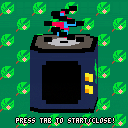
Hey everyone this is my contribution to the tinyTVjam.
You are a tadpole swimming to survive. Eat the delicious green food particles to gain score, whilst avoiding the dangerous red debris. Be careful though sometimes food particles and debris dissolve into the river stream making them a little unpredictable. Eat enough food and you might metamorphose into a full adult frog.
You can press any button to continue from the death and win screens.
I hope you enjoy my contribution.


 2 comments





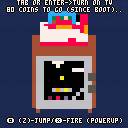
PRESS TAB to turn on the TV.
Or press Enter / tap the menu button at the bottom of your touchscreen, and then choose the 'Turn on TV' option.
Edit: This fixes the pit bug! Enjoy 5 lives in your quest to take down... well, you know... :p
(old version with bottomless pit death hanging bug removed)
Update: 1/22/2017 - New version that fixes some bugs, makes the boss affected by fireballs, boss flashes on hit and has an HP counter so it's easier to see if you're hurting him... And all 4 levels are more unique now.
...Ohhhh and I heard a rumor that if you clear the game at least once and collect 300 coins (cumulative across all play, even between shutdowns)... something interesting could happen the next time you reload this cart. I think it's probably just a rumor though. I mean.. who would believe something like that?
Old, buggier version:
6 comments





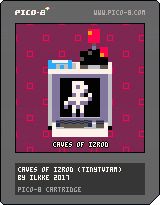
Caves of Izrod is a puzzle/arcade hybrid spanning 8 levels
Rescue your peeps (yellow) from the horrible monsters (red) by taking them to the exit (blinking space) !
You can never run out of lives but dying will restart the level.
If you find a level too hard just remember that monsters only move in a very specific manner & there are a lot of spaces where they can never reach you.
Good luck and have fun!
| Controls
TAB or SHIFT - turn computer on |
19 comments











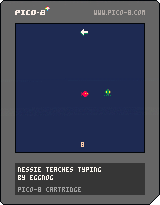
I made a simple game for My First Game Jam, and though it's my first attempt using Lua (or basically any other programming language for that matter), I'm proud of my silly little creation!
7 comments


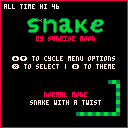
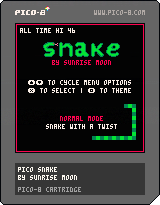
Hello! This is my first completed PICO-8 game. I decided to make Snake because it was a simple game that I was familiar with and not too ambitious. I included lots of different modes and themes—my favorite mode is Tron Mode, definitely try it! Every 3 points you get, your tail will be erased. It adds a new level of skill to an old game.
Try and beat all of the all time high scores— they're my personal bests for each mode. You might notice there is also a "last hi". Last hi just records the last local high score (in case my personal bests are too difficult to beat...probably not).
I'd love to hear any feedback (good or bad, I don't mind) and your personal highest scores!
1 comment


It doesn't appear as if there is a way to let players, playing within the web browser, to remap controls. I have gone through the manual a few times and experimented with this myself and did not find anything on this. Keyconfig() only lets the developer change it, during development, and when it gets published this is static, as far as I can tell.
If this feature does exist, could someone please help direct me on this?
I would really appreciate a feature being added to PICO-8 that allows players to remap their controls. Either through letting me, the developer, let players call keyconfig() if they press a certain button, or putting an option in the web browser to call keyconfig() (like mute or fullscreen).
This would do a lot for accessibility, by helping many physically disabled players play PICO-8 games who aren't currently able to, and I feel like that would be a really cool thing.
5 comments


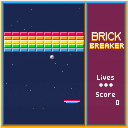
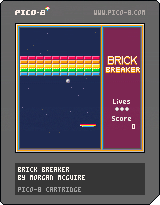
I wrote Brick Breaker as a full-featured, polished PICO-8 sample program. It was an opportunity for me to learn the PICO-8 Lua variant and now stands as a good example program for other programmers new to PICO-8.
It demonstrates (commented) use of:
- loops
- create & destroy objects
- local vars
- text
- multiple levels
- sprite animation
- powerups
- particles
- map usage
- title screen & game over
- sound effects
- music
- sprite packing
- basic physics
- assertions
as well as some techniques for reducing token count, a limited resource on PICO-8.
I did most of this work in parallel with the 2017 Global Game Jam. The PICO-8 version of Brick Breaker is based on my JavaScript Brick Breaker sample program, which you can play here.
7 comments




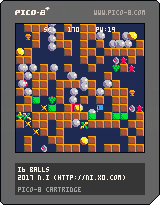
Control
Arrow key... move
Z... puts/erases a block
Toggle mouse from the pause menu
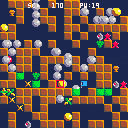
The i6 balls is a ball game.
The object of the game is to guide balls to flags by putting blocks.
You can also crush enemies with a block.
Bonus items
Muscat...50 pts.
Red star... becomes a red ball
Yellow star... Many yellow balls appear
Orange pot... PW +2
Stone... Bonus chance starts
Red balls and yellow balls can crush enemies.
Have fun!
0 comments

Hi, new user here, loving Pico-8 on my Raspberry Pi as well as other machines...
This is one of those rare products I "always wanted but didn't know I wanted" :)
Anyway, a simple question I hope:
Does the Raspberry Pi version of Pico-8 support touchscreen input in similar fashion to the PocketCHIP version?
(Thinking about trying to build my own Pi-based 'pico-8 tablet')
p.s. Sorry if I missed the answer elsewhere; I did spend a while searching)
2 comments




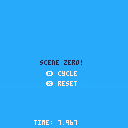
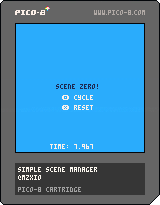
Something to help create more complex games in Pico-8 rather than just simple one-off demos. All this code is free to take, use, change, adapt, or whatever. Have fun.
Press Z to cycle through scenes and X to reset back to the default scene.
Scene 0 shows a clock running, scene 1 still shows the clock but doesn't update it, scene 2 rolls a random number every few ticks, and scene 3 just looks pretty. The whole demo weighs in at only 161 lines of code.
ABOUT
This cart contains a simple set of functions used to swap out scenes composed of layers made up of calculations and drawing instructions. For this release there's some basic demo data so you can reverse-engineer the thinking and maybe adapt it to your own projects. I tried to mirror Pico-8's default update/draw style of functionality so you hopefully don't have to change the way you think about writing your games too much.
I made this tool for myself but I wanted to share it because it might help you, if you're like me and struggle with manifesting complex projects. I'm not very experienced as a programmer but I've spent a lot of time using drawing tools like Photoshop. Art tools often use layers to organize complex compositions. So I decided to adapt that way of thinking into Pico-8. I find this helps me keep everything straight in my head as I work. Instead of building monolithic behaviors inside the default _update and _draw functions, this scene manager allows me to create scenes built up of whatever components those scenes should have.
This has the added benefit of making it easier to jump back into projects after not looking at them for a while, because you don't have to completely rediscover your old thought processes in order to start playing around with new ideas. That has saved me a lot of time! I found my code became much more readable and easier to manage after making the switch to using this scene manager. A modified version of this very cart became the core of my Pocket Full of Sand demo.
0 comments

controls:
tab - start game
arrows - move character
goal:
Avoid 50 pink squares to beat the game
3 comments


Tiny frog pet.
Tab to turn TV on/off (resets pet)
Mash Z to break egg, and hatch one of 8 different colored frogs.
Clean up poop with X
Take care of your frog, and he'll transform into his unique adult form.
2 comments

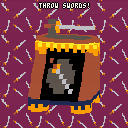
This is my first "finished" cart. I made it for the tinyTVjam. The score is along the top of the screen and the goal is to throw swords to defeat the green guy attacking you.
I could definitely improve some things, but it was fun to make a game on a virtual console on a virtual console.
3 comments


First post here! Hello everyone! I've started playing around with pico-8 recently and am still kind of noob-levelish. So I'm looking at some suggestions and advice.
This is a little test I'm working before integrating it into a game I'm building with a friend. I need to create a circle that will follow a character. The "circle" will change the color of the sprites it overlaps. I started originally by calculating distance from the player to N number of x,y coordinates every frame which caused a ton of CPU load and didn't perform well. So I saved that data to a table and load that on _init. Then on each frame I just have to focus on looping through the table and calculating the drawing logic. I also saved a little more info for each "pixel" in the table like the ring level of the circle and an ON state I can use for other things I plan to do later.
Currently when I run the test the mem usage seems to be around 251(KB?) which seems pretty high from other little experiments I've done so far. Does pico-8 have a limit for mem usage or is there any threshold where I should start worrying? Is there a better way to store this info?
16 comments



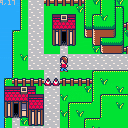
Walk around with WASD. You can enter the house near the old lady.
Pico Crossing is (as the name implies) inspired by games like Animal Crossing and My Sims.
I've been working on this game for a few days now and a lot of the basic systems are in place now.
If everything goes to plan I have a pretty sweet never-seen-before feature high on my priority list which will allow players to interact with other players which should keep the game interesting to play for a longer period of time than a single play session.
More on this later in the future.
Planned Features
- Buy furniture for your very own home.
- Collect/harvest items to trade with other villagers.
- ??Super cool secret feature??
2 comments



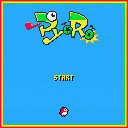
A demake of Pyoro, originally from "Wario Ware: Mega Microgame$" for the GBA!
:D Please, enjoy!
-CONTROLS-----------
Left/Right - move
X - stick tongue out
Pink beans heal one block
Gold beans heal three blocks
White beans freeze all beans for five seconds
5 comments
.png)


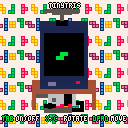
UPDATE: Version 3: new tv model
UPDATE: Version 2: less screen bumping
Hery is my first finished game and my first pico-8 game! There is still some stuff that could be improved:
- better music (!)
- sound effects
- more audio/visual feedback
- more animations (e.g. animate completed lines)
- some bugs and gameplay tweaks (the tetris rules are not implemented perfectly and I assume there are some glitches possible with rotation)
1 comment
