Usage and routines included inside.
I mentioned this method earlier to someone - I guess they never got around to doing it. It's overdue so here it is.


 0 comments



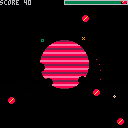
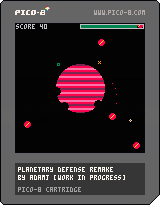
Remake of the classic Atari 800XL game Planetary Defense by Charles Bachand and Tom Hudson with a little but notable modification of the original gameplay: The amount of shots you can fire is limited and you need to recharge by staying near the green orbital base.
Shoot the giant red bombs out of the sky from the orbit. Don't hit your own planet. Don't let the bombs hit the planet either. Once any bomb reaches the core of the planet (coordinates 63:63 on the screen), game ends. 10 points for shooting a bomb.
Arrow keys: Aim
Z: Shoot
X+UP/DN: Alter the orbital speed
11 comments



While there are some definite head-turning elements in PICO that help game writers, occasionally I will come across something - strange.
And this is one of them.
cls()
for i=0,3 do
  for j=0,3 do
    print(j.." "..i)
  end
end
print""
print(i)
print(j)
-- ^ nil ??
|
That's right, if you run this, instead of getting "4" and "4" for the end it gives NIL.
What gives ?? Is FOR (variable) even using a variable ?
3 comments



I couldn't help myself, naming the title that; just thought it was too much of a cliche to miss.
Anyways, my name is Rollerstar and I am an Australian Indie Dev!
In the coming weeks I will be doing my final exams for secondary school! (Yea I'm pretty young...)
So on the balance of study and play, I will hopefully be working on a few exciting projects :P
I only discovered PICO-8 about a week ago, I was on itch.io looking for web games when I came across several titles which all had the same start screen. Originally I thought this must be included in all the games because of all the game jam they were participating in and after a quick google search, I couldn't find anything.
However eventually I stumbled upon this 'fantasy console' and I've been intrigued ever since, I think the whole thing is frikkin awesome and I cannot wait to delve into this new and exciting world!
So I guess if you're interested in seeing what I come up with, keep your tabs open and maybe, eventually.... I'll have something to show!
Glad to be a part of this community and see you all soon :P
Rollerstar[i]
6 comments


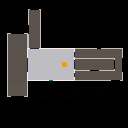
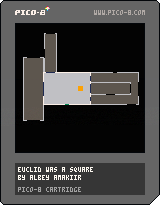
Made for the Sydney NSI Game Jam 11 in Australia.
The theme was Mad World, and the t-shirt was bloody awesome.
I made a non-Euclidean maze.
It's not so much a game as it is cool tech with flimsy gameplay.
I have not worked out my math brain this hard for a long time. So much math debugging. D:
11 comments



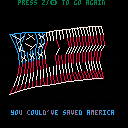
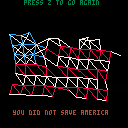
Version 2.0
Made some changes to make this thing a bit cooler:
-
Overhauled the cloth sim so it operates in 3D now. It's projected orthographically ("just uh, ignore the z value for rendering," in this case), so there's no parallax - but even so, allowing points to move on the z-axis produces much more believable motion. I'm leaving the old version up for comparison. Particularly, the mostly-intact flags don't hold themselves upright like a rectangle made of jello anymore.
-
Added basic "quad rendering." It draws two extra pixel-lines to connect pairs of simulation-lines. Makes it seem like the simulation is much higher-density than it actually is - score! (The cloth sim uses 7 rows with 10 particles each). For style, some of the simulation lines are now invisible (like the horizontal lines along unbroken stripe segments, and all the non-star diagonal structure lines)
- Added an extra prize when you win. It doesn't tell you in-game, but you can mash the "cancel" button on the victory screen to stress test it. Be careful not to hit the OK button, since that still acts as the reset button, like usual.
[b]Version 1.0
20 comments









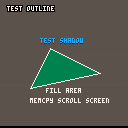
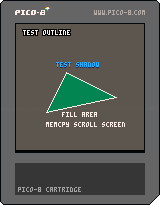
I'm seeing a few similar graphic effects that seem to be of use in games. The most of which is having an outline appear around text and to shadow it.
I also saw someone working on a "FILL" routine but it kept crashing because it was recursive.
Here are truly 5-lines of code with one routine to each. Ah, I didn't say how LONG each single line of code was though, did I ? :)
While I have you on the horn, I was hoping someone could submit source for a few useful routines not just for me but likely others:
1. Draw Hollow Oval & Filled Oval
- Draw Polygon & Filled Polygon (w any # of points, not just 3 or 4)
6 comments


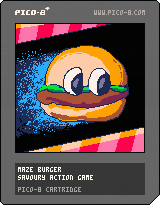
1.03 Updated label image.
Guide the sparks to the flag. Avoid the enemy blobs. Rotate the maze to escape.
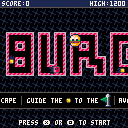
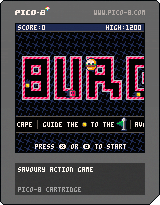
1.02 changes
- Wallflower becomes Maze Burger for whimsy and visual clarity
- Directional indicator when adjacent maze cell can be rotated
- Persistent high score
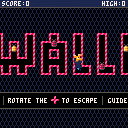
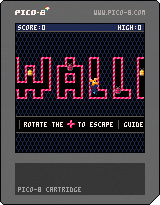 6 comments



Now that I'm remembering code I wrote on other computer platforms (ow my head !) I am reminded of one unique feature that the Commodore Amiga 1000 had, and that was HARDWARE SPRITES.
Yessirree, I did not remember until now, just how powerful these little things were.
You had 16 of them, they used color sets 17-19, 21-23, 25-27, and 29-31. They could be any size vertical but only 16-pixels across. Not very exciting in itself, but let me explain.
In the Commodore Amiga, you could use one of these hardware sprites and it would appear on top of graphics. No, that's not correct. They would appear on TOP of graphics. That is, you did not plot them, you INVOKED these sprites, and when you did, when you changed their position, for instance, the background of what was beneath them was always remembered and untouched.
In the Commodore Amiga, you could give a hardware sprite an acceleration, that is, you could give one say AX+=.1 and AY=0 and it would creep to the right across the screen, but ALSO continue to creep even after you stopped running your code.
Curious little things. With the many ignored suggestions, I'd like to add this one, that PICO have the ability of being able to work with 16 "hardware" sprites. However, instead of being limited to 8 or 16-pixels across, you can choose the number of tiles it works with.
It also would not have a limited palette but be able to use the full 15-color set (with zero to show background through).
The advantage of this would be clear. You could invoke these sprites and not have to worry about "cleanup" behind when they moved off of an area. By giving them an acceleration, they would continue to move and not need code to continuously "push" it.
Additionally, you could not READ these sprites. That is, if you had a solid black screen and you invoked a sprite, say 8x8 that was white to appear in the top-left-hand corner, reading directly the pixels there would STILL be black, as these "hardware" sprites have their own invisible layer and would not be read by PGET().
MHWSPR(n,x,y,h,v) Make HW Sprite ID #n from tile set position x,y size across h and v down
RHWSPR(n) remove HW Sprite ID # n
HWSPR(n,x,y,a,b) move sprite #n to pixel x,y or, if zeroes, a & b are acceleration with real numbers.
s=(HWSPRCOL(n)) return 0 if no collisions or ID # if collided into other HW sprite
Collision checking is done by overlapping pixels, not area.
4 comments

So... since I'm copying a number of .p8.png files to my Picade for on-the-go play, I was going to try and edit the code in them so they contain a software exit... simply put, "start + select" will issue the shutdown console command. Is this something we can do within the game? Like simply...
if (btn(7) is true and btn(8) is true) shutdown()
...or is it messier than that?
4 comments



Lua supports multi-line string literals surrounded with double square brackets:
x = [[hi there "friend"]] |
The square bracket delimiters can include an arbitrary number of equal signs between the brackets as long as the beginning and end delimiters match. Everything between the pair is literally part of the string, including slashes and other things that might look like string delimiters:
x = [===[wat is [[going]] "on" [====[with this ]====]]===] |
This is fully supported by Lua 5.2 and so is fully supported by Pico-8, with two bugs specific to the form with the equal signs:
- The token counter doesn't support the fancier [=+[ form, so words and symbols in the string get counted as individual tokens.
- The editor's syntax coloring doesn't support it either.
There are a dozen or so carts posted to the BBS that use multiline strings, though none of them use the fancier
3 comments


i figure everyone makes squashy but ive only had pico8 for a few days and i wanted to test uploading something since i made this from my pocket chip
3 comments
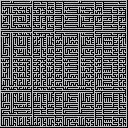
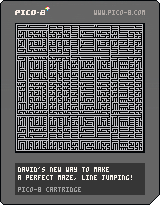
UPDATE:
10-22-16 Made code a lot smaller w better coding
10-22-16 Changed random for cycle, makes tighter maze
10-22-16 No hesitation, hold (O?) to build maze
Sometimes programming languages are too complex for their own good.
Take B4GL. It's designed for building 3D games so to even get a simple rectangle or square that is measured by true-pixels on your screen is a pain to achieve without first defining your graphic plane of existence.
Even BlitzMAX must rely on you saving regions of raster information on the order of R G B A where A is alpha, in order to read it back.
Clumsy - inefficient, and then there is PICO.
Read a pixel, write a pixel. What could be easier ? :)
This is a program I've been meaning to try for a-while but didn't want to fight the architect of the other languages that don't handle individual pixels so well.
I had it in my mind. Draw a random vertical or horizontal line. Draw another. If it intersects an existing line, HOP over it. Keep repeating until no more lines can be added. Done.
I really didn't know what to expect, and now I can see it is a very definite and DIFFERENT type of maze maker.
Try and solve the maze with your fingers from the top-left-hand corner to the bottom-right-hand corner. It's not as easy as it sounds.
Enjoi !
QUESTION!
10 comments


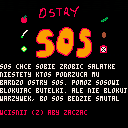
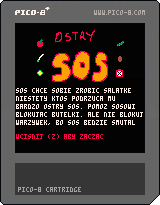
Sos was unable to join us at the GIC/PGA this year, so we held a small jam in his honour. A simple game where you have to help Sos make salad, while preventing hot sauce from getting into the salad.
Controls are arrow keys. Prevent only sauce from falling in, if you'll prevent veggies 3 times, you will lose.
6 comments


So when TRASEVOL_DOG released his Pixel Session Vol. 1, it made me wonder what it would take to make a desktop version of a PICO-8 game.
So I went out of my way to document how I did it with electron!
Comments and feedback welcome!
http://missingsentinelsoftware.com/blog/deploying-pico-8-cartridges-electron
1 comment



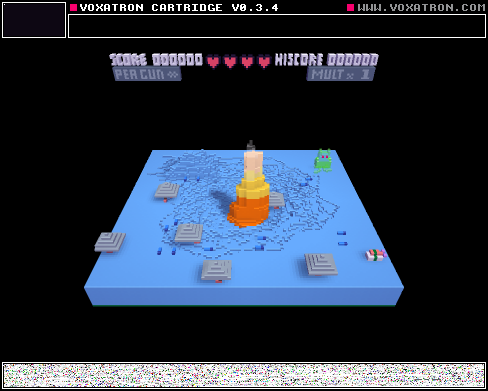
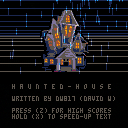
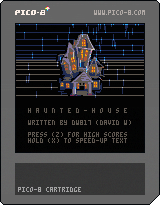
UPDATES:
10-22-16 ... Took out freeze player for standard messages
SIGH This took a lot longer than it needed to. Kept running out of memory all kinds of directions. And - I guess this was a definitely learning experience.
The main thing is, THE GAME IS DONE !
Try it out (preferably with the EXE PICO or Google Chrome as Firefox can stagger).
Instructions ? I don't want to give out too much as curiosity is always rewarded in this game. :)
Use the arrow keys to navigate. Use the lightning to give clues as to where obstacles are. Hit (Z) (O?) to use up a valuable match. You start with 3, you might find more. You have a shield generator at 9.
Your mission, just as you were told, find out what happened to the relatives in Old Man Mildew's manor and report back.
Some things won't activate until you've done the right thing first. While the game is entirely turn-based, you have a relentless clock, and once it hits midnight, you'll have to deal with Mildew's angry and impatient spirit.
High Score and names are kept and recorded for 10-entries, even after rebooting.
As with all games you've played, PLEASE let me know if you find any bugs or outright crashes. I think it's pretty solid at this point. The code ? A little over 5,000 symbols of a possible 8192.
The characters, not so bad, 27870 out of 65536.
But really PICO is a bit of a cheat since right around this area, despite having space, it won't save to PNG with much more code. I would think since it's a fantasy system that only when you EXCEED your symbols or characters maximum space - THEN it can start complaining about not being able to save as a PNG.
Now, is the game too easy, too hard ? Is the clock too slow, too fast ? Let me know what you think !
Last minute changes:
- Sped up clock
- Integered clock (for scoring)
- Removed debug score line
15 comments