





I recently fell in love with PICO-8 and made a few old school demoscene type effects as a cleanser from my main project. Nothing better than banging out a simple 400 loc program that I won't need to support for years :D Anywho, here's some gifs of the madness i've been making in PICO-8:
Dot Tunnel:

Interference Circles: The Eye

Quad Interference Circles: The 88

3D Model / Triangle Rasterization with/without wireframe:


I'm going to try to do some write-ups on techniques / code once I get a bit of free time to clean up the code and document it. Ping me if you have any questions / comments. <3 PICO-8!


 8 comments







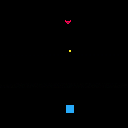
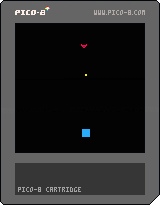

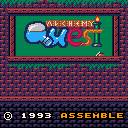
Alchemy Quest is a WIP port of the puzzle game OpenAlchemist, which was developed by Guillaume Delhumeau and Antoine Morineau.
The objective of the game is to combine three pieces of the same type together, which merges them into a different piece. As more pieces are unlocked, the falling pieces become more varied and the game becomes more difficult. The pieces don't drop automatically, which means the player can take their time before deciding where to drop and how to rotate the piece.
CONTROLS:
left/right - move piece
down - drop piece
◯ (Z) - rotate counterclockwise
1 comment


OVERVIEW:
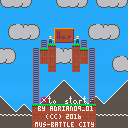
War is a game inspired by Lode Runner and Battle City (especially the Star Wars hack of it). Run through the battlefield, don't get shot and shoot other enemies. Each hit nets you 50 points, every 10000 points you get an extra life. Try to complete all 8 levels and get a surprise - the peace...?! Music from Battle City.
CONTROLS:
D-Pad / Arrows - move your soldier
(O) / X - shoot bullets, end the game on Game Over
(X) / Z - continue on Game Over, start the game
RULES:
Killl 20 enemies to proceed to the next level.
Enemy's life is displayed above the enemy's head.
Each enemy hit count as 50 points.
Every 10000 points net you a life.
Complete 8 levels to get a surprise ending.
SUPPORT ON ITCH.IO
Yeah, do it!
0 comments


Not sure exactly how to phrase this intelligently so...
How do I use the GPIO ports to send and receive data in the web player?
I managed to get a cart together that will send out a score to an endpoint so I can do stuff with it, which is awesome. I used this P8 snippet and it works great.
But I don't really understand what's happening or why...in both the JS and the Pico-8 code. I see a bunch of poke() commands and 256 math stuff but just don't know what they're doing. The P8 manual is pretty light on the GPIO stuff so I'm not sure where else to turn.
I saw someone on Twitter with a demo of a web player cart reading tweets, and that got me thinking about other things I could do with P8 carts if I had the ability to pull down data.
I'm not really looking to make a 2-player network game or anything...just wanting to pass data back and fourth.
2 comments



I translated the pico-8.txt into Portuguese so my niece could read it. I hope it is also useful for the community.
https://github.com/humbertoraposa/pico8/blob/master/pico-8_pt-br.txt
1 comment


if state==0 then
if btn(5) then state=1 end
elseif state==1
...
end
^ This gives me a syntax error for an unknown reason... It says: syntax error line 11: if btn(5) then state=1 end 'then' expected near 'if'.
What is that all about?
6 comments


I decided to create a user defined language for pico8 in Notepad++.
I used the same color scheme as pico-8.
For those who don't know what this is, it changes the colors of text in Notepad++ depending on if the text is a command, a string, an operator (+ - = * /), or other keyword. Basically it makes Notepad++ look the same as typing inside of pico-8.
..Get Notepad++..
https://notepad-plus-plus.org/
..Download..
NP++ pico-8 user defined language xml
(Or you can copy and paste the Hidden Text into a text editor and use the file extension .xml.)
11 comments







i thought i'd give an early preview of the falling sand game i'm working on:

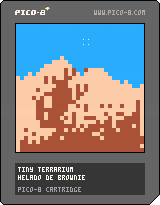
there's not much to it yet; the only kinds of particles are air, soil, and sand, but i plan to add more and also have some more optimizations in mind. it took some work and a bit of luck to get to this point :)
controls
(while not holding o)
up/down/left/right: move cursor
x: place atom
(while holding o)
up/down: select setting
left/right: change setting
edit: shoot, does this web player also have bugs re: _update60? i'll try to alter the cart to make it work
edit: okay, seems fixed
4 comments


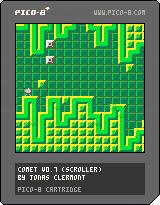
The game isn't done, but I'll be working on it slowly but surely.
Use up/down to move your ship. Use Z or C to start the game or restart after crashing.
Speaking of which, the point of the game is to not crash.
This game mostly started as a demo sort of thing, but I'll make it more like a game as it goes on.
Current features: parallax map-based scrolling (Single or double map), palette trickery, a spinning spaceship, automatically generated levels/obstacles
Planned features: music, more levels, and enemies.
Changelog:
V0.5- initial
V0.7- Automatically generated levels/obstacles added
4 comments


How much time do I have in _update()? Does the PICO-8 throttle the CPU at all, or do I have the native CPU's full processing power to execute LUA script on a single core?
This is an interesting question because my approach to solving problems changes entirely; given that it's a memory constrained environment with possibly a lot of CPU, I would avoid caching solutions to computable problems.
Can someone explain if the PICO-8 has any CPU limitations?
I am not asking how fast _update() ticks. I am investigating how many instructions I can fit in 30hz.
7 comments


The Verge did a quick review of PocketCHIP and while most of it seems to focus on the complexity of Linux as an OS, they do talk about Pico-8. But it's less about Pico-8 as a platform and more so just talking about how using it on the PocketCHIP is quite difficult and unfun. Although, if the buttons are really that "clicky" then I can see how some games will be difficult-ish.
http://www.theverge.com/circuitbreaker/2016/7/19/12227806/pocketchip-review-portable-linux-computer
But I'm not buying it...I'm stoked to get my PocketCHIP and pretty much plan to use it as a Pico-8 handheld device only. I know it's a full Linux PC and that's cool but P8 is primary function for me, everything else secondary. We'll see but I can also tell that I've spent a lot more than $50 on crappier products (or even just for dinner this week).
And hey...Hug Arena pic! Woot!
23 comments






How to get index of which pattern is currently playing in music?
Not talking about sfx.
4 comments





Movement
I learned how to move an "object"/"pixels" around the screen while working through the Pico-8 Zine paddle game example. It seems to work well and I was quickly able to move the paddle back and forth. Very satisfying.
While looking at the source of other games I noticed they used a pretty similar approach. One thing they did use that seems more segmented is to use Tables to create key/value pairs for attributes of an object.
Coming from web development this looks suspiciously like an object...
The Hero
In this case I created a hero table and set some starting attributes:
-- hero
hero = {}
hero.x = 58
hero.y = 100
hero.sprite = 0
|
So the hero will use sprite 0 and start at x 58 and y 100 which is the lower middle of the screen.
[h2][b]move_hero()
3 comments

My first Pico-8 game submission is a matching game inspired by ToA, PAD, 10000000, ymbab etc. I really love Pico-8 and hope to make a lot more games in the future. Let me know how you like it and if you run into any issues :)
3 comments


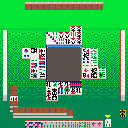
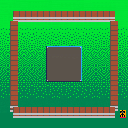
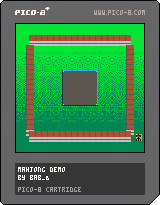
update 2: so i guess the bare skeleton of the flow of gameplay is implemented. right now the three opponent players just discard a tile at random after they draw. you might as well do that too, since I haven't yet begun the process of implementing any of the actual rules of mahjong. (I'm sitting at 3309/8192 tokens right now, but my code is pretty messy.)
[b]update:
8 comments

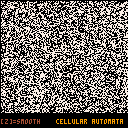
Hellou,
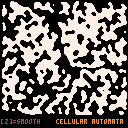
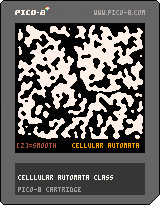
I think this is a very useful for everyone, who want create procedural maps.
Press Z key few times for smooth 'caves'.
EDIT: example is now as class.
How to:
... cave = TCellular:New() cave:Generate(128,116,0.6,4,5,5) ... function DrawMap() for xm=1,cave._w do for ym=1,cave._h do if (cave:Map(xm,ym)==0) pset(xm,ym,0) if (cave:Map(xm,ym)==1) pset(xm,ym,7) end end end ... |
1 comment