


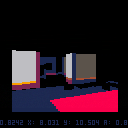
I'm playing with lighting effects to create a more moody atmosphere. Frame rate just isn't quite up to snuff though.


 10 comments





Hi All!
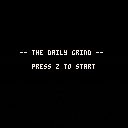
Myself and a buddy made a game for the Global Game Jam, first time using Pico-8.
The theme of the jam was "Ritual" and we decided to focus on your morning rituals before you go to work.
It's a little rough around the edges but would love to hear what you thought.
Thanks!
 3 comments



I've been learning Pico-8 and Lua a little and I'm wondering: is Lua object oriented at all? It would be really useful to know whether there is some way of making classes and objects, or is it all just functions?
4 comments


Apprentice yourself to the Great Witch of the realm & help her complete a ritual of dire importance. Inspired by Rick and Morty, I Have No Mouth And I Must Scream, The Walking Dead, and games by Spiderweb Software.
4 comments



Made for the Global Game Jam 2016
Complete the ritual to open the door.
arrows move
z or x resets the level if you get stuck
9 comments




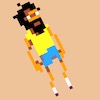
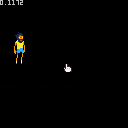
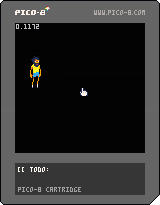
Hello guys,
I'm new to Pico-8, but not new to programming in general. Before, I used Codea, Love2D, Corona, Gideros, Polycode and tried some other frameworks. I managed to code some, more or less, simple apps (mostly for drawing/animating stuff) but no games at all. I want to change that, because I love games and the good ol' days! Pico seems to be quite accessible. - With all its constraints it might be even the right tool and should be able to hold me back from overestimate myself. It might also help me to understand the hardware side of things a little better. (Which is very important to me.)
As of right now, I have a hard time to wrap my head around everything, since I was used to have a handful of helpful little functions, like tweens, meshes, etc. Also the lack of math knowledge seems to fight me also, as I now have to write all these function myself. But I think I get there slowly...
Since ever I dreamed to make a small rpg. Something like Pokemon or a some sort of a [b]survival game
0 comments
Hello guys,
I'm new to Pico-8, but not new to programming in general. Before, I used Codea, Love2D, Corona, Gideros, Polycode and tried some other frameworks. I managed to code some, more or less, simple apps (mostly for drawing/animating stuff) but no games at all. I want to change that, because I love games and the good ol' days! Pico seems to be quite accessible. - With all its constraints it might be even the right tool and should be able to hold me back from overestimate myself. It might also help me to understand the hardware side of things a little better. (Which is very important to me.)
As of right now, I have a hard time to wrap my head around everything, since I was used to have a handful of helpful little functions, like tweens, meshes, etc. Also the lack of math knowledge seems to fight me also, as I now have to write all these function myself. But I think I get there slowly...
Since ever I dreamed to make a small rpg. Something like Pokemon or a some sort of a [b]survival game
4 comments


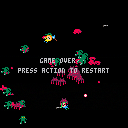
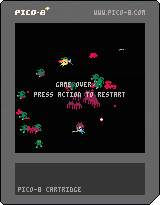
This is my work in progress for global game jam 2016. I decided to go solo this year and give pico8 a whirl. You have to use the available weapons and work with your friends to survive the onslaught. The gun can kill monsters, but their angry spirits will come after you. Use the torch to exorcise the body and banish the spirit. The medikit can revive fallen teammates.
2 comments


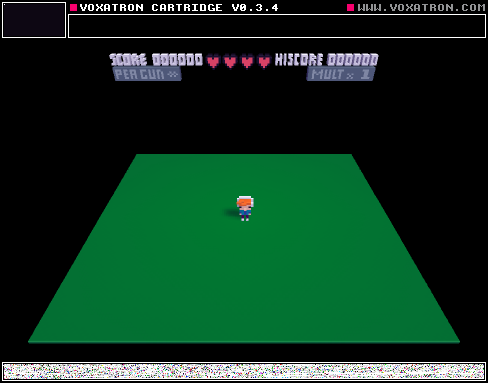

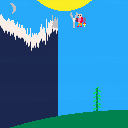
-up and down arrows control character
-character has a fan that clears clouds away
This is a game conceived during Ludum Dare 34. I didn't finish it by the deadline, but I used the two themes presented during the game jam: "growing" and "two buttons". This is the first game I've completion. Let me know what you think!
1 comment



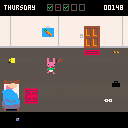
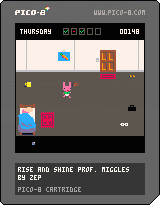
Every day, Professor Miggles goes to work. And every day he snoozes in bed until the last possible moment. To keep the points you get for snoozing, make sure to head out in time without forgetting to put your trousers on.
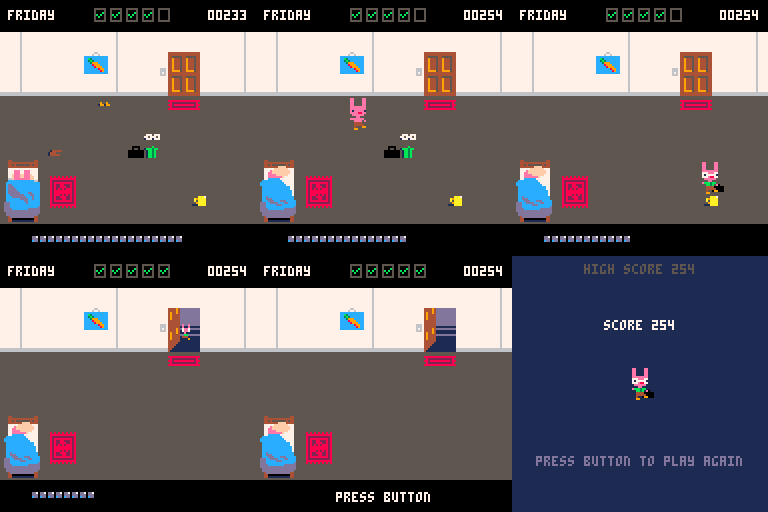
v1.1: Fixed high score bug, and added persistent high score (when played from pico-8)
13 comments





So, it's 1am and this is what is keeping me up.
Boot up pico-8. Bask in it's glory. Hit esc to jump into the editor.
Type something, mess with mouse. Text selection. Go to icon editor, and the mouse is your main tool. So - clearly the pico-8 fantasy hardware supports a mouse.
Why can't my programs read the mouse? Possible answers:
1) The editors are "special" (do not like! seems unfair somehow.)
2) You can, it's just hidden or undocumented (ooh)
3) Because the editors are not written in the language we are using and have special access (probably the real answer, but very unsatisfying. breaks the illusion/metaphor of fantasy hardware.)
Or maybe something else? I noticed that you can poke in values to monkey with screen modes; if there were peeks somewhere that read the mouse x/y and buttons that we have yet to discover, that would be just kinda awesome.
If there are not - would be super cool to see them someday. Even if they were slipped in quietly for the community to accidentally discover via experimentation. Just sayin.
-- Your Friend Biggles
4 comments

I'm using OSX.
On app startup in windowed mode, I'm seeing every Pico-8 pixel as a square block of N×N pixels, where N is a number the program chooses cleverly so that N*128, plus a variable black border, fits nicely inside the window dimensions set by the "video_mode" setting in config.txt. No matter what size I set in the config (as long as it fits inside the OS desktop) the pixels are perfectly crisp squares.
And that is great!
I wish it would always work like that.
It muddles up if I then manually resize the window - it seems to keep rendering into a buffer that's sized according to the config at load time, and then scales that buffer to fit in the window.
It would be nice if that worked differently (e.g. resizing the buffer according to window size, then recalculating N to fit the new buffer size), but I'm not experiencing it as a problem, so I won't complain much.
I'm not even sure it didn't work that way in a previous version.
What I am experiencing as a problem is the full-screen display. It seems to also render into that same buffer, then scale that buffer to the full-screen resolution, and that generally creates some anti-aliasing between Pico pixels.
There are approximately a total of 1 possible sizes that look crisp: the size must be equal to the vertical screen resolution. But this size can't ever work well in windowed mode, because OS chrome takes up some vertical space, so app windows have to be a bit smaller.
("Approximately" because, technically, using an exact multiple of that size also works, and I guess one could add pedantic footnotes about horizontal size and portrait monitors.)
So in my case, if I set the line in config.txt to anything larger than 852×852, the windowed mode is blurry, because the OS resizes the window to a size smaller than the buffer, so the buffer gets scaled.
But if I set it to (almost) anything other than 900×900, the full-screen looks blurry, because a buffer that's not 900 pixels is being displayed at 900.
There's no setting that lets me switch between them comfortably.
I imagine one quick and dirty fix might be to render the buffer onto the full screen unscaled - just leave the rest of the screen blank. But the ideal fix would probably be to resize the buffer and recalculate the N, either according to the actual screen resolution, or to a separate setting from config.txt.
7 comments





Hi pico8-colleagues ...
Are you already talked about it, but I still do not understand why the printh function does not work in the pico-8 version for Windows. I do not think so complicated send messages to the console windows.
Debuguer is perhaps a more complicated to implement, but that printh work on Windows, it would help a lot. Do not you think?
Thanks.
7 comments


I just discovered a bug with Pico8 - in LUA, one can create multiline strings with a pair of [[ ]]s. This works as well in Pico8, but the token count includes all operator signs and brackets. Which is kind of wrong, I think. Too, escapes of quotation marks aren't escaped inside the editor and shown as real marks. This is kind of anoying, would be great, if a fix for this would be possible...
0 comments

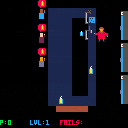
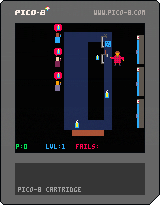
Introducing the Alpha Version of "Crazy Craftbeer Tapper" - a game about serving craft beer.
Keep your customers happy and your counter clean!
TODO:
- fix: reset after internal restart
- half implemented: introduce level with "craft beer nerds"
0 comments
Hello everyone,
Does anyone know of an easy way to export music from one cart and import it into another? I got someone to make some music (thanks Pizza!) for a game I'm nearly finished but I can't really think of a way to get it into my cart.
I know copying and pasting the data to/from the .p8 file as text works in theory, but I already have sound effect/music in my game, so I know they won't really transfer properly because the indexes for the sound effects will be off.
Any advice would be much appreciated! Thanks!
5 comments


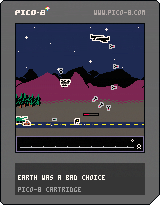
I've grown quite fond of Pico-8, and am hoping to use it in a future Ludum Dare. To familiarize myself with the tool, I created an enhanced version of my LD33 entry.
Tapping Z and X at the same time toggles the music.
All feedback is welcome. If you find a level particularly difficult, please let me know.
Update 8/10/16 - Finally got around to fixing a bug with the tank.
Update 9/28/20 - Fixed a typo. Also, updated the behavior of the arrow to better indicate the player's off screen position.
32 comments





What is the method to introspect on exact floating point values with pico8's fixed point system?
x = 3.8 y = 6.8 x += 0.2 y += 0.2 rectfill(x*15,y*9,x*15+1,y*9+1,9) rectfill(4*15,7*9,4*15+1,7*9+1,12) print(x) print(y) |
Running this produces two squares that do not overlap, although print() of x or y shows that the value is equivalent to an integer. Is there a way to print the fractional section more accurately?
1 comment