


Hi guys:
I have a project that fits perfectly in PICO-8 because is an easy platformer for children. But I have a doubt that gives me two questions, because visual design is important in this game. It has HUGE sprites, but pixelated ones, for example, the protagonist is about 15x20 pixels, but I've envisioned him looking at x 1000% of zoom in a full HD monitor.
So for PICO8 I think he will show ok at x2 or x3. So how could I do this:
1) big sprite. build the srpite as 30x40 pixels heigth sprite. PICO could move sprites so big?
2) If not, make an engine with a camera that shows the game at x2 or x3 zoom. Is this possible?
Thanks.
Ah! one last question, is it possible to add a postprocessing filter to a game? for example, to have scanlines. That is semitransparent graphic that filters the screen.
Regards.


 7 comments





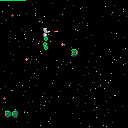
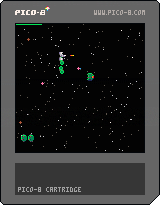
Fight against wave after wave of hostile alien space droids to protect galaxy command from an invasion.
New Features:
- three different enemy types with individual behaviour
- added a shield to the ship, that recharges over time
- balanced the difficulty (made it a bit harder, since you have a shield now)
4 comments


.png)


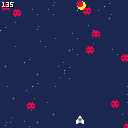
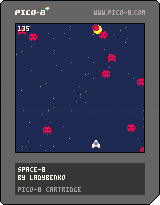
CONTROLS:
- LEFT and RIGHT arrows to MOVE
- Z to shoot
This is my first pico-8 game :) Every time I tackle a new game dev tool I like to do my own game version of "Hello World" to learn the basics: a simple space shooter.
It features sprites, input, sfx, background music, score, etc.
Tomorrow I'll be posting a step-by-step tutorial on how to create it.
It's only one day tinkering with it, but I'm truly enjoying pico-8!
4 comments

Hi all,
I'm having a great time poking around Pico-8, and coming from the NES development world, a lot of the constrained programming makes sense. But my last sticking point is scrolling—I understand how maps work, and I can create a screen-to-screen transition effect by changing the offset into contiguous map data, but I can't figure out how to scroll smoothly 'across' map data. When I attach the camera to the player's position, I travel off the first map and into a weird glitchy void.
Does anyone have a simple example of how to implement scrolling? I've downloaded several example games, but everyone seems to have a different approach, and they are difficult to parse in a fully-functioning game.
Thanks!
2 comments



A new game by Luc for his brother Josh. A lot of help from Dad.
Keep running, don't hit blocks, slide under tunnels and catch those balloons!
Controls: Up (jump) and Down (slide)
High score at the moment is 245
(You might want to press Z)
And... Pico-8 is loads of fun!
6 comments


This bug seems to be specifically around up/down arrow key handling.
When typing in the editor, pressing the down arrow key and (while the arrow key is still held) pressing another key causes the editor to act like the down arrow key is pressed twice. The same behavior happens with up.
Steps to reproduce:
1) Open some existing document in the code editor.
2) Press (and hold) the down arrow key.
3) Quickly after, press another key, such as delete.
Expected behavior:
The editor interprets the keystrokes as 'down arrow', 'delete'.
Actual behavior:
The editor interprets the keystrokes as 'down arrow', 'down arrow'.
Environment:
PICO-8 (Alpha) v0.1.1
Mac OS X 10.11 Beta (15A262e)
3 comments

Hi, it's my first day of tinkering with Pico-8, so bare with me.
Is there a way to use a external text editor to code? I miss my vim key bindings.
Thanks!
4 comments

This was driving me mad. Some tracks would play fine, others would have a clicking sound after all the notes.
The default instrument is 0, so right now you have to set the instrument of all empty spaces to be the same as the note before it (via shift-click or manually if there are instrument changes). I think the music code is switching over to the new instrument too early, and the change in height in the sound data is causing a pop.
0 comments


I'm building a simple game to play around with Pico-8 and having a great time so far. Nothing special but I decided to try out the map editor and place a few collision-enabled tiles around the screen.
There are a few things that are confounding me at present:
-
the co-ordinate system in the map editor. Am I just missing the tooltip that tells you what the x/y is of a cel the mouse is presently over?
- Drawing a map to the screen. The pico8.txt file says I can use the map function to draw regions of the map to the screen. I can then use mget to get a tile out of the map and fget to get flags. I gathered this much from reading the jelpi source.
However I can't seem to figure out how the map co-ordinate space is mapped onto the screen co-ordinate space. Jelpi's collision code is very simple but I can't seem to replicate it; my screen space is off from the map space and I can't figure out how they line up or translate from one to the other (ie: my player is in screen co-ordinates and I need to use a bare-bones AABB search along the X axis to find collision-enabled tiles.
I feel like I'm just missing some key concept here (could be that it's also pretty late).
3 comments
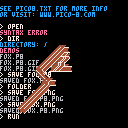
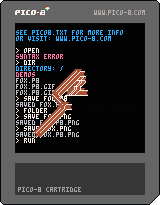


I wanted to try some PICO-8 cartridges...
And I just bought this new mini gamepad...
So I thought it would be fun to get it working with PICO-8! :D
The gamepad is a small, keyring size bluetooth controller. It costs around £3 on Amazon.co.uk
It's really meant for Android and iOS, and has various modes of button configuration. However, when connected to my iMac it's seen as an iCade controller (as it is on iOS).
I used ControllerMate OS X app to remap the iCade controls to cursors+z+x+shift+esc. And it works great!
Here's the setup file: http://cl.ly/290U3s2z3I0w
Maybe there's similar software for Windows & Linux to use this little gamepad? Maybe PICO-8 could add iCade support so we don't have to use external software?
Anyway! That is my nice little PI-CO-NTROLLER for PICO-8
:)
If you want to try this, feel free to ask questions!
 11 comments


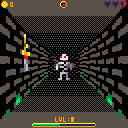
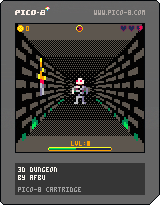
Recently I started playing with raycasting and I immediately wanted to create a real game with it, so here is first preview of my 3D suqare dungeon.
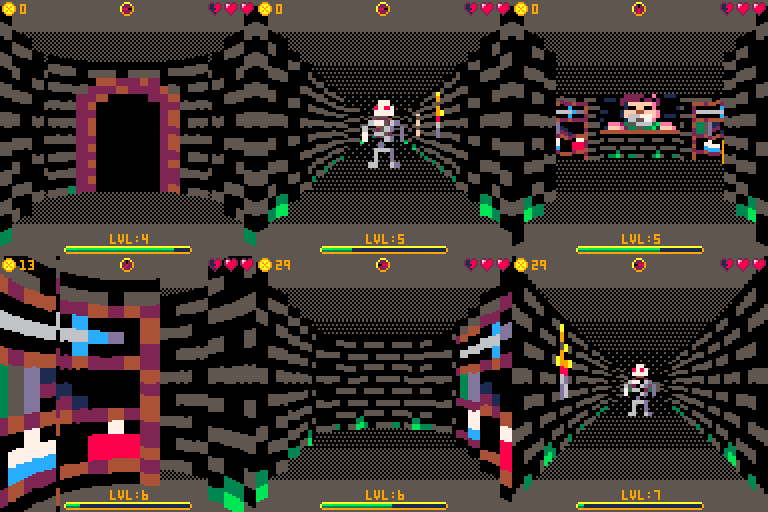
V0.2 features:
- wall text system
- portal system
- ground/ceiling color can change in locations
- item system (food+gold)
- gui (health, gold, experience/level, compass)
Notable bug: when you try to read text that is not defined it's id will popup on screen and game will be stopped.
V0.1 features:
- raycasting engine with dynamic rendering quality for smooth movement
- collisions based on tile flags
- 16x16 pixels textures
- 8x16 pixels transparent sprites rendered using simple (column based) z-buffer
- basic npc system that allows random movement of monsters around map
Controls: arrows for movement
Original 3d experiment thread is here.
2 comments
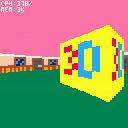
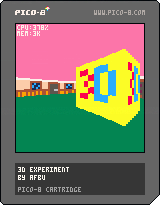
Simple ray-caster experiment.
It's not perfect, but it's kinda working and I hope it can serve as starting point for some awesome 3D games - especially I am thinking about some cool dungeon/rpg, that would be awesome!
Controls: arrows to move
Update 1.1:
- added fish-eye effect reduction
- added dynamic quality settings (when camera moves, quality is lowered)
- draw distance, step & quality setting can be adjusted in code
Older versions:
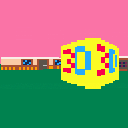
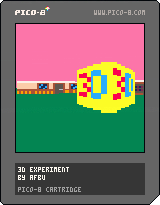 22 comments


Hi zep! Just a small suggestion, but I'm finding the low-resolution cursor movement really quite awkward to use when I'm so comfortable with existing graphics software on the PC.
Would it be possible (as an optional setting) to either:
a) detach the in-app cursor from the 128x128 grid by creating some special rendering code independent from the console display?
b) hide the in-app cursor and show the system cursor instead?
What are others' opinions on this? I suppose it's not a major issue for most people, and I completely understand if you don't want to do it, to preserve the style/feel of the console. :)
2 comments

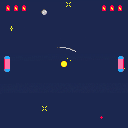
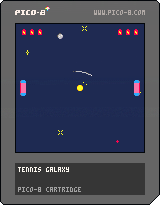
This is my first Pico-8 cart that helped me learn the system and tools. Despite that, it's decently polished and surprisingly entertaining so I wanted to share it with you. It doesn't have a title screen, a lesson learned for the next cart, so the controls are:
up/down - move the paddle
a - slow the paddle for more precision
b - continue to a new game
I also upload my carts to GitHub if anyone's interested in the code, which is probably the best part.
2 comments


I didn't see this documented anywhere, and I had to work it out for my drumbeat cart, so I thought I'd save everyone else the trouble and publish what I know.
SFX:
A sound effect is stored in 68 bytes. Sfx 0 starts at address 0x3200, sfx 1 at address 0x3244, and so on.
The first 64 bytes (offset 0..63) store the 32 notes of the sound effect as described below.
Offset 64 is a byte that determines the editor mode: 0 for graph mode, nonzero for tracker mode. This has no effect on playback, just on the mode opened in the editor by default.
Offset 65 stores the playback speed. (Higher values correspond to slower playback, so "speed" isn't exactly the right name, but that is what is used in the editor.)
Offsets 66 and 67 store the loop begin and loop end times. A sound effect contains only 32 notes, but these times may be set to any byte value. All times past 32 simply play silence.
Note format:
A note is stored in 16 bits, two bytes little-endian.
Bits 0..5 store the pitch, ranging from 0 (C in octave 0) to 63 (D# in octave 5). The tracker mode editor can only enter pitches up to 60 (C 5), but it can display and play higher pitches.
Bits 6..8 store the instrument; the values are the same as in the tracker mode editor.
Bits 9..11 store the volume. Volume 0 corresponds to silence.
Bits 12..14 store the effect; the values are the same as in the tracker mode editor.
Bit 15 appears to be unused.
[b]Example code:
25 comments










I never used LUA before (I come from JS and Ruby), today a saw a bit about OOP here and since pico doesn't support metatables i'd like to know if this is the right way to OOP:
local player = {}

function Player.new()
    local self = {}

    self.x = 64
    self.y = 100
    self.width = 20
    self.height = 5
    self.color = 7

    self.get_x = function() --one way for method
        return self.x
    end

    function self.set_x(new_value) --another way for method
        self.x = new_value
    end

    function self.draw()
        rectfill(self.x, self.y, self.x + self.width, self.y + self.height, self.color)
    end

    return self
end

function redraw()
    rectfill(0,0,128,128,0)
end

function _init()
    player1 = Player.new()
end

function _update()
    local x = player1.get_x()
    player1.set_x(x + 1)
end

function _draw()
    redraw()
    player1.draw()
end
|
So... If there is anything wrong* there please tell me :), i know i could make a player.move method but i wanted to see getters and setters visually.
*I do consider anti-patterns as wrong.
6 comments
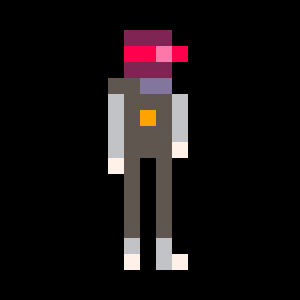
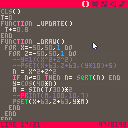
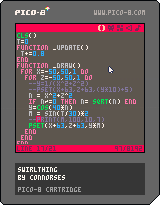
A weird effect I created by attempting to plug the last the equation from THIS VIDEO:
https://www.youtube.com/watch?v=p2c0-42XpJQ
I had to make a workaround to prevent the square-root-of-zero bug from making PICO-8 freeze.
DISCLAIMER: I have little or no understanding of the math behind this, I just threw it together and chanced upon a cool swirly pattern. Yay me.
8 comments


