


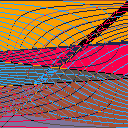
ZX Spectrum allowed enabling XOR pixel operation for drawing routines and text. Some interesting interference patterns could be achieved this way.




 3 comments







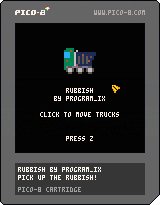
Controls
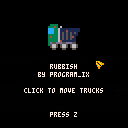
Menu: Z to start game.
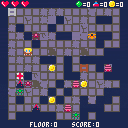
Game: Left-click on trucks to move in the direction the truck is facing. Right-click on trucks to rotate them.
Game over: Z to restart.
Mechanics
Each level ends when you have used the trucks to collect every piece of rubbish. Click on a truck to move it in the direction it's facing. It will stop when it hits the edge of the screen, or another truck.
Commentary
Puzzle design is super difficult. But this game was a lot of fun to make! Designing the trucks and the rubbish kept me interested over the month, then in the last few days I finally figured out where I was going with it. I bumped over into November because of a number of commitments and other noisy stuff, but I'm very happy with how it came out. Maybe I will make more levels eventually? I'm sorry if it's very boring to people who do lots of puzzles!
itch.io page: here
4 comments




Hi everyone, I'm ReplayCoding.
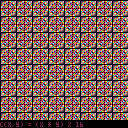
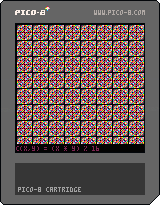
The PICO-8 community has helped me a LOT learning PICO-8, so I thought I would give something back. So, I wrote the PICO-8 advanced manual! It contains my findings about PICO-8 internals and stuff like that... I hope you enjoy it!
Link: https://www.lexaloffle.com/bbs/files/28213/PICO-8_ADVANCED.zip
zep, please let txt files get uploaded :(
12 comments







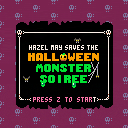
Better late than never, here is a short Halloween game I had made with Wayne Kubiak (@WanyoDos on twitter) the artist.
"Hazel May heard that there was going to be a monster party on Halloween, but she didn't know that it would literally have monsters!
Help Hazel may get the monsters ready for the party.
Use arrows to move, Z to select/pick up.
Tell the mad scientist you are ready to party when you've done all that you can."
v1.2 Edit: Fixed a bug that would crash the game if you tried to use arrow keys during a monster's response.
6 comments


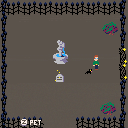
A game about aspiration, guilt, and the scarcity of time.
Warnings: existential angst. Player may choose options that include animal abuse and gore.
Arrow keys: move
Z: Interact
X: Use Item
Enter: Menu
13 comments









To all of you users maintaining public Github repositories of either your games or supporting libraries for other PICO-8 users, I've just put up a repository containing PICO-8 badges.
This way you can add a Made With PICO-8 badge to your readme, alongside any other repo related badges you generally use!
Show your support for the tool and enjoy!
1 comment


This works:
s = [[ ... [ ... ]] x = 0 x += 1 |
But this no longer works:
s = [[ ... [[ ... ]] x = 0 x += 1 |
** syntax error line 3(tab 0) ** x += 1 ** syntax error near '+' |
It seems that in the search/replace phase of PICO-8 parsing, when "x += 1" gets replaced with "x = x + (1)", something erroneously considers that the second "[[" was opening a nested string, and does not perform any replacements until it finds a (nonexisting) matching "]]".
8 comments





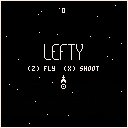
An Asteroids homage with a left twist.
What a situation! You're stuck in an asteroid field, but your ship will only turn to the left! Power down on the throttle, mash your lasers, and put your reflexes to the test!
Collect all 15 ships! Every ship has its own stats: speed, spin, acceleration, drag, and laser attributes. Remember, you need to use your newest ship if you want to unlock the next one!
Controls:
Z: Throttle
X: Laser
Left / Right: Select ship on title screen when unlocked
Up / Down: Toggle palette
Alternate Controls:
ESDFWA
7 comments


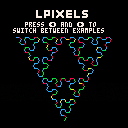
This is a silly thing I made just because L-Systems are cute~
L-Systems were developed by a guy named Aristid Lindenmayer, and consist of a initial string, a set of rules for transforming this string into another one, and a mechanism to translate the string into geometric structures. They are well-suited for generating cool fractals like these ones, and also for modeling plant growth! (in which I didn't delve much into in this demo, since the mechanisms for generating only fractals are slightly simpler) I'll leave the wikipedia article on them here if you want to see more cool stuff: https://en.wikipedia.org/wiki/L-system
Also, sorry for the ugly pixel art title and the silly song, these are definitely not my areas of work, haha...
Update: Added animation! I got lazy to do it yesterday because it was late, but in the end I managed to do it in like 3 minutes... (*・ω・)
1 comment
I came across this parsing error that mangles strings:
printh([[ [[ ]].."]]"..[[ he//o! bye]]) |
This prints:
[[ ]] he bye |
1 comment
The following program freezes PICO-8 0.11.g (probably an infinite loop in the parser), even Esc will not work:
x=2b |
The bug does not only happen with invalid code, here it is with valid Lua5.2 code:
x="\ 2b" |
or this:
x=[=[ 2b ]=] |
Even typing "2b" in the command prompt freezes everything.
3 comments

I can't remember if this has been addressed yet.
As a purchaser of PICO-8, do I have access to the source-code ? Where I can both edit and compile it ?
Also, Scrub, still waiting for your return.
2 comments

Hi everyone, I seem to have coded myself into a bit of a hole and I'm hoping someone has a suggestion on how to get out of it!
What I need to be able to do is - iterate through all the subtables in a table, and delete any subtables that have identical values. Below is the setup and the two methods my researching has found, but I've tried both so far with no success:
x = {}

add(x,{a=1})

add(x,{a=1})

--table x now has two subtables
--that both contain a=1, and we
--need to delete the duplicate!
|
Method one:
index={}
for t in all(x) do
	if index[t] then
		del(x,t)
	end
	index[t]=true
end
|
No luck with this one, it DOES work if the duplicate values live in the main table and outside of the subtable, but I'm having trouble formatting it correctly to check the subtables.
Method two:
for i=1,#x do if x[i].a == x[i+1].a then del(x,i) end end |
2 comments

Hi folks,
I'm trying to get to grips with collision detection and have sussed it for simple single objects against each other, but now I'm trying to detect one object against many using tables.
I'm not sure why my code below isn't working. I think it's the final FOR-LOOP which goes through the position checking of the player and each of the blocks. The penultimate line that has RETURN TRUE is never reached (I've tried putting STOP() in there and it never executes) so is there something wrong with the IF statements above it that return false?
Note: If I place the RETURN TRUE within the loop directly above it (immediately following the position checks), collision with the first block works fine, just no others!
In my head, this should work - it just doesn't!
What am i doing wrong please?
function _init()
	initblocks()
	initplayer()
end

function _update()
--	if btn(4) then updateblocks() end
	moveplayer()
	if colcheck() then pl.col=11
	 else
	 pl.col=7
	end
end

function _draw()
	cls()
	drawblocks()
	drawplayer()
end

-- user functions --

function initblocks()
	block={}
	for n=20,80,30 do
		for f=20,110,30 do
			add(block,{x=f,y=n,w=10,h=10,col=7})
		end
	end
end

function updateblocks()
	for f in all(block) do
		f.col = flr(rnd(15)+1)
	end
end

function drawblocks()
	for f in all(block) do
		rectfill(f.x,f.y,f.x+f.w,f.y+f.h,f.col)
	end
end

function initplayer()
	pl={}
	pl.x=10
	pl.y=110
	pl.w=10
	pl.h=10
	pl.col=7
end

function drawplayer()
	rect(pl.x,pl.y,pl.x+pl.w,pl.y+pl.h,pl.col)
end

function moveplayer()
	if btn(0) then pl.x-=1 end
	if btn(1) then pl.x+=1 end
	if btn(2) then pl.y-=1 end
	if btn(3) then pl.y+=1 end
end

function colcheck()
	for f in all(block) do
		if pl.x>f.x+f.w then return false end
		if pl.x+pl.w<f.x then return false end
		if pl.y>f.y+f.h then return false end
		if pl.y+pl.h<f.y then return false end
	end
	return true
end
|
2 comments
