





~ Eternal Danmaku Uchūsen Challenge ~
A game of infinite procedurally generated bullet hell boss fights
Controls: ◄ ► ▲ ▼ ⓩ ⓧ


 4 comments


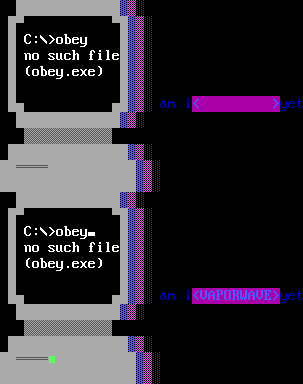


So, this is obviously an odd edge case, but I have the pico8.exe 0.1.10c binary pointing at /bin/pico8 in cygwin (win10).
printh works perfectly fine when supplied a log file target, but other than that, I don't get any output.
I know I could watch/tailf the log file, but I think this should work!
It works with windows Command Prompt, but the linux subsystem on windows is inferior in many ways.
Please support cygwin stdout!

 2 comments

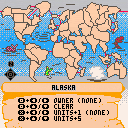
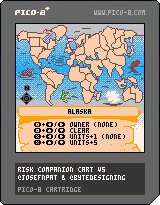
View full site with screenshots here!
Ever want to play a game of Risk on the go? Here's the companion cart! Complete with six colors, units and dice.
- @josefnpat - Code, Design & Art
- @bytedesigning - Board Elaborations
Features
- Automatically set up a new 6 player game by using the menu option, "Setup New Game"
- Save & Load map, so you don't have to lose your progress!
- Quickly set or clear a country's player with O.
- Quickly set a country's units with X.
Tips
- Load this game on to your PocketCHIP to play anywhere!
- Countries can be set to Neutral for the Nuclear Risk gametype!
- Roll five dice by holding X and O. (To roll less dice, simply ignore the extra. To wait for defender to choose number of dice to roll in return, obscure the screen from the second player until the attacker's dice are announced)
0 comments


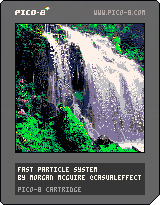
A fast single-pixel particle system using bitwise operations and constant-time addition and removal. The top part of the program is the reusable particle system. It features acceleration, velocity, particle colors, and particle lifetimes. Please reuse, but please also keep my name attached to the code.
The bottom part is the waterfall demo and some generic particle emitter code.
You can save a few more cycles if you hardcode the gravity constant. Otherwise I believe that this is close to optimal.
More information at my github
1 comment


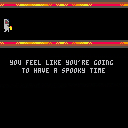
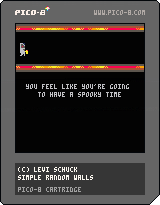

Hiya - first post and I'm immediately asking for help. Tssk.
I'm drawing sprites to the screen, and some random colours are being displayed as black rather than the colour they are set to in the editor. However other sprites are displaying these colours correctly. Nowhere in my code do I use pal() or palt(), so although I'm assuming it's a transparency issue I don't see what I'm doing to cause it.
Thanks in advance
5 comments



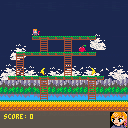
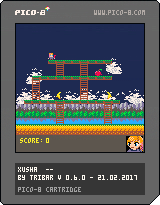
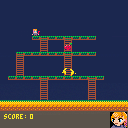
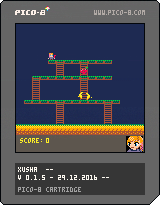
Hello lovely pico community!
This is my first game ever released and is still in development. But I enjoyed the local discussions so much so couldn't wait to share. This is a tribute to my wife's favourite childhood game. The goal is to defeat all the fruits going for you. Don't let them touch you! Dig the holes, lure fruits in them and then fill up the hole to defeat a fruit. Some fruits need to fall from higher ground to be defeated.
4 comments



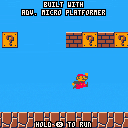
Testing out my Advanced Micro Platformer Starter Kit's ability to handle 16x16 sprites (vs more common 8x8 used in a lot of pico-8 games).
1 comment



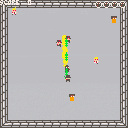
I made this for the Games Vs. Nazis game jam on Itch.io. It isn't quite finished because I want to add sound, powerups, and boss battles. It is the best game I've ever made, though.
1 comment



I ran the Dank Tombs demo cart on my PocketCHIP to find it really grinds...almost to a halt. I know the cart is pushing limits technically and the PocketCHIP isn't for every game - as much as I bang the PocketCHIP drum, I get it.
However, through that brief discussion, I learned that the PocketCHIP doesn't/can't run Pico-8 at full speed...??
Totally sucks given that PocketCHIP really pushes Pico-8 hard. And double stinks because as more people get their hands on Pico-8 and make great, top shelf games (like Dank Tombs) the PocketCHIP won't be able to keep up.
I had plans to make a console for Pico-8 using the Next Thing Console Bundle or maybe try to roll my own with a Raspberry Pi or something...however, if the PocketCHIP can't run things at full speed, does that mean these other devices can't either?
I want to play Pico-8 on my TV instead of on my computer so my kid and I can play without having to be in the office all the time. I've seen a lot of others post Pi consoles and such, which look like a great little project, but I want to make sure things will run as they should, unlike the PocketCHIP apparently.
Any thoughts, insight or first-hand stories is appreciated.
10 comments





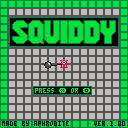
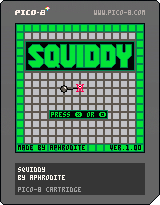
Concept:
This is my first real project on the Pico-8, it is a pretty simple game (kind of a 1 input game), based off rotation mechanics, it's pretty rudimentary yet I tried (and probably failed ^^'') to have a clean code, it has 31 one screen levels and uses the full tilemap space availiable on the cartridge, the code contains multiple functions, categorized under "level status", "drawing functions", "motion functions", "collision functions", and "game loop" (_init, _update and _draw). Even though the difficulty curve is kind of a fail I consider this game to be finished.
Commands:
Use (X) or (O) to change the rotation, and try to get to the end of the level (green square).
[b]Rules:
7 comments




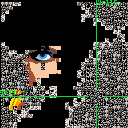
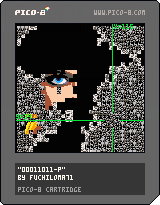
50% PUZZLE GAME, 50% PIXEL-POP-ART PROJECT, 100% WEIRD!
In this old-school cyberpunk-themed game, you are fighting to control the spread of a binary virus in a computer’s memory. By doing so, you progressively reveal the portrait of a famous ‘80s British pop-star. The virus is both friend and foe though, as only recovered memory blocks (those that were once infected) display parts of the hidden picture.
There are two visualisation modes: “scanner” which shows the whole memory, where infected blocks appear as “static” and recovered ones as bits of the background image, and “zoomed in” where both types display a binary number between 0 and 3 (“00”, “01”, “10” and “11”). You toggle between modes by pressing the “Z” key. In both modes, navigation uses the directional (arrow) keys. When you press “Z” while in “scanner” mode to enter “zoomed in” mode, the block that was at the centre of the green crosshair is selected.
While “zoomed in” you can repair memory blocks by swapping them. There is a single rule: you can exchange positions between the selected block and one of its four adjacent neighbours IFF (if and only if) they are both infected AND the neighbour’s number is one unit higher (modulo 4, hence “-P” for “periodic”). In other words: if the selected block is “00” it can be swapped with an adjacent block numbered “01”, “01” with “10”, “10” with “11” and “11” with “00”. To swap, keep “X” pressed while typing the arrow key pointing to the targeted neighbour. After a correct move, the selected block will have changed state from “infected” to “recovered”, the targeted neighbour will have become selected and their binary values will have been swapped.
N.B.: the epidemic pauses while “zoomed in”. “Recovered blocks are immune to the virus and cannot be re-infected. Any infected block completely surrounded by recovered neighbours recovers spontaneously. In “zoomed in” mode, recovered blocks have black digits on white background, infected ones the other way around. The selected block is highlighted (brighter). Susceptible blocks (not yet infected) are marked by two dots. From a fully infected state, there is always at least one solution (i.e. a sequence of 1023 “swap” moves that will result in all blocks being recovered). Good luck finding it though! ;-)
4 comments



so, here you go, I made a remake of all those keyboard famiclone solitaire games.
so.
you got a cart with some educational stuff on the cart.
one of the games was a port of solitaire, looking and sounding like that (or a version with palm card deck, windows 3.1 styled titlebar, blue background and without auld lang syne in background, but I had that one)
original cart by r1sc.
mod by Adrian Makes Games.
ALSO ON ITCH.IO:
Clickity click!
(CC) 2016 Adrian Makes Games. Made with love.
1 comment



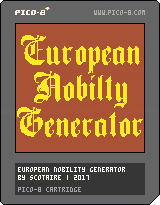
A medieval, European noble names generator
Just my little sunday production. Names generated will sound authentic but are not actual persons.
Includes : Anglo-saxon, French, Germanic, Spanish, Italian and Polish-Lithuanian (credit arian09_01) cultures.
Feel free to reuse the code to save time making your RPG or (grand?) strategy game.
4 comments

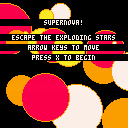
Added a lot to the game, including multiple levels, a second tileset, larger maps, and a prep screen. Next I'll (finally) add enemy AI, and a few story bits.
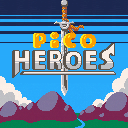
I started playing Fire Emblem Heroes and have become hooked on the game's simple yet addictive gameplay. So naturally I tried turning it into a pico 8 cart.
This was also a great opportunity to test saving sprites as data strings, and converting them in real time to increase the number of sprites I can have in the game.
This is still very much a work in progress, so let me know what you think of it so far.
6 comments


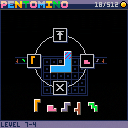
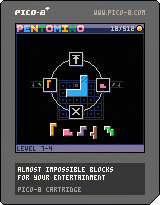
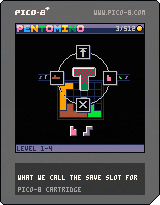
1.03 changes block switching behavior so that switching from an active but ill-fitting block will stow the intersecting blocks beneath instead of the active block.
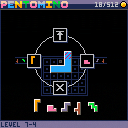
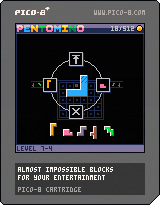
1.02 update offers modest difficulty relief via visual indication of enclosed spaces which aren't sized to fit blocks.
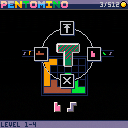
 0 comments

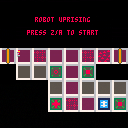
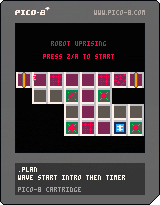
Robot Uprising is a Tower Defense style strategy game. Protect the last human base from the attacking robots by placing ground traps or weapon towers.
Accrue metal by destroying robots, or using Metal ground traps. Metal is precious, spend it wisely on your defences... or be personally responsible for the extinction of the human race.
This is a work in progress. Currently the first 8 levels are designed. Another enemy robot type, and hopefully a few
Update:
- when you die, you continue from the current level rather than having to restart from the beginning.
 5 comments

better late than never! ;)
I was unhappy with it at the time, but it seems I mostly fixed it eventually :)
(update: fixed score saving, paddle beep, added (x) to turn the machine on/off)
3 comments

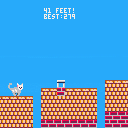
496 tokens, originally intended for collab16 jams (too late for #1 and too big for #2)
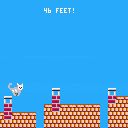
older version (30Hz):
 0 comments

