


The following behavior is consistent with Lua 5.1 so I don't want to call this a bug (better to match the official interpreter than diverge), but it's a gotcha that affects Pico-8 programmers and might justify adding in support for more Lua keywords. In short, #t is inconsistent after some table operations.
function p(t)
  for k,v in pairs(x) do
    print(k..': '..v)
  end
end

x = {1, 3, 5, 7}
p(x)  -- 1: 1, 2: 3, 3: 5, 4: 7  (ok)
print(#x)  -- 4  (ok)

x[2] = nil
p(x)  -- 1: 1, 3: 5, 4: 7  (undocumented: pairs() skips nil values)
print(#x)  -- 4  (ok, though larger than the number of values returned by pairs())

x[4] = nil
p(x)  -- 1: 1, 3: 5  (consistent)
print(#x)  -- 1  (wat)
|


 3 comments




The PocketCHIP comes with a touch screen, so I'm wondering if Pico-8 games will be able to take advantage of that event?
I know we'll be able to use the touch for drawing sprites in the editor and stuff, but what about in the game. Will there be a ontouch() function or something like that? Or does a touch just register as a Z or X key press?
10 comments





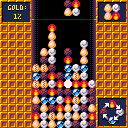
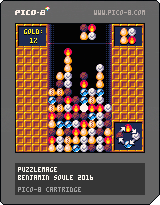
Here's my entry for p8jam2. I only had a few time to work on it, and maybe I wont have time to finish it before the jam end.
--- RULES ---
- mathcing 3 elements morph them to the next element in the morph wheel.
- chaining more than 3 transformations will let you create gold nugget.
- Try to reach the best gold score.
- Eggs are useless and can be destroyed by transforming nearby elements
--- CONTROL---
- UP : turn piece
- LEFT/RIGHT : move piece
- DOWN : drop piece
The game is somehow playable, but is quite unbalanced. you can still use it as a sandbox.
15 comments








Hello!
I am currently working on a cart which will likely be distributed on a USB drive as 'extra content' for a music EP I'm writing. I am new to Lua (and to game dev, beyond Twine, in general) but getting on nicely with the development itself (using Jelpi as a platformer template which is fantastically helpful - thank you Zep!) but am currently having difficulty with the distribution side. I obviously want to use an HTML5 export so it can be run by people without the console, and have inlined the .js file into the HTML so it's a single file rather than a collection of two.
I would really like the shortcut to the HTML file to reliably have its own custom icon regardless of system or browser, and also wouldn't mind it opening in an 'unbranded' window rather than the default browser, for which I assume I need to use some kind of wrapper. I've tried AppJS, Fluid and NWJS, which all yield the same result: a page with background and buttons but no actual game showing up in the window. Has anyone managed to successfully wrap a PICO-8 game to give it a vaguely native feel?
Many thanks!
1 comment


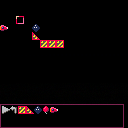
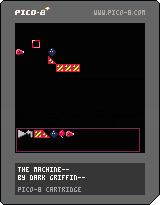
TLDR: This is a very buggy basic implementation of TIM, only not so Incredible since it's totally broken and lacks the game part. So it's mostly about crashing pico with overflowed math using bowling balls that are apparently covered in flubber. :D
I am probably going to miss the jam deadline for this one, my weekend exploded on me. The trig and collisions also gave me hell the last few days trying to figure it all out, so now this is mostly a featureless demo of some basic line based collision code.
I want to upload what little I got working at least. As I get the rest of the game systems in place, I'll update this with stable-ish versions. By no means is this a game yet, but I thought some of you might like to poke around and see how the game is structured or how you can start doing line based sprite collisions.
Notes:
directionals - move cursor
Button 1 - puts things, picks things up
Button 2 - enter parts bin mode, leave it(you can also leave by grabbing a part with button 1)
-Press the play button to start the simulation. While running, press again to stop. Stopping it will "revert" parts back to original positions and speeds.
-The reset button does not work yet.
-The rocket part is a wip, and does not have a concept of thrusting yet. It simply starts with some momentum and will run out once it hits a wall.
-Gravity is totally placeholder and completely wrong. In real life, objects do not care what weight they have, but I needed something quick slapped together to test the collisions. I aim to fix this later with a proper calculation instead.
-The momentum from bounces is either wrong, or the balls are bouncing multiple times off a platform sometimes. They seem to just gain momentum as they bounce. This is basically what's been giving me hell and is eating my time. :(
-there is no friction yet, so sadly no rolling or anything like that.
-I left the debug line drawing code in place, the red lines are what the "collision engine" is seeing. Each frame it loops through moving parts and checks for collisions with any lines nearby(It only can see a single block in any direction to keep it running smooth).
-If you want more parts to play with, you'll have to add more parts manually through code in _init(), though the existing part spawning code is simple enough. (partID,x,y are the parameters in case you can't figure it out yourself.) Be careful adding moving parts, as they take a lot more memory then the walls and ramp. Note that if you wish to grab the part it MUST be on a multiple of 8, or in other words, "on grid".
-The parts in the parts bin auto-sort themselves, though I have not tested the wrapping part code yet. It's supposed to wrap part placement to keep them in the bin if you go over a single row. No vertical scrolling has been implemented yet.
Anyway, I hope at the very least some of you can learn something from this version's code. I'll keep poking it, though my progress is very slow. I deal with trig and code in my other things, so lately I'm too tired to think straight when I get to pico8. ;)
I also have not come up with a good way to store puzzle data yet. I'm thinking of using the map or sprite data somehow. The real game I'm copying has user made levels, I'm not sure I'm skilled enough to tackle that yet. Pico's saved data limits are really hard. :/ But fun to try to use, as most of it! :)
0 comments

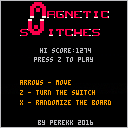
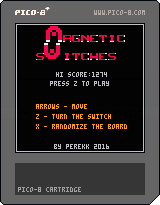
Can't wait for my PocketChip.
In the meantime here is a small game (?) for the pico8-jam 2016
(my hiscore is 1274)
10 comments





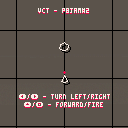
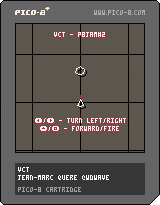
Hi,
I'm on this since a couple of hours done on several days. I have a lack of time for the jam.
I will improve as I can but I submit like it is. I hope you will be kind enough to play with it.
Follow the radar indication. Shoot but don't be hurt. You have only one life.
The levels change each time the game is played.
Regards,
jihem
10 comments



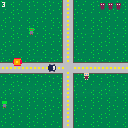
Ok! So this is my first PICO-8 game. I wanted to work with collision and updating objects in a (sort of?) smart way. Many thanks to Scathe for their thread on animation and collision (I also borrowed the basic template for one of your sprites, hope that is ok). More thanks go to Picozine 3 and the Dom8verse example code. I tried to make a mechanic that was in the spirit of the game jam theme so I leaned the scoring system heavily in favor of chaining zombie explosions together which turns out to be super fun!
3 comments
Hello everyone.
I'm very very new here and just learning LUA (well, Pico's subset of it) from first principles. So far I can put a few pixels on the screen and move them awkwardly but hey it's a start. I'm new to coding in general, having done JS for just over a year and some Ruby here and there. Never anything serious but recently coded a simple game in codepen.io and then came across Pico-8.
This is a dream come true. An enthusiastic, helpful, and polite (usually) community, all sharing code and learning how to make games! I'm so happy to have found this and have my pocket chip on order.
So let's talk about how we actually share code.
Let me say how grateful I am for those of you who will paste code right into the forum for easy use. I'm also amazed at the carts and how they save in PNG format. Most of all I'm amazed by everyone's generosity in showing their code so that we all can learn from it.
There just one thing I'd love to see, but it may be too much to ask of the creators, but here goes.
Can we get a remix tree of sorts going like they use for MIT Scratch?
https://scratch.mit.edu/projects/76023266/remixtree/
It's the original file and all the ways it's been remixed and changed. It creates a great public history of who did what and how it evolved.
Granted, we do this now manually in posts on the BBS. Being able to upload a cart here and show it to the world and then download other people's carts and view the code is amazing. We do it informally but I would love to see it be part of a system here on the BBS to upload and track the remixes.
Of course I don't want to take precious time from the makers of Pico-8 if this is beyond what you have bandwidth for, but I wanted to get the idea rolling and see if anyone else had interest.
I was also interested to know if the binaries I hear about mean you can eventually publish (and download) closed-source games?
Finally, I'd love to know more about why we save are carts as PNG files. I love it! How was that choice/idea made?
1 comment

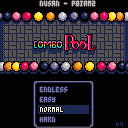
Update : I made an Android version, with special touch controls, on my Itch.io page
Update 2 : I improved collisions and fixed the "keep perfectly vertical" way of cheating.
Update 4: You can now use the mouse to point and shoot! Also accessibility option to display numbers on the balls, so you can better identify them
Here is Combo Pool, my entry to p8jam2. It's a game where you throw colored marbles against each other. If two marbles of the same color make contact, they merge and upgrade to the next color. Your lifebar diminish with the number of balls on the field. If you lifebar is empty, you enter in a sudden death mode, and your last ball must save you by removing some balls.
72 comments



JELPI PAINT
Jelpi Paint is a Pico-8 art tool. It lets you draw beautiful art on every Pico-8 compatible device.
Draw portraits, landscapes, whatever you think of, it can be drawn in Jelpi Paint.
Due to nature of Pico-8, Jelpi Paint is best suited for pixelart.
DONATE ON ITCH.IO
DONATE!
2 comments




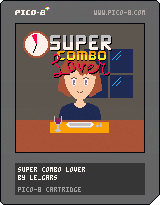
Have you ever thought "Man, I wish I could play a fighting game AND a dating sim AT THE SAME TIME"
Well look no further because Super Combo Lover is exactly what you're looking for!
Score as many points as possible on each of your 5 dates by chaining sick combos!
Watch out, some combos may have negative effects on your date! Pay close attention to her reaction for every combo you make, you wouldn't want to make her mad wouldn't you?
3 comments

Hi! I just published episode 1 of a podcast about Pico-8, called pico chat. Each episode will be short (10-20 minutes), and you can expect 1-2 episodes per month. I'm looking for a guest to play through all the Pico-8 Jam #2 games for episode 2, send me an e-mail if you'd like to join me ([email protected])!
I'm open to any and all feedback. Tell me what you'd like to hear in future episodes. Thanks!
20 comments




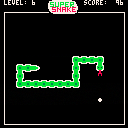
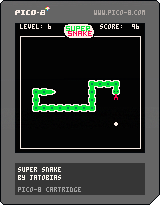
My first Pico-8 game, a classic snake game.
Eat as much pellets as you can without crashing into the wall or yourself.
Use cursor keys for menu selection and to move the snake.
Press X to select menu option and to pause the game.
Level:
The level selects the speed of the game (From 1 - slowest to 10 - fastest) and the amount of points you get per pellet eaten.
Game modes:
Classic - Play the selected level until game over.
Arcade - Level will increase every 10 pellets eaten until level 10 or game over.
Classic/Arcade Pro - As above. Additionally the snake will not pause for a brief period before hitting a wall/snake, but controlling the snake is more direct.
The high score for each level and game mode is saved on the Pico-8.
2 comments


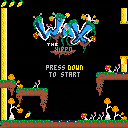
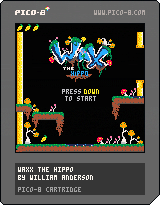
Move with Left and Right
Plant Bouncy Mushroom seed with Down.
This is a character I designed back when i was writing a lot of 6502 ASM for the NES. Really having a blast with Pico-8, its pretty much everything I ever wanted.
5 comments

PICO-8 carts exported to HTML won't work on iOS in web app mode (a.k.a full screen web app).
Add the following meta tag to your .html file:
<meta name="apple-mobile-web-app-capable" content="yes"> |
Open the page in Safari iOS, add it to the homescreen, then launch it from there.
Nothing happens, the execution of PICO-8 doesn't start though it works perfectly well when launched from Safari.
The device I'm testing on, an iPhone 5, is not powerful enough to debug the web page and crashes when I try, so I don't really know what's the problem. I suspect there is a limitation blocking Emscripten somehow, maybe with the eval() function in JavaScript. I know the JIT was (is still?) disabled in webview, but the particularities of the web app mode are not documented.
It's a shame that Apple is doing their best to ruin the HTML5 experience, probably to give the priority to their closed and controlled apps ecosystem.
I'm not an iOS expert, so if you have any idea on how to fix that, please let me know.
4 comments

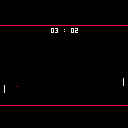
Today I was watching Roland Garros on the TV when I figured I would waste less my time playing with PICO-8 and so I did ... another pong.
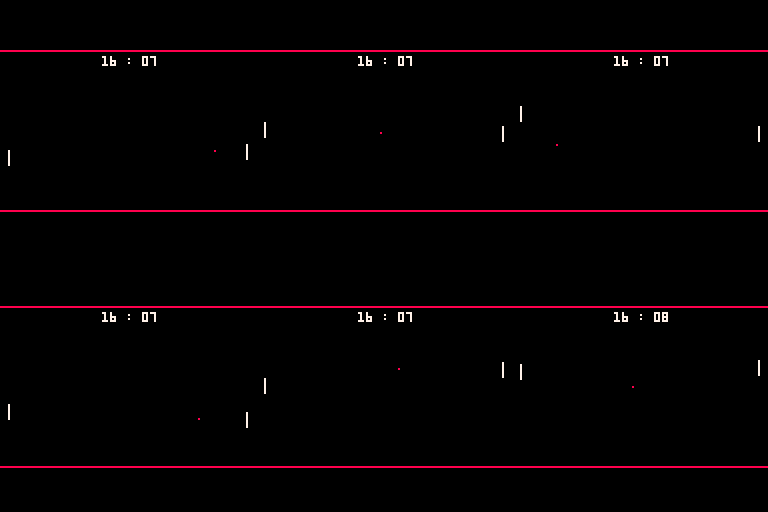
The code is quite simple and should help beginners starting with PICO-8 programming
It supports different bouncing angles - I store them in a table for each pixel of the paddle (8 pixels high) :
  angles={-1.2,-0.8,-0.5,-0.2,0.2,0.5,0.8,1.2}
...
  b.dy=angles[flr(b.y-p1y)+1]
|
At first, player2 (p2) was always following the ball and was unbeatable... so I modified it to only follow the ball when it is in the right half of the screen - I found this solution giving a good difficulty level - you can raise it if you increase the area where it "sees" the ball :
-- p2 follows the ball, only if the ball is on the right side of the screen if (b.x>64 and p2y+4>b.y ) p2y-=1 if (b.x>64 and p2y+4<b.y ) p2y+=1 |
0 comments
Pico8 0.1.6 added coroutines!
coroutines are really handy if you want to trigger an action once and then have it continue to do stuff for a while in the "background".
actions = {}

function press_mysterious_button()
local c = cocreate(function()
  for i=1,10 do
    launch_special_fx()
    yield()
    yield()
    yield()
    yield()
  end
end)
add(actions,c)

function _update()
  for c in all(actions) do
    if costatus(c) then
      coresume(c)
    else
      del(actions,c)
    end
  end
end
|
the above code when the mysterious button is pressed will create a new coroutine (cocreate) which will launch special fx every 4 frames, 10 times and then it will be completed.
each loop of _update it'll run any actions up to the next "yield" and then return. when the action is complete, we remove the dead actions from the table.
hope that makes sense and is helpful!
32 comments

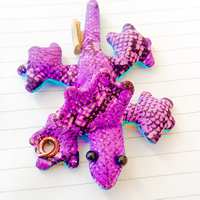


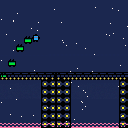
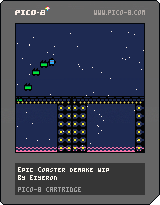
Hello everyone, been a while I haven't done some PICO so there it is. It's a reboot of a years old dropped calculator project I wanted to do with a friend : an Epic Coaster demake. It's some sort of theme-park themed Canabalt self-proclamed tribute. Let's see how far you (and the developper :p ) will go! o/
Well, for now, I succesfully nailed (for once) physics and I also did some eyecandy, so everything should follow quite smoothly, like the whole game state, more platforms and stuff.
Instructions : Z to jump.
Changelog:
-0.02
- Added an initial platform
- Added gameover/replay just after
- Fade animation
- 0.01
- Initial version
Older versions:
- Initial version
- 0.01
0 comments