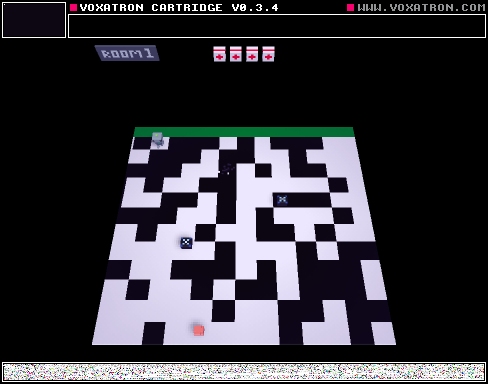
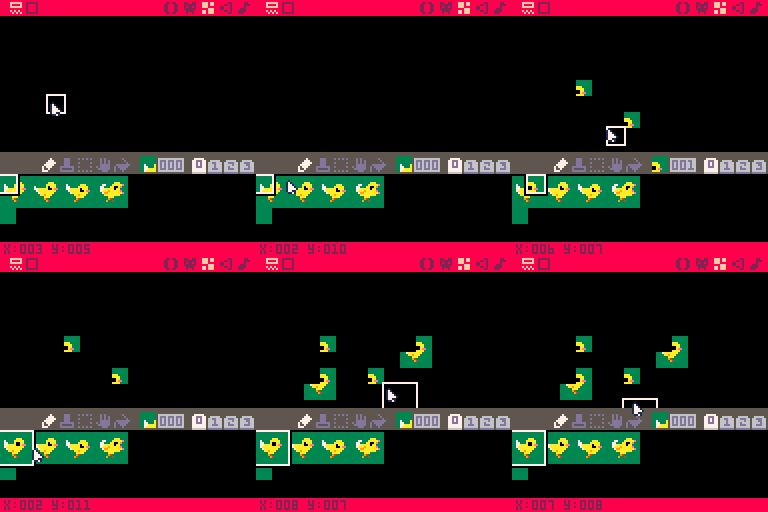
All the other sprites seem fine but 000 always places for me like its blank.
Here's a gif of the bug in action:


 15 comments





Hello,
I've searched the forum, and I can't seem to work it out.
Is there currently an audio design tool in Voxatron like Pico-8?
Or should I export audio from Pico-8 into voxatron?
Am I missing something?
For Voxatron on Linux (Ubuntu and Fedora) and sometimes OS X...
Cheers,
Moi.
3 comments



My Panda Anti Virus reports pico8.exe as a Virus. I can never get it started. Any clue as to why this might be?
4 comments
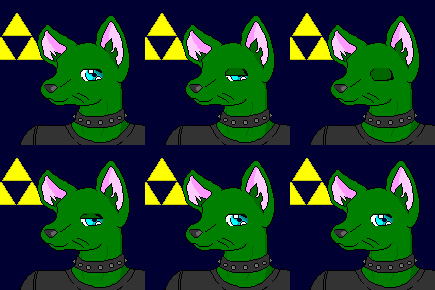

Other people are asking for more screen space, I'm asking for the option to have LESS! (and expand to fill the monitor) Why? It can make better use of the Pico-8 map space and improve the level design of your game!
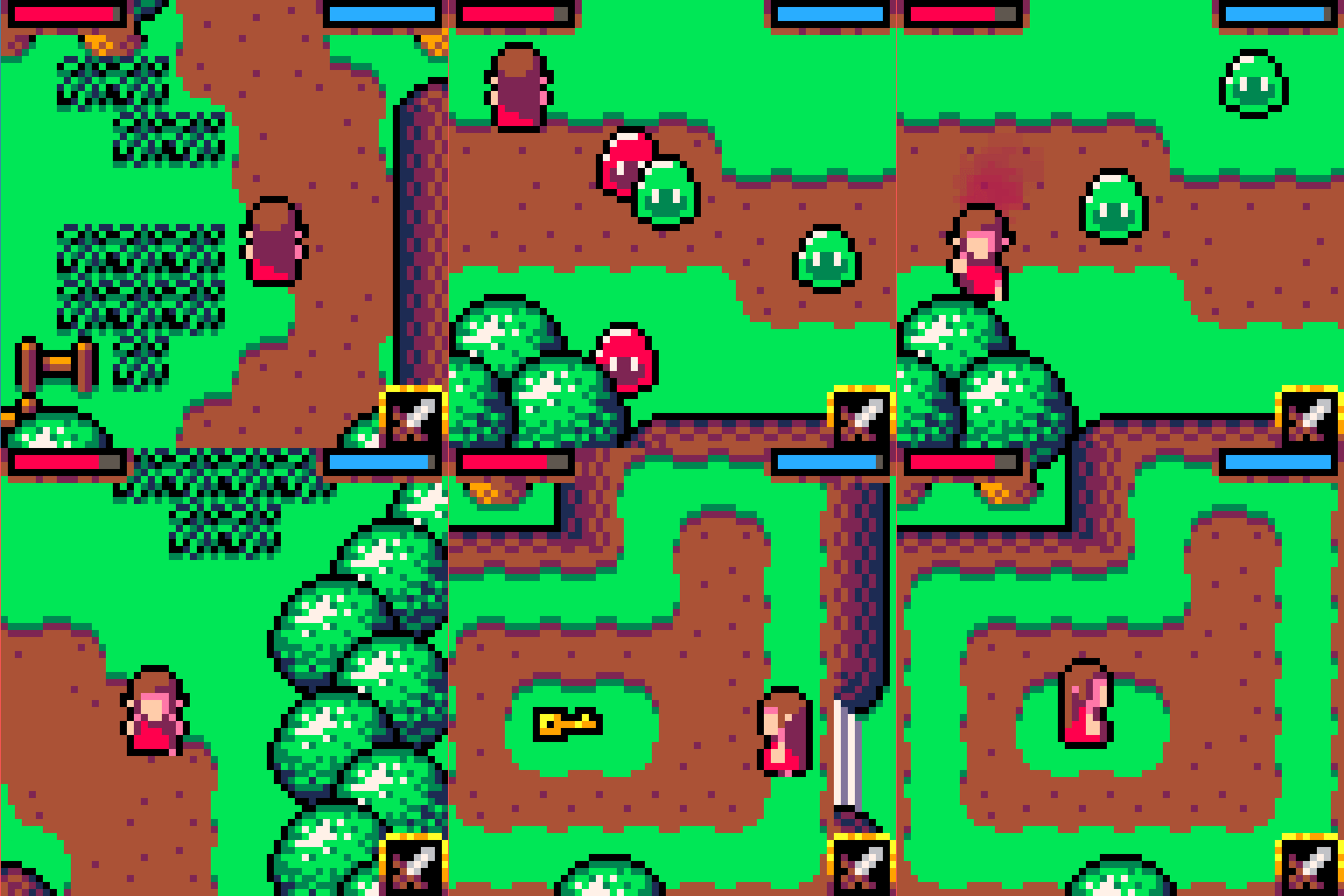
There's a 64x64 game comp with some amazing entries, you can see them here.
https://itch.io/jam/lowrezjam2016
You can see more of the game pictured above here.
https://baku.itch.io/legend-of-xenia
This inspired me - I'm now converting my game to 64x64 as it made me realise I can finally fit the map of the entire game in if I restrict each screen to 64x64 and re-design the gameplay to suit!
This is more in line with the mentality of Pico-8, cut back the game to the core elements. The game is actually better for it - it's more compact, more challenging, more straight to the point, and no dead-space. I don't want to show it here yet because I want to keep it a surprise till there's something decent to show :)
I'm finding when I use "clip" that rather than crop the screen, I wish it could also expand to fill the available view, so I'm not playing the game in a small square in my monitor.
Hopefully this feature wouldn't be too involved to implement?
11 comments



I'm writing a roguelike! it's not even a game at this point, because all the gamey bits are missing (victory conditions, interesting decisions, etc). So you need stuff(monsters, magic, item, traps). But how do you put stuff in?
For the time being I'm doing it when the room is created. The rooms can vary in size a whole lot by design, but I'm kind of worried about having the same amount of stuff in small and huge rooms.
So I decided for he following algorithm:
1: each room has a 50% chance of having a monster, and if it does try again (and then again, etc)
2: rooms bigger than 20-40 locs should have as many attempts to have monsters (so 2 attempts if >30, 3 if >60, etc)
Here's the code. I understand it's really not much, but it does a neat trick
function stock_room(x,y,x2,y2)
  local area = (x2-x)*(y2-y) -- the size of the room
  do
   if chance(0.5) then -- 50% chance
    spawn_monster(x,y,x2,y2)
   else
    area -= random_in_range(20,40)
   end
  while area > 0
end
|
0 comments
Following the announcement of PICO-8 being on the pocketCHIP, someone on the CHIP forums suggested running Voxatron on it. However, I do wonder whether that would work.
Does Voxatron come with an ARM version?
Does it sound feasible to run Voxatron on the CHIP? (other than the ARM-ness of it, of course)
13 comments








I've done collision detection with object/object and object/tiles. But what is a good way to detect object/shape?
I have a 8x8 player sprite. You can move it, etc. Across the screen is the bad guy and he's shooting at you. If a his bullet hits the player, the player dies.
I want to use circfill() as the enemy bullet rather than a sprite.
I would have the player's _update() cycle check for the collision but what exactly would I check for?
My first thought was to loop through each of the player's hitbox x/y pairs and an use pget() to see if that location has changed to the color of the enemy bullet. But that sounds very expensive to do on every tick.
Is there a better way? I feel like there probably is.
Thoughts and feedback are appreciated.
2 comments


Hey All
I'm in the process of simplifying the website a little. In particular, I wanted to improve the experience of playing cartridges in threads by removing clutter. They now look more like a page dedicated to the cart:
- The player starts open
- There's a big obvious play button and large thumbnail
- There's no banner at the top of each page


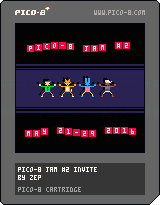
I removed the PLAY buttons from the thread previews, and autoplay, as I think they're no longer needed -- the whole playable region of a cart is now visible without scrolling after opening the cart's thread, and it's more obvious to new visitors what to do next.
There are still a few small things to finish, but let me know what you think of the new layout, and if there's anything that bugs you.
15 comments








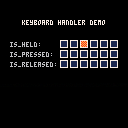
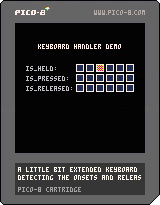
Perhaps this is going to be useful for someone. This is a little keyboard handler I'm using in my code. It extends the functionality of the standard btn(k) function with detection of the onset of the key and its release. Sometimes it's useful to have those two and avoid btnp(k) repetition.
-- is_held(k) is true if the key k is held down
-- is_pressed(k) is true if the key has just been pressed by the user
-- is_released(k) is true if the key has just been released by the user

keys={}

function is_held(k) return band(keys[k], 1) == 1 end
function is_pressed(k) return band(keys[k], 2) == 2 end
function is_released(k) return band(keys[k], 4) == 4 end

function upd_key(k)
	if keys[k] == 0 then
		if btn(k) then keys[k] = 3 end
	elseif keys[k] == 1 then
		if btn(k) == false then keys[k] = 4 end
	elseif keys[k] == 3 then
		if btn(k) then keys[k] = 1
		else keys[k] = 4 end
	elseif keys[k] == 4 then
		if btn(k) then keys[k] = 3
		else keys[k] = 0 end
	end
end

function init_keys()
	for a = 0,5 do keys[a] = 0 end
end

function upd_keys()
	for a = 0,5 do upd_key(a) end
end
|
10 comments


I've bounced around several threads to try and understand how to save game data but it's all kind of scattered, so I'm looking for something more concrete, or an example.
I've read section on memory in the manual and see the cstore() peek() and poke() stuff...but it's just it's just not clicking. I think it's because it's talked about in bytes and addresses, and that's foreign to me. But it seems like saving data between sessions is a do-able thing...I hope...?
I have two things I'm trying to do with save data...
- Save a high score
- Save a boolean to denote whether the player has unlocked a character
I understand that data won't persist between platforms, which is fine. I just want the data to be able to used between game sessions on the same device. So the first time I play the game and get a score, it's saved. I turn off the device/cart. Then I turn it back on and my high score is there.
Any guidance or code snippets are appreciated. This might be a good idea for a Fanzine article too (unless it's already covered and I skimmed over it).
Thanks
7 comments

I've seen varying techniques for update looping and am looking for insight/feedback on if one is any better than the other in terms of speed/efficiency.
Method #1 I see a lot is a global table of all the actors on the screen. So everything goes here and then the system _update() function is something like this.
actors={}

function _update()
   foreach(actors, function(obj)
      obj.update()
   end
end
|
This method makes sense. Every object then has its own update() method...but that feels kind of inefficient, especially if the update would be the same for like-actors.
Method #2 is grouping like-actors with each group have its own update() method, which is then called in the system update loop.
bullets={}
bullets.actors={}
bullets.update=function()
   foreach(bullets.actors, function(obj)
      ...do stuff to obj...
   end
end

badguys={}
badguys.actors={}
badguys.update=function()
   foreach(badguys.actors, function(obj)
      ...do stuff to obj...
   end
end

function _update()
   bullets.update()
   badguys.update()
end
|
9 comments




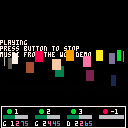
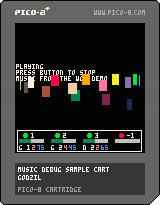
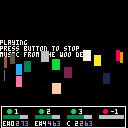

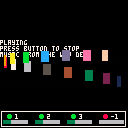
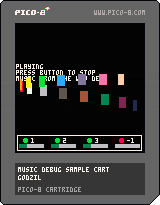
This cart is basically a demonstration of a simple tool/function I've made to check/debug the music playing in one of my project, the function need no external dependency and should not clobber your variables as all of them are declared as local. You only need to call the function with the Y position as parameter (positive number are relative to the top of the screen, negative from the bottom) in your update screen function to display a bar with the current status of music playing.
There are four zone, one for each channel, the green/red bubble indicate is the channel is playing or not (green == playing, red, not playing) the number next to the bubble is the pattern used on that channel, and the bar on the bottom is the current position in the pattern.
The function itself:
function debug_music(y)
  if y < 0 then
    y = 128 - 17 + y
   end
   rectfill(0, y, 127, y+18, 0)
   rect(1, y+1, 125, y+16, 7)
   for c=0,3 do
 	   local p   = stat(16+c)
 	   local b   = stat(20+c)*25 / 32
 	   local col = 8
 	   if p > -1 then
 	     col = 11
 	   end
 	   circfill(9+c*32, 6+y, 2, col)
 	   print(p, 15+c*32, 4+y, 7)
	   rectfill(3+c*32, 10+y, 27+c*32, 13+y, 6)
	   if p >= 0 then
		   rectfill(3+c*32, 10+y, 3+b+c*32, 13+y, 3)
	   end
   end
end
|
5 comments


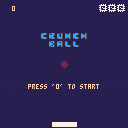
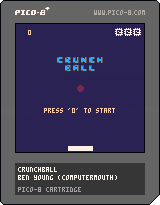
This is my first PICO-8 game :D
It was written entirely on a PocketCHIP, and was heavily heavily based on a tutorial found in the first issue of the PICO-8 zine.
It's a single-player PONGish game, the arrow keys can be used interchangeably with the action buttons to move the paddle.
After each 50 points the ball starts going faster! Extra lives are earned per each 100 points.
Good Luck!
6 comments


I followed the directions to export an HTML player for my game and it generated the .html and .js files but when I load them in my browser, P8 boots up to a command prompt and that's it. Shouldn't it load the cart automatically?
This happens when I load the file locally through file:// and also on my web server through normal http://
I put the .html, .js and even the *.p8.png in the same folder but no luck.
What step did I miss?
8 comments

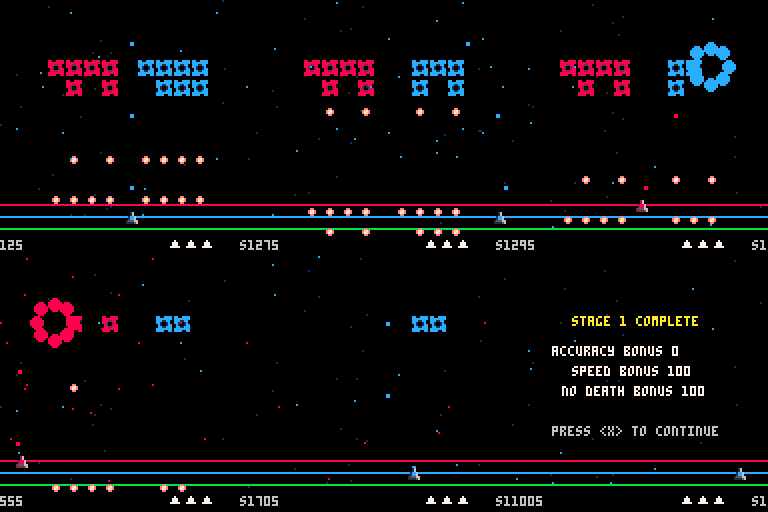
This is a classic style arcade shooter but RGB is about speed and accuracy rather than just shmup'ing destruction.
Match the color of your shot with the enemy color to increase score. Jump to different colored bars to change your shot color. There are bonus points for accuracy, not dying and speed.
Controls
Left/Right - Move your ship
Up/Down - Jump color bars
Z - Fires
This is my first real attempt at a Pico-8 game that has a future. This is just the first "demo" version right now. It only has 5 levels with no real satisfying ending or boss...that's all to come. There's some solid foundation to build upon so I hope to keep working and turn this into a nice little puzzle shooter.
Please leave feedback.
Todo List
- Some sort of music (anyone want to help?)
- Few more sounds
- More bullet patterns
- Boss levels
- Power-ups or extra lives
9 comments




Hi,
I wanted to implement line of sight for a roguelike today so I started looking up Bresanham's algorithm and ended up writing a parametric version of it because mixing conditionals and iterators makes me barf. :p
I'm posting the implementation algorithm because I'm not sure if I'm doing things in a way that is blatantly wrong for Lua, or if there's a better way. I'm very new to Lua so, well, I'm kind of clueless about how to write good Lua software. I saw a few implementations around and was wondering what's the best choice for LOS in Lua, also considering that code points are a scarce resource and between them and heat maps I feel somewhat... constrained. So, yes, what's the best line-tracing implementation, given a metric of your choice?
Here's mine. It has as only advantage a clean iterator. :)
function los(x,y,x2,y2) local c_x = x -- x position of the cursor along the los local c_y = y -- y position of the cursor along the los local dx -- the deltas will determine how much to move the cursor along both axes local dy local i -- how many real pixels long the line is. Not the diagonal nor the manhattan distance if (x == x2) then -- do not divide by 0 ;) dx=0 dy = sgn(y2-y) i = abs(y2-y) else dx = x2-x dy = y2-y if (abs(dx) > abs(dy)) then i = abs(dx) dy = dy/i dx = sgn(dx) else i = abs(dy) dx = dx/i dy = sgn(dy) end end i = i-1 -- we only need to check that the intermediate positions are not occluding, not the start nor the end for c=1,i do c_x += dx c_y += dy -- if you want to memoize that this location is visible from x,y, do it right here before the test if (obstruction_at(flr(c_x+0.5),flr(c_y+0.5))) then -- there's no round, only zuul return false -- no LOS end end return true -- ok LOS end |
0 comments
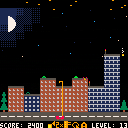
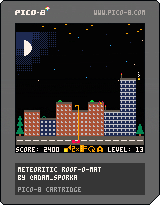
You're the driver of a semi-automatic roof repairing cart and you're undoing the damage caused by the meteorites. The roof of each house can only take so much damage before the entire house is destroyed.
Controls:
LEFT, RIGHT: Drive left and right.
UP, DOWN: Extend or retract the arm of the vehicle, holding the the repair rig.
Z: Use the repair rig on the roof. Make sure you're properly aligned with it (or get a perk which will do that for you)
X: Install an auto-repair unit (ARU) if you have some.
Scoring:
+25 points to undo the damage caused by one meteorite strike.
Level up after every 200 points scored. A randomly chosen house will grow in size upon leveling up. A perk shop dialog window appears.
13 comments


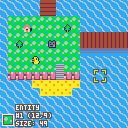
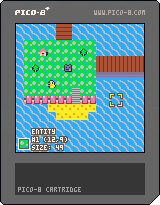
I made a map maker for Pico-8! Unlike the built in map editor, it represents maps a little differently -- the format is a collection of rectangular tile fills + a bunch of entities you can place on top. It saves all maps together in a custom data format to the cartridge's shared map/tileset area. It has undo, redo functionality on the tile layer. And there's fun sfx as you edit stuff! The main benefit of this tool is that for maps with simpler layouts, expressing a map as a set of rectangular fills is much smaller than a 16x16 tilemap, so you can hold a lot more screens of map data than using the direct map editor. The less objects, the less map space required.
Anyone can feel free to alter this or reuse bits for their own maps. I made this for a little rpg project I've been planning out, and just to have fun. In-game instructions are included, but assume a default keyboard layout, rather than describing things in terms of player 1 and player 2 buttons. But I've included them here as well, for good measure!
DRAW MODE
Z = draw
X = undo
S = redo
A = tileset
ENTITY MODE
Z = draw
A = tileset
MENUS
Z = acccept
X = cancel
OTHER
F = file menu
E = toggle between draw and entity mode
There's no import/export cart functionality, but it's easy enough to add with reload()/cstore(), or just copying the data out of the gfx section in the p8 file.
6 comments