This is a simple barebones template targeted at people who just got pico-8 and want to make games. It's liberally commented and designed to set up and format commonly used techniques. It handles button presses, screen updates for moving sprites, timers, text, and map display. While targeted at beginners, I also find it useful as the base for new projects because of how easy it is to edit and modify. One note; this is designed for people who have some semblance of programming experience, though not necessarily in Lua.


 0 comments


Since reload() and cstore() can now read and write across carts, it should be possible to create tools to edit carts from within pico8.
I'm making a small utility to reorganize the sfx samples (and remap them to the music accordingly). Keeping it on pico8 itself allows the user to preview what each sample sounds like.
However, it would be great if filesystem commands were accessible from carts themselves.
It is possible to use the commands, but for instance, it would be great if ls() returned a table with the files in the current directory, instead of just printing them to the screen directly.
This would allow to make file browsers (like splore) to choose carts to edit from a running cart.
3 comments




As I'm learning P8 and getting back into a low-level state of mind, I'm finding that (like anything) you need a plan to get a project done, but even more so in this type of environment...and that means you probably have notes, charts, doodles, spreadsheets...whatever...
I'm just wondering what physical artifacts folks create when building a game. And maybe, if you're keen to it, take a quick photo and post it.
I'm not asking anyone to give away their secret sauce or blueprints for their "next big thing" but just something to give insight into the creative and development process you go through...especially if you've made what most people would consider a "polished" game.
I just finished my first program but I did most my planning/doodling "in code" as I worked through what I wanted to do. So now I'm looking back to refactor and thinking about how to best plan things out. All in all, I'm just looking for inspiration.
Going back to basics like this is both wonderful and frustrating...but in a good way :) I haven't done it like this in decades but something about it just feels good.
1 comment


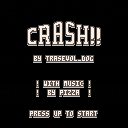
CRASH THE CAR!! BY ALL MEANS! CRASH IT!!! AGAIN!!
The arrow keys control the car! That is all the controls!!!
This is the sequel to CRASH!.
The music was made by the talented Pizza!!!
Have fun, show end-screens and tell me what you think!!!
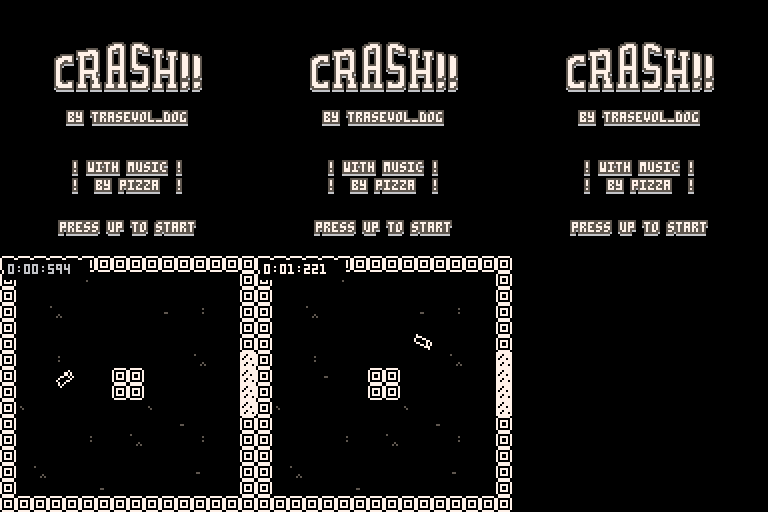
If you like the game, please do consider supporting it on itch.io!! : )
3 comments



I need to know the size of a table (array) and can't seem to figure out how, shy of just looping through and making my own counter.
I looked up the Lua function and its something like: table.getn(mytable)
But when I try that in P8, it says 'table' doesn't exist, so I'm guessing that part of Lua isn't baked into P8.
So, just wondering if there's a nice way to get the size, or if I just have to write my own function to handle that.
6 comments

Just to keep an organized and succinct checklist, I guess.
Splore:
- Keeps the cartridge loaded from its internal "BBS" location when you exit it and overwrites the BBS cart when you save changes you made yourself. (as opposed to the cartridge using cstore, which would be fine) If this is intentional, there's no clear way to explicitly redownload a fresh copy from the BBS without manually going into the folder and deleting it yourself.
- Replaces the Esc menu with a copy of the Pause menu, meaning you can't jump to the editor directly (is this intentional?) unless you return to splore and then exit splore first (which leads to the bug above, since splore leaves the last loaded cartridge loaded)
- Search function only operates once and then can never be reset unless you fully exit and restart the application, and even then you still see the previous search results.
Save/load animation:
- Plays whenever run()-ing a running cart, even if that cart has no save data and shouldn't be being written to and wasn't swapped.
- Appears to negate or corrupt at least one byte of user memory, not sure if the exact behavior is actually documented anywhere.
Misc:
- += inside strings breaks preprocessor.
- Multi-line strings (using
42 comments









Since the Ouya just runs Android, wondering if there's any way to nicely get Pico-8 running on it?
I haven't tried yet but not sure I'd even know how to go about it.
I am one of the unfortunate souls that bought an Ouya, but now thinking I could just use it as my router to the television for P8 games since it's already got the outputs, controllers, etc.
2 comments





I use my tablet with a bluetooth keyboard pretty frequently, and would like to have at least one serious (pico8 is a serious html5 maker) making tool. is it possible? its arm, like raspberry pi, so it shouldn't be a problem.
5 comments



Is there a FAQ/HOWTO that describes the proper way to embed a PICO8 game on a web page .. I guess I can just read the sources for the pages already and reference the loader script, but in case there are gotchas/requirements for PICO8 being run that way I thought I'd better ask.
0 comments

Please help me understand how screens are drawn in Pico-8. When I first started playing, I thought sprites would be like player missile graphics on my Atari, but it doesn't look like that's the case. It looks like I clear/redraw everything on the screen with the _draw() function. Is that correct?
2 comments

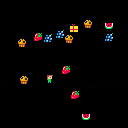
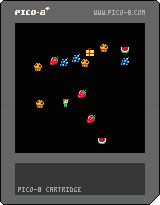
I just started playing around with Pico-8 and while I've been programming for a very long time, I've never done so at such a low level so I'm finding P8 a great challenge that is wonderful escape from my daily style. That being said, I'm looking for code review-style feedback on my first little learning game.
I'm making a simple game for my preschooler daughter so it's not complicate but it's requiring me to cover all the basics for making any game - collisions, maps, sprites, movement, etc. This first pass focuses on movement and object/sprite collision. I watched the "popular" light cycle tutorial as well as read through the Fanzines and took all that cobble something together. So thanks to all of those people! It's be a treat learning something new.
Right now the game is just moving the character around and collecting food items. Run into a present and food pops out. Run into the food and they disappear (collected). That's it.
Again, I'm just looking for feedback on how it's written, probably mostly around the architecture and places where I'm wasting space. The game is working as I expected, so there are no bugs, per se...just looking for efficiencies.
I am planning on adding more graphics and stats that keep track of what's been collected. There will be other screens but that's the next lesson.
I appreciate any feedback, thanks!
pickups={}
player={}
box={}

-- ///////////////////////

function _init()
	cls()
	createplayer()
	createbox()
end

function _update()
	foreach(pickups,function(o)
		if (o.wild and collide(o,player)) then o.wild=false end
	end)

	if (collide(box,player) and box.closed) then
		box.closed=false
		for x=1,4 do add(pickups, createpickup()) end
		createbox()
	end

	player.update()

	if (btnp(5)) then createbox() end
end

function _draw()
	cls()
    foreach(pickups, function(o) o.draw()  end)

    player.draw()
    box.draw()
end

-- ///////////////////////

function createbox()
    box.closed=true
    box.x=flr(rnd(110)+10)
    box.y=flr(rnd(110)+10)
    box.hitbox={x=0, y=0, w=8, h=8}

    box.draw = function()
       if(box.closed) then spr(1,box.x,box.y) end
    end
end

function createplayer()
    player.x=60
    player.y=60
    player.spr={3,2}
    player.cel=2
	player.dir=1
    player.hitbox={x=1, y=0, w=6, h=8}

    player.update=function()
        -- movement controls
		if (btn(0)) then move(player,4) end
		if (btn(1)) then move(player,2) end
		if (btn(2)) then move(player,1) end
		if (btn(3)) then move(player,3) end
    end

    player.draw=function()

        spr(player.spr[player.cel],player.x,player.y)
    end
end

function move(obj, dir)

obj.dir = dir
	if (obj.dir == 1) then obj.y = obj.y-1 end
	if (obj.dir == 2) then
		obj.x = obj.x+1
		player.flip = false
	end
	if (obj.dir == 3) then obj.y = obj.y+1 end
	if (obj.dir == 4) then
		obj.x = obj.x-1
		player.flip = true
	end

	if (obj.x <= 1) then obj.x = 1 end
	if (obj.y <= 3) then obj.y = 3 end
	if (obj.y >= (125-8)) then obj.y = (125-8) end
	if (obj.x >= (125-6)) then obj.x = (125-6) end

	--p.spr = p.spr + 1
	--if (p.spr > 2) then p.spr = 1 end
	if player.cel==1 then player.cel=2 else player.cel=1 end

end

createpickup=function()
    local obj={}
    obj.x=flr(rnd(110)+10)
    obj.y=flr(rnd(110)+10)
    obj.spr=flr(rnd(5)) + 64
    obj.hitbox={x=0, y=0, w=8, h=8}
    obj.wild=true

    obj.draw=function()
        if (obj.wild) then spr(obj.spr, obj.x, obj.y) end
    end

    return obj
end

function collide(obj, other)
    if
        other.x+other.hitbox.x+other.hitbox.w > obj.x+obj.hitbox.x and
        other.y+other.hitbox.y+other.hitbox.h > obj.y+obj.hitbox.y and
        other.x+other.hitbox.x < obj.x+obj.hitbox.x+obj.hitbox.w and
        other.y+other.hitbox.y < obj.y+obj.hitbox.y+obj.hitbox.h
    then
        return true
    end
end
|
4 comments

Okay, I know this sounds ridiculous, but hear me out for a second:
The "POCKULUS CHIP" is just a piece of plastic you attach to the front of the PocketC.H.I.P case to split the screen in half, making one eye look at the left half of the screen and the other eye look at the right half. Unlike the Oculus Rift, the Pockulus does not require any fisheye rendering, nor include any headtracking. It has more in common with a View-Master than modern VR.
That means, all it would take for the Pico-8 to have "VR support" with the Pockulus, is to change Pico-8's screen space usage to draw twice, split far enough apart that it uses the 420x272 pixel display evenly, and then either call the _draw() function twice per frame with an argument saying whether the left or right screen is rendering or use one of the already existing secret "stretched 1/2 resolution" screen modes and actually use the entire 128x128 Pico-8 screen to render two stretched images for the left eye and right eye. You can use clip() to constrain rendering to one side or the other. Let the cartridge developer figure out how they want to make depth perception.
7 comments


I'm working up the basics for a small tile puzzle game where players navigate through a maze filling the path behind them so that they can only move on each tile once. so a trail that will then have some collision so it can't be crossed
I'm having trouble working out how to leave a trail of sprites. I have a grid set up, and a player sprite to move as follows:
function _init() x = 0 y = 64 end function _update() if (btnp(0)) then x=x-8 end if (btnp(1)) then x=x+8 end if (btnp(2)) then y=y-8 end if (btnp(3)) then y=y+8 end end function _draw() rectfill(0,0,127,127,7) spr(1,x,y) end |
I've tried having something in draw but this ended with the designated sprite following the player around and I tried adding something in the update function with the keystrokes but this b0rked it.
It seems to be something beyond what I kno so even if someone can point me in the right direction of something to read up on or code to review that would be much appreciated.
1 comment


Is anyone making carts that use 4x4 sprites? How do you manage clipping and printing them?
4 comments

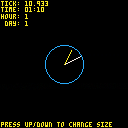
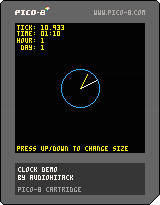
Just an example of an analog clock you are welcome to use in any project.
Will work in a realtime fashion, like the demo. Or could be passed a static hour/minute and work as a nice background prop in a game. Obviously you could style things up a bit better.
The basic code (see cart for full detail, though):
clock_size=10 --radius of clock clock_color=12 --blue hr_hand_color=10 --yellow min_hand_color=7 --white -- draw_clock(minute, hour, origin x, origin y, radius) -- ex: `draw_clock(45,3,50,50,10)` would draw a clock at 50,50 with a -- radius of 10 pixels and the hands set accordingly function draw_clock(m,h,x,y,r) -- min hand 1 px smaller than the clock radius local mh_len=(r-1)*1.0 -- hr hand 2 px smaller than the clock radius local hh_len=(r-3)*1.0 m_x,m_y=clock_hand_position(m,x,y,mh_len) -- multiply the hour value by 5 for hand position h_x,h_y=clock_hand_position(h*5,x,y,hh_len) -- draw the outline of the clock circ(x,y,r,clock_color) -- draw the minute hand line(x,y,m_x,m_y,min_hand_color) -- draw the hour hand line(x,y,h_x,h_y,hr_hand_color) end -- clock_hand_position(tick, origin x, origin y, multiplier for hand length) function clock_hand_position(t,o_x,o_y,m) -- rusty trig ahead. beware. t-=15 t=t%60 -- handle 60 tick factors t=60-t -- determine x,y from cos/sin local x=cos(t/60.0) local y=sin(t/60.0) -- multiply the x & y by `m` x*=m y*=m -- offset from originating coords x+=o_x y+=o_y return x,y end |
0 comments
Is anyone else getting crashes when using Pico 8 in Windows? I'm using pico 1.6 in Windows 7, never had a problem before 1.6, but now I'm getting seemingly random crashes.
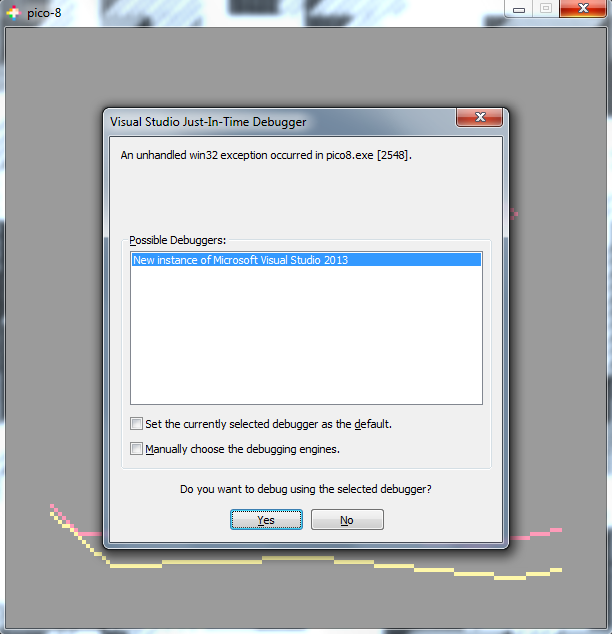
I don't think it's my code causing it, though I can't be entirely sure. But my code isn't really any different than past projects of mine, so if it is being caused by the code I have no idea how.
1 comment



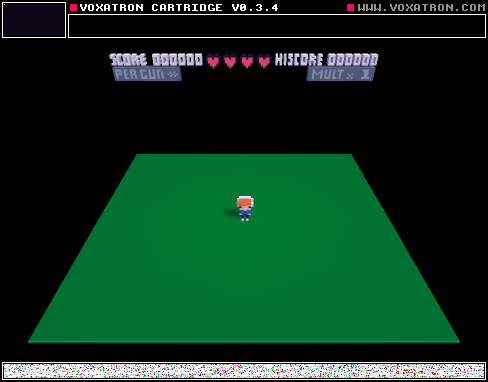
May the fourth be with you! My friend and I would like to share our nerdy addiction with starwars!
Feel free to edit it, and like... KYLO REN, WHY?
0 comments
I've been doing some SPLORE'ing and set up a list of Favorites - now I'd sort of like to have a look at the cartridge files .. but try as I might I can't work out where PICO8 is storing my Favourited carts .. its not in ~/Library/Application Support, like I thought it might be .. is there somewhere else to look?
4 comments