


Hc Svnt Dracones!?
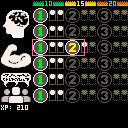
Yes, I know it's latin for "Here Be Dragons" but it's also the name of a furry-themes role-playing game currently on it's second (MUCH improved) edition, but that has a character creation system that involves some number-juggling at times as you start with an amount of XP to spend on a broad sheet of bonuses, and juggling the numbers can be taxing even for the math-inclined.
So... I re-implemented it more like a video-game skill tree, though without any deeper details of what the various parts mean yet.
Controls?
X toggles rectangles
Left/Right decrease/increase a given row
Up/Down switches between rows
Future Plans/Changelog
There's quite a few more sections I need to implement, and taken by itself this one 'screen' won't make much sense I admit; I do plan to implement most/all of HSD character creation on this tool as I have time.


 0 comments



Note: This is a game I released June 24, 2018 for Proc Jam 2018.
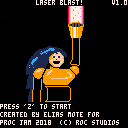
Help Atom Girl defeat waves of enemies trying to stop her as she races through space. Use her ability to change into a ship and back to blast her foes into stardust.
How to play:
Directon keys: Move ship/robot around
'Z' key (O on mobile): Shoot
'X' key: Change between ship and robot form
Tips:
-
Atom Girl's ship form has a smaller hitbox, so she can dodge enemies more effectively. In addition, the lasers she shoots as a ship move quickly.
-
Atom Girl's humanoid robot form can't dodge enemies as well, but she gets a triple shot that can destroy enemy waves with ease.
-
Stay on the left or middle of the screen; otherwise, enemies are likely to surprise you.
-
Only 1 enemy and the boss can shoot at you, so take advantage of this.
-
The boss can only be hit with shots aimed at his core. Destroy the shield in front of it first to expose the vulnerable core. Destroy the core!
- The boss has two separate attacks which he switches between. Use the ship's smaller hitbox to dodge his slower shots.
2 comments



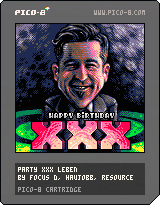
This is our contribution to the Outline 2019 demoparty (See https://www.pouet.net/party.php?which=652&when=2019 for the other entries, there were other PICO-8 stuff). It's also my first ever PICO-8 cart. :-) And it's a birthday demo to @xxx!
Detailed credits and more info are on Pouet.
Thanks to @Nodepond for his pic2pico.rb script and to @kometbomb for his fadetable. Greetings to @jobe. :-)
EDIT: fixed link for Outline 2019, looks like the formatting code doesn't like having the ampersand character (&) in URLs...:(
7 comments





A version of the classic "Flying Toasters" screensaver, with soothing background music.
0 comments

If you port your PICO-8 game to any European languages other than English, you might want to include some character accents, which doesn't work by default since PICO-8 only supports ASCII characters (plus some special ones in the unused range between ASCII and ISO-8859-1).
My work here is based off of Zep's post from a couple weeks ago about Latin accent printing (by including special characters in front of plain ASCII characters to indicate accents). My code goes a step further by offering a way to save your strings with the real accent characters included, and then encode them so they can be printed properly. This way your text is a bit more readable in the source file.
I slightly modified Zep's original print function by changing the : control character to @ since I needed : in my printed text. The general rule, if you want to add new encoded characters to this system, is to pick a control character that won't be needed in the actual printed text.
0 comments
Break the bricks as fast you can. You are going to need fast reflexes to beat this game. Ball resets and goes after each loss. 3 losses and it is game over!
1 comment




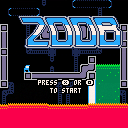

You hail from a dairyless world, void of cheese and butter. On your quest, you come across a planet riddled with the necessary provider to bring dairy back to your planet: the cows of Earth.
Your objective is to grab as many of the cows as you can, before the Earthlings make an attempt at your life.
0 comments

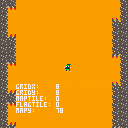
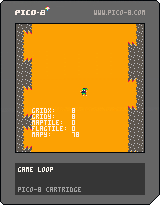
So I'm new to Pico-8 and really enjoying it so far. I'm trying to get tile collisions working on a scrolling background but just can't seem to figure it out. Here's what I have so far. Any help would be appreciated. Thanks!!
 0 comments


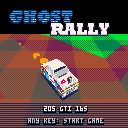
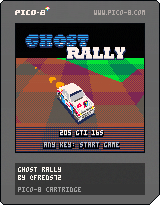
Ghost Rally
Game
The game is a race-against-yourself rally game. It features accurate rigid body physics and car handling.
Goal is to beat yourself every lap!
Enjoy racing as in the 80's, whith over powered cars very close to the public!
tip hitting any of the lil' dudes:

|
[0x0] |
warning the game is complete yet the car handling is really picky - I am releasing it as is, as I can't tweak the gameplay without breaking the physic engine :/
15 comments




.jpg)


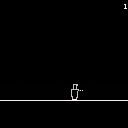
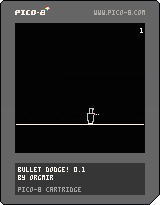
Found some time to play around with pico8 again! Here's a simple game: dodge the bullets!
0 comments

Hi,
I have an issue about on-screen button doesn't work on mobile(iOS) only on itch.io website.
I did export follow the instruction on pico8 manual. Does anyone know how to fix it?
Thanks
0 comments

.jpg)

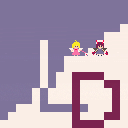
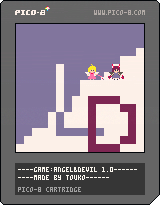
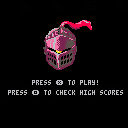
Press "z" to start
Press "←" "↑" "↓" "→" to control the character move
Press "x". You can change between two characters .
Angel:
has faster speed;
can catch the heart to recover;
Devil:
press "z" can shoot enemies;
You will get scores if you:
Touch the heart
Touch the medal
Touch the diamond
Shoot the enemies
Music: Pallet-town @illMadeCoder
It's my first game made with pico-8. Thank you for playing!
4 comments


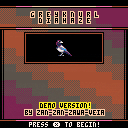
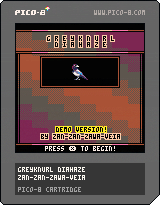
Hi! Here's something I've been working on over the last two weeks or so. It's a grid-based puzzle game where you traverse dangerous areas, push rocks, find neat stuff, etc. It's entirely turn-based so you can think as long as you like about each move.
The game is in a testable state so I'd like a little feedback if possible! Bear in mind that my strengths are music and setting; programming is a necessary evil for me so please do not look at the code. As long as it works I'm more interested in expanding the game world with new levels and pick-ups.. but if it doesn't work, then tell me what's going wrong.
THANK YOU!
1 comment
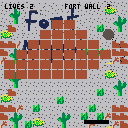
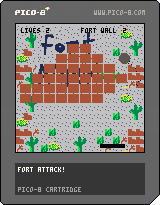
This is my update to Fort Attack! Now it has levels and a great screenshake effect, as well as some particles on the cannonball and fort wall number status at the top of the screen.
0 comments

Hi,
I've got this grid of "slots" for enemies which I initially created using a start_x and start_y position and a couple of nested for loops to create the rows/cols with the start_x / start_y being the top left for the starting position of the grid.
But now I wanted to create the same grid but relative to an origin point at the centre - my thinking was I could increment this single point and move the grid around and maybe use sin/cos to have the slots rotate around the origin for some fun enemy patterns.
I didn't really know how to do this, so I just modified my x/y starting positions until I could get two short lines of code for the initial X/Y positions that worked. This looks fine until you move the origin point which then lags behind or in front of the actual grid.
My math is awful, so I don't really know what I'm doing wrong. I figured if the initial grid looked okay relative to the origin, I could just change the origin values and everything would fall into place at the new position in update(). But not so.
3 comments


