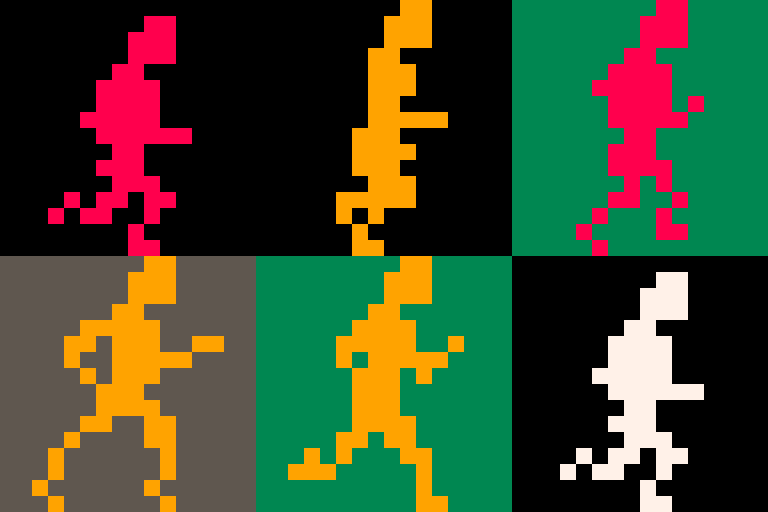


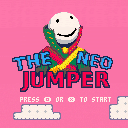
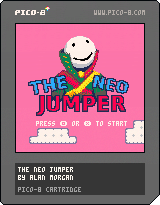
The base game engine is pretty much complete. Some of the things I plan to finish in the next week is:
- saving the level you got to and score
- having a scoring system
- pretty backgrounds, and particle effects. I'm definitely going to use fillp(). That sounds legit.
- animation for game over
- lives need pics
- the tileset changes themes. (there will be a cloud theme, hell/fire theme, and earth theme, and maybe a space theme, who knows)
- temporary power-ups (jump booster, run booster, extra life, countdown/don't have the screen chase you for a bit)
- tutorial level and being able to pick your level based on the highest one you've gotten to at the title screen.


 0 comments


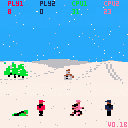
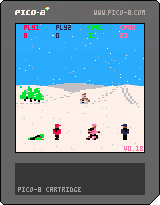
Snowball Sunday is a remake of the c64 classic game Snowball Sunday by Ash & Dave released in 1988 on the Commodore 64.
This remake version has up to two human players and two computer players.
Instructions
Throw snowballs at each other and have fun. That's it
Controls
Player One/Two - Left/Right to move. Down Cursor to Duck and Collect snow. Z, C, or N to throw snowball.
Player One/Two - Left/Right to move. Down Cursor to Duck and Collect snow. left Shift or Tab to throw snowball.
Credits
Original Programming, Graphics and Idea by Ash & Dave
Changes
Sounds - Done 0.1b
Scores - Done 0.1b
Any more comments/suggestions before I submit this as finished?
5 comments




I want to control my pico game via html element event handlers. Given that, what memory address (pico8_gpio offset) must I poke at if I want to simulate a btn(0) event? Also, what's the offset for simulating additional player actions, say, btn(0,1)? Thanks.
2 comments


Picotool is a library and toolset for manipulating Pico-8 cart data, useful for build workflows, as well as cart generation and transformation experiments. Many Pico-8 devs use it for its code minification feature (p8tool luamin), which can be handy when your game's code is near the uncompressed character limit.
A more recent feature is "p8tool build", a tool to assemble carts from multiple files. This tool takes a cart and replaces a type of its data from another file. For example, you can copy the spritesheet from another cart like so, such as to collaborate with an artist working in a separate cart file:
% p8tool build mygame.p8.png --gfx sprites.p8.png |
You can pull in Lua code from a .lua file with the --lua argument:
% p8tool build mygame.p8.png --lua mygame.lua |
When you use --lua, you get an especially powerful feature: build-time support for Lua's require() statement. The main .lua file can call require() to include code from additional .lua files, such as reusable libraries. It supports several features of the official Lua require() statement, such as only including a module once, and module return values.
You can get Picotool from its Github repo, as well as file bug reports, here:
2 comments


I noticed Pico-8 was missing one thing that isn't too major, but would be nice to have: a way to copy SFX between carts. Yes you can export the music as .wav files, but there is no way to import. I am quietly hoping that zep adds a way to import the .wav files or some format so that we can copy sfx between carts, but until we have that, here is a simple script that will accomplish just that. It just copies all the sfx from one cart and pastes it into another, not allowing for specific tracks yet (Though I may add that later to a separate script). All you have to is type
python sfxCopy.py <inputFile> <outputFile> |
and it will quickly copy the sfx from the input file to the output file. Link to the script on Github Gist is here. It is licensed under the CC 3.0 license, so do with it whatever you want. Happy coding!
2 comments


Is it possible to add an option on the config to disable the screensaver while pico-8 is running , whether it is in windowed or full-screen mode?
When I am testing games out on my Windows setup, the screensaver comes on and ruins my game session.
0 comments

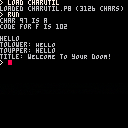
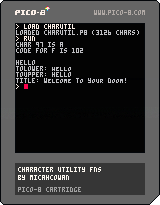
Char Utility Fns is a non-playable cartridge with some utility functions for categorizing and manipulating character strings, including conversion to and from string characters, and numeric code points. It also has tolower(), totitle(), and toupper() functions to take advantage of the lower-case (well... small caps) letters that are available in the PICO-8 font, but which may not be typed in cartridge source code.
This project was primarily for my own education, and also theoretically for use as a library of useful char-manipulation functions... but since it takes up almost 400 tokens on its own, it'd be a fairly costly library, especially if you don't have need for all the facilities provided. Still, it could be edited down to include just the parts you want to use in a game. I think being able to print title-case messages is particularly neat; I might think about creating a version that only provides the tolower(), totitle() functions, since that was the main thing I was interested in while creating this.
As a curiosity, the source code also demonstrates some advanced function techniques; notably, the use of a top-level, anonymous function to contain/hide some local values - and local functions - that are used to construct some of the actual functions that are exported globally. (The same technique is quite common in many popular JavaScript code libraries.)
0 comments

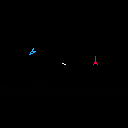
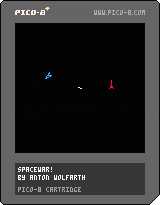
made a game based upon the pdp-1's game spacewar! it's two player so grab a friend and have a play around with it.
1 comment


I don't see anything wrong with the actual pattern system, but it feels weird that specifying the pattern, the color, and the transparency is all split across multiple commands.
What if we could put it all in one place? What if I wanted a hideous red/green checkerboard, and could say so right in the rect() that drew it?
Well, there's room in the color parameter to do it:
rect(0,0,127,127,0xb8.a5a5) |
Where b is color 11, green, 8 is color 9, red, and a5a5 is pattern 1010/0101/1010/0101. All in one combined, dithered, eye-bleeding "color."
Also, we can handle transparency. Let's say we want a less-hideous red/transparent checkerboard:
rect(0,0,127,127,0x108.a5a5) |
Where the leading 1 means the second color (which was green) is transparent. Basically, if the second color is 16 (0x10) it's transparent.
This actually mirrors the poke-able pal/palt() registers, where the color is 00-0f if opaque and 10-1f if transparent. Calling pal() sets the bottom four bits, and calling palt() sets or clears the fifth bit.
There's a caveat, though. A lot of us do demo trickery where we treat the color value as automatically getting floored. So we might need a flag that says whether or not to treat colors oldschool or this way. Either a poke() trick or maybe a dithcol(true|false) call.
What do you guys think? I just feel like this would unify stuff so much better.
[box=ddffbb]Edit: Worth noting is that if you just pass, say, "8" for red, you get the usual behavior, because that's actually 0x008.0000, which is an opaque red/black color pair with a solid dither pattern (all 0's) that choose only the red color.
In short, the default behavior would match the normal usage. This wouldn't require any changes for people who use the API the way it's always been.
7 comments

Hi, I'm currently working on a text heavy narrative game and as of now my main text table(Formatted as a string I then parse into a table at runtime) takes up 41% of the compressed size limit. Is there any way I can slim this down without losing text?
Is it viable to store the strings in a seperate cart and then memcpy them into my main cart? Would that stop it running in html/bbs/.exe?
Alternatively I can split the text into distinct sections and then store them as a string of carts which daisy chain into one another but that won't work in html to my knowledge and would rather fill the bbs up unnecessarily with carts that are just meant to be run by another cart.
6 comments



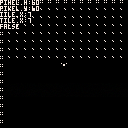
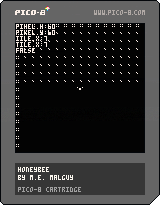
I have been using tiles as a placeholder, as I have not yet learned how to work with collisions. At the moment, I am trying to figure out how to replace sprite 34 with sprite 35 when the player interacts with it. Any help is appreciated.

 0 comments

The pico-8 manual mentions the following argument to the "pico8" program:
-p param_str pass a parameter string to the specified cartridge |
but I can't find any mention of how to access that parameter. I was thinking it might be passed as an optional argument to _init(), but that doesn't appear to be the case; and PICO-8 doesn't expose lua's standard arg array.
How can I access that string?
I'm running on Mac OS btw, invoking the binary directly with:
~/Applications/PICO-8.app/Contents/MacOS/pico8 -p foo -run path-to-cart.p8 |
This seems to make the keyboard keys unresponsive (except a few, like return), not sure why...
2 comments
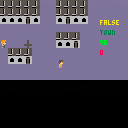
Hey all so I posted a cart so you can see what I am facing here:
I have the town with buildings that have collision coded into them with the doors coded to take the player to another room which is admittedly hacked together.
What happens is the player is then transported(sorta) to a new location - yet when I move him around in the 'new' zone there seems to be residual collision code which prevents total freedom of movement for the player.
Any better ways to go about this? I want the player to enter the brown zone and be able to freely move around at will.
Thanks!
8 comments

Hello erreybuddy. I don't have a specific project I'm working on or anything, but it's been bothering me that I don't understand how this works. I do have a pixel that oscillates properly, but I do not understand my own code, so I don't know how to approach having the pixel start at a different point in the oscillation cycle, without the amplitude changing. Here's my current code.
f=0 function _update() f+=5 y = sin((f)/100) * 8 +64 end function _draw() cls() pset(64,y,7) end |
If any smarty-pantses could explain why this code works to me like I'm a child, or how to have the pixel start at another point along the wave without changing amplitude (the x and y values of the top and bottom of its current pattern of movement), that'd be great.
I do feel bad asking for something without contributing to the community. Hopefully someday I can give back a little. Thank you all.
2 comments
Is there any memory address on PICO-8 that allows us to load a new, custom charset, without using sprite or map data?
8 comments


I'm putting together an arcade cabinet play Pico-8 games powered by a Raspberry Pi. My setup uses a Zero Delay USB encoder that I have hooked up to several buttons and a 4 switch joystick. I used to have everything working as of last week, but after an SD Card failure, I needed to re-install Raspian Jessie and set everything up again. So no problem, I downloaded everything re-set it up. No matter what I do, I've been running into this issue where Up and Down on Joystick not work in Pico-8 on Raspberry Pi. I feel like I've tried everything. I've tried Raspian Jessie, Raspian Jessie Lite, Retro Pie, different versions of Pico-8, updating the firmware of the RPI, updating the OS, updating Retro Pie, modified some .ko files, tried to hex edit the driver, put my SDL definitions in sdl_controllers.txt and nothing seems to work. It kills me because it was all working fine. Does anyone out there have any ideas? Below is my log and as you can see it is a DragonRise Generic USB Joystick, it even seems to get picked up in the log. The joystick works fine in RetroPie as far as playing games and navigating the menus, just that up and down don't work in Pico-8. I appreciate any ideas.
0 comments

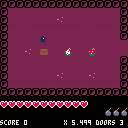
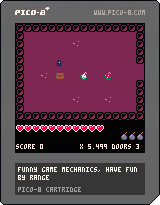
I updated it again to improve performance and cut on trap updates.
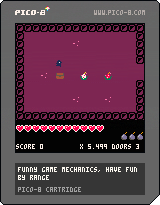
So I made this little game with a bunch of funny stuff. I used the collision code from Collide by Zep because I'm a bit lazy. :P
There seems to be some performance issues online, but on my computer there isn't any problem. I'm not sure why.
Also, one the monsters doesn't load in the game, weird.
Anyhow, have fun with it, you can make a whole new map with the tileset and it's supposed to work without changing the code except for a few things :
-To spawn the monsters, you need to place the first sprite, otherwise the code doesn't recognize it.
-Also, monsters will copy the tile to their left under them.
-The world is 128x36, but you can go beyond, and rooms are set to 16x12. You need to go change the map and camera inputs in the draw function if you want a different room size.
-Victory condition is reaching the bottom of the map, but you can change it in the update function.
You can also change the sprites if you want, but try not to move them, because they have specific uses in the code, like sprite 26 is a spike trap, sprite 56 is a chest that gives bombs, etc.
Anyways have fun making your own little game :).
edit 1 : P.S. : score doesn't work either on traps and doors, weird :c.
edit 2 : This is a repost, because I'm bad at this and posted an older version of the cartridge. It should play fine now. :')
3 comments