Greetings:
I got inspired into making music again after looking into vaporwave. The problem is that I never was any good at making music. After tinkering a bit in the note editor in the Pico-8, I decided that I am better off learning from actual good loops and making a song off them.
The problem here is that the Pico-8 uses both a bar-based editor and a sort of tracker in composing its notes. So far, there doesn't seem to be any way to import any music or even loops into the Pico-8 cartridge format.
Is there some place where I can find loops in either the public domain or Creative Commons (preferably BY or BY-SA) and are in a format that lets me transcribe then into the Pico-8?


 2 comments


I'm new here and trigonometry is still a bit complicated for me. I'm not quite sure where to start on this, so sorry I can't really be specific, but I've been wanting to make a field of view.
I have no idea how to tell the game which squares to check for vision and how to block vision. As a newcomer to all this, what do I need to learn?
7 comments




I just had an Idea while messing with my TI-84 plus CE calculator. What if, When the full version of Pico-8 comes out and they start making ports to other platforms, they made a version for the TI calculators that had color screens like TI-84 Plus CE or Nspires. I don't know if that would be possible but I like the idea. Let me know what you think. Maybe one day they can make a port for it. :D
-DerpsMcPineapple
1 comment



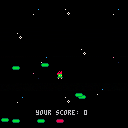
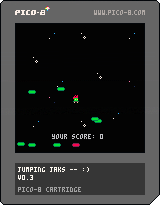
Version 0.4!
CHANGELOG
- Red platforms now drop down as you hit them, but not enough you can jump on them forever
- Added yellow platforms that slide from left/right at random speeds
- for difficulty increased the change of getting non green platforms the higher your score
- background slowly moves as you play, not sure I like that yet.
- platform won't generate with X starting past 120 now so they aren't half off the screen
- increased the randomness of Y when generating platform so they hopefully aren't as grouped
 3 comments
Well, THIS was a surprising side of myself to find coming to life while messing with PICO-8. Little as I've been able to really sit down and focus, I've actually started getting more into hardware and Linux now as a result of my exposure to it! I've already built a "Picade Console unit," and got that loaded up with some games... for some weird reason, Emulation Station still having trouble launching PICO-8, even though it can see the games there for it. I've done the "sudo chmod +rwx pico8" thing too. But nevertheless, the controller/unit was FUN to build, and that's something I really haven't done in a good ten years now. I'm up and playing a bunch of cool classics with it, too! I'm probably gonna get a full Picade Cabinet kit when they become available again, too! :D
Also, after MUCH delibration, my PocketCHIP finally shipped as well! It's only been a day now, and I had to do some calibration to the touch screen, but developing for PICO with it is still fun and solid! The somewhat nonstandard punctuation is a little tricky at first; but once you get acquainted a bit, it's pretty solid. I didn't have as much trouble hitting diagonals as I expected to have, from what I've heard here - but getting my right thumb back on the 0/+ keys (the Pocket edition equivalent of o/x or z/x) usually involved me looking away from the screen for the placement. It also felt weird trying to compose sound with "Q 2 W 3 E 4 R T 6 Y 7 U" since the number keys THEMSELVES were in a piano-like arrangement at the top of the screen (that might be one version difference worth considering); but once I popped up an octave and stuck to "Z S X D C F V B H N J M," it wasn't so bad. Then if I needed the top octave, I'd just change that bit in the tracker view. Editing sprites, maps, and even code felt natural as feck, though. And it's kind of a neat touch that it boots in Splore mode... but I can understand why the regular version doesn't do that.
It also feels REAL DAMN GOOD to have my first entire weekend off since June. T.T But I suppose without that intense grind, I wouldn't be swimming in all the cool nerdy wares I have going on now! And it's all 100% thanks to the PICO-8 community.
0 comments

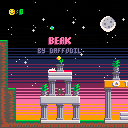
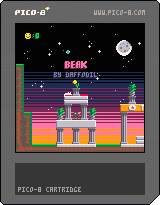


Because F7 does not work in Pico-8 on Pocket C.H.I.P., how can I make screenshots for my Carts (apart from buying Pico-8 for other platforms, that'll come much later ;) )?
On Next Thing Co. forums some ppl sugested xfce4-screenshooter in the terminal but I doesn't work for me.
It makes screenshots but seems to not be saving them to clipboard so pico8 can't grab them.
Or is there a folder I shoud be saving them to?
Halp plox
8 comments


Created so I could learn how to handle tracker and maps (sort of...)
Inspired by tjheslin1's Interstellar I took yet another try to learn how trackers work and I just had to choose my favourite tune from Terminator 2!
Made in Pocket C.H.I.P. where I coudn't manage to make a screenshot so tips would be appreciated!
This is also my introduction to Pico-8 community!
Cheers everyone!!
2 comments





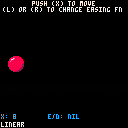
For the game I'm working on I built a super tiny tweening system for making it easier to move things around. This cart demonstrates a few different easing functions that plug into the system.
Tweening is a way of moving an object from point A to B. You specify where you want the object to go, and how long you want it to take to get there, and the tweening system takes care of the motion. I find it super useful for making games, especially for adding little bits of polish to your game. It's easier to just say "move the ball to x=104 in 60 frames" than it would be to calclate the required speed every time. You can also use an easing function to tell how it should get there, allowing it to accelerate slowly or bounce or spring back.
Tweens have four parameters: the property we want to update, the value we want to end up with, the length of time we want it to take to reach the target value, and the easing function. We'll store those values in a table, and each frame we'll look at each entry in the table and update the target property as needed.
The tween function begins tweening a property:
function tween(target, property, destination, duration, func)
  local tween_info = {
    target = target,
    property = property,
    base_value = target[property],
    change = destination - target[property],
    duration = duration,
    elapsed = 0,
    func = func
  }
  add(tweens, tween_info)
end
|
1 comment



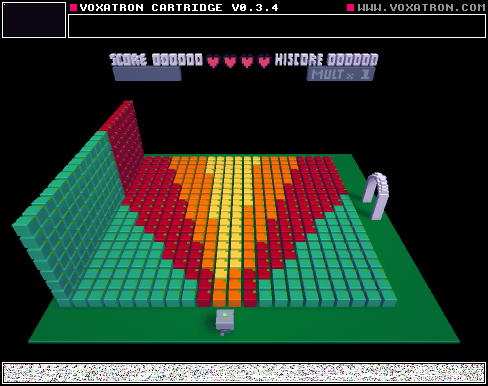
As of Voxatron 0.3.4
The visibility option asks for two numbers:
The first number is meant to represent the "Host's" line of sight, and 72 degrees for every 0.1 (0.5=360).
The second number represents the "Actor's" line of site, it uses the same number system as the first number.
If the host can "see" the actor, and the the host is within the actor's line of "sight", then the modifier activates.
Red is at 0.2, 0.1 (Visible within 144 degrees, makes a cone of 72 degrees)
Orange is at 0.35, 0.05 (Visible within 252 degrees, makes a cone of 36 degrees)
Yellow is at 0.5, 0.02 (Visible within a full circle around you, makes a cone 14.4 degrees).
If you have a controller for Voxatron, then use it for this level, it makes the effect look less rigid
[b]WARNING
1 comment

So I've been looking for a quick and portable developer environment for me to gamedev on the go, and I thought pico-8 was it; but after trying for a while I'm not entirely sure....
I've already gotten a pocketchip and pico8 on pc >_>. But it feels really confusing after using Unity, gamemaker, and other more graphically based programs. I've tried making a sort of starting point for quick deving with objects and built in collision detection but its really difficult....
Any suggestions on where to start again or if there's a different programming environment I could work with?
EDIT:
I'm asking because I was trying to find a very quick and portable developer environment and that seems to be very hard to find and I'm not sure if this is right for me because I want to dev on the go >_<
5 comments



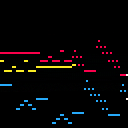
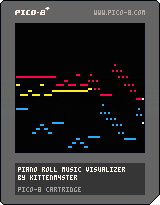
I recently made a program that can translate (some) MIDIs to PICO-8 tracker format and I thought I'd also make a fun visualizer to show it off :)
The music you see (and hear) above is J.S. Bach's Sinfonia 15 in B minor (BWV 801). It was translated from a MIDI file (that I found on the internet somewhere) into PICO-8 tracker format by the aforementioned tool:
https://github.com/andmatand/midi-to-pico8
This visualizer takes a simple approach of displaying whatever notes it sees are currently playing each frame (if any notes changed) so it may skip notes if the notes ever change faster than the FPS (this cart runs at 60). A more robust visualizer could be written, but I just wanted something that could display most normal songs for fun :)
You can use this visualizer to display your own music by downloading this cart and uncommenting one or both of these lines in the _init() function (and changing the path string appropriately):
-- load the music and sfx data from another cart --reload(0x3100, 0x3100, 0x1200, 'othercart.p8.png') -- permanently store the music and sfx data loaded above --cstore(0x3100, 0x3100, 0x1200) |
14 comments





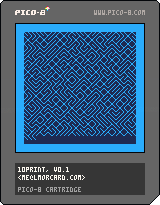
This is a simple one - it's an over-engineered Pico-8 version of this Commodore 64 BASIC program:
10 PRINT CHR$(205.5+RND(1)); : GOTO 10 |
It's a random maze generator, and some folks wrote an interesting book about it
31 comments



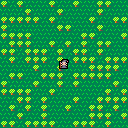
Or you could read that subject line as, "No Objects For Noobers."
For those of you confused or confounded by Object-Oriented programming, you might be happy to know that PICO will also accept the standard spaghetti-code variety. That is where there are no system interrupt or timing routines.
How do I use a single tile to create a perfect black outline around a sprite that is already 8x8 pixels in size ? You'll have to look at the code to find out. :)
Based on DittoSlash's test cart.
9 comments

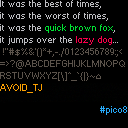
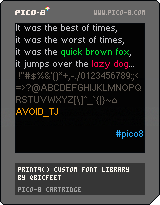
Inspired by LRP's lowercase font, I made a little library that lets you print to the screen using a custom 9px variable-width font that is defined entirely in code. In other words, nice and readable text that doesn't use sprites. The cartridge includes the hastily coded example usage you see above.
What's included:
init_print9

    initializes font data, must be run before print9() can be used

print9 str [x] [y] [col]

    prints to the screen using a variable-width 9px custom font
    if x or y are left blank it will continue printing where it last left off
    col is text color

    optionally returns the x-coordinate of the cursor, which is useful if you
    want to continue where you last left off (for example, when typing one
    character every frame)

    do note that print9() uses up a reasonable amount of cpu, typing out the
    entire lowercase alphabet uses up about 10% of the cpu @ 30fps
    my suggestion for longer text (i.e. dialogue boxes) is to draw to regions of
    the screen that are not cleared every frame and only clear when necessary

is_bit_set var pos

    checks if the pos-th bit (including fractional part) in var is set or not
    used internally by print9(), but hey, it's a nice utility
|
11 comments