


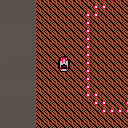
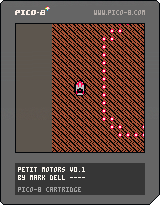
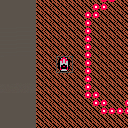
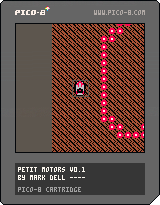
I'm not a gamedev, but I wanted to learn something new today, so I thought I'd start something that reminds me of the old Micro Machines games.
Still VERY much in progress, but it's technically 'working'
I've added another sprite and pixel perfect collision. Next I'll get that collision working properly with flipped sprites


 4 comments





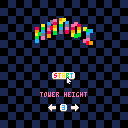
Rules:
- Move all the discs to another stick.
- You can't place a disc on top of another one smaller than the first.
-
That's all !
- To-Do:
- Add music.
- Polish.
5 comments





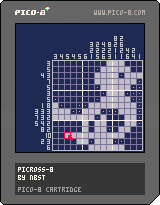
[UPDATED 22/06/2016]
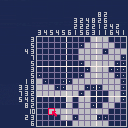
Picross game with 12 easy (10x10) puzzles and 15 normal (15x15) puzzles.
X to draw
Z to mark
Arrows or mouse to move
[UPDATED 25/06/2016]
Added an option in the pause menu to leave the current puzzle and go back to the level selection screen.
21 comments








I'm happy to announce the relaunch of the Pico-8 wiki!
I've spent the last few weekends writing articles and reference material for Pico-8, including complete API and command references, a memory map (including format details), a summary of the Lua subset, and tutorials on several subjects. This is very much a rough draft and I still have a list of to-dos, missing articles, more thorough sample code with screenshots, and some stuff I want to reorganize.
But it's a wiki, so you can help! Corrections are welcome at this stage. If you want to discuss a change before making it, hit me up on Slack or use Wikia's messaging feature or just reply here. But don't be shy about changing things directly.
Let me know what you think!
--
Two possible points of controversy I'll mention up front:
-
I tweaked the theme colors so they're reasonably readable, matching the forum site. I'm still a bit concerned that the Pico-8 red is unsuitable for link and header text. One of my monitors apparently doesn't support sub-pixel rendering or something and blurs it all to hell, but I'm not sure how big a problem that is. I tried a bunch of options and all the others seemed to drop the Pico-8 feel of the site. Suggestions welcome.
- The cos, sin, and atan2 articles currently use a different convention to explain the y-inversion than the official docs do. A quick survey of the Slack group led me to try and explain it as inverting the angle direction and not the sign of sin(). This works until you get to atan2, which requires inverting the dy argument to fit that model. So the choices are counterclockwise with inverted sin() result, or clockwise with inverted atan2() dy argument. Inverting a result seems less problematic than inverting an argument, so I'll probably change it back. (I already have the diagram drawn.) Feedback welcome here as well.
Thanks!
-- Dan
11 comments





For all PICO-8 musicians out there: a pico metronome, Piconome.
Licence: cc-by.
This is my first PICO-8/Lua program. Feedback is very welcome ^_^
Piconome doesn’t support polyrhythm. If you want to change it in order to add support of polyrhythm, feel free and please let me know…
Changelog and older carts:


 4 comments

Is it possible to take a string and index it or get individual characters from it? Ideally, I would like to convert to/from bytes to ascii characters. It looks like Lua 5.1 supports this in the standard library, but as far as I can tell, Pico-8 doesn't include it.
EDIT: I notice that I can use the # symbol preceding a token to get its length, such as a table or array or string, but I still can't directly index it.
EDIT2: After thoroughly reading the manual as much as possible, it looks like my answer is to use the sub() function.
2 comments



I just received my PocketChip and have been using Pico-8 on my mac with a usb controller. I can get the controller working with Joystick and the calibration tool on the command line on the PocketChip, but Pico-8 doesn't seem to recognize it.
Is this a bug or am I missing a step somewhere? Any help is appreciated.
37 comments







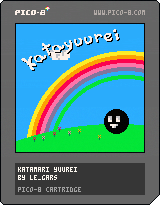
Hello! No Telemarketing speech for this one sorry!
I've started working on another project so I decided to upload this one as is so don't expect much.
You play as a ghost who had a nice party with a big floaty guy (definitely not the king of all cosmos) but ended up making a mess in every single house in the world, you need to clean it all up! ( A game about cleaning! Awesome idea..... right...? )
There is no real objective in the game right now but at least you can roam around and possess and bubble stuff.. I guess? (bubble physics yayyy)
Anyway, I hope you enjoy it and keep being awesome everyone!
1 comment
Okay, so right now, it's a bunch of design-doodled stuff for the time being; something like a "development wishlist" that I'm hoping to grind myself through soon... and hoping I can squish into PICO's limitations.
MARLO AND FRIENDS
Basically, a SMB "demake" comprised of 4 levels, repeated with some factors changed like enemies/placements, coins and platforming widgets. It follows the typical SMB pattern of "overworld, underworld, scarce ground, fortress," except that the bridge battle at the end will require you to cross it once forwards, once backwards, and a third time across. The "and friends" part is for pallette swaps, switching the focus of the game (and maybe, if enough tokens remain, the end-of-level widget, we'll see):
Marlo (red): Flagpole, clearly.
Zonac (blue): Speedrunning, distance jump at end instead of height.
Dunky (brown): Enemy combos, the DKC2 end-of-level prize-hammer thingy.
Roshi (green): Collectables, flowery-roulette wheel except now it's stars.
Warlo (yellow): Coins!! Slot-machine-card thing from SMB3.
I don't think I'll do much with powerups - just one that makes you big, and if you recollect it, you can do a mid-air trick one time. Marlo gets a double-jump, Zonac gets the Fire Shield-style dash from Sonic 3, Dunky... I haven't decided yet, probably the ground slam, though; Roshi does the ground pound drop, and Warlo... don't know about him yet either. There'll be bouncing starmen too, but only for scoring purposes, no invincible crap in this game!!
[b]ZWORD
14 comments





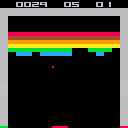
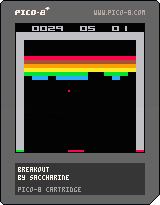
x starts a new game
There are some known issues :
- the ball is a 2x2 square but only the upper left pixel is used to detect collisions with the bricks
- hitting x the next seconds after losing a ball resets the game
- bounces on bricks doesn't work as expected in rare cases
- in the original game, hitting particular colors speeds up the ball - not here
Enjoy
0 comments
As I keep telling people about Pico8, I always relate it back to NES/Game Boy as a way to convey the "retro-ness" of it. But just for my own curiosity, how does Pico8 compare to real 8-bit era consoles?
I'm always looking back at my favorite games for ideas and things I loved, but need to keep reminding myself that Pico8 is not an NES (nor that it should be).
And I guess, do learned Pico8 skills translate to the skills needed for those old machines? Or does Pico8 make it so nice and easy that it's like night and day?
Just for conversation :)
16 comments





Hi all, I am very new to Lua programming - have been learning a bit of python and Gamemaker GML over the past year so still pretty fresh all round.
I have just finished coding the smoke particle but am getting the following error when trying to run it and I can't work out why:
SYNTAX ERROR LINE 10
<EOF>
')' EXPECTED NEAR '.4'
Here is my actual code:
function make_smoke(x,y,init_size,col)
					local s={}
					s.x=x
					s.y=y
					s.col=col
					s.width=init_size
					s.width_final=init_size+rnd(3)+1
					s.t=0 --how long lasts secs
					s.max_t=30+rnd(10) --how long lasts secs
					s.dx=(rnd(.8).4)
					s.dy=rnd(.05)
					s.ddy=.02 --simulate yaxis accel.
					add(smoke,s)
					return s
end
function _init()
					smoke={}
					cursorx=50
					cursory=50
					color=7
end

function move_smoke(sp)
if (sp.t>sp.max_t)then
					del(smoke,sp)
end
if(sp.t>sp.max_t15)then
				sp.width+=1
				sp.width=min(sp.width,sp.width_final)

end
sp.x=sp.x+sp.dx
sp.y=sp.y+sp.dy
sp.dy=sp.dy+sp.ddy
sp.t=sp.t+1
end
function _update()
foreach(smoke,move_smoke)
if btn(0,0)then cursorx=1 end
if btn(1,0)then cursorx+=1 end
if btn(2,0)then cursory-=1 end
if btn(3,0)then cursory+=1 end
if btn(4,0)then color=flr(rand(16))end
make_smoke(cursorx,cursory,rnd(4),color)
end

function draw_smoke(s)
circfill(s.x,s.y,s.width,s.col)
end
function_draw()
cls()
foreach(smoke,draw_smoke)
end
|
8 comments



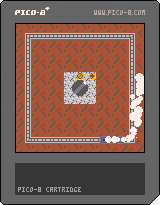
I'm going through the Picozines for the first time. Since the Train tutorial and the Smoke tutorial were in the same issue, I thought it was only natural to put them together.
Any feedback on how this was implemented is welcome.
0 comments


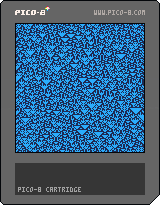
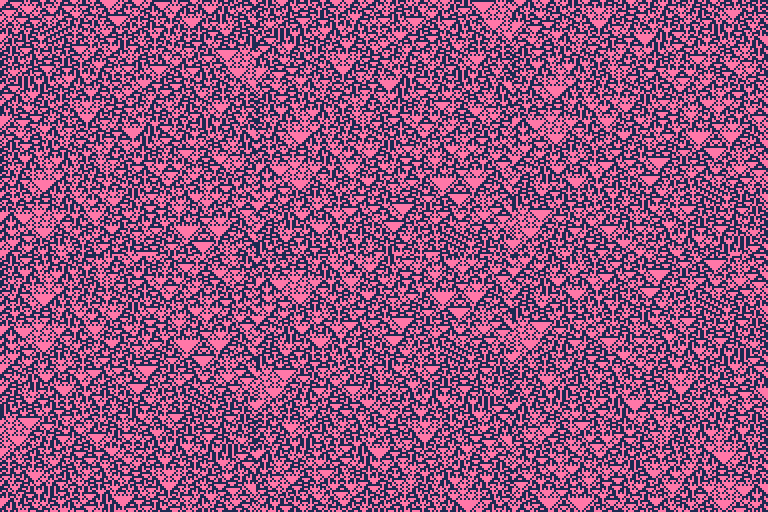
Rule 90 is just the XOR of each cell's neighbours, but it results in remarkable complexity and structure. This was a quick sketch late last night, with some polish today. Will add some more stuff later.
Controls
Up and Down control speed, Z starts a new pattern with a random seed.
0 comments


I was interested to see how easy/difficult it is to edit the animated GIF "videos" pico8 produces. My goal was to trim some frames from the beginning and end to make a more succinct recording.
After much trial, error and experimentation here are my findings using Mac OS X.
Animated GIFs can be:
- viewed frame-by-frame using macOS Preview.app
- manipulated using "gifsicle" command line tool
- converted using "ffmpeg" command line tool
Notes
- useful tools need to be installed using "brew" command line tool http://brew.sh
VIEWING
Open the GIF in Preview.app and it will show you all frames.
Preview calls the first frame 1 (one), but other tools usually call it 0 (zero).
original/source animated GIF:

TRIMMING
required: gifsicle
brew install gifsicle |
then this is how you trim
gifsicle anim.gif "#212-238" > trimmed.gif |
4 comments


I already owned Pico8
I heard Pico8 was coming out as a freebie for people who bought the PocketCHIP expansion
But I don't have PocketCHIP. I just have a regular CHIP. So I assumed I would not be getting it for free.
But I did think I would be getting it through my account page cause I already own Pico8.
Low and behold there does not seem to be a version for the CHIP and also, the Linux versions that are available do not seem to work on the CHIP.
What's the deal? Can I run Pico8 on my CHIP?
8 comments





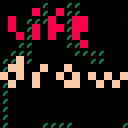

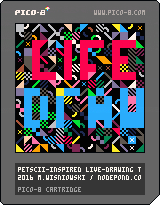
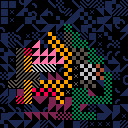
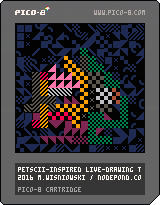
A drawing tool, inspired by PETSCII and live-drawing in front of an audience. Shout out to Raquel Meyers for being a constant source of inspiration!
6 comments