


Hello.
The "PICO-8" would like to use a USB memory stick.
So, I put the file "config.txt" in the same folder as the PICO-8.
However, it did not work.
How, the "PICO-8" Can I use a USB memory stick.


 3 comments





Mostin's having a Meltdown, can you help him locate his car keys?
He told me he lost them down out back near the barn gate, but that's a long long hike.
Over massive mountains and deep valleys, but it's all right, because he'll give you a pay of 60 Noblus!
Worth it, ... right? ... right? ...
EDIT: Alright, final p8jam2 version, I think I've gotten down what I wanted to accomplish.
7 comments




Overworld Controls:
◁ ▷ △ ▽ - Move
Ⓧ - Interact, continue dialog
Ⓞ - Speed up dialog
Combat controls:
◁ ▷ △ ▽ - Change selection
Ⓧ - Activate
Ⓞ - Cancel / Back
Standard Pico-8 keyboard assignments:
Arrow keys = ◁ ▷ △ ▽
Z,C,N = Ⓞ
X,V,M = Ⓧ
P,Enter = Pause menu (useful for resetting the game to play it again)
For the best experience, take the time to try interacting with all the objects, too!
38 comments

.jpg)
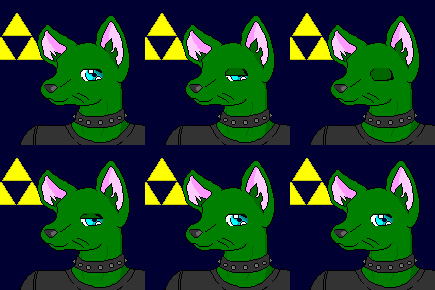







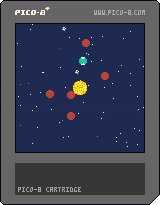
Another space-themed mini screensaver, this time with stars AND planets!
You might notice that the planets fling each other around a little and fly through the sun, which is "normal."
Eventually I'll fix the drawing system so it can't switch between foreground and background while close to the sun.
PS: If you don't like your current system you can reload the cart to get a fresh set of planetoids :^)
0 comments





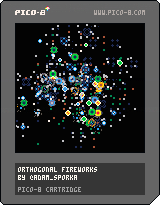
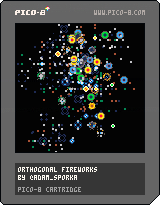
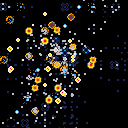
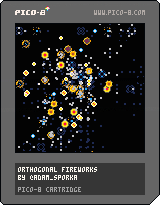
A tiny silly cartridge with firework particles for the #p8jam2 :-)
Update 1.2
"Score" is shown. Not that you can anyhow alter the outcome, but it still feels kinda nice when you go over 1000. Once I scored over 1700. The thrill of it! :-)
'Z' will restart with the score shown at the end of the firework.
'X' will restart with the score visible during the process.
Update 1.1
Added more colors.
Sometimes the particles pop diagonally.
 22 comments







Older versions:

-- My week was more booked than expected and didn't had a lot of time working on this project, I hope to finish the principle of it before the deadline. At least, there is no music and fancy graphics, but the first part of this mini game is done! --
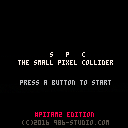
Welcome new researcher, and welcome to the CERP, as you already now, the CERP stand for "Centre d'Etude pour la Recherche Pixeleaire" also know as the Center for Studying Pixels.
You've joined us to run the the SPC, the Small Pixel Collider, and despite some controversy, we hope a lot from that device as it will help us to understand more about the matter we are made from.
So please take a seat in front of that computer, and train with the SPC simulator installed on it, to be ready to use the real one as soon as you are confortable with the device!
First part of the experiment:
As you know, to run a pixel collider, we have to make the pixel move fast enough for the final collision.
Your first task will be to accelerate the pixel using alternatively the Left and Right button up to 88mph, once that's done, press que Z key start the experiment and go to the second part of the experiment.
We have a lots of hope in you and the SPC and we are sure we will find all the answer to our existential questions!
--
It is not linked to my game, but when writing the presentation it made me think about that comic:
http://www.bouletcorp.com/hidden/quantum-pixel/
2 comments

Hi,
I ordered PocketC.H.I.P and can't wait for pico-8.
If I want to use pico-8 on my computer do I have to buy it separately? Or after I buy it bundled with PocketC.H.I.P can I download it for my computer too?
3 comments



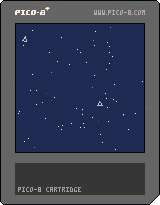
This little cartridge was a result of me wanting to learn about the sin() and cos() functions.
If you want to see any improvements or changes feel free to tweet me @c_noteclip or leave a comment!
:^)
0 comments


I'm trying to figure out how to make my camera area shift based on when the player is a certain distance from a center zone. I don't want my player in the middle of the camera all the time. I want them to "push" the camera zone around as they get to the edges...but then push the camera back when they hit a certain distance in the camera zone.
That's confusing, maybe...how about this...
There's a 128x128 "free zone" where the player moves around freely. They go right and when they hit x128 it switches to camera mode and the player can keep moving right until the edge of the world. Once they get to the edge, they need to go back to the left, but on the way back the camera needs to move when they hit the half way point of the viewport they're in...as opposed to moving the camera when they hit the left edge of the camera viewport.
It's like a lot of the old NES games where you'd move forward once your character hit mid-point, but if they turned around the camera wouldn't move anymore. Kind of like Metroid was.
Sorry if that's still as clear as mud...but if you think you know what I'm trying to accomplish, any insight or thoughts are appreciated. I know camera() is the key but everything I try to calculate doesn't work out...
10 comments


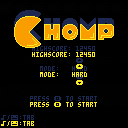
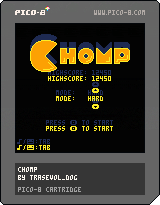
CHOMP
Chomp is a Pico-8 game were you have to chomp down pellets and other fruits as they keep coming faster and faster!
Unlock the two harder modes by reaching 10000 points in the previous mode!
In menus, use circle and cross keys ('z' and 'x' on keyboard) and the arrow keys to navigate.
Once a game launched, press any Pico-8 button to CHOMP.
The game is controller compatible.
Do share your highscores as well as what you think of the game in the comments! :D
If you really like the game, please do consider supporting it on itch! All income goes into making more games!!
8 comments




The code below should draw 10 squares, there is only one variable that define the size (b.s in _init), but sometimes some squares appear with a width different of the height. I don't know if its a bug, or I'm using rectifll in the wrong way.
blocks={}

function _init()
	for x=1,10 do
		local b={}
		b.x=rnd(100)
		b.y=rnd(100)
		b.s=rnd(15)
		add(blocks,b)
	end
end

function _draw()
	cls()
	for b in all(blocks) do
		rectfill(b.x,b.y,b.x+b.s,b.y+b.s,4)
	end
end
|
3 comments

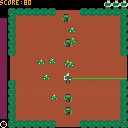
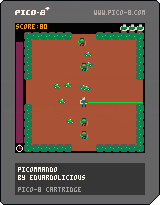
Wrapped up my second game, and this time it's an actual game! glares at Blocksy
PICOMMANDO
A top down twin-"stick" shooter, since I felt that wasn't a very active genre around here. Utilizes P1 controls (arrows) for movement, and P2 controls (ESDF) for shooting. This may change in the future, specifically when I get a PocketCHIP and need to figure out what layout will work best there.
Zombies will come running at you from the entrances and from the corners at various speeds and in various numbers. Firing excessively will drain your clock, but successfully killing a zombie will restore some time.
Features high score saving to cartdata to give some sort of goal/objective. My high is around 600 on this build, a no-prize for whoever beats it first.
I consider this 'finished' but I'm interested in feedback on the gameplay loop, i.e. is it too hard, are the zombies too fast, is there enough time on the clock, etc as well as feedback on the controls.
Enjoy!
(p.s. this is my first stab at making any sort of music in any capacity, ever. hopefully it's not too annoying)
(p.p.s. before anyone says so, yes, I know, my main function loop got completely out of hand and should be broken up into about 40 or so actual functions. This was my big lesson learned to apply to Game #3 lol. So use the source however you like but PLEASE try not to learn anything from it)
6 comments


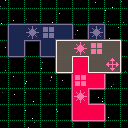
prototype a tactics game, there's no game yet
LRUP - move tile
A+LR - rotate tile
B+LR - switch tile
A+B - place tile
tiles have to overlap a friendly extension icon
tile cannot overlap an opponent blocking icon
the first opponent tile underneath an attack icon is removed
2 comments
In my game, bullets have in different sizes. I want to use a sprite for the bullet but don't want to make a sprite for each possible size because it will vary (or be random).
I'm hoping there is a way to scale/enlarge/shrink a sprite so I can just make one sprite and use it lots of places.
8 comments


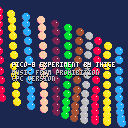
Hi there,
just a little intro done while testing PICO-8.
Playing with sfx give me the basic tone of the music from the game "Prohibition" on Amstrad CPC (the 16-bit versions had another music). So I translate by hear/memory the beginning of the song.
Enjoy :p
0 comments

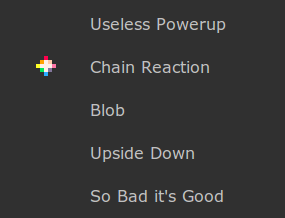
If you'd like to take part in P8JAM2, please select one or more themes by clicking on the PICO-8 star next to it (you need to be logged in). You can change it anytime before the 24h voting phase ends -- at 00:00 PST on Saturday the 21st. Check out the jam thread for more details.
Edit: times's up! The winning theme is Chain Reaction. You have 9 days! Good luck!
40 comments



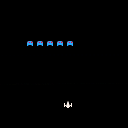
Sat down for my first hour of learning both LUA and Pico-8.
This was just to practice parts of the software and get things up on the screen.
Also to test out saving and uploading a cart.
Next I plan to:
- Research the best way to handle multiple moving objects.
- Add controls
- Add weapons
- Detect collisions
- Game states (start, win, lose)
0 comments
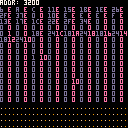
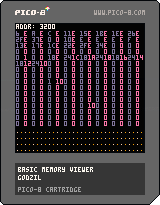
This is a work in progress tool, which currently allow you to look at the Pico-8 memory content.
It's really crude but do it's job:
Left will substract 0x10 to the current address, Right will add 0x100, UP will remove 0x100, Down add 0x100.
The display is in three parts, the top that show the top address, the middle with alternating bluish/pink that show a gris of 16*16 bytes from memory starting from address, and the value are show in Hexadecimal
The bottom part show the first half of the same memory as in hexadecimal, but will display the values as character and not hex, useful to look for string!
0 comments