I seem to have found a weird bug. Normally sfx(-1, -2) will stop sfx on all channels, but if it is triggered by a menuitem callback, it doesn't work; in that case only explicitly stopping sfx on each channel works
to reproduce, enter some notes on sfx 8 (so you can hear when playback stops), then use this code and compare the behavior of the two menu items:
function stop_all_sfx_short()
  sfx(-1, -2)
end

function stop_all_sfx_long()
  for i = 0, 3 do
    sfx(-1, i)
  end
end

function _init()
  menuitem(1, 'stop sfx (-2)', stop_all_sfx_short)
  menuitem(2, 'stop sfx (long)', stop_all_sfx_long)

  sfx(8)
end

function _update()
end

function _draw()
end
|


 0 comments

I'm struggling with a function that randomly picks up an element from a table with ponderated probability. For now this is my current code:
items = {
 {value="a",probability=.35},
 {value="b",probability=.35},
 {value="c",probability=.145},
 {value="d",probability=.145},
 {value="e",probability=.008},
 {value="f",probability=.002}
} -- total probability = 1

function rnd_item()
 local rnd_number = rnd() -- between [0,0.99999)
 local i = 1
 local sum = items[i].probability
 while sum < rnd_number do
  i += 1
  sum += items[i].probability
 end
 return items[i]
end |
What is the problem with the implementation? Right, In some cases it crashes because 'i' goes out of bounds. It seems that the problem occurs when rnd_number is near 1 (i.e. 0.99997) but I can't figure out how I fix it.
Is there a better implementation to solve the problem?
12 comments





Hi mates,
I'm having some issues with an unexpected (for me) behaviour of rnd() and tostr() functions.
Why this fragment of code prints value 1 if it's supposed that calling rnd() with no arguments produces values from 0 to 0.99999? Does tostr() perform some kind of ceil()?
local rnd_number = rnd()
printh("rnd_number:"..tostr(rnd_number),"maplog.txt") |
Output:
rnd_number:0.3293
rnd_number:0.7758
rnd_number:0.5745
rnd_number:0.3691
rnd_number:1
rnd_number:0.0995
rnd_number:0.1682
I need to avoid that '1' value.
5 comments





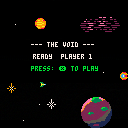
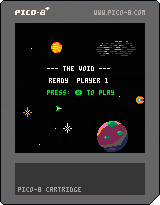







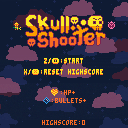
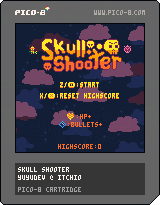
Hello!! After several months of work on and off, I am proud to share my first pico-8 game!
This is Skull Shooter, a demake/remake of the very first game I ever programmed in high school. It's a top down shmup with randomized enemies and two powerups.
Arrow keys to move, Z to shoot. Green enemies are worth bonus points, and every 50 points a boss enemy spawns that has more HP than regular enemies.
I used the song "Dimensional Rift" from Pico-8 Tunes Vol. 2 (https://www.lexaloffle.com/bbs/?tid=33675) for the ingame music.
2 comments

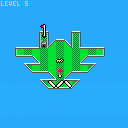
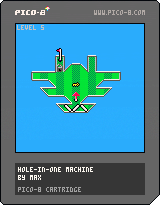
v1 (11/28/2020)
Updated with 3 new levels, 2 new object types (lock and key), sfx and music! Though I'm not sure if the sfx and music sound good together... I feel like it gets muddied sometimes and there is too much going on in the audio. Feedback is appreciated!
v0 (11/23/2020)
A golf-based puzzle game I am working on! So far there are only 3 levels but I am planning to add many more, including more types of objects. There is currently no music or sfx but I am planning to add those too, eventually.
6 comments








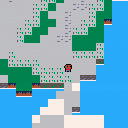
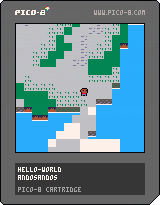
A character and some tiles. Combined basic character and basic tilemap into one.
- Collisions. The character can only walk on tiles with flag 0. Shout out to doc_robs he taught me mget , fget , and the whole grid system.
- Before I was drawing the edges myself but not anymore :D
0 comments




.png)

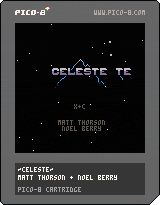
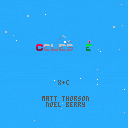
A Celeste Template v2
Pls report any bugs cause I was kinda lazy so I didn't look through it while playing so some of it might be buggy
I'm sorry but I cannot post any previous versions for
8 comments



v1.1 -- Added ability to clear output string by pressing Z
v1.2 -- Removed characters 0-15 as Pico-8 0.2.2 made these unusable, tweaked appearance
v1.3 -- Added characters 0-15 as code comments so they can be copied and pasted manually
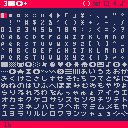
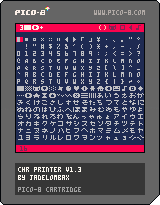
This is a little tool for easily selecting and outputting characters from Pico 8's extended character set. You can build strings of any length and paste them as text using Ctrl+V or a right mouse click (on the BBS, you have to press Ctrl+C as well). I had some fun making it look like a version of the Pico-8 code editor with text characters as the icons, and since it's a pretty small program, I squeezed it down to fit in a tweet =).
Controls:
6 comments


So, I'm modding a game called Andy the Adventurer and making it into more of a spider man style thing. I want the player to be able to grab onto ledges. I've already made the code for making the player go up by four pixels, but what I need to do is get the coordinates of the nearest instance of a certain sprite. Closest to the player that is. It's the most efficient way to do it I think. I have a sprite specifically for ledge grabbing, and it's invisible. In the map editor, I place it directly next to any steep ledges. So yeah.
TLDR: How do I check the top-left corner location of the nearest instance of a sprite, to the player?
Still long, but better.
EDIT: I suppose a better question would be, how do I check if an x,y coordinate is inside a certain sprite on the map?
1 comment

Make some burgers! om nom nom
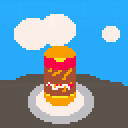
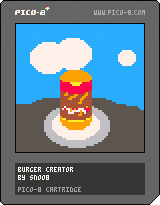
How to play:
arrow keys to move cursor
X to add selected ingredient to the burger
O to finish
1 comment