


This has happened a couple times and I was hoping it would just fix itself but it never seems to.
My browser does a pretty good job of keeping me logged in here on the forum, but every now and then it logs me out - which is fine, I understand how and why that happens.
But then once I'm logged out, I can't log back in with my password. I always have to login by email. Granted, this works, but then there's no purpose of having a password.
Even if I change my password on my profile, it will not allow me to log in.
Has anyone else experience this or am I on an island with this one?
If it's just me, then it's just me but wanted to call it out if it's something others have seen as well.


 9 comments





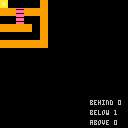
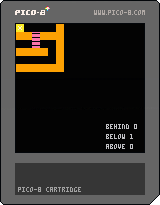
What am I doing wrong? I'm sure I'm being dumb.
I can go down ladders fine, but not up them.
Cartridge


Code
function _init()
	p={x=0,y=0,spr=0}
end

function _update()
	if(btn(0)) then
 		p.x-=1 -- left
	end
	if(btn(1)) then
		p.x+=1 -- right
	end
	--	ladder down
	if (btn(3) and fget(below)==2) then
		p.y+=1
	end
	--	ladder above
	[b]if (btn(2) and fget(above)==2) then[/b]
		p.y-=1
	end
end

function _draw()
	cls()
	map(0,0,0,0,6,6)
	spr(p.spr,p.x,p.y,1,1)
	below=fget(mget(flr(p.x/8),flr(p.y/8+1)))
	[b]above=fget(mget(flr(p.x/8),flr(p.y/8-1)))[/b]
	behind=fget(mget(flr(p.x/8),flr(p.y/8)))

	print ("behind "..fget(behind),90,100)
	print ("below "..fget(below),90,110)
	print ("above "..fget(above),90,120)
end
|
2 comments

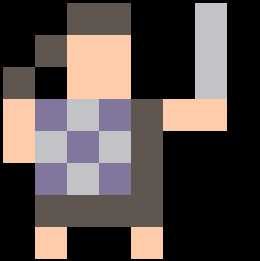
Hi guys, I'm currently working on a top-down turn based rogue like. The camera follows the player (or enemy) around - whichever actor's turn it is. When it is the player's turn, I would like to display text as a menu but also have the camera above the player. Is there a way to print text without it being effected by the camera offset? Or should I be negating the offset with my print x/y co-ordinates?
A snippet of my player's draw function (called by function _draw())
function player:draw()
 --centre camera if it is the player's turn
 if actor_index == 1 then
  camera(self.x * 8 - 64, self.y * 8 - 64)
 end

 -- draw the player
 spr(0,self.x * 8, self.y * 8)

 textanimcolour += 1
 if textanimcolour > 15 then textanimcolour = 0 end

  if actor_index == 1 then

   --if we are in the move_or_action state, draw the menu as well.
   if self.state == "move_or_action" then
   --recentre camera
   camera()
   --draw the menu
   local yoffset = 80

--move_or_action_menu is an array of strings
   for i=1, #move_or_action_menu do
    local text_col = 5
    if i == self.menu_selection then text_col = textanimcolour end
    print(move_or_action_menu[i], 10, yoffset, text_col)
    yoffset += 10
   end
  end
 end
|
1 comment

Feature request: a _pause() callback that is triggered just before the pause menu is displayed. This would give those of us who are using menuitem() a convenient way of doing a little preparation beforehand. I have a particular case where the contents of the menu may change depending on when it is opened.
4 comments



As much as I hate to break things once people have gotten used to doing them a certain way, there's a keyboard inconsistency in the code editor while running under OS X that really messed with me early on, and continues to do so here and there.
fn+left/right - takes you to the very beginning or very end of a line
fn+up/down - instead of taking you to the beginning/end of the document, results only in page up/down
command+left/right - takes you to the next symbol/token/whatever.
command+up/down - instead of page up/down (what I would expect), takes you to beginning/end of document
It seems to me that the command key should control the shorter movements, while fn should be reserved for the extreme beginning/end jumps.
0 comments



UPDATE: Today is monday the 16th.
Now leeches are one solid creature, and the camera follows their head.
Press z to lock/unlock cam.
Press x to randomise leech (only 3 breeds atm)
You can change the variable BORD to change the border size.
If you wanted, you could probably figure out how to add a new leech breed.
5 days until the deadline.
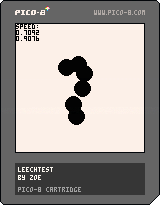
first post.
eventually this will be a virtual pet game.
I'm making it for the winter 2017 my first game jam on itch.
gradually getting my head around lua.
1 comment

Hey All,
First post here after recently picking up and playing with pico-8 (humble bundle). It's rather brilliant I have to say!
I have only been playing around with coding for a couple of months and remain very much a novice, and this is my first time using lua with pico-8.
My question is regarding tables of tables (objects I am spawning in my game), and the deletion of those objects...
Let's say we have the following little program which spawns 5 THINGS, gives them unique names, and then adds them to the list a{}. We then delete the item with NAME=3, and then print some output...
a = {}

for i=1,5 do
	local thing = {}
	thing.name = i
	add(a,thing)
end

for thing in all(a) do
 if thing.name == 3 then
  del(a,thing)
 end
end

for thing in all(a) do
 print(thing.name)
end

print("# = "..#a)
print(a[3])
|
Output is: 1, 2, 4, 5, # = 4, TABLE
This works fine, and is the standard practice I have been using to remove objects from the master table.
However, let's say I already know which item on the main table (a) that I want to delete by its index, say the third item... i.e. a[3]
3 comments


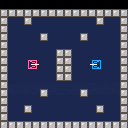
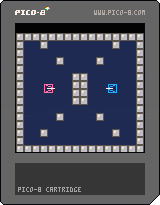
The beginning of an attempt to recreate "Combat" from the Atari 2600.
Tanks and movement only at this point. No bullets or collisions yet.
A lot of the code was borrowed from "Blasteroids" by Lulu Blue as detailed in Pico Zine #3.
5 comments


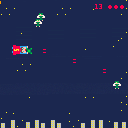
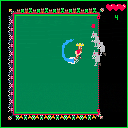

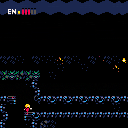
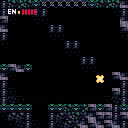
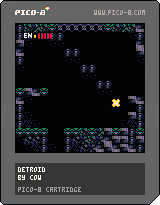
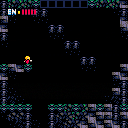
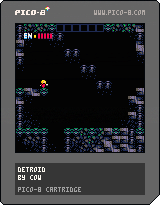
Just a little procrastination project. Not sure if it's going anywhere. Very early demo just showing movement and tiles. |
12 comments




When I try to run the code listed below, my game freezes because of the while loop. Can anyone shed some light on how I can prevent the while loop in this code snippet from choking? Or if there's a better way all together?
I'm hoping to add additional objects to these functions (though they would be single objects instead of sets of 30 and 15, but I'm not at all an experienced coder.
I was trying to borrow code from the following page: https://level0gamedev.blogspot.com/2016/05/back-to-game-code.html
I'm also having a second issue of all 45 sprites being set to foo's sprite instead of 30 for foo and 15 for bar, but i'll have to tackle that later unless someone can weigh in on that as well.
Any help is greatly appreciated! Thank you :)
function _init()
test = 0

for i = 1, 30 do
	spawn_actor(foo)
end

for i = 1, 15 do
	spawn_actor(bar)
end

function spawn_actor(name)
	local obj = {}

	obj.type = name
	obj.frame = nil
	obj.x = flr(rnd(right_border) + left_border)
	obj.y = flr(rnd(bottom_border - top_border) + top_border)
	obj.w = 8
	obj.h = 8
	obj.x2 = obj.x + obj.w * 8
	obj.y2 = obj.y + obj.h * 8

	if obj.name == foo then
		obj.frame = 16 + flr(rnd(3))
	elseif obj.name == bar then
		obj.frame = 32
	end

	overlapped = true
		while overlapped do
		overlapped = false
		foreach(actors, function(actors)
			if actors.x <= obj.x + obj.w * 8 + 1 and
			actors.x + actors.w * 8 >= obj.x - 1 and
			actors.y <= obj.y + obj.h * 8 + 1 and
			actors.y + actors.h * 8 >= obj.y - 1 then
				test += 1
				overlapped = true
				obj.x = flr(rnd(right_border) + left_border)
				obj.y = flr(rnd(bottom_border - top_border) + top_border)
			end
		end)
	end
	add(actors, obj)
end

function _draw()
	cls()
	foreach (actors, draw_actor)
end

function draw_actor(obj)
	spr(obj.frame, obj.x, obj.y, 1, 1)
end
|
2 comments

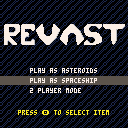
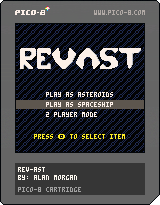
Revast - Reverse Asteroids
Play asteroids as the asteroids, as the spaceship, or with a friend!
TODO:
+Improve sound effects
+Improve music
+Better Spaceship AI
+Better Select AI
+High Score System.
0 comments


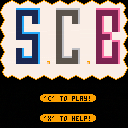
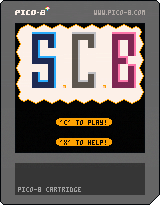
Here my first project here. Its SCB. More Info, Tutorial, Content and Introduction comming soon.
MfG Genesis2142
1 comment



This is just a slightly modified version of one of the example programs from the official guide found here. This is the first thing I've made with PICO-8 after picking it up in the humble bundle. Enjoy! :)
Edit: Oh TW for flashing colors and stuff.
2 comments
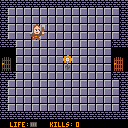

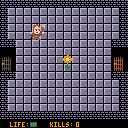


Hello everyone, this is just a small thing I did for Pixel Dailes.
Controls :
- Left/Right : Move cursor.
I didn't do anything else than just this screen, I was mostly interested in throwing the bases. I might touch it up later but that's unprobably (unless people are interested in working on it together...)
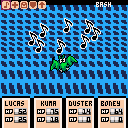
(Older version, music-less)
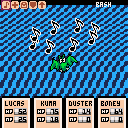
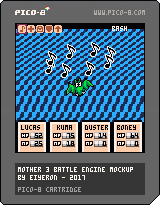
Have a nice day!
5 comments
