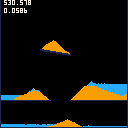
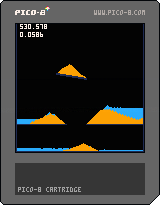
Simple sand and water simulation.
Controls:
Button 0 = Reset
Button 3 = Spawn water line
Button 4 = Spawn sand pixel
Button 5 = Spawn sand line
Could be optimized by removing static sand and water particles from the list + optimizing the update order.
Not really much of a game yet but is fun to play around with. Thinking of trying to make a puzzle game with this involving scales.


 3 comments


So, I think that for anyone visiting the site, there could be a pop-up to help them out.
I think this would also fix the whole button issue, as everyone would know what the X and O buttons are.
0 comments

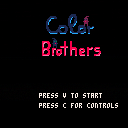
Gameplay:
You need to move both character into the gates.
blue character -> blue gate
violet character -> violet gate
Done during our lessons at our school in germany by me, Aizer, and JasminSky.
Programmer: Dominik Dotzauer (Aizer)
Artist: Barbara Beil (JasminSky)
0 comments


Hi,
I'm trying to have a sprite move in front of and behind other objects to simulate z-index ordering, but I'm not sure how to do this in PICO-8. I figured it would work something like if object_a.y > object_b.y, move behind that object.
I saw somewhere someone giving each object/sprite a "z" variable that would control what order things were drawn, but that wasn't for PICO-8 so I don't know if that could be recreated here.
After some searching, I see that this has been done in The Lair and Kick Wizards, but I'm very new to Lua/PICO-8 so I'm having a hard time finding how they're doing it. Any help is greatly appreciated.
The Lair: https://www.lexaloffle.com/bbs/?tid=4051
Kick Wizards: https://www.lexaloffle.com/bbs/?tid=27697
Thanks!
8 comments





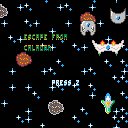
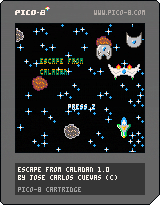
My second game with PICO-8. This time I went for a Xenon 2 type of vertical shooter, but the music sucks ;-)
The premise is simple, kill enough enemies so you can escape from the level and then confront the boss. To do so, you have your stolen prototype ship, trying to jump back to Earth and safety.
You've got ahead of yourself five levels, with each their own boss, and armed with five weapon levels to get away. The game also records high scores arcade style.
Instructions:
- Z: Shoot
- X: Megashot, only when the yellow bar is full.
- Arrows: Move, dodge and aim with your ship.
The small pulsating balls are powerups and don't hit the ships either.
2 comments


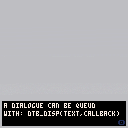
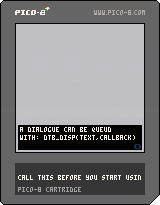
Dialogue Text Box Library (DTB)
DTB is a code snippet that you can use to implement a dialogue text box to any game in just seconds.
Setting it up goes as follows:
- Add the dtb code to the top of your own code.
- Call dtb_init in your initialization.
- Call dtb_update in your update.
- Call dtb_draw function in your draw.
And that all there is! You can now simply call "dtb_disp" wherever you want.
Usage
dtb_init(numlines) |
Call this to initialize all dtb's variables. Takes an optional parameter which defines the maximum number of lines that will be displayed. Defaults to 3.
dtb_update() |
24 comments







I'm currently working on a game and I seem to be stuck on something that should be fairly simple.
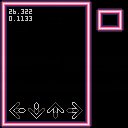
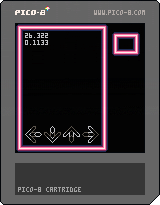
I want to create arrows under specified conditions (I have a beatmap in the spritesheet) and whenever a beat should happen, an arrow should be created which goes down the screen until it hits the buttons etc etc. The part I'm stuck on seems to be creating those arrows.
From what I gather, I am supposed to be using tables and metatables? I have started some code relating to this but I feel like I am just making guesses, and none of the tutorials that I see cover instance creation.
Also I spent a lot of time working on what I have so far, especially the music, so let me know what you think of the very little that is there.
 4 comments
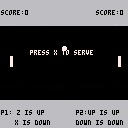
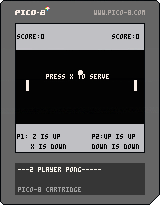
So far shitty pong game for two players. Put it here so it wouldn't die away in my profile.
0 comments
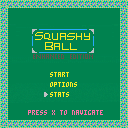
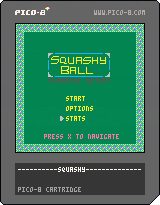
This is squashy ball, as we all know it from PicoZine #1. As a first time coder I decided to just see what I could do with the game, so I added everything you see and hear past the ball and paddle movement. Big thanks to Alex Mole for the inspiration.
Stats save in between sessions. There are 9 skins available to chose from. I may add more in the future.
2 comments


Hello!
If, like me, you got hold of Humble's recent GameDev Software bundle, then you probably have a copy of Pyxel Edit. Because palettes are saved in the .pyxel files that the program produces, I've stuck a couple of them on Google Drive with the correct palette for PICO-8 users.
The resulting spritesheets can be exported as PNG files for importing into PICO-8 - just be sure to use the 128 x 64 version if you're not wanting to overwrite the map area of memory.
128 x 64 version
128 x 128 version
For some reason, when you click the links, Google Drive brings up an unpacked preview of the .pyxel file - just click the "Download" button at the top-right of the window, and they should download just fine.
Full credit for the palette RGB values goes to Roman Zolotarev and his handy-dandy palette page.
2 comments


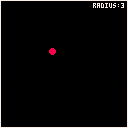
Hey fellow PICO 8 users in the dojo,
Started with a breakout like concept, now I can't seem to walk away from this interesting problem..
The ball currently uses a sine function in order to cycle its scale: BALL_R=1+(SIN(FRAME/20)*2)
and I'm trying to adapt collisions to accommodate this type effect (see - multiple uses).
So far it doesn't appear to work without triggering multiple undesired bounces at the border.
So far I've had limited success with a function I made to snap the object scale to whole number
increments, however this has not resolved the problem, which only consistently occurs when the
ball (CIRCFILL) crosses the boundary as its increasing in scale (BALL_DR=+1).
I've also attempted to apply a timer to limit bounces (ball x/y inversion) without much success.
Am I barking up the wrong tree/ are there other collision models which already
deal with these type of situations? -any help would be greatly appreciated
5 comments


Is there a way of changing the origin point of a sprite/object to be central?
in Love i would use getHeight()/2
2 comments
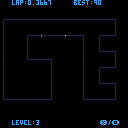
0.30
Press buttons to cycle through 4 levels.
0.25
Fixed the Best Time bug and tweaked the map/colours a little. Also changed the random camera shake to a map nudge to give more weight to the player.
old:
I'm still new at coding/pico8. This "on rails" racing idea was a good chance to try a new method of collision: this time, I test the pixel color in the direction I'm going (using angle instead of usual DX/DY) and if it's NOT the track colour, the collision returns true.
remixing is welcome.
4 comments
.png)
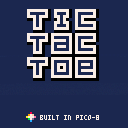
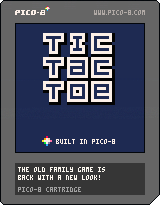
My first attempt at fiddling around with PICO-8!
A simple Tic-Tac-Toe game. you can choose how much you're playing the best out of, and the loser always starts the subsequent round. It's 2 player only for now, will probably add a 1 player mode soon!
1 comment


Just going to use this cart with this animation to work on the music

Music is more interesting, but less tired.

 0 comments

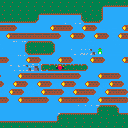

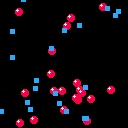
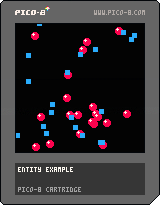
Someone over in Discord asked about some entity drawing code in Hug Arena, so I took a look a stab at explaining it. I realized the code in Hug Arena is similar to a technique I've used quite a bit, so I put together a small example cartridge demonstrating the technique.
The sample is commented code that demonstrates how to draw two types of objects that update the same way each frame, but draw differently.
In "Remains of El Dorado" I used this for most objects drawn in the game, you can check out that cartridge to see how this works on a larger scale.
2 comments

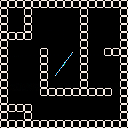
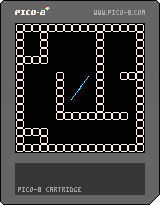
Prototype based on the game Kuru Kuru Kururin.
Physics still need some tweaking but works most of the time.
0 comments