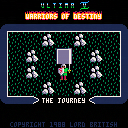
A demake of the DOS intro for Ultima V, one of my favourite games of all time. You can watch the original intro here: https://www.youtube.com/watch?v=3XN1mdyvZvM
Holding down Button 1 (Z) will speed up the animation, pressing Button 2 (X) will skip to the next scene; otherwise this is non-interactive.
Turns out that 16x16 sprites blow out the spritesheet pretty quickly, so I had to pack extra sprites into map data and didn't have enough leftover space for fancy logo lettering; but I quite like how the demade titling turned out anyway. Otherwise I've tried to be as faithful to the original as possible, including reverse engineering the in-memory tile animations they used, which was a learning experience. I scored it using Stones rather than the original intro music though, because Stones is kind of the signature tune of the Ultima series.


 6 comments




ive been lurking here since preordering a pocketchip, i came across the estimated shipping schedule this morning and promptly bought voxatron after seeing mine is not leaving china till around july 25th
if i overlooked another post with this info sorry for the repeat.
i look forward to being part of this community and apologize beforehand for being so clueless as this will be my first experience with any form of coding
5 comments



A game, created by Reem.
How to play?
z - change the colour of the box
x - make the box smaller
החבילה עוברת: משחק שראם עשה.
איך משחקים?
z - משנה את הצבע של החבילה
x - מקטין את החבילה
0 comments

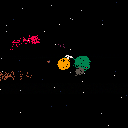
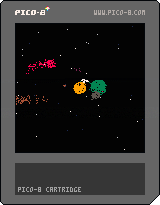
An alien astronomer is using a very inefficient method to observe the star systems they visit. Their spaceships are terribly advanced, but their optics are woefully behind: their best telescope only lets them see a single color.
But they persist. They survey the sky, one color at a time, moving the telescope just a little each time, and noting down the color they see. Slowly, painstakingly, an image emerges.
4 comments


However, not in Android.
Got bored, set up Arch Linux ARM.
Got angry at freedreno Segmentation faulting.
Wasted several days compiling debugging versions of programs and trying to fix the crash.
Fixed freedreno (libdrm needs --enable-freedreno-kgsl)
Ran PICO-8:

Keyboard is the linux 'onboard' program, set to run on top of all other windows.
(Screenshot is resized, otherwise it would be absurdly huge due to my DPI)
(Renamed title to hopefully remove some confusion)
13 comments





Keyboard controls
Move - Arrow keys
Shoot - Z or X
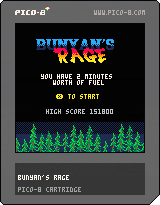
My first Pico-8 game following the Game Jam...another shooter, and a very basic side-scrolling one. Time limit style to try and get the most points.
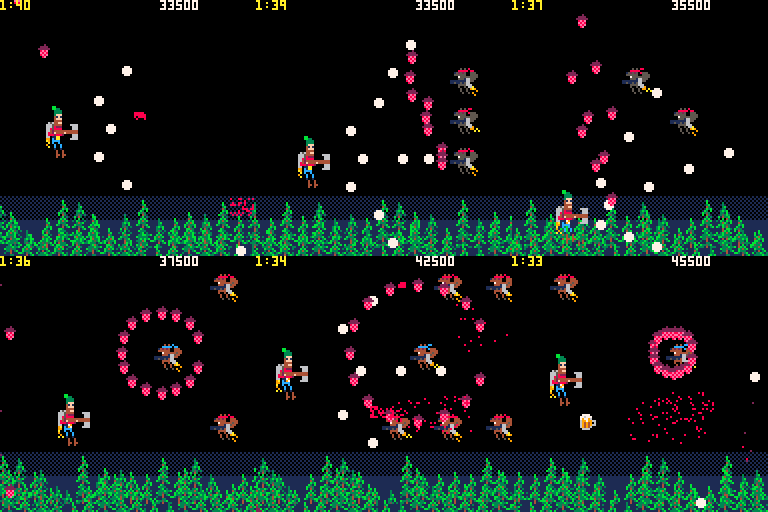
This is also a very real "lessons learned" type of game where I took all the things I learned from the jam and applied them here. I also tried to push myself in a few places to get better.
My first goal for this game was to get better and making sprites. My original theme for this was not a flying lumberjack but it turned out that way, so my sprites are squirrels, trees and jet packs...all in all, not too shabby. I at least proved to myself that making my own sprites is not that far off. However, while my art abilities got a shot in the arm, my sound making skill is totally non-existent. No music and the sounds are horrible. If anyone cares to fill in the blanks, please let me know!
Technically, this game was my chance to practice something that wasn't just a bunch of randomness. All the waves, routes and patterns were chosen and defined. I feel I got the concept down but still need to work on architecture to make things efficient...I think I wasted a lot of space/overhead but hey, it's working. I also made use of saving a high score and it's very easy.
I'm happy with this game in that it shows a lot of progress since my last game, Mass 360, for the jam. Hopefully I can take everything here and parlay that into my next game.
[b]Few things I learned for next time:
5 comments


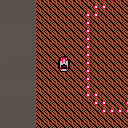
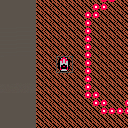
I'm not a gamedev, but I wanted to learn something new today, so I thought I'd start something that reminds me of the old Micro Machines games.
Still VERY much in progress, but it's technically 'working'
I've added another sprite and pixel perfect collision. Next I'll get that collision working properly with flipped sprites
4 comments





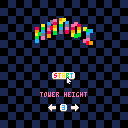
Rules:
- Move all the discs to another stick.
- You can't place a disc on top of another one smaller than the first.
-
That's all !
- To-Do:
- Add music.
- Polish.
5 comments





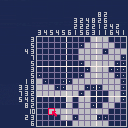
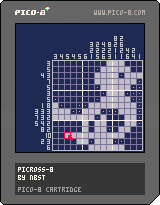
[UPDATED 22/06/2016]
Picross game with 12 easy (10x10) puzzles and 15 normal (15x15) puzzles.
X to draw
Z to mark
Arrows or mouse to move
[UPDATED 25/06/2016]
Added an option in the pause menu to leave the current puzzle and go back to the level selection screen.
21 comments








I'm happy to announce the relaunch of the Pico-8 wiki!
I've spent the last few weekends writing articles and reference material for Pico-8, including complete API and command references, a memory map (including format details), a summary of the Lua subset, and tutorials on several subjects. This is very much a rough draft and I still have a list of to-dos, missing articles, more thorough sample code with screenshots, and some stuff I want to reorganize.
But it's a wiki, so you can help! Corrections are welcome at this stage. If you want to discuss a change before making it, hit me up on Slack or use Wikia's messaging feature or just reply here. But don't be shy about changing things directly.
Let me know what you think!
--
Two possible points of controversy I'll mention up front:
-
I tweaked the theme colors so they're reasonably readable, matching the forum site. I'm still a bit concerned that the Pico-8 red is unsuitable for link and header text. One of my monitors apparently doesn't support sub-pixel rendering or something and blurs it all to hell, but I'm not sure how big a problem that is. I tried a bunch of options and all the others seemed to drop the Pico-8 feel of the site. Suggestions welcome.
- The cos, sin, and atan2 articles currently use a different convention to explain the y-inversion than the official docs do. A quick survey of the Slack group led me to try and explain it as inverting the angle direction and not the sign of sin(). This works until you get to atan2, which requires inverting the dy argument to fit that model. So the choices are counterclockwise with inverted sin() result, or clockwise with inverted atan2() dy argument. Inverting a result seems less problematic than inverting an argument, so I'll probably change it back. (I already have the diagram drawn.) Feedback welcome here as well.
Thanks!
-- Dan
11 comments





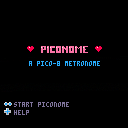
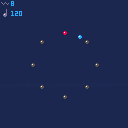
For all PICO-8 musicians out there: a pico metronome, Piconome.
Licence: cc-by.
This is my first PICO-8/Lua program. Feedback is very welcome ^_^
Piconome doesn’t support polyrhythm. If you want to change it in order to add support of polyrhythm, feel free and please let me know…
Changelog and older carts:
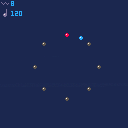
 4 comments

Is it possible to take a string and index it or get individual characters from it? Ideally, I would like to convert to/from bytes to ascii characters. It looks like Lua 5.1 supports this in the standard library, but as far as I can tell, Pico-8 doesn't include it.
EDIT: I notice that I can use the # symbol preceding a token to get its length, such as a table or array or string, but I still can't directly index it.
EDIT2: After thoroughly reading the manual as much as possible, it looks like my answer is to use the sub() function.
2 comments



I just received my PocketChip and have been using Pico-8 on my mac with a usb controller. I can get the controller working with Joystick and the calibration tool on the command line on the PocketChip, but Pico-8 doesn't seem to recognize it.
Is this a bug or am I missing a step somewhere? Any help is appreciated.
37 comments







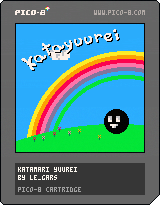
Hello! No Telemarketing speech for this one sorry!
I've started working on another project so I decided to upload this one as is so don't expect much.
You play as a ghost who had a nice party with a big floaty guy (definitely not the king of all cosmos) but ended up making a mess in every single house in the world, you need to clean it all up! ( A game about cleaning! Awesome idea..... right...? )
There is no real objective in the game right now but at least you can roam around and possess and bubble stuff.. I guess? (bubble physics yayyy)
Anyway, I hope you enjoy it and keep being awesome everyone!
1 comment
Okay, so right now, it's a bunch of design-doodled stuff for the time being; something like a "development wishlist" that I'm hoping to grind myself through soon... and hoping I can squish into PICO's limitations.
MARLO AND FRIENDS
Basically, a SMB "demake" comprised of 4 levels, repeated with some factors changed like enemies/placements, coins and platforming widgets. It follows the typical SMB pattern of "overworld, underworld, scarce ground, fortress," except that the bridge battle at the end will require you to cross it once forwards, once backwards, and a third time across. The "and friends" part is for pallette swaps, switching the focus of the game (and maybe, if enough tokens remain, the end-of-level widget, we'll see):
Marlo (red): Flagpole, clearly.
Zonac (blue): Speedrunning, distance jump at end instead of height.
Dunky (brown): Enemy combos, the DKC2 end-of-level prize-hammer thingy.
Roshi (green): Collectables, flowery-roulette wheel except now it's stars.
Warlo (yellow): Coins!! Slot-machine-card thing from SMB3.
I don't think I'll do much with powerups - just one that makes you big, and if you recollect it, you can do a mid-air trick one time. Marlo gets a double-jump, Zonac gets the Fire Shield-style dash from Sonic 3, Dunky... I haven't decided yet, probably the ground slam, though; Roshi does the ground pound drop, and Warlo... don't know about him yet either. There'll be bouncing starmen too, but only for scoring purposes, no invincible crap in this game!!
[b]ZWORD
14 comments





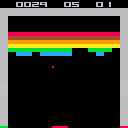
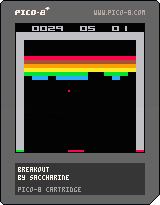
x starts a new game
There are some known issues :
- the ball is a 2x2 square but only the upper left pixel is used to detect collisions with the bricks
- hitting x the next seconds after losing a ball resets the game
- bounces on bricks doesn't work as expected in rare cases
- in the original game, hitting particular colors speeds up the ball - not here
Enjoy
0 comments
As I keep telling people about Pico8, I always relate it back to NES/Game Boy as a way to convey the "retro-ness" of it. But just for my own curiosity, how does Pico8 compare to real 8-bit era consoles?
I'm always looking back at my favorite games for ideas and things I loved, but need to keep reminding myself that Pico8 is not an NES (nor that it should be).
And I guess, do learned Pico8 skills translate to the skills needed for those old machines? Or does Pico8 make it so nice and easy that it's like night and day?
Just for conversation :)
16 comments