



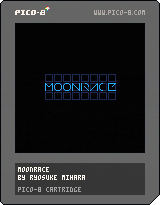
A short demo top-down shooter whereby players control a cannon-equipped bipedal walking machine on the moon, battling against AI foes.
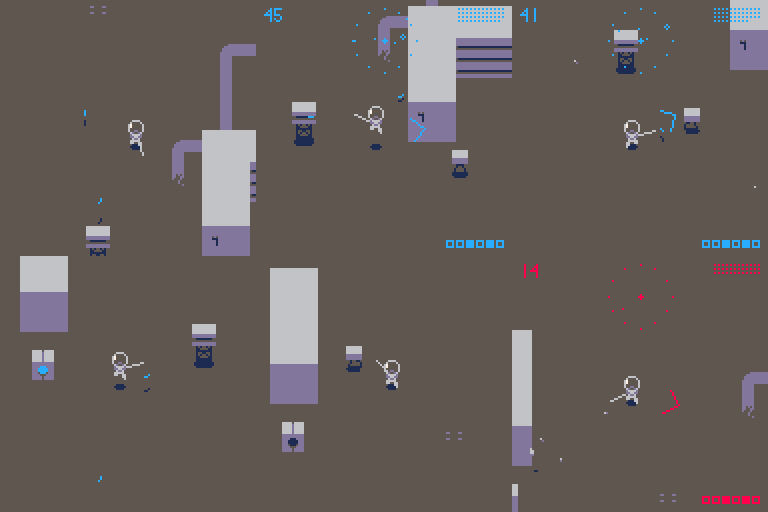
Controls
Direction keys: Movement
z: Jump
x: Press lightly to Fire/Press and hold to rotate cannon/Start game
HUD
Upper left number: Energy
Middle: Radar
Upper right sequence of points: Remaining ammo
Bottom right: Remaining destinations
- Your energy will gradually decline over time or due to damage.
- When your energy level reaches 0, the game is over.
- By firing while you are jumping, you can use the recoil to make quick moves.
- By standing on top of the power panel, the switch is turned on, and your ammo and energy will be replenished.
- The machine #2 has not a canon but a sword.


 3 comments


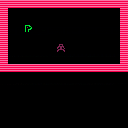

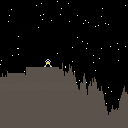
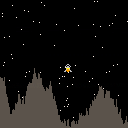
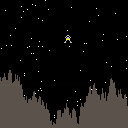
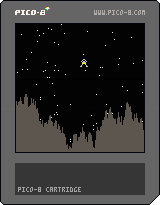
So I've recently got Pico-8 and thought I'd try something simple, a Lunar Lander game where you have to bring your spacecraft to a safe landing on a dangerous terrain.
Very very much a work in progress at the moment. But I'm going to try posting here updates as I go along.
Now with gravity and collision detection and explosions. Landing next.
Really ropey code for landing in place, with flat bits to land on.
Fuel next.
3 comments



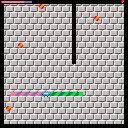
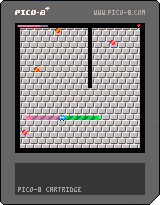
It's a play-alike for the old Windows game. Collision detection is a little bit wonky (almost always in your favor), but it's very playable.
3 comments

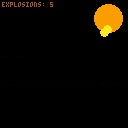
I have the sound muted -- if you want to test with the explosion sound, uncomment line 26.
The magic happens in the MAKE_EXPL function which creates a new explosion in the table (maxed out at 10 explosions). I call EXPLODE() to update all the explosions every frame.
Things I learned from this:
- creating a RN function for a shorthand FLR(RND)
- how to delete the oldest entry in a table
- conditional animations based on count and argument data
- palette cycling
I'm sure there's a better way to create the explosions using a single formula. This is the messy way. Feel free to remix with cleaner code or use this in your project.
0 comments

I am curious as to the devices that people use for portable play?
I am new to pico 8 and want a handheld console that I can take with me like a PSP. I saw an adafruit kit, the pigrrl zero, but doesn't exactly fit my needs and I am not very good with electronics.
Anyone have any recommendations?
7 comments





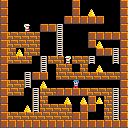
Lode 8 is an action puzzle game similar to Lode Runner.
The goal of the game is to collect all the gold bullion.
- Control
Arrow key:Move
Z:Dig a hole left
X:Dig a hole right
- Demo movie
4 comments


Hi everyone,
Just wanted to quickly share some pico8 tooling for visual studio code I wrote up. It's published at pico8-vscode.
Here's a mini screencast of it in action

Hope you find it useful. I'm looking forward to getting stuck in with more pico8 dev now I've got my tools working nice.
6 comments


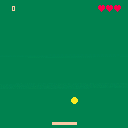

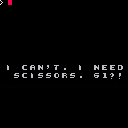
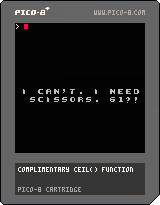
I wanted to make something that let me use different type-faces, so here's a rudimentary implementation of text-to-sprite.
I'd be quite happy to hear improvements, because I can't imagine my lookup table is the most effective method... >.>;
Hopefully, it'll be useful to someone! :)
0 comments
I wanted to make something that let me use different type-faces, so here's a rudimentary implementation of text-to-sprite.
I'd be quite happy to hear improvements, because I can't imagine my lookup table is the most effective method... >.>;
Hopefully, it'll be useful to someone! :)
0 comments
I wanted to make something that let me use different type-faces, so here's a rudimentary implementation of text-to-sprite.
I'd be quite happy to hear improvements, because I can't imagine my lookup table is the most effective method... >.>;
Hopefully, it'll be useful to someone! :)
0 comments
I wanted to make something that let me use different type-faces, so here's a rudimentary implementation of text-to-sprite.
I'd be quite happy to hear improvements, because I can't imagine my lookup table is the most effective method... >.>;
Hopefully, it'll be useful to someone! :)
2 comments


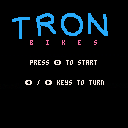
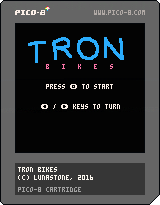
Tron Bikes
Made using the two-part series by Rabidgremlin
https://www.youtube.com/watch?v=ZuaLuMhwcc8
https://www.youtube.com/watch?v=Cjxzjc0NFpw
0 comments

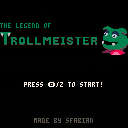
Classic platformer with eight levels! Defeat the evil Botmeister and his bot army in this thrilling adventure!
5 comments



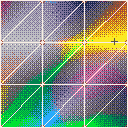
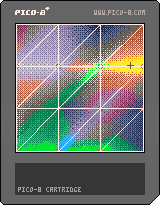
Here's a toy I have been playing around with. Perhaps somebody can use these functions for fancy shaded 3D rendering or something like that.
I have a few functions that draw "RGB" pixels to the screen using pattern dither that are approximated using the rgb values of the pico8 palette.
color_bayer_plot_8(x,y,r,g,b) -- writes a given r,g,b at the x,y (r,g,b are from 0 to 1) fast_rgb_create() -- pre-renders patterns using a 4X4 bayer dither representing 8 levels of R and B and 16 levels of G. fast_rgb(x,y,r,g,b) -- writes a given r,g,b at the x,y (r,g,b are from 0 to 1) function solid_trifill( x1,y1,x2,y2,x3,y3, r0,g0,b0,r1,g1,b1,r2,g2,b2) Renders a triangle with the three corners colored at rgb and shades smoothly between them. Right now this uses the slower color_bayer_plot_8. |
2 comments

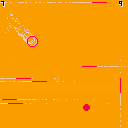
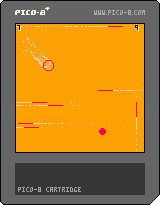 2 comments
.png)



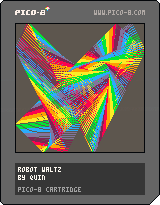
My Hello World project!
Two points bounce about randomly on the screen, and colorful lines are drawn between them. Whenever one of the points bounces off the wall, one of four sounds will play. Each time you play, a different pattern will get drawn.
So far, there is no interactivity. Maybe in version 2...
0 comments

I've run across two bugs. I don't know if they've been reported before. One may be CHIP specific, the other is most likely general.
1) Focus issue with controllers. With a CHIP starting with a controller plugged in, the controller is not immediately recognized.
Start Pico-8; try the controller, nothing happens; open the log file - a controller is shown as plugged in; go back to Pico-8; the controller now works. So you have to start Pico-8, shift focus away from it, go back to Pico-8, controller is now recognized.
This has been mentioned in the CHIP forum, but I don't know if it has been reported here.
2) Pico-8 does not work with a simple game pad.
I tried Pico-8 with Next Thing's (CHIP) supplied controller, and a Logitech Precision gamepad. Neither worked. Both recognized the start and fire buttons, but not the D-pad. I then tried a Logitech F-310 (controller with analog sticks). Pico-8 recognized this. Pico-8 is looking for an analog stick for direction control if you use a controller, not a D-pad.
There is no setting exposed to the user to change this behavior. As Pico-8 uses just 6 buttons for its control, it would seem that support for simple D-pad game pads would be appropriate.
1 comment


