


hi!
this is my remake of this music: http://zxart.ee/rus/avtory/x/xpeh/sokomix/
free to any use. download here http://rgho.st/8fd2WWFxx


 7 comments







Hey there!
Blob Smasher is a game we made during the BBQ Game Jam 2016, which is a 24-hour jam during which you spend more time eating grilled stuff than actually creating something.
Florian & I went with pico8 for the fun, and it's our very first experience with it and lua.
Blob Smasher is a 2-player versus game. Smash the blob to divide it and throw it at your opponent. Don't get touch by a blob while it's of the opposite color!
2 comments


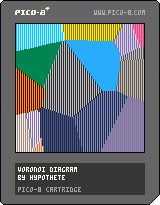
Simple Voronoi diagram generator. I was trying to see if I could get a speed boost from writing pixel values directly to the video RAM, but regardless the fill walking through all the pixels is still very slow. Any ideas on how I could speed things up?
--voronoi diagram
--by hypothete
points={}

function makepoints()
	for i=1,16 do
		e=rnd(128)
		f=rnd(128)
		add(points,{
			x=e,
			y=f,
			c=rnd(255)
		})
	end
end

function jitter()
	for i=1,#points do
		p=points[i]
		p.x+=rnd(2)-1
		p.y+=rnd(2)-1
	end
end

function near(pts,b)
	nt=nil --nearest pt
	nd=4096--dist to nt
	for i=1,#pts do
		a=pts[i]
		nl=(b.x-a.x)^2 + (b.y-a.y)^2
		--dist leaving off sqrt
		if(nl<nd)then
			nd=nl
			nt=a
		end
	end
	return nt
end

function drawvoro()
	for i=0,63 do
		for j=0,127 do
			k=i+64*j --x+y*w = 1d position
			z={x=i*2,y=j}
			np=near(points,z)
			if(np) then
				memset(0x6000+k,np.c,0x1)
			end
		end
	end
end

function _init()
	makepoints()
	drawvoro()
end

function _update()
	if(btnp(5)) then
		jitter()
		drawvoro()
	end
end
|
9 comments


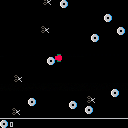
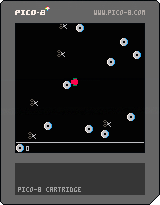
Very straightforward game thrown together in about 80-90 minutes when I realised nothing was really getting ready/finished for August's #onegameamonth.
Control a rad person as they aim to save their precious physical media from the dastardly rule of scissors.
Arrows to move, avoid scissors, collect CDs.
I actually did sound effects (limited, but present!). Quite happy with the speed/completeness of this, full disclosure though I have a basic 3-state template (update/draw for title, game, endgame) which I loaded up as boilerplate so that I could maximise the time I had.
Enjoy!
0 comments

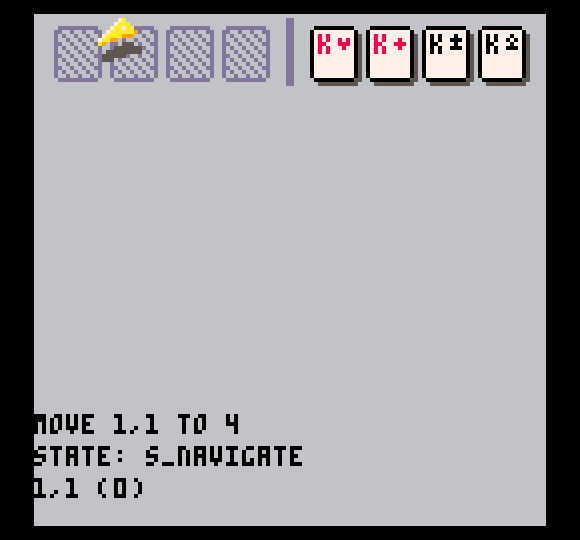
I took some time to rewrite things so that a more deliberate architecture was in place before moving forward with more changes. I wouldn't exactly call it "clean" at this point, but it's better. I'd happily listen to feedback on architecture once I've released it.
For now, a screenshot of my first finished game in Freecell for PICO-8. Lots to do still! I'd like to strike a balance that saves button presses without turning the game too much into "autopilot." As it stands right now, it requires far too much input though.
 0 comments



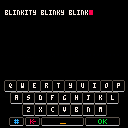
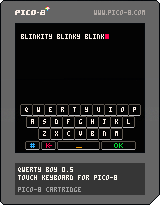
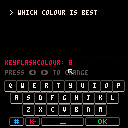
-- 0.5 --
- Added blinking text cursor
- 1646 tokens
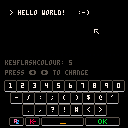
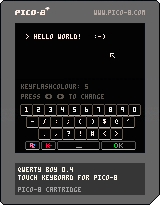
-- 0.4 --
- Numbers & Symbols keyboard
- (Potentially annoying) keyboard sounds
- Weird bug fix for the PocketChip version of Pico-8
- Token count has creeped up to 1529
 3 comments


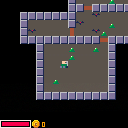
This is a silly little dungeon crawler I put together to learn PICO-8. It hasn't been balanced at all and is way too difficult right now. There's also only one level; the stairs are a lie :).
TODO:
- Player buffs
- More levels
- More enemies
- Better dungeon generation
- Possibly an end condition
- High scores table
4 comments


Couple people asked about how I did sprite rotation for josefnpat's collab cart https://www.lexaloffle.com/bbs/?tid=27582
Included is a sprite rotation function, and a way of layering them on top of each other to create an illusion of a 3d sprite.
Everything is commented, hopefully it's clear.
Enjoy, hope this is helpful for someone!
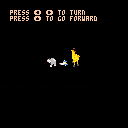
(the effect isn't perfect and can be a little unclear if you don't consider it when drawing sprites, if anyone has any more accurate examples of rotation functions I'd like to see!)
6 comments


My first 'game' playing around with some of the math functions and learning how the system works. Will hopefully flesh this out into something a bit more interesting.
0 comments

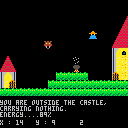
Hi !
This is a demake/adaptation of the game Sorcery (on Amstrad CPC), yes, a demake of a game from 1984... And I want it to be easier (Sorcery-eaZy).
In this game you are a sorcerer who has to save his apprentices. To do this you have to collect Items (swap items in fact), slay monsters and most of all, find your way.
As stated, it's a work in progress. It's not really playable. So I have still a lot to do :
- Apprentices
- Items (to open doors, and free Apprentices)
- Items (Weapons)
- Game Over
- End Game
- Cauldrons (to restore life)
- Complete the map
- Anything else I forgot
What's working :
- Not so much
- Doors (a big one)
- Moves (Sorcerer and some monsters)
- Monster management (pop and depop)
- Collisions with landscape : Block movements
- Collisions with Monsters : loosing life
If you want sorcery+, you'll have to wait :P
Oh and yes, I have included a Black Mage because I love them ;)
4 comments


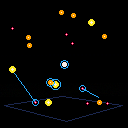
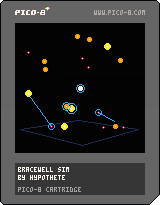
This is a simple simulation of Bracewell probes, AI-guided spacecraft that explore star clusters, looking for life and intelligence. Most of what I experimented with in this cartridge was depth-based sorting for drawing and hacky 3D projection techniques.
2 comments





Hello,
I'm working on the collab16 jam, which is my 1st real work on Pico-8 and I'm having quite some fun! Alas! my Pico-8 is now bugging a little:
- I want the bottom bar to show the tokens used, but everytime I go back to the code editor from another tab or after launching my program, the bottom bar shows the memory used, not the tokens. No improvement after quitting Pico-8 and reloading my file. It seems to happen only on my current p8 file btw.
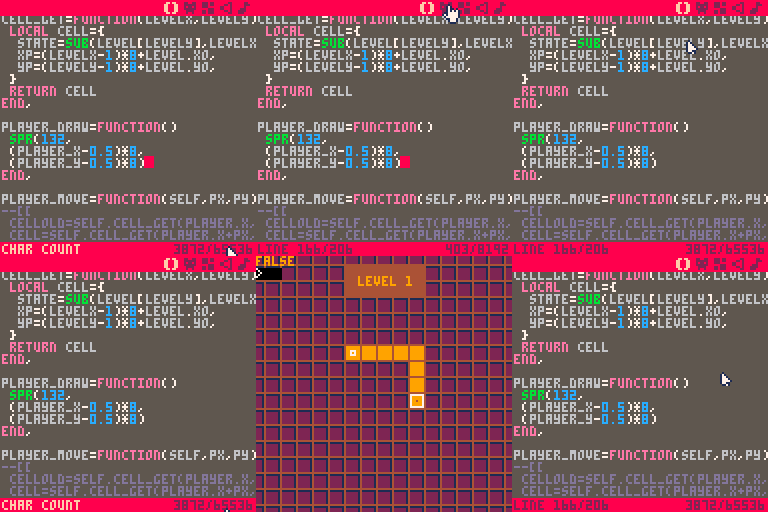
- When I switch to the sprites tab, too often it will go back the 1st of the 4 pages, although I'm working on page 3.
FYI I recently discovered the Alt+left/right keyboard shortcuts to change the current tab and uses it a lot. But the bugs happen with clicking as well as keycuts.
It's not the big real breaking bug, but I need to keep an eye on tokens count and check my sprites, so that's really annoying. Anyone has an idea, or had the same pb?
4 comments

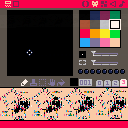
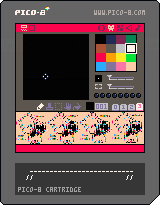
Yep, one more shot, this time Winnie ther Pooh. I definitely like this method and will most certainly use it for any carts I share as a neat way of logo and instructions.
Okay, getting back to working on other projects.
11 comments


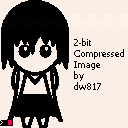
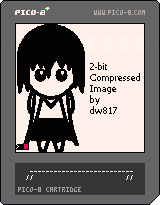
With the help from Gamax92, I found and am making use of exact MEMORY locations that are saved with a PICO-8 cartridge.
I wrote a program in BlitzMAX to convert a single 128x128 pixel B&W image to be stored as the last (4th) page of your custom character set.
As long as you don't overwrite it, you are still welcome to store your custom 192-characters in the first 3-slots and maintain the picture. Could be a logo, instructions, whatever you want. :)
You are also welcome to improve the code. If you do, please let me know how you did as I'm always interested in learning new methods of programming.
Updates:
Made it slower so you can see the screen drawn. In truth, you blink, it's done.
Chose color WHITE to display the image instead of gray.
Just now thinking it's probably better you see the code in the editor than in here.
Click the link above to see how this was done.
0 comments

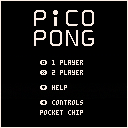
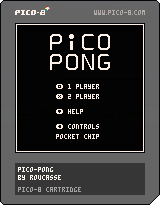
Hi, here is my first PICO-8 game ! (And the first game I ever released)
As you may have guessed, it's a remake of Pong.
I chose to do this game to learn the basics of LUA, and because that's one of the easiest game to code.
There are 2 control options :
- One for keyboard
- One for Pocket CHIP/gamepad (since the arrow keys are not at the same position).
That's my first game so the code may not be really optimised.
3 comments

In a normal Lua REPL, the following statement will evaluate to true:
print(string.sub('-24',0, 3)*1000) == -24000
|
In Pico-8, however, this operation causes a really tiny rounding error that was invisible even when printing the value.
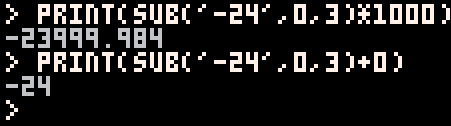
Pico-8 should probably coerce the string into a number without a rounding error. And perhaps print() and printh() could also display all of the numbers to the right of the decimal if you pass it a floating point value? That would have helped a lot.
4 comments


hello,
i use pico-8 on a raspberry pi 3 and the mouse doesn't work!?
it works well in GUI/XFCE and Kodi... but not in Pico-8.
strange... can i do something in the config.txt about it?
PS: mouse works if i start pico-8 from GUI but started from plain CLI no mouse arrow is visible.
best regards!
0 comments

Can someone modify this please (without making a function) so it does not flicker ?
I'm aware of functions _UPDATE and _DRAW and am trying to avoid them.
I know this can be done as I modified the HELLO program so it did not have any functions and ran just as smoothly as the original with no flicker.
... or am I hitting the top-end of what this language's speed is - trying to update every pixel per frame and it just can't keep up ?

 12 comments

