


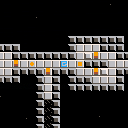
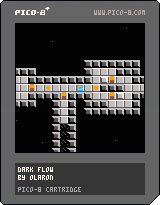
First version done in one night.
I'm pretty surprised by what can be done with PICO-8 in so little time.


 1 comment




When using _update60(), btnp() timing is also 2x faster, which makes it much less useful - the time to let go before the press is repeated is halved to 0.12s, and time between repeats also goes down.
This matches the docs (which say frames), but doesn't feel like it was intended - maybe something to be fixed for 0.1.9?
5 comments



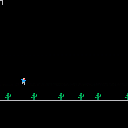
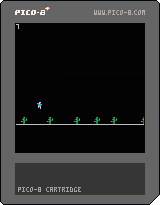
Just a test of how much game I can write on a single commute. Missing: collision, attract screen, score, sound.
0 comments

Just wanted to make sure I understood how things worked before diving into it too deeply.
So I understand the idea behind the pattern editor, I've used it to make short sound clips and stuff (and then these are obviously arranged within the music editor to make different instrument tracks, etc)
From what I can tell at a surface glance though, is that the music editor only supports one song. Is that correct? I get the impression that I can set the loop start/end points to choose between different pattern sets to allow for multiple songs (eg 0-7 might be song 1, 8-16 could be song 2, etc). Additionally, I assume that I can create my own pattern arrangements on the fly by means of poke()
Anyone know for sure?
1 comment





Is there any way to rotate or flip a sprite map?
I have a platformer room that is a sprite map but want to be able to rotate/flip the map so I can get several rooms out of a single drawn room.
My alternative is to use the map as a blueprint and then just draw the sprites myself in the loop at coordinates so I can rotate them that way, but sounds like quite a bit of effort (for me and the P8). So hoping I can manipulate the sprite map somehow.
7 comments





Greetings.
I have gotten trouble in coding a part of my game. The core gameplay is that a dragon goes through a randomly-generated dungeon, finds a treasure, and goes back to the start. The problem is that I had trouble knowing just how to place the dragon and the treasure. The idea is that the dragon would have to travel a considerable distance before finding the treasure, which is located at a "dead end". The code I used in the dungeon generation is here: http://www.dangerousru.in/p8/p8gen.html
I appreciate any help I get here.
4 comments


Hi,
The other thread about converting numbers to hex strings got me wondering if it was possible to do the same with fixed point data. (I did try searching here first but didn't find anything about this specifically)
I wrote a quick test to dump the bits out, but for floats I'm not sure where to find the fractional part. I figured it'd be in the top byte, but as the last test shows, it's not there (or my code is wrong). Is it possible to get at this data?
Thanks
function convert(value)
  local binary = ""
  for i=1,16 do
    local shift = shl(1,i-1)
    binary=abs(shr(band(shift,value),i-1))..binary
  end
  print("convert "..value.." to binary:")
  print(binary)

  local integerval = 0
  for k=1,16 do
    local str = shl(sub(binary, k, k),16-k)
    integerval += str
  end
  print("and back again: "..integerval)
  print("")
end

function _init()
  cls()
  convert(0xc0de)
  convert(12345)
  convert(3.14159)
end
|
4 comments

I'm trying to make a platformer that just uses pixel colors as a way to check for the ground/walls of a level, no sprite flags. At first it seems to work, the guy (stick) moves left/right and jumps on the initial ground just fine. But then when you jump up on the platform to the right and either walk or jump off back to the left, he sinks into the ground.
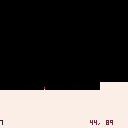
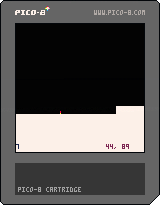
See code below, but what I'm doing is checking the pixel immediately below the stick to see if it's a ground color and if so, stop applying the gravity. Seems simple enough...made sense to me but I'm clearly missing something.
I'm happy with the jumping action, it's nice and smooth and such but landing seems to be an issue. If anyone has suggestions for my code or just insight in general, I appreciate it. Making a platformer is new to me...I usually make shmup games :)
NOTE: Code as-is is not checking for left/right collisions, just ground for jumping.
11 comments

Hi everyone! I'm mostly an old school gamer, which is why I'm glad I ran across the PICO-8 the other week and I've been having a bit of fun with it. A pretty cool concept that many people are pouring their hearts and souls into. Hopefully I can do the same eventually, but not being a tech person, I doubt I could do anything other than a demo (if I'm even that lucky!), much less an entire game. Yeah I know, there's tutorials and all, but those are too impossible to try to dive into with a rare illness that causes chronic fatigue when you're trying to concentrate and then you get interrupted by having to nap. Only two more surgeries to go before I'm normal again (whatever that means :P ), but I don't have the money for them right now, so we'll just have to see one day.
Anyway, here's some gaming stuff about myself:
Platforms/systems I own
Atari 7800 (with a few dozen 2600 carts)
Vectrex (hence my user name!)
Sega Genesis
Sega CD
Sega 32X
Some handhelds
Some PC games
Plug and play unit
*Chromebook (some stuff is exclusive to it but I mostly use it for internet gaming)
The family also has a Wii, Ipad Mini and a crappy Android device that I also game on but they're not mine.
And last but not least, some [b]gaming stuff I've founded as well
2 comments

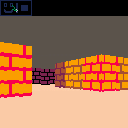
Lua's standard library has a pair of handy functions called "tonumber()" and "tostring()", but they don't seem to be present with Pico8, which is unfortunate. I realized that you can get a lot more storage space by using strings, rather than sprite byte encoding, but passing it back into usable number data is challenging.
At best, I've got this so far:
function str2hex(str)

  local dd={}
  dd["0"] =  0 dd["1"] =  1
  dd["2"] =  2 dd["3"] =  3
  dd["4"] =  4 dd["5"] =  5
  dd["6"] =  6 dd["7"] =  7

  dd["8"] =  8 dd["9"] =  9
  dd["a"] = 10 dd["b"] = 11
  dd["c"] = 12 dd["d"] = 13
  dd["e"] = 14 dd["f"] = 15

  local obj={}
  for i=1,#str do
    obj[i]=dd[sub(str,i,i)]
  end

  return obj

end
|
14 comments


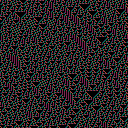
I've made a simple Cellular Automata generator as my first PICO 8 cart.
You can change the generation rule by modifying the rule variable at the beginning of the code.
More details about Cellular Automata can be found here
Any comments are welcome.
0 comments
Working on a little demake of MinerVGA.
Currently sitting at 15 ore types, 488 tokens, and 1 sprite page used. Most of the ores are loaded via peek() at sprite data. I want to keep it to one sprite page and 0 map pages, but we'll see how much I get done.

 5 comments


I was using btnp() to fire bullets (and arrow keys for movement) but noticed that no bullets would be fired when I changed directions. The documentation claims "btnp() also returns true every 4 frames after the button is held for 15 frames." but it looks like it only returns true if no other keys changed state for 15 frames. For example, if you hold down Z and press left and right alternately you won't see btnp(4) be true.
(Incidentally, the long delay before repeat made btnp() a bad choice for my game anyway, but you do see it used in sample code, e.g. the DOM8VERSE tutorial in zine 3.)
test code
12 comments



Hey guys thought I would post this here as I think the answer will help other too:)
Basically I want to make a function that approaches any number in as big chunks as possible. Like this:
Speed = approach (target number, amount to move by)
So speed = approach(0, 0.5)
If speed was 0.4 before I want it to hit 0 and not -0.1
So if speed was a higher number like 7 every frame till it hits the target 0 it would take 0.5
Really useful for making velocity and stuff feel good :)
Any help very much appreciated :)
13 comments

A fun little toy/demo displaying some maze algorithms.
Note the mazes generated are perfect mazes, meaning they have exactly one path from any point to any other point inside the maze. They're not so useful for making games without some adaptation.
Algorithms:
Binary tree: at each cell, decides to go either down or right. Produces a bias towards diagonal movement and obvious lines at the bottom/right.
Sidewinder: goes along a run of cells horizontally, then adds one passage downwards. Tends towards vertical movement and obvious line at the bottom.
Aldous-Broder: random walk filling in cells as they're visited. Produces a totally unbiased maze (assuming rnd() is unbiased) but can be slow at the end.
If you're interested in the topic I recommend this book (that I got the idea/algorithms from): Mazes for Programmers.
4 comments




Hey all,
Perhaps you can help me here. I am writing about "fantasy consoles" and I am trying to give some sort of formal distinction between the concept of "fantasy console" and a"virtual machine". Any input?
15 comments





