


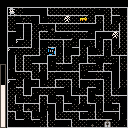
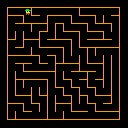
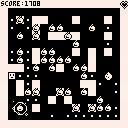
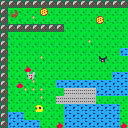
update 1: Did a lot of work on the maze generation and traversal to leverage 2d array of nodes data structure that holds the maze. Attempting to make some kind of game using a maze.
Player character: You are the spinning blue circle. you have the power to move through walls and teleport enemies to different squares
Thief: The thief starts in the upper left corner of the maze and naively traverses every square regardless of enemies or items. However, when the thief grabs a key his speed dramatically increases.


 0 comments



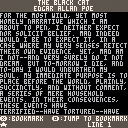
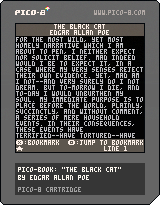
Introducing the first ever fully-featured e-book reader for the PICO-8!
I decided to include Poe's "The Black Cat" as an example story, mostly because it almost perfectly fits within the length requirements of this e-book engine (this story happens to be 21747 characters long uncompressed).
The text of the story is not stored as strings within the program, but it is encoded with Huffman coding in the bytes of the spritesheet and map. This is a more complete version of this project, so look at the details of that to learn more.
One thing I added here is the ability to save your progress through resets, and also add one bookmark that you can set and jump to anytime, with the X and O buttons respectively.
1 comment

Compression seems to be a thing I've been doing recently. Continuing this tradition, I am releasing an (only partially done) e-book reader for the PICO-8, with the first two chapters of Moby Dick! (It's also got some of the third one, too.)
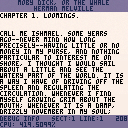
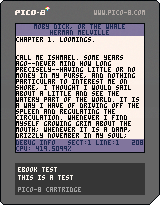
Some things to note:
-
Text is stored in the graphics, map, and sprite property data, as Huffman-coded bytes.
-
The text is divided up into sections that encode up to 6351 characters each (the length of user RAM minus one screen's worth of characters). These sections are byte-aligned.
- With Huffman coding, each character of the source text is basically replaced with a variable-length bit sequence (one that is sure to never be a substring of any other), with the bit sequences getting shorter the more frequent a character is.
4 comments



A small piece of code to dynamically create a functional cart from another cart and load it.
Why is this useful? Well, obviously this opens the door for somebody to write an alternative code editor for pico-8 carts! (j/k)
function _init()
	printh("pico-8 cartridge\n\n__lua__\n"..
[[
-- your cart code here
function _draw()
	cls(7)
	print("hello world",60,60)
end
]],"dynamic.p8",true)
	load("dynamic.p8.p8l","back")
end |
Caveats:
- Generated cart has ".p8l" extension, but it seems to load just fine
- It doesn't work for carts embedded on the BBS or loaded with Splore
0 comments


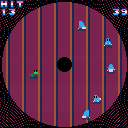
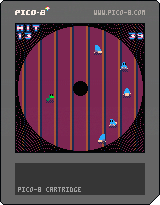
This is a demake of the infuriating "Beaver Bother" minigame from Donkey Kong 64. The minigame was a particular source of torment to Hbomberguy, a YouTuber who recently ran a wildly successfully charity livestream of him completing Donkey Kong 64 to raise money for the UK charity Mermaids, who support trans children and their parents. I created this to celebrate.
For everyone unfamiliar with PICO-8, the [O] button is Z on the keyboard and the [X] button is X.
It's still not quite there, but it's playable and almost as frustrating as the original so I think it's worth sharing.
TODO:
0 comments
.gif)



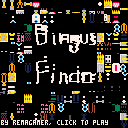
Bingus Finder
Gold Edition
Disclaimer: This is a trash game made for the joy of making, much in the same vein as Bert: Get That Sports! So don't play it if you're looking for a real game, and also maybe don't play it if you have epilepsy problems. I dunno.

|
[0x0] |
2 comments



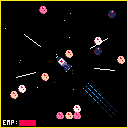
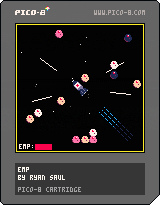
EMP
A shooter with no guns. Use your EMP charge to clear enemies!
Move around the map with arrow keys and button 1.
Press button 2 to release an EMP charge.
Your EMP meter must be full to release it. Moving will use your charge.
Collect all 4 objective markers to win, watch out for the orbs!
1 comment





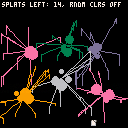
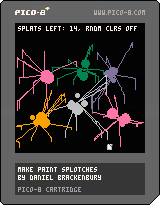
z = toggle random paint colour selection
mouse + click = throw paint
a very quick visual / novelty experiment that allows you to channel your inner pollock and create splotchy paint nightmare creations to tickly your fancy
2 comments


In order to save on some tokens, I put configuration number values into a string and then parsed that string. I then tried to use one of the values as a table key and it barfed on me.
Turns out, even though math functions recognize a string number as a number, using it as a table key will fail. You need to convert that string number into a integer for it work as a table key. My solution was to just add zero to number and it turned out okay.
t={"apple","orange","line"}
a="1"

printh(a+10) -- good, returns 11 (integer)
printh(t[a]) -- bad, returns FALSE

a+=0
printh(t[a]) -- good, returns "apple" as expected |
All in all, it makes sense but I had never come across this before somehow. But seems kind of weird that Lua will let you be lazy with numbers for math but not for other things.
3 comments


.gif)

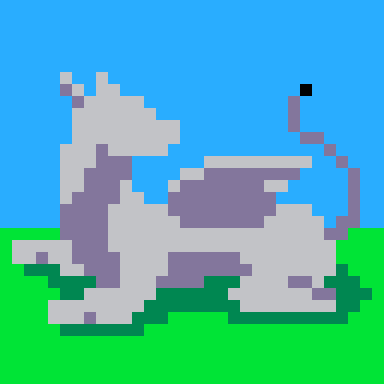
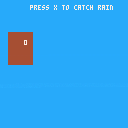
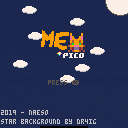
A cat in space - why not ?
Play as a kitty stuffed in a rocket, and fight your ennemies that are getting faster and faster !
Hello everyone !
This is my first game, first thread, first everything with pico-8 ! I'm very proud of it ! It took exaclty one week.
I would like to made a special thanks to the pico-8 discord, they provided some great help when I was struggeling !
If you have any question, any problem, or want to report a bug, please feel free to share your thoughts ! I still have a lot to learn.
Thanks for reading my post (and sorry if my english is bad...) ^^
2 comments

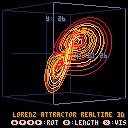
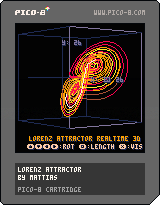
Visualizer of the Lorenz Attractor.
Rotate x and y axises with arrows.
Toggle boundingbox and axises with X. Toggle long (700) or short (20) tail with O.
3D projection tries to scale and fit complete attractor in screen dynamically.
Enjoy! It's MATHEMATICAL!
2019-03-06 Fixed button mixup (thanks kittenm4ster)
6 comments
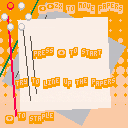
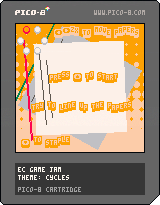
This is my submission for the Extra Credits game jam. For more information and to vote go, to https://smalltestaccount.itch.io/paper-stapler
Thank you for playing ^-^
2 comments

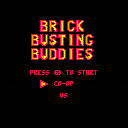
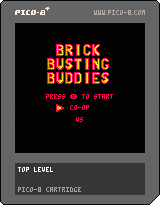
MMU Game a week submission
READ ME
Title: Brick Busting Buddies
Created in: Pico-8
Author: Ryan Wilson
Controls:
Control+R to restart the game
Player 1:
Left and Right arrow keys move the player from side to side
N/Z - Serve Ball
Player 2:
S and F move the player from side to side
L-Shift/Tab - Serve Ball
Menu:
Up and Down arrow keys move the cursor up and down
X - Select Game Mode
Objective:
Vs: Score points against the other player by getting the ball past their paddle, first to 7 points wins
Co-op: Destroy all the blocks in the level without losing the ball
Rules:
If the ball touches the red line behind your paddle
(in Vs:) your opponent will gain 1 point, first to 7 points wins
(in Co-op:) the game is over
Out of Engine Resources/Assets used: None
Known Issues: Collision does not work correctly and can cause the ball to become trapped between Paddle.
The ball will not change direction if it hits 2 bricks at once as the b_dy value is reversed
twice causing no change
0 comments