

Hey All,
First post here after recently picking up and playing with pico-8 (humble bundle). It's rather brilliant I have to say!
I have only been playing around with coding for a couple of months and remain very much a novice, and this is my first time using lua with pico-8.
My question is regarding tables of tables (objects I am spawning in my game), and the deletion of those objects...
Let's say we have the following little program which spawns 5 THINGS, gives them unique names, and then adds them to the list a{}. We then delete the item with NAME=3, and then print some output...
a = {}

for i=1,5 do
	local thing = {}
	thing.name = i
	add(a,thing)
end

for thing in all(a) do
 if thing.name == 3 then
  del(a,thing)
 end
end

for thing in all(a) do
 print(thing.name)
end

print("# = "..#a)
print(a[3])
|
Output is: 1, 2, 4, 5, # = 4, TABLE
This works fine, and is the standard practice I have been using to remove objects from the master table.
However, let's say I already know which item on the main table (a) that I want to delete by its index, say the third item... i.e. a[3]


 3 comments


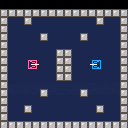
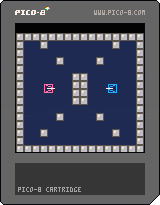
The beginning of an attempt to recreate "Combat" from the Atari 2600.
Tanks and movement only at this point. No bullets or collisions yet.
A lot of the code was borrowed from "Blasteroids" by Lulu Blue as detailed in Pico Zine #3.
5 comments




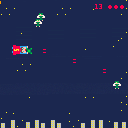
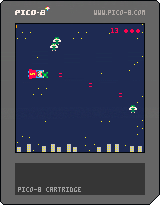


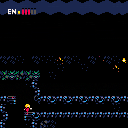
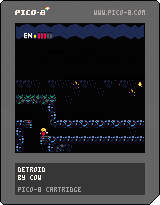
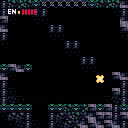
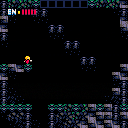
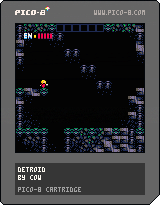
Just a little procrastination project. Not sure if it's going anywhere. Very early demo just showing movement and tiles. |
12 comments








When I try to run the code listed below, my game freezes because of the while loop. Can anyone shed some light on how I can prevent the while loop in this code snippet from choking? Or if there's a better way all together?
I'm hoping to add additional objects to these functions (though they would be single objects instead of sets of 30 and 15, but I'm not at all an experienced coder.
I was trying to borrow code from the following page: https://level0gamedev.blogspot.com/2016/05/back-to-game-code.html
I'm also having a second issue of all 45 sprites being set to foo's sprite instead of 30 for foo and 15 for bar, but i'll have to tackle that later unless someone can weigh in on that as well.
Any help is greatly appreciated! Thank you :)
function _init()
test = 0

for i = 1, 30 do
	spawn_actor(foo)
end

for i = 1, 15 do
	spawn_actor(bar)
end

function spawn_actor(name)
	local obj = {}

	obj.type = name
	obj.frame = nil
	obj.x = flr(rnd(right_border) + left_border)
	obj.y = flr(rnd(bottom_border - top_border) + top_border)
	obj.w = 8
	obj.h = 8
	obj.x2 = obj.x + obj.w * 8
	obj.y2 = obj.y + obj.h * 8

	if obj.name == foo then
		obj.frame = 16 + flr(rnd(3))
	elseif obj.name == bar then
		obj.frame = 32
	end

	overlapped = true
		while overlapped do
		overlapped = false
		foreach(actors, function(actors)
			if actors.x <= obj.x + obj.w * 8 + 1 and
			actors.x + actors.w * 8 >= obj.x - 1 and
			actors.y <= obj.y + obj.h * 8 + 1 and
			actors.y + actors.h * 8 >= obj.y - 1 then
				test += 1
				overlapped = true
				obj.x = flr(rnd(right_border) + left_border)
				obj.y = flr(rnd(bottom_border - top_border) + top_border)
			end
		end)
	end
	add(actors, obj)
end

function _draw()
	cls()
	foreach (actors, draw_actor)
end

function draw_actor(obj)
	spr(obj.frame, obj.x, obj.y, 1, 1)
end
|
2 comments


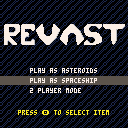
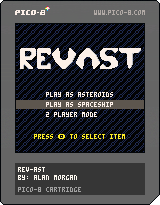
Revast - Reverse Asteroids
Play asteroids as the asteroids, as the spaceship, or with a friend!
TODO:
+Improve sound effects
+Improve music
+Better Spaceship AI
+Better Select AI
+High Score System.
0 comments


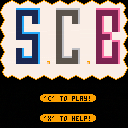
Here my first project here. Its SCB. More Info, Tutorial, Content and Introduction comming soon.
MfG Genesis2142
1 comment



This is just a slightly modified version of one of the example programs from the official guide found here. This is the first thing I've made with PICO-8 after picking it up in the humble bundle. Enjoy! :)
Edit: Oh TW for flashing colors and stuff.
2 comments

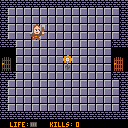
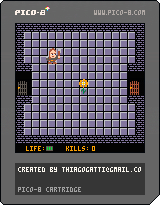

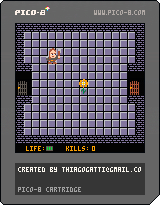


Hello everyone, this is just a small thing I did for Pixel Dailes.
Controls :
- Left/Right : Move cursor.
I didn't do anything else than just this screen, I was mostly interested in throwing the bases. I might touch it up later but that's unprobably (unless people are interested in working on it together...)
(Older version, music-less)
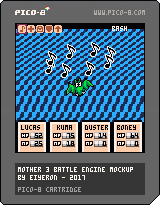
Have a nice day!
5 comments


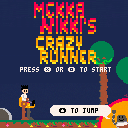
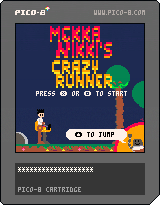
Quick runner inspired by online comics series Mekka Nikki by Exaheva and Félix Laurent. You can find the series on the attaque surprise website.
0 comments

I'm trying to use a MIDI keyboard for input to make the SFX editor a little easier for music making. I am using Bome's MIDI translator to convert the keys on my MPK mini to keystrokes. In the PICO-8 console, I can hit C and it will output as a Z keystroke, then D and it outputs as X, and so on. But when I open up the SFX editor and begin playing on the MIDI keys, nothing shows up. My keyboard still works as usual and can hit Z to create a C note. I'm confused as to why the keys will output in console or the LUA editor, but not in the SFX editor. Anyone know how to get this to work?
1 comment

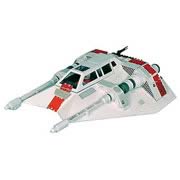
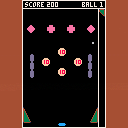


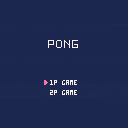
Arrow keys for bottom player and ESDF for top player when playing two player.
AI needs some work.
0 comments


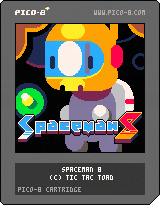
Here's our latest game we made as Tic Tac Toad. Please enjoy!
THE STORY SO FAR
Life has been tough on mining colony w4ge-514v3, but you are tougher. Don the helmet of Spaceman 8 and mine the labyrinthine busom of icy spacerocks for gems and haul them back to company collectors. The oxygen supply is scarce and depleting fast, so you have to keep your visits brief. Luckily, your trusty hummingbird-class jetpack is highly manouverable, and will get you to the exit quickly.
Use the hard-earned credits to upgrade your gear in the shop at the end of each day. How much can you earn in a week? Will you even survive or will greed get the best of you? Only one way to find out!
[b]CREDITS
48 comments