


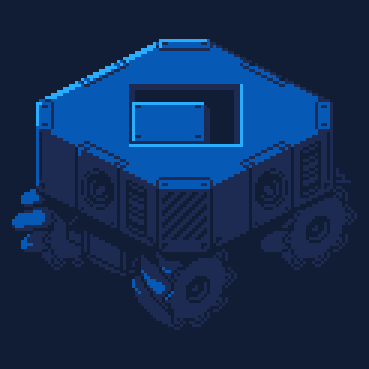
Rev your engine, lure the zombie horde, and save humanity.
Controls
- ⬆️ accelerate
- ⬇️ deaccelerate/reverse
- ⬅️/➡️ steer
- ❎/X + ⬅️/➡️ to drift (turn quickly around)
- 🅾️/C use nitro speed boost
Please post your score, so I can update the highscore table with realistic scores

Game by voidgazerBon. Follow me on Bluesky or Mastodon
You can download the carts on itch.io


 9 comments






Hi everyone,
I'm converting a few userdata objects from "f64" to "i16" to do some bit-manipulating on it (for example for testing clipping flags and things like that).
The "convert" operation seems to be quite costly, though. I guess that's mainly because it's returning a new userdata object:
local new_data_i16= existing_data_f64:convert("i16") |
However, the documentation shows a "dest" parameter which is not further mentioned but it looks to me as if it could write the data into an existing userdata object:
userdata:convert(data_type, [dest]) Return a copy of userdata cast as a different type. When converting to ints, f64 values are flr()'ed and out of range values overflow. |
No matter how I turn this syntactically, it doesn't result in a filled "dest" object.
Can someone maybe shed some light on how this is meant to work or is this parameter for something completely different?...
0 comments


SAWBIRD is a tiny 64x64 simple arcade dodger featuring a pigeon as the main character!
controls:
arrows to move
arrows on game over to start a new game without going to the start screen
z/o to place bomb if you have enough points
hold x to see your progress towards the next bomb
buttons for starting game (as well as arrows)
buttons for going to start screen from game over
rules:
run to the yellow bar to earn points
dodge the sawblades, collect coins!
"!" appear when a sawblade is coming, if it's yellow it's a big saw, watch out!
green and yellow "!" is a homing snake
red and pink "!" is a normal snake
13 comments






People are dumping trash all over the streets! It is up to you to clean it up while you still can.
v1.1:
- Fixed Major issue where bombs would spawn inside of trash/coins.
Controls:
Z/C = [O] (select/fast move)
X/V = [X] (select/fast drop)
Left/Right = Move
Down = Fast Drop

This is a small arcade-style 2 colour game heavily based off of that one massive cubeworld product. Pick up falling trash, dodge the bombs, and get a high score!

There are 4 modes:
Marathon: Gain 15 levels without dying.
Sprint: Gain 4 levels without dying.
Endless: It doesn't end, so keep collecting!
1 comment


Shumpy Jump
Blast through the cosmos in this space shoot'em up! Pilot your ship across dangerous zones, from drifting asteroid fields to mysterious nebulas and hostile space stations.
Pick your challenge with 3 difficulty mode. Each cranking up the enemy count, boss difficulty, and bullet chaos. Grab power-ups and unleash devastating shotgun blasts to survive. Take down five unique enemy types and face off against powerful bosses at the end of each area.
Chase your highscore, master every wave, and prove you've got what it takes to clear all four zones and reach victory.
Features:
- 4 distinct areas with unique themes
- 5 enemy types + 4 differents boss
- Power-up system
5 comments


This is a GFX demo of autumn leaves in the wind. I made this for a game I'm working on and thought others might be able to make use of it.
v2 Changes
Rotated leaf sprites are cached to sprites 4..7. Leaves also now just wrap the screen instead of despawning-respawning. This should perform better than the previous version.
3 comments



If you try to drag and drop a file from splore or filenav onto the picotron desktop, it won't automatically snap to the grid until you move it again (but it's really just a mild inconvenience).
0 comments



Grime Spree!
by soundSimian
The beautiful Italian town is getting filthy, and people are littering the streets without care.
See how long you can keep the town clean before getting overwhelmed!
New Version 1.1 - 7 March 2026

Controls
- Arrows or controller for up, down, left and right
- X to sweep up trash
- Hold X when near trash bin to dump the contents of your bag
Tips
- Your first broom is slow. You'll need many sweeps to pick up trash
- Stop and relax for a moment to regain some energy
- Watch your energy and grab power-ups before you get too tired
- Your bag has a limited capacity, and there's only one bin to empty it into
2 comments



The classic 5 of a kind dice game for solo or pass and play up to 2 players. Yatzy is a dice game where players need to score as many points as possible, by rolling five dice to make different combinations. This game consists of 13 rounds with the scorecard having 13 categories. Roll the dice up to three times and choose which scoring category is to be used for that round. Once a category has been used in the game, it cannot be used again. The winner is the player who scores the most points.
Features:
- High Score Board
- 1 or 2 Player Pass and Play
- Save and Continue
By Neo Retro Games
Click here to Join our Discord Server
0 comments


Made by following Tsoding's video " One Formula That Demystifies 3D Graphics", the link is https://www.youtube.com/watch?v=qjWkNZ0SXfo&t=1010s.
Still needs some work.
0 comments
Hi everyone,
I'm using sspr to select small regions from a bigger sprite atlas.
Since I have many sprites to draw, I'm trying to render userdata-batches just like it's possible with tline3d and spr, too.
Unfortunately I can't get it to work. Maybe the parameter format is different?
Here is a very simplified example:
set_spr(1, sprite)   -- "sprite" is userdata "u8" 64x64

-- fill sspr-parameters into userdata
batch:set(
       0,0,
       1, 0,0, 64,64, 90,60, 64,64, 0)

sspr(  1, 0,0, 64,64, 20,20, 64,64, 0)  -- this works, draws a 64x64 sprite at 20,20
rect(20,20, 20+64,20+64)                -- rect to show where it's expected

sspr( batch )                           -- some thing with batch - does nothing
rect(90,60, 90+64,60+64) -- debug rect (empty...) |
Tried "batch" with 9, 10 and 11 components because I wasn't sure about the flip-flags.
Did I miss something?...
2 comments


Controls
- Use the left and right arrow keys to choose an option.
- Press Z or O to confirm your selection.
- Menu item for Training Grid
Rules
Move the arrow with each card you select.
After the third card selection, the arrow fires automatically.
Choose the right cards to score as many points as possible.
Behind the Scenes
This is the third game I created under the fictional studio name Tiger Lantern Games, and it was the most fun to make.
The main challenges were:
- Making sure the arrow did not miss the target.
- Ensuring the colours and scores matched correctly.
The game is inspired by Caddie Cards and Alpine Alpaca.
4 comments


Controls
The controls are
Arrow keys for movement. Z/O and X keys are used for menus
Rules
Collect as much meat to feed your tiger in 60 seconds.
Behind the Scenes
This was the first game I completed behind the scenes, as the fictional Game Studio, Tiger Lantern Games.
Credits
James Woodwright - Art and Code
0 comments


This is a tool that reads in all of the overworld map data from Pokemon Gen 1 (Red/Blue). You can use the direction keys to cycle through all of the maps. Hold the mouse button to scroll. Use the X button to export all of Kanto to a text file on the desktop. This file can be then included in Pico-8.
This is a companion tool for this Pico-8 Project:
https://www.lexaloffle.com/bbs/?tid=155249
The process to extract the data as well as the code of this cart are thorougly explained in this video:
Feel free to use this as a starting point for your games in Kanto. Make sure to contact me if you have something cool. I want to see it!
Also, here are the wonderful resources I was working with. Big thanks to all those people providing them. Without them I wouldn't have figured it out myself:
3 comments