

How do you post to Itch.io and be able to play in-browser? I'm aware that you can export carts as more than just .p8.png, which is what I've been doing, but I've been unsuccessful uploading .html and .js to itch.io allowing for play in-browser. I know this is possible since others have been able to do this, even before those features were introduced. I can't find any documentation on how though. Does anyone know how?


 2 comments





This is a fun bug, but not exactly a big deal. I'm not sure if it has been reported before.
If you delete any amount of text at the end of a cartridge, you can retrieve it by pressing the DELETE key while your cursor is at the end of the file (as long as the buffer is not empty).
Simplest way to reproduce: Write something in the PICO-8 code editor, and then delete everything. Write something (one character will do) and then press DELETE. Voila!
0 comments







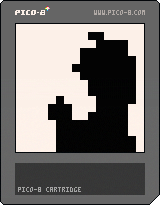
This was originally supposed to be an engine for animating a splash screen with as little cartridge storage as possible. As it turns out, it's not too difficult to make a good-looking smooth animation, as long as it's not too long. However, the music video for "Bad Apple" is not not too long.
In order to fit the entire animation, I had to render it at 3.75 FPS, and make it 16*16 pixels...but hey, it fits on a PICO-8 cartridge, so why not?
6 comments






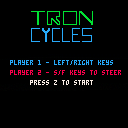
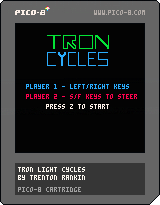
Here are the final results of my juicing and upgrading of the game! I might come back to this in a few months and redesign it again, but am unsure at this point.
 0 comments



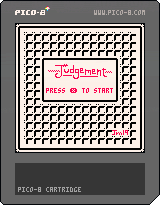
Hello everyone! This is my first cartridge using the PICO-8 console. It's called Judgement, and it's based off of the Game and Watch game "Judge". It's a fairly simple game, and a game of chance at that. This was a fun project to work on - it took me about 6 hours start to finish. I hope to contribute a lot more games to the community in the near future.
1 comment


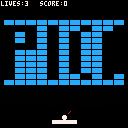
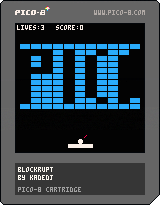










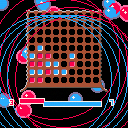
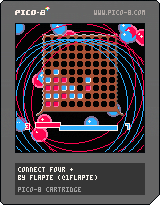
This is the first project I completed in pico-8: Connect four +
It is just like connect four but with a twist.
When someone puts four of their pieces in a row the game doesn't just end. Instead, the pieces disappear and everything above falls down sometimes making new four in a row's. For every four in a row, four random pieces of the other person will disappear.
You can play against a friend or against AI. (or let AI play against itself :-P)
controls
- Use the arrow keys to select the slot in which you want to drop your piece.
- X to drop the piece.
Have fun.
ps. I have never beaten the AI myself.
pps. I also have an itch.io page.
7 comments