


Lesson: DON'T POKE VRAM.
Or poke anything for that matter.
Results: cartridge.
How did I manage to do this? I do not know in the slightest.
Anyways, enjoy.
EDIT: It also messes up audio.
-- WARNING --
Shrill and loud sound in the beginning!
THIS CODE MESSES UP YOUR PICO-8 SESSION!
DO NOT, I REPEAT, DO NOT RUN THIS IF THE SESSION IS IMPORTANT!
The colours in the shell WILL go weird after using this!
Please restart your PICO-8 with REBOOT or SHUTDOWN after using this!
-- New and improved version! --
No more shrill sound!



-- OLD VERSION --
[Warning!]
Loud sound in the beginning!



 1 comment



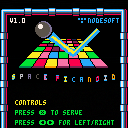
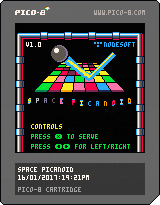
First Pico-8 game. Sorry it's Pong/Arkanoid again :) This is pretty much done simply because I can't think of anything else to add. I had to learn Lua at the same time so the code is probably pretty horrible. I'll update it for bug fixes and that but I'm probably going to move onto something else after this.
- 16 levels.
- 7 power ups.
- Persistent high-score.
- Whizzy particles.
Yeah, I guess that's it. Many thanks to the Pico-Hero guy for getting me started.
4 comments




But is there any guides to installing this on a Raspberry Pi 3 that's running Raspbian? I've managed to transfer over the files and extract the folder but I have no clue as to how I'm supposed to run the program. I did make sure to download the rPi version as well.
Sorry if it's a bit of a newbie question. Just really want to try this thing out :)
2 comments


Hi,
I'm trying to record an animated GIF under Linux in PICO-8. It records it fine according to PICO-8, but I have no idea where the file is located. I've done a file search for GIFs under my user directory and nothing turns up. Nothing under $HOME/Desktop where I'd expect it to be.
Little help?
8 comments





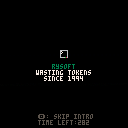
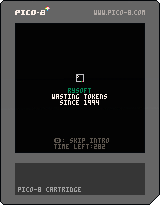
Just my intro.
Easy enough to plop in front of anything, really
just copy and paste
Press O/A/Circle to skip
Dev timer at the bottom
 0 comments

I know this is a small thing, but I often forget to quit pico-8 and I leave it running in the background overnight, which prevents my Mac from sleeping. Maybe it could be tweaked so that pico-8 only blocks the display from turning off/computer from sleeping when it's in run mode?
I tracked it down to pico-8 by running pmset -g assertions which showed:
pid 164(coreaudiod): [0x001a40d7000197e9] 11:05:27 PreventUserIdleSystemSleep named: "com.apple.audio.AppleHDAEngineOutput:1B,0,1,1:0.context.preventuseridlesleep" Created for PID: 93582. |
PID 93582 is pico-8. So it appears it's because it's keeping the audio channel open.
2 comments


Hey guys,
I wrote a bash script to download/ rename carts from the bbs,
you can download a single thread, or the whole index (50 carts per page), you can also dump carts from your favorite section.
The script rename the cart to include metadata, the downloaded PNGs looks like that:
funfetched_nanoman-1.0_29017_38515.p8.png |
the name is arranged with the following structure, uou can easily customize it in the script:
$AUTHOR_NAME"_"$GAME_TITLE"_"$BBS_ID"_"$GAME_ID".p8.png |
So it runs on linux/bash, it might work under windows 10 bash (?), not sure i never tried the OS ; tell me :]
I'm not a bash expert, it just works :) if you have suggestion or tips, i will gladly read your comments!
link: https://github.com/kikookoubis/pico-8-carts-bash-downloader
2 comments


Hi everyone!
I am building a small pong clone and I would like the game to pause for 2 or 3 seconds whenever a player is scoring.
I saw that there are out there timer class but, since it was not easy for me to implement that, I wanted to ask if there is a simpler way to achieve this result.
Thanks!
3 comments

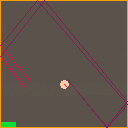
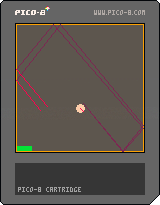
- This is a test to create some echo effect. Initially intended for a game I made (Into the Darkness).
- The echo simulation is very simple: a sound is played from a given source point in a given direction. The sound propagates at a given speed in this direction and with a given aperture. As it propagates, it is attenuated and reflects on the walls (ideal reflection) with a given absorption.
- All the parameters (initial position, direction, sound speed, aperture, attenuation, absorption) can be set before launching the simulation.
- Once the simulation launched, the source can then move and becomes a receiver. The sound echo can only be heard when the receiver is located at the front of the sound cone (red lines).
0 comments


Final Project for the Computational Media 164, Professor Adam Smith, Winter 2017
#CMPM164w17
Controls:
Menu:
Up and Down to navigate
Z to choose
Game:
Up and Down to move forward and backward
Left and Right to turn
Z to jump
X to shoot
S to throw grenade
TAB to switch guns
E to enter Warthog
--Z to accelerate
--X to accelerate
Students/Developers:
Geoff Smith
Hiu-Chun Lo
Noah Davidson
Jonix Gabato-Telmo
Nima Bazofti
Nikolai Chen
Code Attribution/Special Thanks:
hungrybutterfly (PICO 8 BBS) - Wolfenstein 3D https://www.lexaloffle.com/bbs/?tid=28423
Zep - his specially made raycast demo cart
Adam Smith - for being a cool dude (and our professor)
4 comments





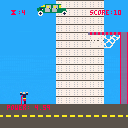
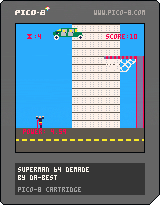


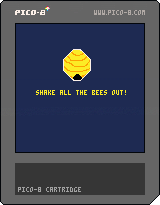
Challenge to make a Wario Ware-esque mini game. Use the left and right arrow keys to shake out all of the bees before time runs out!
0 comments
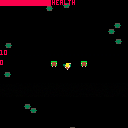
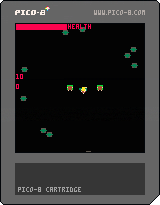
Protect the Hobbits from the Orcs as Legolas. Use left and right arrow keys to rotate, up to move, and press X to shoot arrows.
0 comments
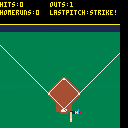
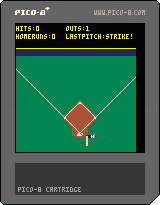

Slide prototype meant as an exercise on "game feel." Use arrow keys to move and X to dash!
0 comments
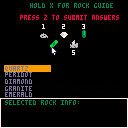
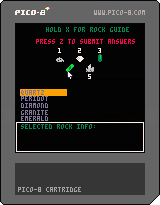
Use your mouse, arrow keys, and X button to uncover clues about these rocks and minerals in order to identify them!
0 comments

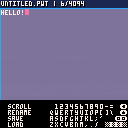
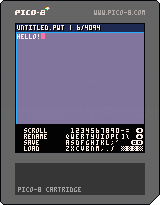
This is a text editing program because everyone loves to write text with a gamepad!
- Type using an amazing virtual keyboard!
- Save and load up to ~4k of text!
Instructions :
Navigate the virtual keyboard with D-Pad and press (O) key to press the highlighted key.
The (BACK) virtual keyboard key works as Backspace, allowing you to erase a letter
The (UP) virtual keyboard key works as Caps Lock, enabling use of !@#$%^&*()_+
The (OO) virtual keyboard key works as Return. Nuff said.
The long virtual keyboard key is Spacebar.
Pressing (X) on your physical gamepad switches you to the sidebar. Pressing it again allows you to go back to the virtual keyboard.
Selecting SCROLL allows you to scroll the text vertically and horisontally until you press (X).
While highlighted but not enabled, SCROLL allows you to move the text cursor left and right by pressing D-Pad left and right.
Selecting RENAME allows you to set the name of current document.
Selecting LOAD will search for and load the cartridge with the name of the current documment. Crash if none found, //TODO
Selecting SAVE will create a cartrige with the name of the current documment.
HOW SAVING WORKS :
The saving works by overwriting the map data in the ram with ASCII-like-encoded text data and storing it with cstore.
2 comments


