





This is the start of an RTS engine I was working on last year. I haven't worked on it a bit, and it isn't fully usable on BBS, but if you want to take it and make something with what I have here, have fun! If you do use this please credit me.
SPRTSE ("Spritzy" -- Small Picotron RTS Engine)
(Only using Lego Battles images as stand-in -- since it had everything I was wanting simplified. All was going to change when I got further along, but I kinda stopped.)
SPRTSE "Lego Battles Plus Game Test":


Here are the 2 previous carts I made to test some of the in-game mechanics.
Map Navigation:


 0 comments


 4 comments




Swopper is a game where you "swop" blocks from place to place, doing your best to match 3 or more of them together. You play as Swopper, intergalactic spacesuit-wearing orangutan hero kidnapped recruited by extraterrestrial visitors to save their planet from a block apocalypse.


UPDATE!
Changes 10/02/26
- Made the Pickaxe more interesting by having each sparkle block increase the bonus multiplier by 1. Hopefully I didn't make it OP.
- Put the bonus multiplier in the header near the score, so you can keep an eye on it
Changes 09/02/26
- New powerup: Time Out! Time freezes, allowing you to set up big matches risk-free.
18 comments







Update 1.2 (2026-10-19):
- Small graphics changes
- Updated label image!
Update 1.1 (2026-07-12):
- Decreased Redbloom price from 5 to 4
- Removed normal Fungus from store
- Added Wildflower
- Slight visual tweaks
5 comments


Controls
x to bark, and to skip next level message
left and right to move horizontally
Credits
https://www.youtube.com/@spacecat88 (very helpful tutorial)
0 comments
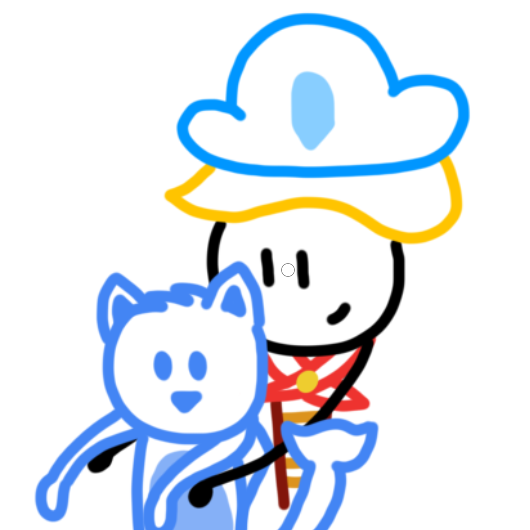


Ninjeste
Help Ninjaline (which is totally not just Madeline in goofy ninja costume) ascend to the top and cleanse the evil of the Tower of Juéwàng.
Controls
-
Arrows to move, Z to jump. Instead of wall sliding, you stick to them instead.
- X + Arrows to smoke-bomb
-
Shift + Arrows to toss a shuriken
- Enter / P to take a break
- Press Ctr+P to enter the matrix.
- Press the button on your monitor to enter sleep mode.
- Kick your computer to turn the game off and your computer forever.
Change Log
10 comments


General use TCP library for hosts and clients.
This acts as a very very basic example of usage for it.
tcp.lua is the actual library.
7 comments


Just a little shmup I'm working on with lazy devs. The personality comes the UI and little monsters.
2 comments


Hi! I'm relatively new to Pico 8, I'm now working on my third tiny game, in which I for the first time want to work with multiple levels, like a platformer. I was looking at how other games from the Splore catalogue do this, like 512px Under and Super Hat Girl. I saw both of them, in the sprite last or last two pages of their sprite editor, have these (pictured) drawings. What are these? Are they used to render levels or backgrounds? It's maybe not a huge problem, but looking around, I couldn't find an explanation myself, so I wanted to ask. Thanks!

This image comes from Super Hat Girl by Benvium.
2 comments


Lonely Soul
this game may be featured on the corgijam livestream
you play as a sad and lonely orange girl and you try to make friends in this puzzle game but you're very shy so the only ones that can help you are pretty blue boys which make you more confident in yourself and help you make more friends other than just pretty blue boys
you can look at the game controls in the pause menu!
6 comments


Picano (Electronic Piano)
Why I made this
I built Picano to learn how to make music — because audio and music are the part that scares me the most.
So I turned that fear into a fun playground: press keys, hear instant feedback, mess around, and learn by doing.
Picano is fully customisable: instruments, chords, note behavior, visuals, and tuning values can all be changed directly in the code to fit any vibe or project.
What it is
Picano is a small electronic piano / music toy made in PICO-8.
You can play single notes, trigger chords, switch instruments, and even record + replay short performances.
Features
16-key keyboard mapped to: q w e r t y u i o p a s d f g h
1 comment
https://monkey-burner.itch.io/toybox-2025-test


Pico-8 entry for the toybox 2025 game jam. Controls: Arrow keys + Z/X. Enter to pause.
Credits: all images, sounds, and music, plus some code, are from the TOYBOX JAM 2025 start cartridges (https://itch.io/jam/toy-box-jam-2025) under CC-BY
Which includes:
Pico-Lib Code by That Tom Hall and the Pico-8 Community
Sprite Ideas by That Tom Hall, Lafolie, Liquidream, Toby Hefflin, Johnny Burgess, others.
Art / Animation by Doriencey, Leo, Taxicomics, Craftpix, Lafolie, Toby Hefflin, That Tom Hall, Smelly Fishsticks, Alice Stenger, thykka, Toby Hefflin, Johnny Burgess, Bikibird, Pico-8 Gamer, Archonic, Nerdy Teachers!
0 comments


control notes (bc i was lazy to edit the tutorial screen and there was no space hehe):
- Z or 🅾️ to grab/place fruit
- remove dough from mixer first, then add chopped fruit
my second ever pico8 game and third game overall! hope you enjoy playing it as much as i did making it. any feedback is greatly appreciated <3
5 comments





Pinstrument
Play PICO-8 like an instrument
I wanted to be able to try out ideas and play some melodies and chords on the go.
So I made a small PICO-8 instrument to play around with.
I hope you enjoy it as much as I do.

Features
- Play single notes and whole chords
- Choose between PICO-8's 8 instruments
- Choose the scale for single notes and chords
- Choose starting octave
- Play PICO-8's full range of 64 notes accross 5 octaves
- Play all major, minor and diminished chords
- No mouse and keyboard required
-- Only fully functional with native PICO-8, not emulated --
How to use
 5 comments





The wip menu for a game I am making currently. I never had a robust system for menus, so until now they were all pretty basic. But now with this "engine" future games will have uniqe menus.
3 comments


\u is placed in url Special_Commands but should be placed in url Rendering mode options because it can be disabled with \^-u .
0 comments


