


Hi everyone! Today I was able to finish my first PICO-8 game, a simple little Ninja Gaiden parody that actually plays nothing like Ninja Gaiden because I'm not about to try and figure out gravity for my first game.
This was made for my college's science fair! I wanted to show people what PICO-8 is and how easy and fun it is to make games with it.
If you happen to play this janky little game, I hope you enjoy! :-)


 2 comments


HOW TO PLAY: You want to find the right combination of tiles to open the gate. Hit the arrow in the bottom left to start the checking process. The combination can be any random sequence, matching facial features is not important. Yellow dots in the area below the face indicate how many tiles you already guessed correctly.
ABOUT: This is my first Pico-8 game. In it, I combined a lift-the-flap type thing with a randomized number lock into a little guessing game. The faces were drawn in a photoshop document. When I realized the 15 face shapes would be too much to store in the .p8 cart’s tile map, I started copying coordinates to draw every single line manually in Pico. After copying about 50% of the artwork, I looked for a quicker way to do this and I continued using Versawriter-8 by Christopher Drum. This was definitely a lot quicker than before. I enjoyed making it and I like playing with the face combination aspect. Otherwise, replaying it can probably be a little bit boring. Next, I’d like to try out a few more interesting game mechanics. If you like it, dislike it or see something you’d change, please leave a comment! Cheers
6 comments



.png)


Just stretching my pico-8 legs again.
I enjoyed a game on the Gameboy many moons ago called "Kix" and wanted to gen up a quick demo to make a similar effect as the antagonist therein, but in pretty colors 🙂
I took a stab at making SFX 0 be similar to the sound that the Kix monster made, and I have a commented out line of code to call that SFX, but.. it came off as obnoxious 😅
1 comment


the goal is to see how many paintings u can sell
to sell a painting, you want to get the numbers up on the painting in the color of the guy across from u, and get his health down. that means getting him to like ur painting. if the painting also has his little request (the symbol next 2 him) in it, he'll buy it
if your painting has enough of their color, you will defeat him and reach a rewards phase
to block the guy's attack, paint in the color of UR guy's shirt
defeating him is not always the same as selling the painting:
if u beat him but the painting doesnt have his request, u still get the reward phase, but it doesnt count as sold
3 have 3 tries to make him like ur painting on the 3rd round hill unleash a powerful attack. if u survive the attack you'll lose a random symbol from that canvas. this can be good or bad.
if your health hits 0, ur dead
when u submit a painting, the colors on it cash out:
the buyer's color becomes attack
your shirt color becomes defense
some rewards are:
rest heals u +50% of max
train adds 1 to ur max hp
power adds 1 power to selected tool
the other ones u have to learn
u have to upgrade ur tools to get good. try different effects. knowing how they work is how u win the game
u should upgrade ur canvas. when u sell a painting u get 1 per cell, so it starts at 12 and scales up
use money to reshow works that u didnt sell. the reshow price goes up 1 every time, so be careful. reshowing old paintings is how to avoid death, so plan for that
comment ur score and turns and what sucks and what is good
0 comments


A busy elevator in a 20-story building, packed with forgetful people... Help them get off at the right floor!
Beware: maximum capacity 6 people.
Preview


Powered by es8
Later, 'vator! is powered by es8, a tiny entity-component-system (ECS) framework for pico-8.
Credits
Music was adapted from Gruber's Pico-8 tunes Vol 1, #5 (Ice)
0 comments


During the easter holidays I was working on a norton/midnight commander look-alike for picotron.
I am not a big fan of mouse-based file managers so I took inspiration from the classic dual pane file managers.
The basic features are there to view, copy, rename/move or delete files.
It has a simple integrated text file viewer and can launch other carts.
I hope the inline help that is shown when pressing F1 is useful.
Be careful when moving or deleting stuff! The testing period for this initial version was very short :)
I mainly wrote the tool for myself so I can more easily move assets around between my WIP carts.
The commander menu with settings and advanced operations is not yet implemented, and EDIT only launches external editors.
If you want to manage your whole workstation with this you need to unsandbox it.
0 comments


Memory Card Game
Try to defeat the evil joker in this small, amusing memory game!

How to play:

- Use the keys to move around the cards on the table
- Press
[○]or[x]([Z]/[X]on the keyboard) to flip the selected card - Do it again for a second card, to check if they match-
- If they match, you will get points and the cards will stay visible
- If they don't, you will lose a life (hearts at the top).
- There is one special card: the joker. If you find it, you will automatically lose a life.

Let me know if you were able to beat the evil joker >:D
0 comments


Very basic 3D renderer.
Haven't added any token optimization or easy 3D mesh/obj file importer yet. I will hopefuly add those features in the future... maybe.
CONTROLLS:
There is a First Person Camera, so mouse controlls cameras yaw/pitch and arrow keys controll movement.
C -> Wire render mode
X -> Light or fill render mode
0 comments






OK. Palette index 30 - Fuchsia. @zep, what's the deal with it?
Don't get me wrong. I'm not here to wag my finger, I'm just interested in your ethos behind it - especially in how it changed between v3, v4 and v5. It ended up becoming a very "loud" colour.
I've got a couple of synergies that reliably work (14, 2, 18, 12, 24, 31, 17, 16, 19). That's not a bad number, it just feels (intentionally?) out of place from the rest of the palette.

Now, for all of you spriters out there: What are YOU using it for?
I want to see your examples! Your ramps and synergies!
4 comments


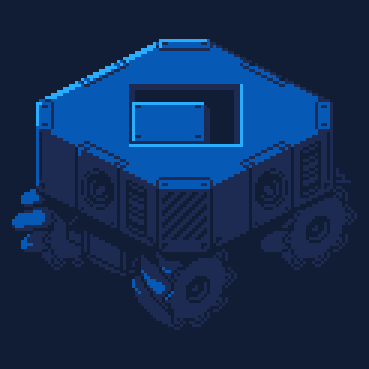


Snekburd level editor lets you make your own snekburd levels and share the easily! while this is connected to the original snekburd carts (through the level select screen), I felt that this needed to be it's own post on the BBS to better organize people's custom levels. You can find the base game at https://www.lexaloffle.com/bbs/?tid=148665.
Mouse/Keyboard Controls
- left click : draw current tile
- right click : erase
- scroll wheel : select different tile type
- keys 0 to 9 : select specific tile type
- ctrl + left click : sample tile type
- spacebar : quickly start or stop playing the level
- ctrl + z : undo
- ctrl + y : redo
- ctrl + c : copy level data to clipboard (may need to do twice)
3 comments



I've recently been trying to experiment with Picotron's fetch() functionality, yet I've noticed that when the function is called on a window there's slight visual lag/glitches.
I figure it's because the function is blocking the rest of the thread from executing, yet I'm not sure how other people have gotten around this issue? I've tried wrapping my fetch request in a coroutine but I've had little to no luck (it might just be my implementation, but I'm curious if somebody who's worked with fetch a lot has a solution?). It's difficult to find specific documentation on how fetch works on the backend but if anyone knows that would also be a great help.
Here is my current implementation, meant to temporarily create a new thread for each GET request. I've left the coroutine function pretty blank because most things I tried weren't working:
http = {
	tasks={},
	GET=function(self, path)
		-- Create a new task object, and put the fetch
                -- request into the threads

[ [size=16][color=#ffaabb] [ Continue Reading.. ] [/color][/size] ](/bbs/?pid=187338#p) |
2 comments



Chat with other users through the power of Scoresub and arbitrary strings!
Ping can be disabled in the app menu.
Work in progress!
Some features I might add:
- Custom themes
- Custom rooms (scoresub tables)
- Longer chat history (via podnet)
- Friends list
Attachments and emoji buttons aren't implemented yet
Changelog:
Inuchat 0.1.5:
- Fixed: Crash when message buffer fails to load.

Inuchat 0.1.4:
- Added:   User counter in titlebar
- Added:   Toggle for AM/PM timestamps
- Fixed:   Messages sent in the future no longer render
- Fixed:   Crash/black screen occurring when loading
           Inuchat while not logged in

[ [size=16][color=#ffaabb] [ Continue Reading.. ] [/color][/size] ](/bbs/?pid=187335#p) |
6 comments



Was playing around with my old pico8 3D renderer since I've been doing more matrix math at school. It's probably a bit more performant now and definitely easier to use. I can now add some different 3D meshs to the renderer and have it work, though I might have some issues with 3D wrapping & winding.
1 comment


[April 5 2026]
Work in progress
Just wanted to learn a little about using sine waves to create fake fluid simulation -- Added some foaming on the top too!
Also added a fun way to start pouring using the left and right keys. This is inspired by the root beer game for the PlayDate.
4 comments



Beware All Ye Who Enter Here!
Mr Stephen has been trapped inside Castle Toonightfaw by his even nemesis (who we haven't got the budget to invent yet). The only way to open the doors is through a ritual using various items from around the castle:
- A Lit Candle
- A Silver Crucifix
- A Golden Key
- An Ancient Tome
The only problem is, once night descends, the evil denizens of the castle awake and prowl the rooms. If Mr Stephen touches one, it will give him a heart attack. And, with the amount of processed sugar this man has consumed, he can only sustain 3 heart attacks before he becomes the newest member of the castle's ghostly entourage.
Your only aid is a bag of salt! Throwing salt at your spooky adversaries temporarily puts them out of phase with the universe (a feeling we have all experienced when we wake up not knowing what day it is). This allows you to walk right through them for a short time before they pull themselves together and start to prowl again.
Can you collect all of the items and make your way back to the door?
And WILL YOU DO IT QUICKLY....
Have you made it out of the castle before? Why not challenge yourself to do it again and beat your previous time? Your time is concealed until the end of the game, and the fastest time will become the score to beat on subsequent playthroughs.
Controls
Keyboard
Arrow keys — move
Z or C — jump
X or V — action
Controller
D-pad — move
O button — jump
X button — action
About The Author
I am a YouTuber and content creator, although this is my first foray into creating Pico-8 games. Having said that, I'm not new to making games, as it's something I've been interested in since I was a child, starting on the Commodore 64 with the Shoot-'em-up Construction Kit, before moving on to AMOS on the Amiga, and then DarkBASIC on the PC.
I've also programmed games in both Flash ActionScript, PHP, JavaScript, and HTML5 for various companies whilst working in web development.
Mr Stephen's Dead End was a fun foray into creating my first PICO-8 game. It is as complete as it will ever be, but it's really only just for a bit of fun, so I hope you enjoy it. It's not meant to be too taxing.
You can find my YouTube channel at https://www.youtube.com/@mrstephensretrocorner/
About The Game
I've been getting into Pico-8 because it's something that I like to run on the retro handhelds that I review on YouTube. But I've recently been talking with Retro Fun Tech, who invited me on her channel to talk about Pico-8, play some games, and have some fun. Before that event, I wanted to create a little game that I could challenge her to play during the stream. Mr Stephen's Dead End, in its very simple form, was a part of that.
This has been a little bit revised, had a few corners knocked off, and some pretty basic music and sound effects added in to make it a bit more finished. You can see a replay of the livestream below:
[youtube]8HPRk7WMsy8
7 comments



The problem
Have you ever run into the issue of Picotron becoming very slow with a lot of applications open?
This is because Picotron still runs your _update() and _draw() functions, even when the window is not in focus. I figured I could save some CPU usage (and cut down on lag in the process) by checking if the application is actually in focus and if the mouse is on the window.
For this I created a simple application to demonstrate how it's done. Feel free to copy this if you like!
The sample
To start, I created a simple application to draw the current mouse X and Y positions to the screen. Here's the code:
function _init()
	mouse_x = 0
	mouse_y = 0

	window {
		title = "pause when not in focus example",
		width = 350,
		height = 150
	}
end

function _update()
	mx, my, _, __, ___, ____ = mouse()
	mouse_x = mx
	mouse_y = my
end

function _draw()

	cls()
	print("X: " .. mouse_x .. " Y: " .. mouse_y)

[ [size=16][color=#ffaabb] [ Continue Reading.. ] [/color][/size] ](/bbs/?pid=187280#p) |
4 comments



Hey everyone! This is my first time sharing a project here on the Lexaloffle forums.
Astro: Demake is a fast-paced retro shoot’em up built in PICO-8 — a compact reimagining of a previous project, now focused on minimalist arcade gameplay.

⚡ Dive forward. Collect energy. Get stronger. Lose it all if you get hit. ⚡
This update (v0.2.0-alpha) was mainly about shaping the core gameplay loop.
You’ll face structured enemy waves with simple but distinct behaviors, encouraging you to stay engaged and play aggressively rather than just survive.
It’s still early, but it’s starting to feel like a real game, and I’d really appreciate any feedback!

 0 comments