


I’ve been making games for a long time, including a project called Realm of Past Worlds, an MMO that I worked on for years. It was a big personal investment—designing systems, creating assets, and building everything from the ground up.
At one point, I ran into a situation where my work was being reused without permission. What followed was a long process—about four years—of trying to get things resolved and protect what I had created. It wasn’t quick or easy, but it taught me a lot about how creative work is handled and how important it is to understand ownership.
Because of that, I tend to be a bit more sensitive when it comes to topics like copyright and asset use. If any of my past comments came across too strongly, that’s where it comes from—not from wanting to put anyone down, but from having gone through that experience myself.
At the end of the day, I enjoy building games and helping others learn how to do the same. I have a lot of respect for people who put in the effort to create something of their own, and that’s where I prefer to keep my focus.


It will only save 32 animations!
Simple Animation Editor (PICO-8)
Made a small animation editor using the mouse.
- drag on the sprite sheet to select frames
- supports different sprite sizes
- use + / - to change frame count
- simple picker + editor system
This is the animation system I used for my platformer builder.
Get Free Sprites here.
Feel free to use or modify 👍
Its at the point it can be used to make many different kinds of builders.
Add a paint editor and turn it into an animation studio.
Builder Ideas (Using the Animation System)
Top-Down (Zelda-style)


 0 comments

Make your own game using the Platformer Builder Kit!
📅 Duration: 1 month
Rules:
- Start with the Platformer Builder Kit output code
- Modify anything you want (sprites, code, mechanics)
- Keep it original (no copyrighted characters)
No winners or losers — just for fun 👍
Goal:
Learn, experiment, and finish a game!
How to enter:
- Reply here with your cart link
Includes:
- Free CC0 sprite sheets
- Beginner-friendly system
Tip:
Start small, then add your own ideas!
0 comments
Been thinking about this for a bit and figured I’d throw it out there as a general discussion.
I’ve noticed a lot of demakes and retro-style projects lately (which is awesome), but some of them are using original sprites, cover art, or straight-up the same characters/names from old games.
Usually with a note like “fan-made”, “non-commercial”, or “no infringement intended”.
Thing is though — that kind of disclaimer doesn’t really change anything legally. Same with slapping a Creative Commons license on it, you can’t really license stuff you don’t own.
Not trying to be a downer or call anyone out, just seems like one of those things a lot of people (especially newer devs) might not realize.
There’s a pretty clear difference between:
recreating a game or taking inspiration from it
vs copying the actual assets and redistributing them
And yeah, most of the time nothing happens… but it can, and it’s probably better people know where that line is.
4 comments


Build a PICO-8 platformer in under 5 minutes
Drop in a sprite sheet, set your animations, and generate a fully playable platformer instantly.
Made for quickly prototyping platformers without writing boilerplate code.
👉 Try the Builder


Suggestions for updates are welcome!
Post a GIF of the character you made!
===>Pro Sprite Tips<===
How to use
- Create your character (name + animations)
- Click Copy
- Open a new PICO-8 cart
- Paste (CTRL+V)
- Add your sprites to the sprite sheet
- Press ▶️ and play
Sprite sheet
5 comments


I’m currently working on the shipyard section of my first multi-cart PICO-8 project and wanted to share the plan so far:
Planned Carts
- Cart 1: Ship Creation (Shipyard)
- Cart 2: Space Station
- Cart 3: Space Travel & Combat
- Cart 4: Planets
This is my first time splitting a game across multiple carts, so I’m figuring things out as I go. If you’ve got ideas, suggestions, or lessons learned from similar projects, I’d really like to hear them!
Storage added, next save file and load from another cart.
Old Versions


 0 comments


In a fractured America, war is no longer fought with soldiers—but on the field. States have become independent powers, and conflict is settled through Cyberball: a brutal, high-stakes sport where massive machines clash for control of territory, resources, and military authority.
These aren’t athletes—they’re towering cybernetic giants, built for speed, power, and destruction. Every play is a calculated act of war. Every game shifts the balance of power.
Tennessee stands at the center of it all.
The Volts are known across the league for their relentless, hard-hitting style—built on raw strength, aggressive offense, and machines designed to break through anything in their path. They don’t play for finesse. They play to dominate.
12 comments





Alpha Test – Tiny City Simulation
v0.02
Fire!
We have moved closer to the sun, Fire Stations help...
v0.01
0 comments


Please post if you find any bugs with the boss.


Quick Start
Pick a tile from the palette at the bottom
Left click to place tiles
Right click to erase
Tools:
Paint: draw tiles one by one
Fill: fill an area
Controls:
Move mouse to screen edges → scroll the map
9 comments


I’m using a Raspberry Pi and trying to upload my PICO-8 game to itch.io, but it won’t work. The page loads the title, then goes to a black screen. In the browser console I get errors like “failed to load resources” and status 403.
Here’s what I’ve tried:
- Exported using
export index.html - Made sure the files are named
index.htmlandindex.js - Re-exported multiple times
- Created new ZIP files using the terminal (
zip -X) - Confirmed the files are not inside a folder in the ZIP
- Enabled “This file will be played in the browser” on itch.io
- Checked case-sensitive file names
- Tested different zipping methods
It still won’t load. I’m not sure if this is a Raspberry Pi issue, an export issue, or something with itch.io settings. If anyone has successfully uploaded from a Pi, I’d really appreciate advice.
3 comments
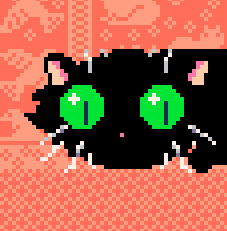

Medieval Survivor
Endure 10 minutes of relentless chaos.
Defeat the final boss.
Claim your victory!
2 comments


Version 0.6 Final
100% working game, this will not change unless someone posts a bug.
4300 tokens to play with.
 Romans vs Barbarians if you want to use it.
I was experimenting with a hex-grid setup and ended up with this small prototype. It started as hex movement + range highlighting, and it’s now grown into a simple “tactics loop” with turns, teams, stages, and a basic AI.
This is still meant to be read slowly and edited. If there’s anything you’d like to see added or explored further, feel free to suggest it.

Tech stuff
13 comments




Alpha Test
Need the code tested before I add visitors, Please post any errors or bugs you mayfind. Anything you think I could improve on menu's, movement anything.
Thanks for all your help.
All Graphics made with Animation Pro(pico 8 program)
Hard Lesson
As I looked through all the great PICO-8 games, I wondered — why are there so few isometric ones?
My iso tiles are 32x16, and just to draw the ground I need to render 144 of them every frame. That’s before trees, rides, or anything fun. It was fine... until I added 200 visitors. 😅
After days of rewrites and poking around with memcpy(), I realized my code wasn’t the problem — I was just hitting the PICO-8 CPU limit.
4 comments




Can you survive?
Survive 10 minutes for victory
Tons of Monsters
Mini Bosses
Final Boss
Version 1.04
Added shake
new graphics
shadows
lots of bug fixes


Please report any bugs. Enjoy.
The WHY
Grassland Survivor - dimillian
Beckon the Hellspawn - LokiStriker
Fritato - schech1
If you like my game these game where my inspiration.
34 comments


Round hp bar
Free to use in any game

Can be used for mana also just change the color
function draw_hp(x, y, hp, max_hp, color)
 local r = 12
 local f = hp / max_hp
 local fh = flr(r * 2 * f)
 local top_y = y + (r - fh)

 for dy = r - 1, -r, -1 do
  local ly = y + dy
  local dx = sqrt(r^2 - dy^2)
  local x1 = flr(x - dx + 0.5)
  local x2 = flr(x + dx - 0.5)
  if dy >= r - fh then
   line(x1, ly, x2, ly, color)
  end
 end

 if hp < max_hp then
  local ry = r - fh
  local base_y = y + ry
  local dx = sqrt(r^2 - ry^2)
  local x1 = flr(x - dx + 0.5)
  local x2 = flr(x + dx - 0.5)
  local wt = cos(time() * 0.25) * 6
  for lx = x1, x2 do
   local woff = sin((lx + wt) * 0.15)
   local ly = flr(base_y + woff)
   local rx = lx - x
   local ry = ly - y
   if rx * rx + ry * ry <= r * r then
    pset(lx, ly, color)
   end
  end

[ [size=16][color=#ffaabb] [ Continue Reading.. ] [/color][/size] ](/bbs/?pid=181428#p) |
1 comment


NEW
v1.3
Quality of life update, improved UI, better buttons
LINE , CIRCLE, BOX added!!!
reduce frame making current frame out of range fixed.
new hot keys
z=undo
1=pen
2=line
3=circle
4=box
5=fill
help file correct, cheat sheet to far right
Future ideas (Don't forget to like or post)
Pensize
Custom Color Select from 32 colors
Text Box for Save name file
Hit me with ideas. This is a fully working tool now!
[hidden]
v1.22
UNDO added
Mouse wheel scrolls sprite sheet
X will cut current frame
f will flip the frame horizontally
file menu - save printable
will save a text file to desktop called animation. the last line in the file will be current frame you just saved. Copy that string and print it.
v1.21
Can animate forward, backwards and bounce
Added color and current tool to top right corner
FILL tool works (line,circle and box are still work in progress)
Fixed random pixel placement
0 comments
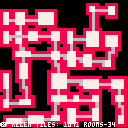
Easy to use dungeon maker, I tried to comment it so anyone can use.
Shows how to sort by y, so you can walk under walls


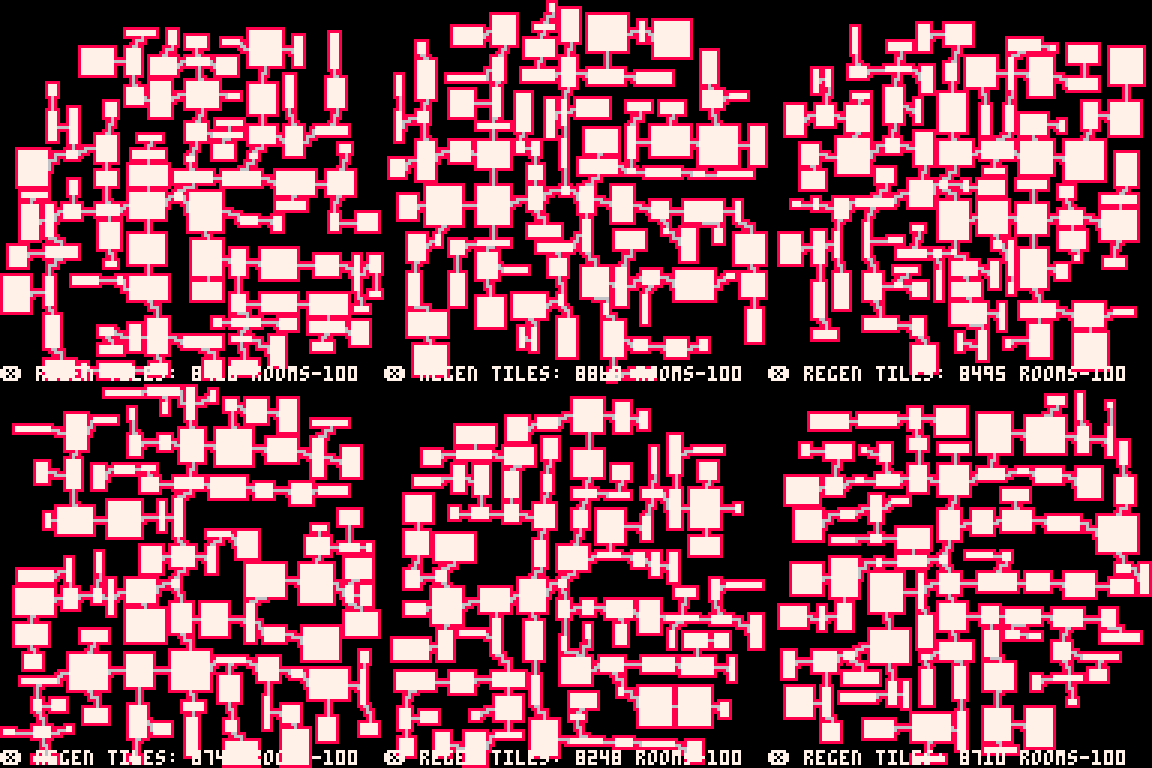
Controls
x to load a new dungeon
z toggles view from iso to 2d
arrow keys- walk around
About
This is the first stage of my Diablo demake, I still have to expand the rooms to fill more map to be real Diablo dungeon. This can be very useful to many game developers. Play with the numbers to customize your own game.
Have fun
Original map maker, no Isometric View
 1 comment
STORY

|
[16x16] |
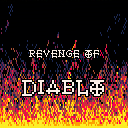
Diablo has met his end billions of times in the real world, and frankly, he's grown tired of it. Fed up with the endless cycle, he's decided to send a lesser demon on a mission of revenge. This demon, fueled by rage and determination, must embark on a daring journey to the heavens themselves, seeking vengeance against those who have continually brought down its master. As the demon ventures through treacherous realms, it must confront both celestial beings and the twisted forces of heaven, proving that even the smallest servant of Diablo can ignite chaos beyond imagination.
0 comments


