







Sooo~ about that last post... it's a little silly.
I had completely forgotten about PICO-8's extra video modes when I made it. Turns out you can use poke(0x5f2c,2) to set the resolution to 128x64 pixels and then stretch it out horizontally using a script/command-line parameters -draw_rect.
Here's a similar example, first uncorrected:

Aaaand now the corrected one:

It also has the upside of not requiring extra special treatment and fiddling besides two things:
- You have to make the game with this resolution in mind, since it can only use the top half of the screen.
and (unfortunately) - You still have to use custom launch options to make it work correct. For exported games that means a custom launcher to set the proper window and screen size.
This would actually be a lot easier if -draw_rect was affected by the position and shape of the window. Even an option to make it so PICO-8 stretches to fill the window would be preferable. Until then, I think this might be as good as it gets.


 2 comments



Pocket SWarm is the cutest Galaga inspired game you'll find. Play it. Love it.
Pixel by pixel hand crafted sprites, AI assisted code. It's all good. Hope you love it!
0 comments



So, for some reason, if you try to divide a number by 0, picotron just completely freezes. That's it. Anyway, here's the code I was making when I encountered this bug.
function sprDim(s,getw)
	local spr_data = s

	if type(s) == "number" then
		spr_data = get_spr(s)
	end

	if spr_data then
		if(getw)then
			return spr_data:width()
		else
			return spr_data:height()
		end
	end

	return 0, 0
end
function tquad(src,x1,y1,x2,y2,x3,y3,x4,y4)
	local dist12 = sqrt( ((x2-x1) ^ 2) + ((y2-y1) ^ 2) )
	local dist34 = sqrt( ((x4-x3) ^ 2) + ((y4-y3) ^ 2) )
	local maxDist = max(dist12, dist34)

	if maxDist == 0 then return end

	for i=0, maxDist do
		local ti = i / maxDist

		local xa = x1 + (x2 - x1) * ti
		local ya = y1 + (y2 - y1) * ti
		local xb = x3 + (x4 - x3) * ti
		local yb = y3 + (y4 - y3) * ti

		tline3d(src, xa, ya, xb, yb, ti*sprDim(src,true), 0, ti*sprDim(src,true), sprDim(src,false)-1)
	end
end

function project(x,y,z,retX)
	if retX then
		return ((x*fov)/y)+240
	else
		return ((z*fov)/y)+135
	end
end

function _init()
	fov=1
	floorCorners={
	project(-1,0,1,true),project(-1,0,1,false),
	project(1,0,1,true),project(1,0,1,false),
	project(-1,1,1,true),project(-1,1,1,false),
	project(1,1,1,true),project(1,1,1,false)
	}
end

function printFloor(src)
	tquad(src,unpack(floorCorners))
end

function _draw()
	cls()
	printFloor(1)
end

function _update()
end |
UPDATE:
turns out it's not actually because of dividing by zero. Instead, it's related to arguments put into tline3d. See @Werxzy comment for more details.
1 comment
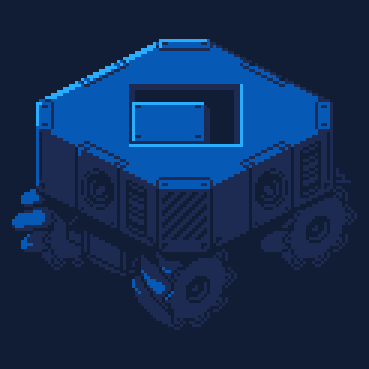


This is a work in progress for a game called "Carter Vs Tweaker". A game about Carter needing to stop Tweaker from overpopulating the Earth with her horrid babies so Carter must travel down into the tunnels and caves made from cat litter and shit to stop Tweaker.


 0 comments





~RESOLVED~
Version: 0.3.0
HostOS: macOS 15.7.4
Issue:
I've noticed that after some time, the files inside podnet:// (viewed with filenav) stop rending. Desktop icons disappear sometimes as well.
How to Reproduce:
- Log into lexaloffle account
- Open filenav
- Browse to podnet://USERID
- Wait around 12 minutes
Some Things I've Noticed:
Resizing or moving the filenav window causes graphical glitches that feel like high CPU usage or constant polling.

After around 12 minutes the icons disappear.
 4 comments



Hey everybody! This is my first time making a Pico-8 game so I thought I'd share it with you all. It's very short and simple, but it's the first real finished game I've ever made before. Thanks for playing and have fun!
CRAZY MAZE
Crazy Maze is a bite-sized game in which you explore a colorful, winding labyrinth and try to escape as quickly as possible. Along the way, you may find delicious sandwiches to collect. Gather as many as you can and try not to get lost!
CONTROLS
⬆️⬇️⬅️➡️ - Move
🆇 - Confirm
CREDITS
Crazy Maze
Created by
Jonathan Mattingly
Art & Programming by
Jonathan Mattingly
Credit to bikibird for
Denote: MIDI Demake Tool for Pico-8
Credit to wasiknihit for
Denote Custom Instruments
Music Remixed From
“Green Hills Zone"
Masafumi Ogata
“Bonus Game/Slot Machine"
Koji Kondo
©Copyright 2026 Jonathan Mattingly
1 comment


Pico Coaster Tycoon v.05(Early Demo)
v.05 patch:
-Added Ui text to tools


PLEASE READ NOTES:
My YouTube channel: https://www.youtube.com/@Pico8Games
My Reddit: u/Pico8Games
My Other Pico Games:
Case Opening Game: https://www.lexaloffle.com/bbs/?tid=154042
Block Bash: https://www.lexaloffle.com/bbs/?tid=154268
Note 1:
This is not the entire game. This is just first early demo of the Coaster Design part of the game. Please note there might be some bugs or things might be off.
Note 2:
The sprite art I made are not perfect as its in isometric, so when switching camera view angle the opposite hill might look slighlty larger or smaller compared to another camera anlge, but logically should be the same hill.
So if anyone would like to redo the sprite art for all the tracks and train and let me know, then I will use that in the final game and I will give credit. Also Keep in mind the art needs to be in isometric view. (Look at current spr to get an idea)
3 comments





HOW TO PLAY
Get as high as you can by pressing left and right, retry with C. Learn what the different colored platforms mean and claim the top spot on the leaderboard!
Credits
Howf is a Wuff shared their squish and squash code with me to squish and squash the user icons. Thank you very much!
About this game
Made in a day, so be gentle. I am absolutely in love with scoresub and really thankful that it is finally here. I can't wait to try more games from other people utilizing this great new feature!
UPDATES
21/4/26
- added the ability to scroll the highscoreboard
26/3/26
- player icons with color 0 now get displayed correctly
- rerounded the corners in the score screen
5 comments




3/22
This is a demake of 'What Did I Do to Deserve This, My Lord!?' Managed to put together a basic skeleton of the game, so posting this as a WIP for now.
3/23
update.

 3 comments



Here's the first version of my lil fun game I made following MBoffin's Top-Down Adventure Game Tutorial :]
0 comments


Galactic Casino & Space Survival
Welcome to the most thrilling arcade-casino experience in the galaxy! This game perfectly blends action-packed space survival with high-stakes casino mini-games.
The Space Action
Fly through dangerous cosmic zones and travel between planets. Stay sharp, because you'll need that loot for what comes next!
The Galactic Casino
Whenever you land, the real gambling begins. Step into the retro casino and multiply your wealth (or lose it all) across 5 fully playable, polished mini-games:
- Slot Machine: Pull the lever and pray for a jackpot.
- Roulette: Pick your color or number and watch the wheel spin.
- Coin Flip: Heads or tails? Double your money in an instant.
3 comments
