Hi, I know this question is not really related to voxatron but in a way it is...
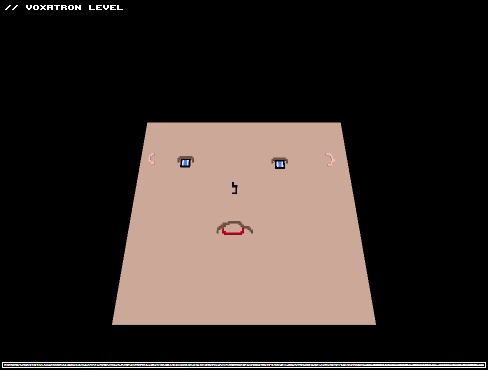
I noticed at the bottom of the PNG save files is some 1bit noise that is likely monster/event data.
I'm working on a program in PetitCom for Nintendo DS and have run into an issue where I have massive amounts of data I need to convert to an image in order to save and load it but I can't think of how to do this properly and have all the data save in the alloted space of the image (256x192x256).
To be in more detail, I am trying to save map data. For each map, there's 32x24 tiles. For each tile, there's a 3 digit pointer for the image, a pair of 2 digit pointers for colors of the tile to be used, and several other 1 digit pointers for various other tile properties. Take each of these and multiply it x2 minus the tile graphic and colors. So you're looking at approximately, if they were all put together in a single string, about 32 characters ('m just using 32 to make it easier to work with in the whole powers of 8 world).
Now what's the best way to convert this data into pixels? I'm racking my brain and can't seem to figure out how it's done, which is why I'm asking here because you seem to have figured it out on your own. I'm thinking, though that a lot of your data is binary to begin with whereas each piece of data I'm working with for the tile is arbitrary to the data itself...i.e. for the tiles I have CONVEYOR which has value of 0-5 and another property is HEIGHT which can be 0-9...
so can't quite figure out how to do this...any insight on converting this kind of thing into an image would be helpful. Ultimately, I'd like to stack all of that data into a single pixel since I have option for 256 colors instead of just black or white, but any advice I'll definitely take.
Thanks for the help!


 3 comments


Hello Everybody,
I'm new to the board and have only recently discovered Voxatron. I'm really excited by the possibilities of the graphics and even the already offers the Alpha version.
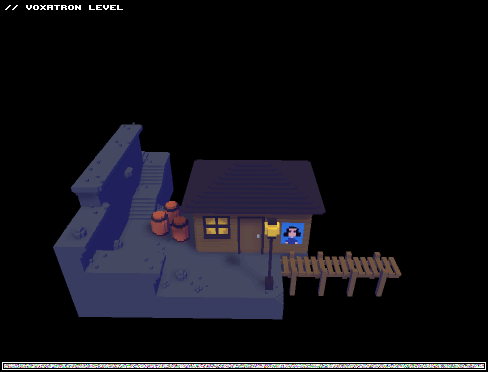
The last days I was busy to port an old friend from a very famous pirate game to Voxatron. Here is my result so far. Don't be shy to tell me your opinion.
regards
Marcus
5 comments

hi zep, ive been happily trying the new animation and monster settings, totally awesome, thought i best mention a few bugs ive encountered. I will add any more as they crop up. Sorry if already a known issue.... ive dont even know how to do a proper bug report.
When using select tool if i select a whole object with a big sweeping motion ( i mean a circle ) when the edges of the dotted line touch it often crashes. (only when its generally a quick tidy circle motion. But if i draw an angle around the object and dont connect the dotted part it selects fine and doesnt crash. No idea why?
EDIT ( now the select tool isnt doing that at all?? i tried in prop animation and monster but that bug just disappeared but was occuering over and over again so im not sure what was causing it after all )
The reset camera function doesnt seem to be working within animations but works fine if its a prop.
more stuff later....
0 comments


 | Swarm Racer builds are back up for Mac, Windows and now Linux and Web. Go here to download / play in your browser. |
2 comments


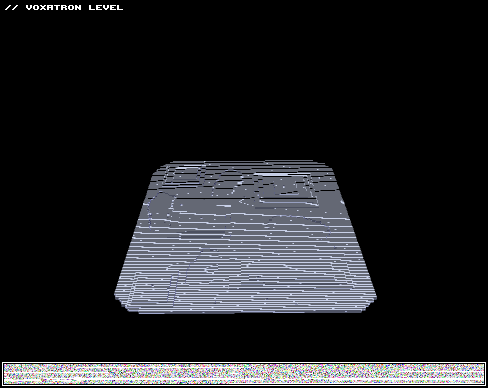
Enjoy your galactic journey in space, on the moon. WHAT!? ALIENS!?!?!? This is what really happened... In the 5th room you can't jump when carrying a barrel, just throw them. Enjoy. ;)
3 comments


Hi everyone!
will we ever see voxatron on xbox 360? am asking because if Voxatron will have local multiplayer(4 players) in the future it will be more comfortable to play it on the console with the big tv screen instead of pc's small screen.
5 comments



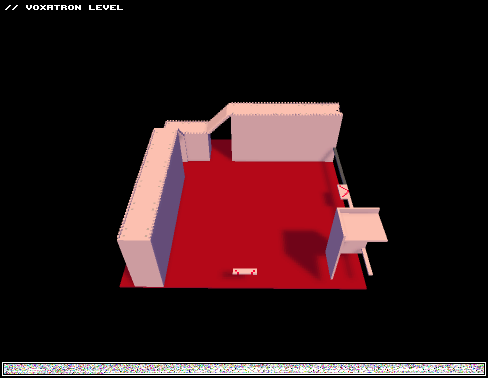
Just having fun with crates and barrels, although this level is kind of puzzling. There is a lot of throwing crates, and barrels. You may need to restart a couple of times in a couple of rooms, but you shouldn't do that bad. Hope you guys have fun!!! ;)
6 comments
I've known about the site since last year, and joined, forgot my password, username, and email I used. But oh well here I am again. I don't know much about the site. Please fill me in. Do you make your own platformer levels on here? And can you play in multiplayer with others on these levels? Thanks.
2 comments

Hi!
So I have been playing around with the editor now that 0.2.4 is out and I noticed that when a new main character is created we can keep (required to keep?) 16 props in the 6 directory.
Wasn't this 11 before? If so, what the extra frame/props for?
2 comments
Voxatron 0.2.5 builds are now up, and will shortly be up on Humble Store (check the version number in the filename). If you don't have a lexaloffle account (Games > My Games) and would like one, see this thread. To update from a Humble Store account, search your email for the download page link, or request a new one here
This is a quick bug-fixing update. To see a list of the recent features, see the v0.2.4 post
v0.2.5 Changes
Fixed: Crash caused by monster property: spread out
Changed: Monster chasing player ignores axes that are locked
1 comment
Hey Zep, I'm just wondering, is there a way to export my models to STL format to use for 3d printing?
5 comments


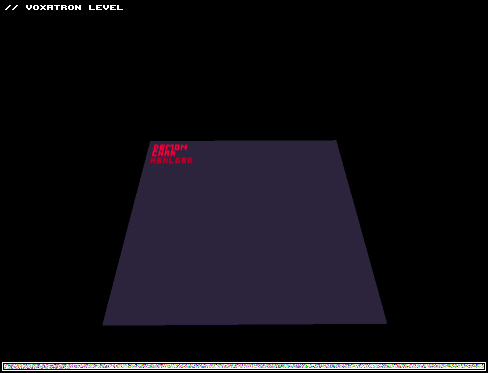
How to make a basic monster with v0.2.4..
Example monster for reference:


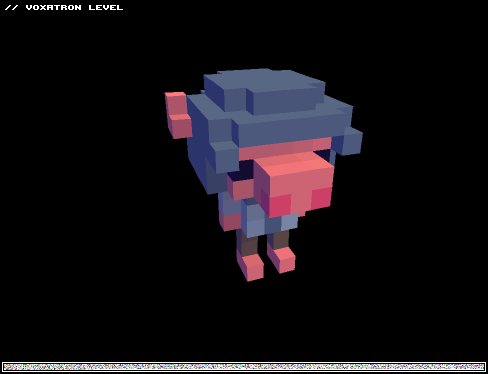
1. Create the Monster's Structure
Monsters in Voxatron (and all complex objects) are represented as special folders in the item navigator. The first thing you need to do is set up a folder with at least one animation in it (so that you can see the monster!)1.1 Create a new item somewhere in the Objects tab, choose a size, and set the type to monster.
1.2 Double click on the monster folder to look inside (it will be empty to start with)
1.3 Create an animation: new item, set type to animation, add some props as frames.
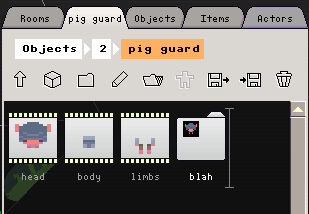
Here's the structure for the armoured pig character in the example level:
 17 comments




I installed the game and i do not get any music/sound.
edit: look's like all these games has no sound hmm.
11 comments
Hi All
Voxatron 0.2.4 builds are now up, and will shortly be up on Humble Store (check the version number in the filename). If you don't have a lexaloffle account (Games > My Games) and would like one, see this thread.
To update from a Humble Store account, search your email for the download page link, or request a new one here
v0.2.4 is the first update that exposes many features of the second (and final!) generation of the Voxatron engine. It introduces new tools for designing simple monsters and pickups, which all run on a new physics engine. I've retro-fitted the old monsters to work roughly as they did before, but you might notice a few differences -- for example, monsters jumping on each other, or carrying fruit around on their heads.
Some example monsters can be found here:
19 comments





This post is mostly for Zep,
What happened to the download for the original Swarm Racer? It's not even listed under 'games' any more on the site. I can't find it!
The beta for Swarm Racer 3000 is cool and all, but I still like the original game. =]
5 comments

I have jump bound to space. When I jump, my character flies to the right faster than is even possible if I were holding the right movement key. This doesn't happen when jump is Z, but I prefer ASDW to move and arrow keys to shoot, with space as jump.
Does anyone else get this when using space to jump?
EDIT: In fact the space key invariably pushes you to the right with incredible force, regardless of what is bound.
3 comments