


I was looking into making a software 3D renderer and got inspired by Pico Fox made all those years ago for Pico8. It also seemed like a nice way to get a bit more familiar with Picotron.
I'm really impressed with how comfortable it is to work with, and userdata batching is really just brilliant. I'll definitely need to get creative with it to try and squeeze more performance out of this.
At present it only renders flat-shaded polygons. I would like to have it support mapping but I think I'll try and make a smallish game that would suit the aesthetic it can currently manage. I'd only need to modify it slightly to support individually coloured polygons.


 0 comments


hi! I'm working on a bootloader, and want to create a proccess of a .p64 specified by the user, in the /appdata/bbs/[cart_id], but while sandboxed. is this possible, or do i have to get it unsandboxed?
0 comments


Created for the Desert Bus for Hope 2026 game jam
This is my first real project in PICO-8! I would have liked to have done more, such as more particles and having some music, but I was quite invested in just watching Desert Bus for Hope. Maybe I'll learn more about those things for PICO-8 in a future game.
There were four themes for this jam, each given by one of the four shifts: Pong, Chaos, Fish, and Posthumous.
Theme Explanations:
Pong - You bounce bubbles to defeat the mutant Freshies
Chaos - There is a lot happening on the screen
Fish - You play as a fish.
Posthumous - Freshy has died but more Freshies have come to attack
0 comments


this is a bootloader
I'm currently working on a project with it, but I'm exited to see what others come up with!
It should be possible to simulate linux (like was done in scratch). But, that is not what im working on.
Oh, the branding? Don't worry about it.
edit: this does not work in browser.
edit II: to be clear, this is not a real bootloader, like picoboot by @rikamori, but a way to execute cartridges differently. also, it is still a WIP because i cant figure out how to run it sandboxed yet.
0 comments

Hello everyone. In the last couple of months I have started to appreciate arcade/retro console game design again and would like to focus my attention to this style as a game developer. Right now I'm working mainly in Love2D and the results are pretty good, for a pixel art game. However it's still fake retro, if you know what I mean, in theory I could do hires graphics with hi-fi sounds if I wanted to. There is something more to the games developed for real systems with real limitations, however weird this may sound. It's hard to describe.
What I'd like to ask you is, do you feel there is an added value to a retro pixel art game if it's developed for a system with hardware limitations? Would you be more inclined to buy such a game instead of a fake retro game made in modern engine?
Let's take ZeroRanger as an example - the game itself looks plenty retro but under the hood it's the modern and mighty Game Maker engine running on a system with gigabytes of RAM. Would you like the game more if it was made in Picotron even though in reality it would look and sound very similar? I know for sure that casual gamers would not care at all. But I'd rather focus on gamers that appreciate real retro game, even though the target audience is much smaller.
0 comments


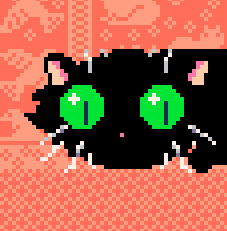


Made some creepy grasscritters (275 chars)
They are definitly staring at you
(275 chars)
r={}k={3,1,0}t=0for i=1,400do
add(r,rnd()-.5)end::_::t+=.02cls()s=sin
for c=1,2do
for x=1,17do
for y=1,17do
w=r[y+x]v=x*8+s(y/100)+c*2+s(t+r[y]/2+w/5+x/5+y/10)*4-10u=y*8-s(t+y/80)-w*s(t/20)*14-10line(x*8+8-10,y*8+8-10,v,u,k[c])pset(v,u,12)pal(3,131,1)end
end
end
flip()goto _
|
0 comments


A cozy oracle tool with customizable dice rolling, yes/no question, and card drawing features (including standard and tarot).
Click the arrows to edit which dice you roll, your card deck set up, or what answers are possible from the magic eight ball. Click the bars to roll dice, populate a yes/no answer, or draw a card.
0 comments


Go alone or grab your buddy and jump on a bike in this western themed 2 player action extravaganza, compete to get a high score, ram each other, steal sidecars, shoot the enemies, chase down the brain train.
instructions:
.fill the power gauge by shooting enemies
. once the gauge is full a sidecar will appear from the top
. ride onto the side car to gain extra fire power or shoot to cancel bullets
X=fire
O=launch sidecar
start menu to erase highscore / pvp tally
6 comments








Having trouble grasping what the 0x5f5e memory address "color bitplane read/white masks" does?
This simple postcart should help you understand what it is about, and you can figure out the rest of that!
(262 chars)
c={}for i=1,4do add(c,{})for j=0,7do
add(c[i],{rnd(127),rnd(127),rnd(5)-2,rnd(5)-2})end
end::●::cls()for i=0,3do poke(24414,240+2^i)for j=1,#c[i+1]do
a=c[i+1][j]circfill(a[1],a[2],10+sin((t()+j)/8)*4,15)a[1]+=a[3]a[2]+=a[4]a[1]%=128a[2]%=128end
end flip()goto ●
|
0 comments


Usage
This should be used to learn how the video memory works at the low level.
What this function does
It gives you a higher level wrapper for PICO-8s 4-bit framebuffer (0x6000-0x7fff) (lower 4-bits: left pixel, upper 4-bits: right pixel), and does some bitwise math and multiplication to put a single pixel on screen.
setp is recommended because it's the officially documented way writing single pixels directly.
Code Snippet
NOTE: This function should be only used sparingly, it's expensive to use and not fully optimized (e.g. batching and minimizing the code to only required calculations) (using it heavily can cause severe lag).
function putpixel(x,y,col) -- floor x & y to stop rounding errors in pixel position calculations x, y = flr(x), flr(y) -- prevent pixel from wrapping around the screen horizontally if x > 127 or x < 0 then return end -- get 1 dimensional bit offset, multiplying y by the screen width to iterate by line local pixel_pos = x + (y*128) -- divide the pixel position in half to fit into the 4-bit offset to a 2 pixel pair in memory local offset = 0x6000 + pixel_pos\2 -- do not draw pixels if they are outside the framebuffer if offset < 0x6000 or offset > 0x7fff then return end -- get the 2 pixel pair of colors we are writing to local pixel = peek(offset) -- get which nybble (4-bit) offset the color resides on local nybble_shift = (pixel_pos&1) * 4 -- mask and set the pixel color from `nybble_shift` offset pixel &= ~(0x0f << nybble_shift) pixel |= col << nybble_shift -- write pixel to framebuffer poke(offset, pixel) end |
Example Cartridge
This example shows how the putpixel function only overrides pixels at their specified positions without completely removing other unrelated pixels from the screen.
2 comments
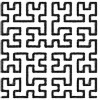





Hi, hope you are doing well! I made this cart of different tiles for you to use in a game! The art is free to use and you do not need to give me credit or anything to use any of the graphics. Run the cart to see a little demo of different scenes that you can use!
The artwork fits a creepy style horror game, but can be used and modified to fit your project!
Happy coding, friends!
1 comment

