PUZZLE PUPPIES v1.1.0 UPDATE 6-11-2026: The "Sorry About the Permadeath" Update
Okay so. When I launched Puzzle Puppies I made a choice that a bunch of you politely let me know was a mistake: if you got stuck on a level, you lost your whole run and started over from level 1. I thought it was fun in a pseudoroguelike way. It was just annoying, my bad.
So the headline change in 1.1.0: PERMADEATH IS GONE. Fail a level and you can just retry it. There's also a proper level select on the main menu now, so you can jump back to any level you've reached. Your progress saves between sessions. Play how you want, the choice is yours :)
Mouse support (optional). PC and web players can now click tiles directly instead of fighting the cursor. It's off by default — flip it on from the pause menu once you start the game (hit Enter/P mid-game). Speedrunning is now an option, I guess? Mouse-driven play will be quite speedy!
Cursor controls got simpler. The old keyboard/controller movement tried to be clever about hopping between dogs and mostly just felt like a coin flip. Now it moves one tile at a time in the direction you press. Predictable. Boring. Good.


 0 comments


HELL RIDER RELOADED
Just like the original Hell Rider… only meaner.
The robots are smarter, faster, and far less interested in your long-term survival. Every room is a deadly maze of flying shots, bad decisions, and rapidly shrinking safe spaces. If you enjoyed Hell Rider, welcome back. If you mastered it, prepare to be humbled.
STRATEGY
Use the rules of the mode to your advantage—but don’t get too comfortable. In Hell Rider Reloaded, every robot can keep its own shot in play. There is no shared limit anymore. As the levels advance, the screen can quickly fill with deadly fire from multiple directions at once.
0 comments
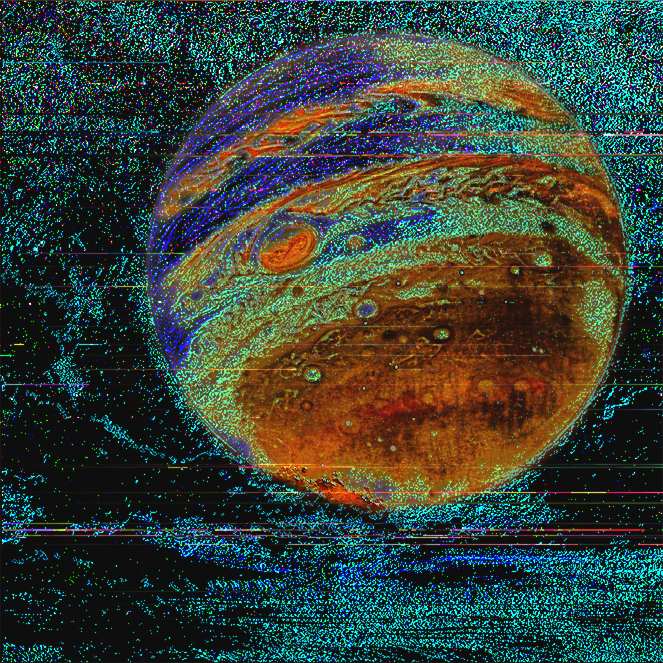


Introduction
Are you willing to put your soul on the line to archive divine enlightenment.
You don´t know what forces can see the rift opened by your hand and what you might let into our world by your actions
only by staying in control of your impulses you shall be granted entrance into the Paleroma.
The entity who first answers your call is Lucy, DO NOT BE MEAN TO HER.
How to play
In summoners gambit your goal is to beat lucy in a game of Succlu, a game similar to the human game Blackjack.
The goal changes each round and the one closer wins, going over however will instantly loose the round.
Each round the summoner is given one item to use whenever, powerful tools to bend the demonic game to ones favor.
Credits
-the dialogue box is based on the code of :https://www.lexaloffle.com/bbs/?tid=28465, with some modifications on my end
-Gnostic History :https://www.youtube.com/watch?v=d0lvPrt3OFM
-and of course my lovely playtesters <3
0 comments



 This is just a basic mockup of my upcoming Sonic 1 PICO-8 port. I didn’t have ghz textures at this point, so the level is empty.
0 comments


Io's Cosmic Orbit (A DOTA 2 Io Fangame)
[EN] This is a fast-paced arcade mini-game featuring Io (Wisp) from DOTA 2! Navigate through dangerous cosmic space, manipulate your guardian spirits, and survive against waves of enemies.
We've optimized the tutorial/early-game flow and buffed the mini-bosses for a greater challenge!
[CN] 这是一款基于 DOTA 2 英雄小精灵 (Io) 核心机制制作的快节奏像素街机同人游戏!在密集的攻势中灵活走位,操控你的幽魂法球,活下去!
新版本优化了新手流程,并强化了小 Boss 的挑战性与 AI 表现!
🎮 Controls / 游戏控制:
0 comments

.png)


TAB 1:
function _init()
init_game()
end
offset=0
function _update()
if state == "play" then
-- gameplay logic
if player_dead then state = "gameover" end
elseif state == "gameover" then
if btnp(4) then
-- restart game
_init()
state = "play"
end
end
if game_state=="wave_start" then
spawn_timer -=1
if (spawn_timer<=1) spawn_wave()
elseif game_state=="playing" then
if (enemies_left <0) game_state="intermission"
end
if game_state=="intermission" then
wave +=1
spawn_timer=1
game_state="wave_start"
spawn_wave()
end
offset=(offset+1)%128
update_enemies()
p.x=mid(0,p.x,120)
p.y=mid(0,p.y,120)
if (collision_happened) p.state="dead"
if p.state=="alive" then
if btn(⬅️) then
p.x -=1.5
elseif btn(➡️) then
p.x +=1.5
elseif btn(⬆️) then
p.y -=1.5
elseif btn(⬇️) then
p.y +=1.5
end
end
if btnp(4) then
sfx(0)
-- add new bullet to list
add(bullets, {
x=p.x +2,
y=p.y -2,
speed=2
})
end
for b in all(bullets) do
b.y -= b.speed -- move up
if b.y < 0 then del(bullets, b) end -- remove
end
end
function _draw()
cls()
if wave==nil then wave="1" end
print("wave: ",10,10,8)
camera(cam_x,cam_y)
map(0,0,0,0,128,64)
map(0,0, -offset,0,16,10)
map(0,0,128 -offset, 0,20,16)
draw_enemies()
for e in all(enemies) do
spr(e.spr,e.x,e.y)
end
if p.state=="alive" then
spr(p.sprite,p.x,p.y)
else
print("game over",50,60,8)
spr(17,p.x,p.y)
end
for b in all(bullets) do
rectfill(b.x,b.y,b.x+1,b.y+2,10)
end
end
TAB TWO:
function update_enemies()
for e in all(enemies) do
e.y += 1 -- move down

e.y -= 1 -- move up?

if (p.x < e.x) e.x -=.80
if (p.x > e.x) e.x +=.80
if (p.y < e.y) e.y -=.80
if (p.y > e.y) e.y +=.80

if(e.hp <= 0) then del(enemies, e) end

-- remove if off screen
if e.y > 128 then del(enemies, e) end

-- simple collision with player bullets
for b in all(bullets) do
  if abs(e.x - b.x) < 4 and abs(e.y - b.y) < 4 then
  		sfx(3)
  		e.hp -=1
    del(bullets, b)
  end
end
end
for en in all(enemies) do
for oen in all(enemies) do
if (oen != en) then
local dx,dy=oen.x-en.x,oen.y-en.y
local d=30
if abs(dx)<d and abs(dy)<d then
local a=atan2(dx,dy)
en.x-=cos(a)0.7
en.y-=sin(a)0.7
end
end
end
end
for en in all(enemies) do
if check_collision(p, en) then
-- handle collision (e.g., game over, lose hp)
p.state=false
p.hp -=1
sfx(4)
game_state="over"
end
end
end
tab three:
function draw_enemies()
for e in all(enemies) do
spr(e.spr, e.x, e.y)
end
if game_state=="play_next_wave" then
if #enemies==0 then
wave_number +=1
spawn_wave()
end
end
end
tab four:
function init_game()
gamestate="play"
p={x=64,y=100, sprite=1, hp=10, state="alive"}
enemies={}
bullets={}
wave_number="1"
enemies_left=0
spawn_timer=5
game_state="wave_start"
game_over=false
end
tab five:
function check_collision(a,b)
return abs(a.x-b.x)<4 and abs(a.y-b.y)<4
end
tab six:
function spawn_wave()
for i=1, wave*1 do
add(enemies, {x=rnd(128), y=0, w=8, h=8, hp=5, spr=4})
enemies_left +=1
p.hp -=1
end
game_state="play_next_wave"
end
1 comment


function _init()
p={1,3,5,7}
p.x=64
p.y=64
p.sp=1
p.frame=0
p.timer=0
p.anim_speed=0.15
end
function _update()
local lx=px
local ly=py
if btn(⬅️) then
flip_sprite=true
p.x -=1
end
if btn(➡️) then
flip_sprite=false
p.x +=1
end
p.timer +=1
if p.timer > 6 then
p.timer=0
p.frame=(p.frame+1)%2
end
end
function _draw()
cls()
local current_sp=p.sp+(p.frame*2)
spr(current_sp,p.x,p.y,2,2,flip_sprite)
end
1 comment


Hi everyone,
This is my first post here—a bit of a "love letter" to PICO-8 and Picotron.
First of all, I want to say a huge thank you to @zep. I truly admire both the console and the workstation; they are such a pleasure to work with. However, the most important component is the community. This group's friendliness, coziness, and openness fuel so much interest and creativity.
I am constantly amazed by what people achieve within such limited environments. There are countless examples of PICO-8 projects that "shouldn't" be possible, yet they thrive through sheer creative thinking. Inspired by all of you, I’ve finally found the courage to start contributing back with my own projects, tools, and games.
Teaching with PICO-8
For the past year, I’ve been teaching programming to kids at a weekend school using PICO-8 as our primary platform. We’ve leaned heavily on the incredible tutorials by @Krystman, @NerdyTeachers, @MBoffin, @2darray, @Gruber, and many many others.
1 comment