







hey @zep! bug report:
0x5f54 (spritesheet remapping) is not resetting properly when I press ctrl-R in a running cart.
(The value at 0x5f54 is correct after resetting, but the data in the spritesheet is wrong)
I didn't test 0x5f55 or 0x5f56
minimal example
function _init() --move first row of sprites to bank 0x80 memcpy(0x8000, 0x0000, 64*8) --clear spritesheet to blue stripes memset(0x0000, 0xcd, 0x2000) end function _draw() cls() --draw sprite 0 from bank 0x80 poke(0x5f54,0x80) spr(0,0,0) --reset sprite banks -- poke(0x5f54,0x00) --uncomment this to work around the bug end |
Run this cart and mash ctrl-R: sprite 0 will only be drawn on the very first run. On all other runs it will be blue/lavender stripes
slightly larger example
Still pretty small, but it has a bit of extra code to narrow down why the behavior isn't working right


 0 comments


I made this in about 2 hours using my knowlege of python and watching a few videos on the syntax. Please share your comments and recommendations on how I can improve this game.
3 comments



.png)


Controls
-Up and Down to scroll through tabs
-O to click
-X to buy an upgrade
Versions
-V1: First release
-V1.05: Bugfixes:
-Button is only down when it is pressed; not toggled
-Prevented holding (basically spam)
-V1.1: Current version; critical hit upgrade added
12 comments


I was trying to change my wallpaper but I keep getting the message "can not set wallpaper from sandboxed process."
What I did was click the Picotron menu at the top left > System Settings > and then the wallpaper section under the desktop tab. This is without any custom wallpapers, trying to switch between the default ones.
Whenever I click a wallpaper it shows the error message. It only gets applied after a reboot.

Adding:
It happens on both my Windows 10 Desktop and Windows 11 Laptop.
4 comments




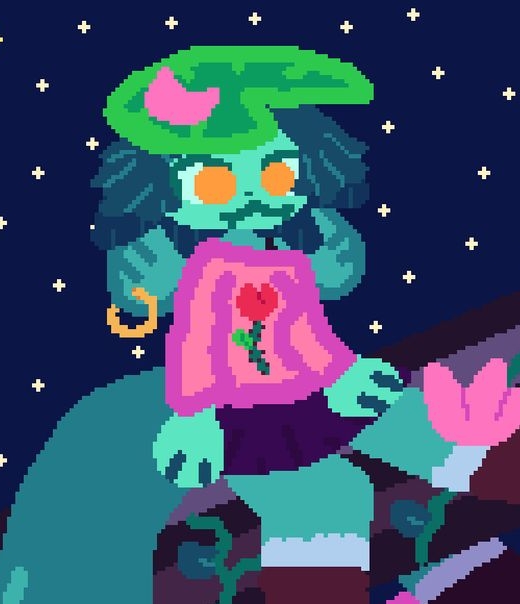


Speed tech is not required in most of this mod. You'll know when you need it!
List of tricks for the late levels: https://celesteclassic.github.io/glossary/
If flashing visuals can hurt you, please disable the effect in the pause screen after starting.
Huge thanks to these really cool people:
**
bacon_good - playtesting
flyingpenguin223 - playtesting
kikooDX - playtesting, getting me to release the mod, also inspired visual effects
petthepetra - playtesting, really valuable feedback, inspiration (foreberregd...)
wisper - playtesting, being way too determined
faith - idea for the 3d model, being an amazing friend (rest in peace bestie)
warspyking - playtesting (and recording it all- that was so nice)
8 comments




NoonShade | Multiplayer Duelling Game
NoonShade is a multiplayer game where two players try to out-duel each other in a best of 7 format. Both players can jump and shoot once per turn. The key is to fire your weapon exactly at noon. If you shoot before noon, you automatically lose that turn. The game mixes strategy and guessing with quick reflexes.
It’s a small game, but fun to play with a friend. I hope you enjoy it!
Feedback is always appreciated.
How to Play
Wait for the perfect moment! Shoot before noon and you’ll lose the turn.
Best of 7 format, first to 4 wins.
Player 1 Controls (Left Side)
Jump: (O) - Z on Keyboard
Shoot: (X) - X on Keyboard
3 comments





|
[8x8] |
latest version
1.0.2


 3 comments


PORTZZ - Space Dock Defense
Portzz is an early arcade style game that focuses on highscore and speed.
Gameplay
- Defend a space dock
- Shoot enemy ships (red)
- Don't shoot your friends (green)
After reaching the docking area green ships will dock and get out of your way,
while red enemy ships will try to breach the base (your tower) - don't let them or
the game is lost!
You have 3 shields - when you fire on a friend you loose one shield.
If you have no more shields left the game is lost.


Controls
- ⬅️➡️⬆️⬇️ shoot laser
- 🅾️ fire nuke
2 comments


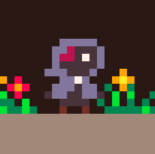
WotchiRPG


A minimalistic RPG with exploration and time-based battle system.
Inspiration: Tamagotchi & Final Fantasy 8 Chocobo World
This is a work in progress. What would you add?
2 comments



11.12.25 - Tutorial bugfix
Fixed issue where tutorial was showing every time a new game started. Now it will only show once, and won't show up again unless the cart data is reset via the pause menu.
About
Picotan is a simple but addictive brick-breaker game inspired by the original BBTAN (2015), and similar titles Ballz (2017), Holedown (2018), Piffle (2018).

Instructions
- Launch balls at bricks and destroy as many as possible in a single turn
- Each time a ball hits a brick, that brick's health reduces by one
- Once a brick reaches zero health, it is destroyed
- New bricks will spawn with more health after each round
- If a brick reaches the bottom of the screen, the game is over
- Try and reach the highest score possible!
Controls
This game supports keyboard, gamepad, mouse, and touch input, all of which can be switched between on the fly.
- Z / Left mouse (hold): Aim shot
- Z / Left mouse (release while aiming): Launch balls
- X / Right mouse (release while aiming): Cancel aim mode
- X / Right mouse (release while launching): Recall all balls / skips current turn
- You can also press the Recall button that appears while launching
 15 comments




This is a small game I made in order to get better at using PICO-8. I likely won't come back to improve it, but I thought I should post it anyway.
2 comments


hello i am trying to create a jumpking demake after coming back to pico after a little break and i seem to have trouble with the pico 8 collision detection can somebody help me with this problem?

 0 comments