





Edit: not sure how I'm expected to display multiplication using the syntax here, but assume there's a X or star or whatever between 15 and i etc.
I was trying to initiate this statement here, which I can do:
for i=1,4 do
print(i, 15i-14, 15i-14, 14)
end
But then I wanted to move the diagonal array of 4 numbers with the arrow keys around the screen. I tried the code below but keep getting errors. I'm guessing my argument is setup wrong and I can't call i as the same variable in all these statements and make it work...? Can someone help me understand the immediate problems with the code, and then afterwards if viable suggest an alternative method of doing so. I'm still learning so my immediate concern is figuring out what is wrong here specifically.
function _init()
j= {
x=15i-14,
y=15i-14
}
end
function _update()
if btn(0) then j.x-=1 end
if btn(1) then j.x+=1 end
if btn(2) then j.y-=1 end
if btn(3) then j.y+=1 end
end


 2 comments


can someone tell me why this throws the error "attempt to call global vec a table value"?
vec clearly has its metatable set with a call metaevent
vec=
{
	x=0,
	y=0,
	mag=function(o) return sqrt (o.x^2+o.y^2) end,
 ang=function(o) return atan2(o.x,  o.y  ) end,
 nrm=function(o) return vec(o:ang()/360) end,
}
vecmeta=
{
	 __call=function(o,x,y)
	  o  =o or {}
			o.x=y and x or cos((x+90)/360)
			o.y=y and y or-sin((x+90)/360)
			return setmetatable(o,vec)
		end,
		__eq=function(a,b)
			a=type(a) == "number" and vec(a,a) or a
			b=type(b) == "number" and vec(b,b) or b
			return (a.x==b.x and a.y==b.y)
		end,
		__add=function(a,b)
			a=type(a) == "number" and vec(a,a) or a
			b=type(b) == "number" and vec(b,b) or b
			return vec(a.x+b.x,a.y+b.y)
		end,
		__sub=function(a,b)
			a=type(a) == "number" and vec(a,a) or a
			b=type(b) == "number" and vec(b,b) or b
			return vec(a.x-b.x,a.y-b.y)
		end,
		__mul=function(a,b)
			a=type(a) == "number" and vec(a,a) or a
			b=type(b) == "number" and vec(b,b) or b
			return vec(a.x*b.x,a.y*b.y)
		end,
		__div=function(a,b)
  	a=type(a) == "number" and vec(a,a) or a
			b=type(b) == "number" and vec(b,b) or b
			return vec(a.x/b.x,a.y/b.y)
		end,
}
setmetatable(vec, vecmeta)

local test =
{
	pos=vec(0,0),
	vel=vec(0,0),
}
|
0 comments

This is a project I made for a class at college. It follows the trajectory of Victor Frankenstein through scenes from the novel "Frankenstein," analyzing how his 'family triangle' of relationships (that is, father, mother, and son, or the lack of these) changes over time. Each scene compares the location in the present day to their depiction in the novel (denoted as "1818").



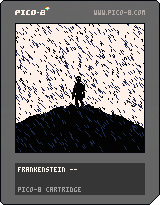
The code is rushed, highly redundant, and resembles delicious spaghetti; please don't look at it.
1 comment

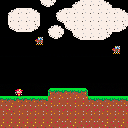
Fire Flier
Make your way past the nasty June bugs to get to the end of the map. Touching the top of the map or a June bug will end the game. Tap UP button to fly
0 comments
FIRE FLYER
Demo for the first Pico-8 game I am trying to create. Final product will be named "FireFlyer" by Jake Fischer
1 comment

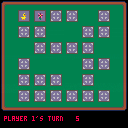
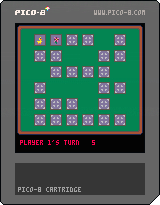
Memory Card Game
Flip over two card to see if the pictures match. 1 point for each match is awarded.
For 1 to 4 players. Use a controller for each player.
-
Start: use the menu to:
- select player count (and reshuffle deck)
- toggle music on/off
-
Up/Down/Left/Right: select card to flip over
- Z: flip card over
0 comments

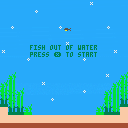

Simply push Z to play. Some Computers use X, not sure why using a different computer makes the key change.By Molly Ince CIS 102 T302
0 comments





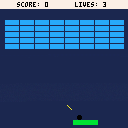
Uploading cart for school. Sprites added and more sound!
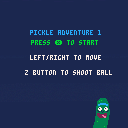
Check back frequently for a Pickle Rick adventure, as you play a pickle rolling across water and dodging enemies! Put the Rick in rick roll!
0 comments
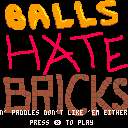
This is my first game made with PICO-8. I have dabbled quite a bit in Unity, but PICO-8 limited me enough to actually see a game through to "completion". That, and this was for a game programming class that I would like to pass!
0 comments




Hell Hole: Final Release
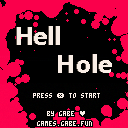
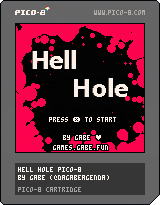
Manual
Controls:
- Movement: up,down,left,right
- Attack: Hold X or Z
How To Play:
- Move your avatar around the screen to avoid getting hit by demons and saw-blades.
- Hold the attack buttons to shoot your soul out and control it to hit demons.
- You can't move your body while using your soul. Your body is still vulnerable.
- Let go of the attack button to return your soul to your body.
- You can't damage saw-blades.
- Survive 66 seconds...
Characters:
- Player:

[0x0]
5 comments


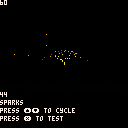
How to use
All value in the make_particle are from 0 to 1 and use either
axis([number], [velocity], [acceleration], [inertia]): progressing value
or
{y, length}: reads a set of values over time in sprite data
make_particle(X, Y, Color, Angle of rotation, lifetime)
you can also use it in conjunction with
make_emitter(function, time, [every x frames])
Thank you
Id really like to hear your feedback on it !
The code
-- Axis are from 0 to 1
-- Axis(x, y, c, r) - axis variable
-- {,} - axis texture [1]: texture y position [2]: texture length
function make_particle(_x, _y, _c, _r, _maxl)
 p = {
 x=_x,

[ [size=16][color=#ffaabb] [ Continue Reading.. ] [/color][/size] ](/bbs/?pid=65839#p) |
0 comments
For Bellevue Class. I find this to be an extremely challenging class but it is a lot of fun trying to work my brain into how this program works.
0 comments

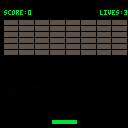
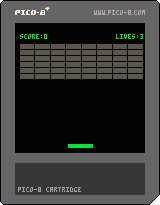



A flower blooms slowly towards the sky.
This is a game made for the 220th One Hour Game Jam, the theme of which was "Growth".
Cart art by the amazing Wallkick!
1 comment

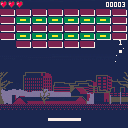
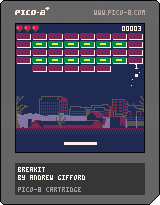
A Breakout clone for the CIS102-T301 course. The skyline in the background is a pixel art rendition I made based on this picture by Thor Rudebeck.
1 comment


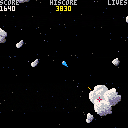
A little game that I made, inspired by the classic Asteroids.
It does have a few differences:
- Sprite based graphics.
- Camera is centered on the player.
- Bullets don't wrap, but you can shoot as much as you like.
- No teleport ability.
- Shooting the UFO not only gives bonus points, it also allows experienced players to skip levels.
Edit: In the new version, which is likely the final version, I have added the UFO, more asteroid sprites, an override for the spawn safety, and a little score pop-up that shows how many points you got from shooting something.
2 comments


