Hi, welcome to the thread. I'm starting this to put my progress on a little game I'm working on. I'm hoping that it'll serve as a way to keep myself motivated as I post in-progress pictures and talk about design decisions.
My game is called Deep Flame and it's a little zelda-like dungeon adventure game. I'll save the story for later (in part because i only have an outline haha). As of right now I've got a few gameplay systems working, namely a player controller, health, death state, map scrolling, map collision, axis aligned bounding boxes, and a very crude enemy system.
Map design has not started yet, and the sprites are absolutely going to have a couple passes, but here's a couple gifs showing off my progress:
Title screen. Inspired a lot by both Hollow Knight and the PSX Doom fire effect. It also uses 64x64 screen mode to get those big chunky pixels. I'm quite happy with this right now.

And here's the box that kills you, along with the death screen. Invuln frames were added shortly after this. The box is actually an entity within my entity system! Also yeah, the death animation is heavily inspired by the older Zelda death screens :)


 3 comments



.png)


--pickups--
function ipickups()
pu={}
for i=1,5 do
add(pu,{
x=flr(rnd(128)),
y=flr(rnd(128)),
act=true
})
end
rubies=0
end
function upickups()
if pu.act then
if abs(p.x-pu.x)<=8 and abs(p.y-pu.y)<=8 then
rubies+=1
sfx(1)
pu.act=false
end
end
for pu in all(pu) do del(pu,p) end
end
function dpickups()
for pu in all(pu) do
if pu.act then
spr(3,pu.x,pu.y)
end
end
camera()
print("rubies:"..rubies,10,10,10)
end
3 comments



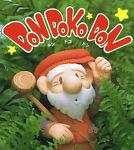


Stone Eaters
Your fellow Stone Eaters have sent you up to the mountainside to collect food (stones) for the village. The dragon is constantly digging away at the mountain to enlarge its lair and all the rocks tumble down for you to collect.
Gameplay
Grab the stones in your cart (move (LEFT) and (RIGHT) to catch) and send them rolling (X) down to the village. Be sure not to send them over the cliff. Be quick - if the town's hunger grows too great, they'll kick you out and find someone else to get those yummy stones for them.
Of course, you also have to deal with the balls of lava the dragon sends hurtling down at you as well. Your cart is lava proof (somehow), but the rocks you collect in it aren't. If you don't catch them, though, they'll damage the path over the lava river and possibly leave a hole you could fall through.
2 comments


--pickups--
function ipickups()
pu={}
for i=1,5 do
add(pu,{
x=flr(rnd(16)),
y=flr(rnd(16)),
act=true
})
end
rubies=0
end
function upickups()
if pu.act then
if abs(p.x-pu.x)<=8 and abs(p.y-pu.y)<=8 then
rubies+=1
sfx(1)
p.act=false
end
end
end
function dpickups()
for p in all(pu) do
if p.act then
spr(3,pu.x,pu.y)
end
end
camera()
print("rubies:"..rubies,10,10,10)
end
1 comment

Wizard fight (Demoscene)


This is a Demoscene about Wizards and BOSSFIGHTs set to music. It has a space and mystical theme. I'd like you to comment on what you think. This is my first Demoscene, so don't expect too much and enjoy the two lovely chiptune songs.
About the development: I spent a WHOLE WEEk working on this demoscene, and I did everything myself (music, graphics/sprites, concept, and code). I’ve always been impressed by demoscenes, and now I love creating them—I’m even impressed with myself; this one turned out great, especially considering it’s my first.
0 comments
Tempest 2000


what you get
- 99 stages
- 10 enemies
- all powerups
- 1 good music track (by zenith320)
- 1 bad music track (by me)
- mouse and spinner support (may not work on unofficial pico8 players)
- beastly mode (finish all 99 stages to unlock)
- bonus stages (not same as jag original)
0.9.8 changelog
- gamestation go spinner support (turn on in options) requires gsg sd card 2.7
- gamestation go seems to experience slowdown if mouse is enabled so don't turn on the mouse
- you'll still need to press down on the dpad/stick to jump because pico8 only has two buttons :(
44 comments




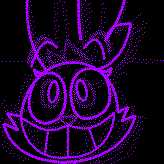





Tickle Hunter (pictured above).
Context is not to be asked for, nor will it be provided.
(Speech synthesis model (Speako8) by @bikibird)
0 comments


Hungry Otter
Adorable sea otters that are also hungry! Please give them food for a healthy life.
1-2 Players.


How to Play


Rules
Try to get the high score! Scores can be recorded in 1 Player mode at the moment.
About
I wanted to make a small, quick, pick-up-and-play type game. Just a newcomer to Pico-8, Lua, and programming in general. Definitely a lot of challenges and learning still, but also a lot of fun.
Please let me know your thoughts about the game, and hope you also enjoy! Feedback and support will be greatly appreciated.
Credits
Mark Neri - Programming, Art, and Music
AI Note: Code contains portions provided by Google AI Overview search results
2 comments


Did a reimplementation of a simple game I typed in QBASIC as a kid.
This time with local multiplayer and proper high scores.
If you are interested, updated DOS and love2d versions also exist :)

 1 comment

I wanted to be able to have a way to "hand sketch" background images for another game I'm making, so I designed this tool that converts an image into a collection of lines, then draws those lines on the screen over time in a particular way to simulate a person sketching by hand. The effect is very cool and immersive, and almost all of the computation power is in the prep, making and organizing the collection of lines to be drawn. Once the lines have been found, they're relatively easy to store and draw to the screen. I'll eventually figure out how to export these collections of lines so I can insert them them in other games to use when I want to sketch a background for a scene.


My code can handle images with multiple colors, they just don't look great yet so I'm demoing it on a black and white picture of a butterfly.
0 comments


Random Key
Controls
- Right - Random Key
- Up - Random Major
- Down - Random Minor
Purpose
Pretty much every musical exercise comes with the instruction:
Practice in ALL keys |
Silly as it is, the human brain has a tendency to give up when faced with attrition, particularly attrition that is ancillary to the practice itself, such as:
Deciding WHICH key to practice next |
The purpose of this little app is to make that part of the equation as pain-free as possible, so that you can focus your full attention on the PRACTICE itself.
The idea being that you open this app on your laptop/phone/tablet, practice your exercise in whichever key is shown, and then hit either the Right (random), Up (random major), or Down (random minor) arrow to move onto the next key to practice in. Rinse and repeat as many times as desired to really drill in whatever it is you're working on.
3 comments