




I think including an epoch timestamp in the scoresub() entries, provided by the server itself would help prevent os time exploits. Rather than relying on the users os time, a timestamp could be attached to the scoresub data when a highscore is uploaded.
The timestamp could be the same format as seen in stat(86)
So the scoresub entry could look like so:
{
   user_id = user_id,
   username = username,
   icon = icon,
   score = score,
   timestamp = timestamp,
} |


 2 comments

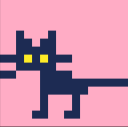

Very simple rspr animation for a "loading" gui widget. It does a half turn every half second, then stops. Very readable and clean. Please make use of it.
Make sure your tquad uses flags 0x300 in its calls to tline3d for best results.
Script
local logo=--[[pod_type="gfx"]]unpod("b64:bHo0ADkAAAA_AAAA8QtweHUAQyAQEATREAG3ARABtzHXEdcxXBceFwUAQRFXHFcEAFEXHhdcMQUAACAAgLcBEAG3ARDR")

local icon=container:attach{
	x=0,y=0,width=24,height=24,
	justify="center",vjustify="center",
}

function icon:draw(msg)
	local c=t()%1
	if c<.5 then
		rspr(logo,12,12,1,1,c)
	else
		spr(logo,4,4)
	end
end |
Example
 0 comments


This is a small demo for the podweb markdown I am currently using in my podweb browser. This project should allow users to make use of podweb markdown in other projects
1 comment

Hello,
I know I can create my own palette on the fly with the pal() command. I also know about the OKpal tool which I find a bit hard to use.
What I'm wondering is, can I not just build my own hex palette as a list, fetch it and poke it into memory? Or is OKpal the only way to do that currently.
context: I want to use the colours from 32 onwards. I'd also like to see the colours in the sprite editor.
Thanks
9 comments


Hey there!

To everyone who enjoyed "NUMBAKO," thank you so much!
Right now, I'm working on a spin-off featuring the characters from NUMBAKO!

NUMBAKO, the puzzle game I made earlier, was actually something I put together
quickly — partly as a practice project.
I just wanted to see what kind of game I could create within the limitations of PICO-8.

So this time, I'm planning to make a cool action game — something I'm really good at!
My current vision is a quarter-view survivor action game.
It'll be a game where Riko and Yanagi, as the protagonists, take on mischievous yokai.

The reason Megumi and Saika are shown here is that I started by testing how far I could
go with minimalist pixel art for them and animating those sprites.
…Of course, I plan to include them in the game too!
8 comments



Butt Smash
The incredible button-smashing experience!
Feel productive while wasting time in this riveting D-pad experience! Try to keep up, as each screen cleared shortens your time on the fuse. Be kind to the lil bombs and do NOT blow them up. Good luck, and share your high scores!


Development
I started this as a practice for juicing up simple mechanics. I was inspired by a game featured in a SpaceCat video, made by Josh Fouts, plus the Helldivers 2 stratagem codes.
I used the #palbrite function for the fade to black -- thanks to @dw817! Everything else was, for better or worse, made by me! Thanks for playing.
2 comments


Rowan Fart Survival is an innovative experience designed spectacularly in just 2 days
You play as a smelly individual, Rowan, who is dodging sanitation products trying to attack you.
FEAR NOT! As you, Rowan, have the miraculous ability to fart using the X button!
Furthermore, power ups will spontaneously spawn on the map
- Chocolate regenerates you fart cooldown
- Poop grants temporary invincibility
The sanitation products chasing you are scary, but no match for Rowan!
- Soap are average attackers
- Water droplets typically move faster than soap
- Deodorant will temporarily slow you if they catch you, but are very slow
This game was created out of pure hatred for a despicable, stinky man in my cybersecurity class.
Funnily enough, the majority of this game was created during my cybersecurity class
- Every time I got demotivated, I motivated myself through my pure hatred for this man
0 comments


Podweb is a simple browser for the podnet — Picotron's built-in per-user cloud storage. It lets you browse a small cozy web of pages created and hosted by other Picotron users, connected by links and explored through this cart.
Pages support headings, paragraphs, code blocks, images , links and EVEN a comment section making use of picotrons highscore system. That's it. No ads, no tracking, no dark patterns — just text, pictures and your friendly neighbours comments on podnet.
Fire it up and it will take you straight to the Podweb home page, which explains everything you need to know about
50 comments




.png)


I'm using fletch_pico's rspr function to rotate my sprites, but I had a question to hopefully optimize the drawing of these. Since they don't rotate constantly, I was wondering if there was a way to store the output of these, draw those, and only use rspr() when the angle changes. Any help is appreciated!
function code:
2 comments


Jump to avoid the wizards' fireballs for as long as you can!
Controls:
Arrows to move L/R
Z/X to jump.

This is my first cart. Working with PICO-8 was so fun and I'm looking forward to starting a more involved project!
1 comment


A wallpaper and screensaver based to the Flying Toasters After Dark screensaver.
When set as the system's wallpaper, or run with the --wallpaper argument, the background color matches the system theme.
Run with the --window argument to view the Flying Toasters in a window instead of full-screen.
0 comments

I thought making a Lexaloffle BBS browser for Picotron might be neat.
It doesn't actually attempt to fully parse and understand the HTML, this is just a "vaguely try to find the important parts of the post and display those" kind of a thing that will probably break completely the moment zep changes literally anything in the page layout.
Working on this is reminding me how bad Lua's "RegEx at home" pattern matching is. ...
5 comments


This is a falling block style puzzle game.
Controls
- Press the left or right keys to move horizontally in that direction, you can also hold the direction to move rapidly.
- Press the down key to move down. If you try to move down and the bottom of a block is touching something the blocks will be placed.
- Press up to fast drop the blocks, this does not immediately place the blocks.
- Press circle/Z to swap the colors of the block horizontally.
- If you have a 2x2 block you can swap the colors vertically by pressing the X key.
- Pressing and holding circle/Z and X will let you end the current game early.
How to play
2 comments


Started this farming sim today. The main character is a bunny named Jenny. So far she can till the ground, plant seeds, and water them.

 0 comments
I've been making good progress with Angie's Adventures. I learned how to do positioned text that stays in one place and how to display a score counter that stays in the corner of the screen. Plus I implemented a score mechanic when Angie finds her toys. I had fun making a little catnip banana sprite. The other toy is a spring, not sure if that's visually clear or not.
I think the last thing I'm going to add is a sprite of Mark, her owner, at the end of the level. Then I want to figure out how to play a cutscene, so when she collides with Mark, it starts playing a little scene where he picks her up and snuggles her and then the game ends. Not sure how that's going to work, but surely it can be done.
Anyway, here's my progress

 0 comments


After searching futilely for several days to try to find a way to interpolate in Picotron, I finally figured out how to use Bezier curves to accomplish what I was trying to do. This cartridge includes a bezier function, as well as a few demos giving some examples of how you could use it.
This cart specifically is geared towards handling cubic bezier curves, which are sets of four control points.
It is by no means optimized, and I haven't commented the code very well, but I think it's pretty easy to understand.
Included in the cart is a bezier_illus function, added for the sole purpose of visualization inside the demo. I do not recommend using it if you don't need to visualize it; it's much clunkier than the first one.
2 comments


This is a Screensaver for my elemental dragon character Clun (クルーン). He spins and creates tornadoes and plays the trumpet/cornet.
 0 comments
