


Howdy, new to Pico-8 and I am making my 1st game now.
I seem to have some off issues with the SFX and getting certain sounds to play.
I will make a video to explain this more if what I am about to type does not work.
I want a "Sonar" sound to play while the person plays the game. I made a simple blip sound affect and at the beginning of my main _Update() I used SFX(10) as that is where I made the simple quick sound.
It won't play.
I can instead make a screeching noise, explosion, that plays fine the whole game but who wants that. haha.
So, while one sound, same SFX(10) plays the second I start polaying, if I alter that same SFX(10) to age more bass low pitch blip, nothing.
I find that odd.
I can play the noise in the editor fine by hitting space bar.
In the game no luck.
Do certain sounds just not play? Do I need to move this to some music() instead, which I am more clueless on right now now.
But, I want a constant low bass blip like a sonar during gameplay.


 2 comments




A short game inspired by the Stephen King short story Trucks, made during November for PiCoSteveMo 3.
Credits
- pelogen_tri_129 function by @shiftalow
https://www.lexaloffle.com/bbs/?pid=75530#p - dist_trig function by @pancelor
https://www.lexaloffle.com/bbs/?pid=119363#p - clouds by Aubrianne
- everything else by me
Controls
- [D-pad] move cursor
- [X] change tool
- [O] use tool
Optional mouse controls
If your PICO-8 has a devkit mouse attached, you can open the pause menu and set the "mouse/esdf" option to "on", enabling the following controls:
5 comments



MORPH - A tactical 2-player battle game
Two warriors face off in a hellish arena. Move strategically, attack your opponent, and harness the power of blunders to morph into stronger forms!
Made by Marshy & Mike


HOW TO PLAY:
• 2 players take turns planning 3 actions each round
• Actions resolve simultaneously
CONTROLS (Planning Phase):
• Vertical arrow keys / vertical d-pad: Move UP/DOWN
• Arrow / d-pad toward your enemy: Attack
• Arrow / d-pad away from your enemy: Blunder (intentional mistake for power!)
• O button: Confirm plan
• X button: Clear/redo plan
GAMEPLAY:
• Hit your opponent to gain morph power
0 comments


muOS screenshots
I'm currently using muOS on my RG CubeXX.
On muOS version 2508.3 (Golden Goose) the shortcut for screenshots is L2 + R2 + X. Screenshots are saved as 720x720 PNGs in the MUOS/screenshot folder.
This works in native PICO-8. The handheld rumbles to confirm a screenshot was taken.
Sometimes, though, I want to take a screenshot without triggering the ❎ button...
CTRL-6 screenshots
I edited MUOS/save/pico8/config.txt and added 29=224,27=35, at the end of the map_scancodes line.
This maps L1 and R1 (the only buttons that trigger key scancodes) to LCTRL and 6, respectively.
Desktop path
I also had to add /mnt/sdcard/MUOS/screenshot/ at the end of the desktop_path line in config.txt so that CTRL-6 screenshots are saved on the screenshot folder.
Note: use mmc instead of sdcard if you want your screenshots to be saved in SD1.
It works!
0 comments

I have just installed pico-8 on my Ambernic RG351P and it works but the controls are not right.
The d-pad doesn't work on any game, tbe left analogue stick works but is reversed so left is actually
right and up is down etc.
Does anyone know how to fix this problem?
0 comments

Terminal Front
Terminal Front is a bullet hell type game made to look like a terminal, with your actions taking up precious screen space. Navigate across a sea of swarming characters, reaching for that ever growing score; careful, difficulty increases the more you play...


preview


development
idk i had this idea, i wanted to make it so bad. im pretty happy, even if this game isn't completely polished, it still is ridiculously addictive.
rules
arrows to move
X button to left click
O button to right click (small blast)
ratings
0 comments


A 3D Star Map of our actual stellar neigborhood. Features 32 nearby stars.
Use the mouse wheel to zoom. Click and drag to rotate the map.
Based on a diagram by Inductiveload
https://commons.wikimedia.org/wiki/File:Nearby_Stars_(14ly_Radius).svg
Video explaining the code here:
4 comments


Hey all, this is an entry for the 20 second game jam 2025 made by me and my family.
You are a Werewolf who wakes up locked in a mansion and needs to escape! You have 20 seconds till everything is locked down.
Use shadows to your advantage, the guards cannot see you when you are shrouded in darkness.
Collect keys to unlock doors to make your way out of the mansion. You can boost to get away from the guards if they spot you.

 3 comments




This upload is mainly to test cartridge export fucntion :)
Current state of the game:
- Procedurally generated 100x100 tiles map
- Generated different types of terrain based of "walls" blob size
- Basic movement and collision detection
Just restart the cartridge to get the new map.
Stay tuned for more updates :)
UPD v.0.1.5
Optimize map generation code. 3x faster, 3x less readable :)
UPD
Enemy AI
8 comments






function _init()
 plr = {
 x=16,
 y=16,
 fcedir=1,
 moving=false,
 stpct=0
 }
 movespeed=1
end

function _update()
	movement()
end

function _draw()
	cls()
	spr(0,plr.x,plr.y)
end

--player--

function movement()
	if plr.moving != true then
		if btn(0) then
			plr.fcedir=0
			plr.moving=true
		elseif btn(1) then
			plr.fcedir=1
			plr.moving=true
		elseif btn(2) then
			plr.fcedir=2
			plr.moving=true
		elseif btn(3) then
			plr.fcedir=3
			plr.moving=true
		end
	end

	if plr.moving==true then

		if plr.stpct>=8 then
			plr.stpct=0
			plr.moving=false
		end

		if plr.fcedir==0 then
			plr.x-=movespeed
			plr.stpct+=movespeed
		elseif plr.fcedir==1 then
			plr.x+=movespeed
			plr.stpct+=movespeed
		elseif plr.fcedir==2 then
			plr.y-=movespeed
			plr.stpct+=movespeed
		elseif plr.fcedir==3 then
			plr.y+=movespeed
			plr.stpct+=movespeed
		end

	end

end |
I'm curious if what I wrote can be done a lot more simpler. And I'm trying to figure out how to improve it. The issue is, because of the order in which the game checks for input, if I hold down right and then press left the character moves left. But if I hold down left and then press right the character keeps moving left. (same for up and down.)
Since I was trying to make a stupid simple monster catching clone I booted up pokemon emerald to check how that game handles input priority. And funny enough it doesn't, it has the same issue as my movement does.
2 comments
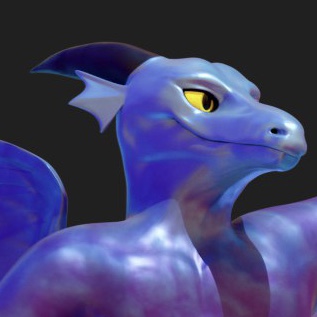


PICO-TRIO — A Pocket-Sized Otrio-Inspired Strategy Game!
v1.0 – PICO-8 Cartridge
Hey everyone!
I’d like to share PICO-TRIO, a compact logic/strategy game inspired by Otrio and rebuilt lovingly for the PICO-8.
If you enjoy quick tactical decisions, satisfying patterns, and a surprising amount of depth packed into 128×128 pixels, this one’s for you.
🎮 How to Play
Take turns placing your rings (small, medium, large) onto a 3×3 board.
There are four ways to win:
Concentric Trio — all three sizes in a single cell
Same-Size Line — same-size rings in a row, column, or diagonal
Ascending Line — sizes 1→2→3 across a line
0 comments


HANGAKU GOZEN: one hundred arrows
Become the famous Japanese female archer and carry death with each arrow you release into the air. Collect arrows shot by your enemies, dodge spears and shurikens, and figure out how to deal with 5 different enemy types. Be quick, but patient, and earn the TRUE HANGAKU stamp.
In 1201 Japan, Hangaku Itazaki from the Taira clan joined her uncle, Jo Nagamochi, in his Rebellion aimed to overthrow the Kamakura Shogunate. During three-month long defense of Torisaka castle, Hangaku commanded 3000 soldiers to defend against 10 000 soldiers loyal to the Hōjō clan. Dressed as a boy, Hangaku stood on the tower of the castle, and all enemies that approached her were shot down by her arrows. According to historical records, for each hundred arrows she shot, one hundred enemies dropped dead.
18 comments





STRIKEIST COMMAND:
BATTLE OF FALCON BEACH


Battle of Falcon Beach is an arcade Tower Defence game with shooting mechanics, the player can build and upgrade towers to hold off waves of enemies, as well as shoot them and pickup powerups!

CONTROLS
Arrow Key <--- Move Player Left + Move grid left
Arrow Key ---> Move Player Right + Move grid Right
Arrow Key UP Move Grid Up
Arrow Key DOWN Move Grid Down
X Key Shoot Bullets
Z Key Place + Upgrade Towers
NEW UPDATE
Thank you for the Feedback! I have made a few changes to the game, a few tweaks, and also added some more depth to the gameplay!
3 comments




A small game made in 3 days, it's not for Pico1k (817 compressed bytes)
CONTROLS
- Left/Right : Move
- Up/Z/🅾️ : Jump
- Down/X : Crouch
- Down/X (in air) : FastDrop
- Crouch + Jump : Tiny Jump
5 comments


.svg)