


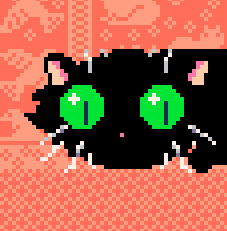





Snowpeel

"Snowpeel" is a snowboard action game inspired by Excitebike on the NES.
Game by @kitasuna
Music by @mabbees
Controls
←→ Adjust board angle while in the air
↑↓ - Change lanes
X (X/V keys) - Boost (when boost is available)
How to Play
Overview
The snowboarder will move forward automatically. This is magic. Do not question it. As you progress through the levels, you'll encounter ramps that cause the snowboarder to jump.
While in the air after hitting a ramp, tap the left or right keys to adjust the angle of your snowboard to match the angle of the ground that you'll land on. If you align your board to the ground before you land, you'll continue boarding smoothly.


 8 comments






Background
This is my homework for the Youtube series "Pico-8 Tutorial - Shmup de Lazy Devs" (shmup:Shoot-em-up)
The course can be followed at:
URL Pico-8 Tutorial - Shmup
At the end of each video there was homework. As a result of doing the exercises, my end program looks and acts a bit different than the one of the teacher. I know I need to refactor the code (it's a mess)
I wrote my game in a way that, I hope, would encourage the players to re-run the game and try to beat their last high-score.
This is the first "game" I wrote. I would be grateful for any remark on graphics, music, game-play and bugs.
1 comment


This is a step by step singleplayer tutorial for the real world card game of Euchre. Play through six levels, where each level introduces a new rule until on level 6 you're playing full blown Euchre. Can you beat all six levels?
Ver 2 changelog:
- fixed bug on level select
- added game speed option in pico8 menu
- changed button prompts to be "X or O" instead of "X and O"
4 comments





The text of pico-8 is fighting!
Have a "friendly" competition with your friends or fight a menacing boss alone!
Controls:
- Dpad/Arrow keys: Movement and directional input
- O Button/Z: Jump or accept
- X Button/X: Attack or go back
Tips:
- Some places are too high to reach with just a normal jump; thankfully, you can wall jump!

[16x16]
2 comments


INFERNO – Fireplace & Timer
by manhill & claude ai
Sit back and relax. INFERNO turns your PICO-8 into a cozy pixel fireplace — complete with flickering flames, glowing embers, drifting smoke, crackling sounds, and a whole mantelpiece full of decorative items.
Or use it as a kitchen timer: set your minutes, watch the fire slowly grow from embers to a roaring blaze, and get an unmistakable alarm when time's up.


Controls
- ⬆️⬇️ Fire intensity
- ⬅️➡️ Ambient glow
- 🅾️+⬆️⬇️ Animation speed
- ❎ Cycle deco items
- PAUSE: Set/cancel timer and change palette
3 comments


Valentines day is coming up and you don't have anything for your partner! Go find something!


[Arrow Keys] Move [X] Run [O] Interact
0 comments




Cover of Toccata and Fugue, by J.S. Bach.
This hit piece was released in the 1700s to be performed on organ.
Can't wait for Bach's next release...
1 comment


Hello Pico-8 community! As my first post on the BBS, I'd like to share a framework I threw together for parallaxes in 2D games.
You're free to use this framework for any of your own games. Credit is appreciated but not required.
Enjoy!
FAQ (also in the cartridge file):
Q: How do I add this to my
project?
A: Paste tab 1 into your
project.
Q: Will using this use a bunch
of tokens?
A: Token count is only based on
actual code tokens, and the
functions in tab 1 are made
to use few tokens. If you do
need more characters or
compressed capacity, delete
the comments in tab 1.
Q: Where is the documentation?
A: All functions in tab 1 have
0 comments


Cavers with a loving family and 6-figure salary when they see the Cave of Doom and Despair with a 0% survival rate
Requires speed tech (https://celesteclassic.github.io/glossary/)
4 comments


Space Toy

A 3D starfield toy that lets you accelerate up to warp speed. Press forward to enable warp mode, and back to slow back down.
Pressing buttons 5, 12, 13 and 14 (picotron buttons, 'x', 'f', 'g', and 'q' respectively) let you change the video mode if you like a pixel-y look. You can also press 4 ('c') to toggle full screen mode on the web version.
Press 4 to toggle fullscreen on and off.
Space Toy is my first picotron program.
Note:
Epilepsy warning! There is a flash when you reach maximum speed.
 4 comments


Hi! This is my first project in PICO-8, and I barely knew anything about coding when I started. It took me several days to finish, but it was worth it because it’s mainly a gift for my boyfriend.
It’s a very short game since it’s not meant to go any deeper. I know you might find a few bugs, but I was basically racing against the clock, haha.
I love my boyfriend very much, and I hope he likes it.
Story.
You are a hopeless cat who feels misunderstood by everyone. Life has become monotonous, yet there is still a need to keep moving forward through the forest in search of a reason, and of a life companion.
The environment changes as positive messages appear on the signs around the map, reflecting the new perspective of our protagonist.
3 comments


Batty
This game was made for the 2025 New Mexico Game Jam. You are a mother bat. Your babies are hungry! You must get food. Each night you must hunt, using your batty sonar to both find and stun your prey. This is my first Pico-8 game.
Gameplay
You must stun the bugs with your pulse in order to harvest them. Hit each bug with two pulses to stun it. A bug that's been hit once will have a small dot above it. One that's been hit twice will be stunned and slow and disoriented. Perfect prey for you! Then simply fly into them. Bugs that haven't been stunned are not edible.
Some bugs (red) are invisible to you until your echolocation reveals them.
Credits
Music from here, courtesy of snabisch on itch.io.
3 comments

Release 0.2.2 added the following:
Added: processes receive window gui messages at the top level: click, doubleclick, tap, doubletap, drag, release, hover
Out of these events, all work at the Window level except for 'drag' and 'release'. (Note that all of these events work as expected when applied to a GUI element, just not to the Window)
Minimal code to test and show the bug as follows:
on_event("release", function(msg)
  cls()
  print(pod(msg))
end)

function _draw()
end |
This should print the event message to the screen, but nothing happens. If you change "release" above to "click" (for example), then you will see the event message printed. Both "release" and "drag" produce nothing, all the other events listed above produce output as expected.
For anyone running into this issue, you can replicate most of the functionality using the "mouse" event which captures every mouse event. But this workaround requires more manual work.
0 comments


