


Alright, so I've been trying to get some animated sprites to work using tables, using a tutorial for guidance. However, upon trying to run the following, I am hit with a Syntax error about an unclosed { on enemy1 and a runtime where it's trying to call upon a string value? I'm not sure where the mistakes are here, so I was wondering if anyone else had any ideas?
This bit of code is on it's own tab, with the other tab's contents working totally fine, if that affects anything.
I feel like it's something really obvious I'm just not seeing.
Anyways, thanks.
function _init()
enemies ={}

		enemy1= {
			e_sprite=16,
			x=-20,
			y=5,
			timing=0.1,
			speed=1.25
			first=16,
			last=19
		}

		enemy2= {
			e_sprite=20,
			x=-14,
			y=30,
			timing=0.2,
			speed=0.4,
			first=20,
			last=23
		}

	add (enemies,enemy1)
	add (enemies,enemy2)

end

function _update()
for enemy in all (enemies) do
		enemy.e_sprite+=enemy.timing
			if enemy.e_sprite > enemy.last then
			enemy.e_sprite=enemy.first
		end
	end

		enemy.x+=enemy.speed
			if enemy.x >127 then
			enemy.x=-8
	end
end

function _draw()
	for enemy in all (enemies) do
		spr (enemy.e_sprite,enemy.x,enemy.y)
	end
end
|


 4 comments



Controls
Arrows: move
X: roll/dash
Z: (hold, then release): charge and throw your boomerang. Release to throw. Boomerang can be caught again mid-flight, or picked up once it falls
Goal
Survive as many waves as you can
0 comments

I'm doing a breakout project for a class, and I'm currently trying to figure out how to get rid of breakout bricks that have collided with a ball.
The collision works just fine (kind of, my collision function has a thing where the object can go inside another object and just bounce repeatedly until it's no longer inside said object), but what I'm currently struggling with is making sure the brick object gets removed from the screen.
Theoretically, if the ball where to hit a brick, the del() should work and remove said brick object, but that isn't the case.
Am I missing something?
-- objects of relevance
function make_ball()
--ball table
ball = {}

ball.x = 60
ball.y = 50
ball.w = 8 --ball width
ball.h = 8 --ball height
ball.yspd = 2.5 --ball yspeed
ball.xspd = 0 --ball xspeed

end -- end make_ball

function make_brick()
-- brick table
brick = {}

brick.sprite = 4
brick.x = 16
brick.y = 16
brick.w = 16 -- brick width

[ [size=16][color=#ffaabb] [ Continue Reading.. ] [/color][/size] ](/bbs/?pid=197812#p) |
9 comments


I'm using Pico-8 made sound effects for my game (not made in Pico-8), and have been using export .wav to export the raw music files for it.
I've noticed that for a sound effect that is 1 tick long, and is set to be only a length of 1, lasts the full time. A very minor issue but especially with .wav can cause size issues (will end up converting to .ogg and manually cutting down myself, just a bit of a pain to do for a bunch)
0 comments



This game is available in both french and english!
Quebec Mortis
Description
Quebec Mortis is a top-down adventure game.
This here is the full second episode. Have fun and thanks for playing!
Synopsis
Serge finds himself involuntarily in the midst of a dispute at the heart of the Western festival. Someone put Serge up to this and was able to convince him. But how? All he wanted was to buy a simple hat!
Controls
D-PAD : 8 direction movement, select item in inventory if it is opened
Hold O : Open inventory
X : Use an item
You need to be in proximity of certain zones to use items on them or simply interact with them just like a point and click game.
4 comments


I am trying to loop music pattern 0 when current_time is between 9*60 and 10*60. After that the music should stop. But after each loop, I would also like to add a short pause of two seconds.
This is my code so far:
function init()
    music_opening_started = false
end

function update(60)
    music_opening()
end

function music_opening()
    if current_time >= 9*60 and current_time < 10*60 then
        if not music_opening_started then
            music(0)
            music_opening_started = true
        end
    elseif music_opening_started then
        music(-1)
        music_opening_started = false
    end
end |
I can loop the music in PICO-8 with the loop icon, but I would like to do it via code so I can also add in that pause.

Could anyone here help me out?
Thanks in advance!
2 comments



[#horserace-
 0#]
0#]
Day at the Races
The Game

The Sport of Kings. Spend a day at the races, bet your way through 6 races
without losing your money and become the Top Punter!

Betting Phase
Up and Down to Select Horse
X to Pick Horse
UP to Bet 10$
Down to Remove 10$
Right to Bet 100$
Left to Remove 100$
The Credits
A delicious DEFiANT WARCRY morcel
By WDi 2026
ENjOY!!!
6 comments


This is my first cart in a while, programmed in the education edition in my free time after class after a very long time of no practice :)
i really hope you all enjoy and any/all feedback is appreciated! i tried my best to polish it thru and thru so anything that doesn't seem clean is something i'd rather here about, mhm!
controls are explained in the game ;)
2 comments


NOT FOR SMALL CHILDREN. this is a social media simulator that gives you a realistic simulation of what it is like to look at Posts. if there are any words you don't know, trust me, they are NOT worth your time to look up. eventually i'll add some actual game mechanics to this but rn it's just a proof of concept
1 comment
Hello,
Another question about my current leaf blower game, as I'm having a strange issue.
I have various leaf piles dotted around the game world that the player can walk around and interact with. The player blows leaves to clear them off the path.
I'm currently testing two of these mini games and one of them is working just how I want it to for now (sends the player back to the overworld once all the path tiles are uncovered), but the other one only sends the player back once a much larger area is uncovered around the path tiles, if at all.
My theory is that it's still comparing the leaves to the information from the previous map, but I can't figure out why this would be happening.
Below is all the code I think could be relevant, huge thanks in advance to anyone who has a look.
function initleafpiles()
leafpile1={
x=60,
y=70,
interact=false,
mapcelx=0,
mapcely=0,
pathcomplete=false,
objectcomplete=false,
leavesadded=false,
leaves={}
}
leafpile2={
x=60,
y=70,
interact=false,
complete=false,
mapcelx=32,
mapcely=0,
pathcomplete=false,
objectcomplete=false,
leavesadded=false,
leaves={}
}
end
function updateleafpile(o)
--when the player is close to a leaf pile and interacts with it
--the currentpile is set to the name of the leaf pile interacted with
--and the player enters the leafblower mini game
if o.interact==true then
if btnp(❎) then
o.interacting=true
currentpile=o.name
gamestate="leafblower"
end end
end
function updateallleaflevels()
if currentpile=="pile 1" then
updateleafblower(leafpile1)
elseif currentpile=="pile 2" then
updateleafblower(leafpile2)
end end
function drawallleaflevels()
if currentpile=="pile 1" then
drawleafblower(leafpile1)
elseif currentpile=="pile 2" then
drawleafblower(leafpile2)
end end
function addleaves(o)
--adds leaves for the mini game
--is called when the player is
--in the area where the leaf pile is
if o.leavesadded==false then
for i=0,1000 do
add(o.leaves,{
x=rnd(120),
y=rnd(120),
m=0,--momentum
sp=rnd(leafsprites),
position=0,
point=false,
testposition=function(self)
self.xpostest=(self.x+4)/8
self.ypostest=(self.y+4)/8
self.position=(fget(mget(flr(self.xpostest),flr(self.ypostest))))
end,
draw=function(self)
spr(self.sp,self.x,self.y)
end
})
end
o.leavesadded=true
end
end
function updateleafblower(o)
o.pathcomplete=true
for leaf in all(o.leaves) do
leaf:testposition()
if leaf.position==1 then
o.pathcomplete=false
break
end
end
end
if o.pathcomplete==true then
o.interacting=false
gamestate="park" end
for leaf in all(o.leaves) do
--all code for blowing leaves,
--removed because I don't think it's
--relevant
end
end
function drawleafblower(o)
cls(3)
map(o.mapcelx,o.mapcely,0,0)
for leaf in all(o.leaves) do
leaf:draw()
end
end
4 comments



In HTML and binary exports, load()ing a bundled cart whose code is the last thing in it (no gfx, map, sfx or music data after it) delivers that code with its last character(s) missing. A final "end" arrives as "en", and the cart fails with:
SYNTAX ERROR LINE 4 (TAB 0)
EN
ATTEMPT TO CALL A STRING VALUE
The line number is always the last line of the cart being loaded. The same carts work fine in desktop PICO-8 and on a Linux handheld running PICO-8 natively.
Version: PICO-8 0.2.7 on macOS. Seen in the HTML export (Chrome, both from a local file and on an itch.io page) and in the Mac binary export.
To reproduce, put three carts in one folder.
repro_main.p8 (the export's entry cart):
function _update()
 if btnp(5) then load("target_bad.p8") end
 if btnp(4) then load("target_ok.p8") end
end
function _draw()
 cls()
 print("\151 load target_bad.p8",8,8,7)
 print("\142 load target_ok.p8",8,16,7)

[ [size=16][color=#ffaabb] [ Continue Reading.. ] [/color][/size] ](/bbs/?pid=197766#p) |
0 comments



Hi everyone!
So last year on vacation I started [another] game, this time a solo board game implementation. Made 90% of interface, wrote down the algorithms of game loop but the vacation was over and now one year later I've decided to finish it faster with help of AI. And I did it. But then just before posting noticed someone's post about game being deleted because of gen ai code.
And now I am in a weird situation where I kinda did something but can't share it here? Am I right?


1 comment


Hi all,
I'm currently working on a mini game about clearing leaves off a path.
I have the leaves as table objects, which can use mget to detect if they are over a path tile. I want to be able to create a number total of how many leaves are currently over path tiles, so that I can use it to trigger success if there are zero (plus some other features). Any suggestions on how I could achieve this? Thanks for any suggestions!
4 comments


After a long ass time it's (actually) done. My remake of Antetris from the Apple IIGS.
As seen here, here was the original.
https://www.youtube.com/watch?v=ctC-xzkaPnQ
it is almost accurate... well MINUS the new features like:
- ENEMIES! the black blocks will become possessed and more hostile as you play, and will slowly begin to SHOWER you with bullets.
- Pressing down to speed up the blocks and slow down enemy fire!
- a life system!
- Useless number go up combo system
- A xzecret.
The game gets hard, so be ready.


UPDATE1 : NEW FEATURES.
- Pressing down now speeds up the blocks, but slows down the bullets.
4 comments

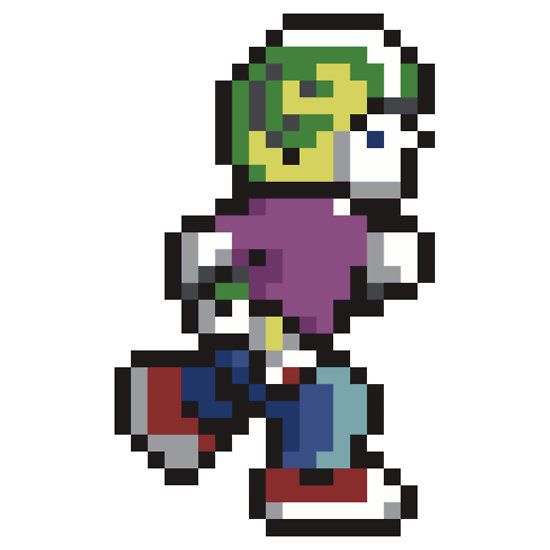


After Tsoding's 3d engine tutorial
Tutorial:https://youtu.be/qjWkNZ0SXfo?si=F7SFWC2JgstOWEkG
Model taken from: https://github.com/Max-Kawula/penger-obj
Have fun!
0 comments
