

Hi @zep
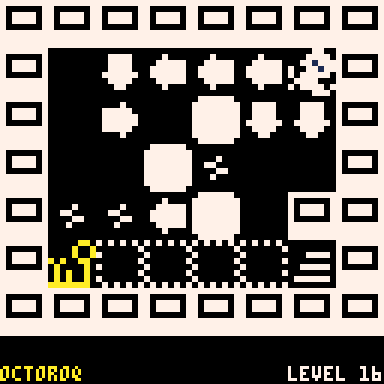
If the CSS declaration image-rendering: pixelated were added to gif images sitewide* (or at least in the gifs page) the sharp edges would be preserved, rendering these more closely to how they appear in PICO-8, even for 1:1 scale gifs (which would require drastically less file size / allow longer gifs).
A full ruleset targetting just gifs would be:
img[src$='.gif'] {
    image-rendering: pixelated;
} |
Of course, for pixel-perfect representation, image sizes would need to be restricted to multiples of 128x128.
I hope you'll consider this change.
Thank you!
*Edit: probably not sitewide as it might have a negative impact on small/preview gifs etc compared to the current render method


 0 comments

Hey @zep! Im looking to play the carts made on Voxatron 0.2.10 like Chaos Arena since theyre intresting. but however when i search for Chaos Arena, nothing pops up, could you send the cartridges or post them to the BBS?
0 comments


HOCKEY PONG
A fast-paced retro-styled hockey/pong hybrid for PICO-8!
🕹️ How to Play
-
Player 1 (Keyboard):
- Move: Up / Down arrows
- Select: Z key
-
Player 2 (Gamepad, if connected):
- Move: D-Pad Up / Down
- Select: X / O (mapped to buttons 4/5)
- Score goals by hitting the puck past your opponent!
- First player to 10 points wins the game.
🎮 Game Modes
- Single Player: You vs. AI paddle
- Two Player: Plug in a second controller
📋 Menu Options
Start: Begin a matchDifficulty: Easy / Medium / HardControls: View keyboard/gamepad layout
🏁 After Match
0 comments


An HTTP Server in Picotron!
Running the cart will start a demo, hosting a server on localhost:8000. The cart will display the access logs. The site serves a form. Once submitted, the form results will be displayed in the log.
Full instructions on GitHub: https://github.com/Rayquaza01/picotron-http
2 comments



My first cart! Collect fire, avoid ice, and try to survive the cold! Reach 500 points for a secret...
Controls and Rules:
Menu:
↑ ↓ Enable and Disable Music
X Start Game
Z View High Score List
In Game:
↑ ↓ ← → Move Character
How to Play:
Fires increase your score and the time remaining. Lightning gives you a speed boost. Ice spikes will hurt you. If the timer reaches 0 (seconds) or player health reaches 0 the game will end.
Credits:
Music from Shadow Venturing by PlayerTheMaker
Changes:
07-09-2025 v1.0
Initial upload.
07-09-2025 v1.3
Fixed bug where new high score was added twice.
2 comments




A simple function for inserting sprites in the middle of text on screen.
There's a second version that can also highlight text. I made them different to reduce overhead if you only need the first one.
prtspr() arguments:
txtbl: text table, combo of strings and sprite numbers. Example: {"hello",5,"world"}
x,y: line position
c: text color
spry: adjust sprite y pos (optional argument)
prtspr_2() arguments:
txtbl: text table, combo of strings and sprite numbers. Example: {"hello",5,"world"}
x,y: line position
ctx: text color
chi: highlight color
spry: adjust sprite y pos (optional argument)
cdrp: drop shadow color
0 comments


Hey everyone!
Today I present a few simple functions for managing tables!
strtab()
local t=strtab[[
 dark=false,
 red=lala,
 5=32,
 kiss={
  me,before,you,go
 }
]] |
a whitespace agnostic function for converting strings into tables. numbers and booleans are cast into their respective types. this lets you write tables out in a human readable way, making it a powerful tool for data-driven development. note that because it removes all white space, there is currently no way to include strings with white space.
tblcpy()
local t2=tblcpy(t,{
 kiss={
  please=don't
 }
})
result:
{
 dark=false,
 red=lala,
 5=32,
 kiss={
  me,before,you,go,please=don't
 }
} |
this function (optionally) deep copies any table, and can optionally take another table as a parameter to overwrite values into it. combined with strtab(), this can form a simple yet powerful entity and inheritance system, which I am using in a current project.
tass()
print(tass(t2)) |
convert a table into a whitespace-formatted string. great for debugging!
rmchr()
str=rmchr("hyuck","h")
result:
"yuck" |
removes a character from a given string. this is primarily a helper function for strtab().
I hope these may be useful for you! happy pico-8'ing! 💖
0 comments
.png)


hey guys.
i got the pico-8 console three days ago, and this is what I've made in that time!
posting this because I'm trying to make a metroidvania, and I also would like some feedback on the tokens i'm using. i'll take any help I can get because I have zero clue what I'm doing.
listing some things I wanna learn how to do:
-
that room-to-room scroll thing in metroidvanias
-
how to spawn a player on a specific map tile
- walljumping
i've been studying the resources, but i haven't found anything for these issues. hope you enjoy what i've made regardless!
0 comments



Does anyone have the same problem as me?
pausable = false |
If you disable pausable then in binary exports the escape key goes to the desktop in fullscreen apps.
Is this an intended behavior? I disable it to create my own pause menu.
I would like that in a final binary, no one could exit to the desktop.
Thanks!
2 comments


The adventure of a janitor in an office building
Made for the Mini Byte Game Jam
DropBearByteJam2025
The Last Shift.
You are a janitor who is scheduled to clean an office building daily, you have your daily tasks to do but there are twists along the way...
At the beginning of everyday choose an item from your car to unlock different things to do in the office building. Find out the secrets of the office.
2 comments


Pico Hero - A Guitar Hero demake
Controls
< Green
v Red
^ Yellow
> Blue
O Strum
X Star Power
Changelog
v0.3.1 (12th July 2025):
-New launcher cart in preparation for additional songs
-New star power system (hit glowing notes to gain SP)
-New save format (Old saves do not carry across)
-Changes to note chart in "I Love Rock N' Roll" (Hard/Medium)
v0.2.3 (10th July 2025):
-Added medium difficulty
-Star power now scales with difficulty
-Visual improvements / new logo
-Tighter timing window for HOPO notes
-Default difficulty set to easy, change from the main menu
v0.2.2 (9th July 2025):
3 comments



I'm going to occasionally post some development gifs and images for Goldy Blocks Inc. starting with this one! This is the earliest gif I have of the project. The internal name for the game was Block_Builder, and this image is literally called "block_builder_0.gif" You can see I'm using sprites from Tower of Medusa to prototype it. The crumbly rock texture actually made it all the way into the release of the game, but it became the backdrop to the building section!
Another funny coincidence I didn't notice until now is that the shape being created is made of silver blocks while the un-attached blocks are golden. This is the exact opposite of how it is in the final game! At this early point I didn't even have an idea for how the game would look or what the setting would be, so part of me wonders if the placeholder golden blocks influenced me subconsciously.
I'll post more gifs soon, and after the game has been out for a little bit, I'll post some unused concepts/sprite/art!
0 comments


This is my startup.lua:
-- User Startup File

-- Run Dock at startup
if fstat("/desktop/Apps/dock.p64") then
	create_process("/desktop/Apps/dock.p64")
end |
When my system boots, the dock gets opened in a separate workspace instead of the desktop. When I try running create_process("/desktop/Apps/dock.p64") from the terminal after boot, it works correctly.
2 comments



Help Kiwi get the most happiness~!!
Happiness wears off over time, so keep getting stars. Dodge the angry thoughts, or else...!
0 comments



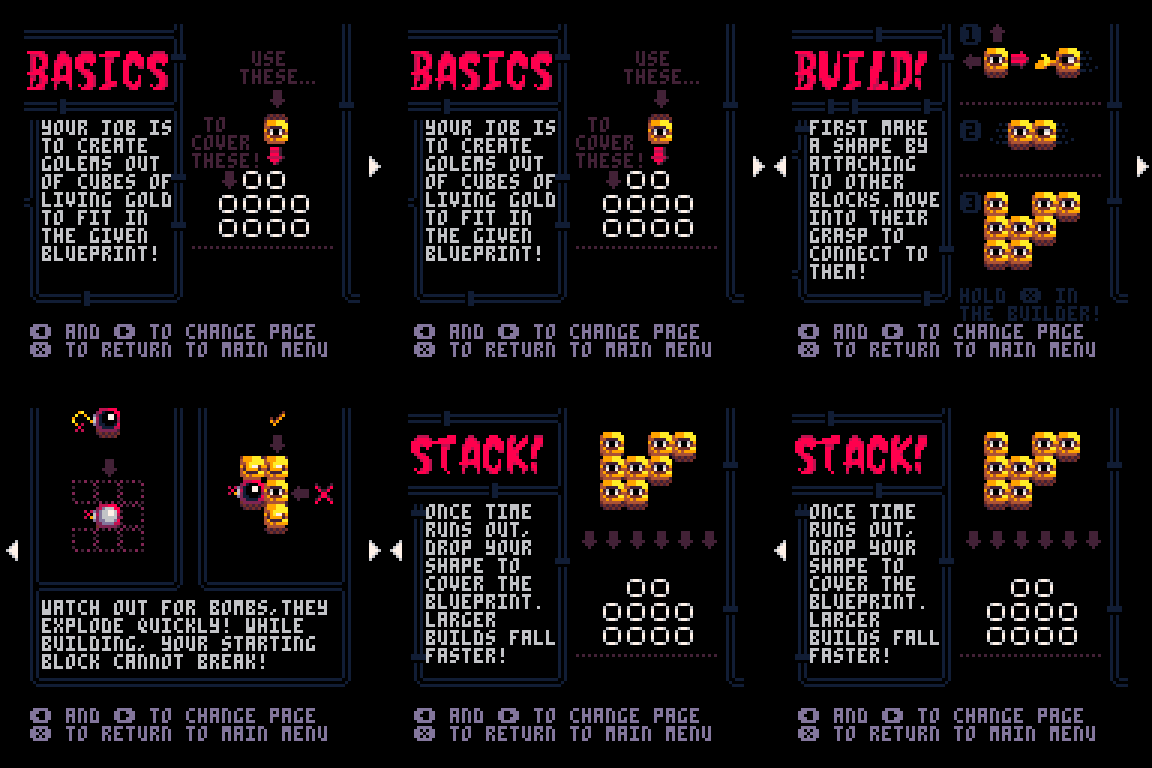
This salesman may be shady, but a deal's a deal. Help him create golems out of pure Living Gold!
Music by:
- The Packbats
- Gruber
- Fettuccini
Check them out clicking their names!
Controls and Rules:
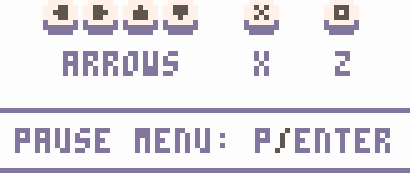
Builder:
↑ ↓ ← → Move Block
X Export Block
Z View Map
Stacker:
↑ ↓ ← → Move Block
Reset the current level and turn screen-shake on and off in the pause menu!
 11 comments